
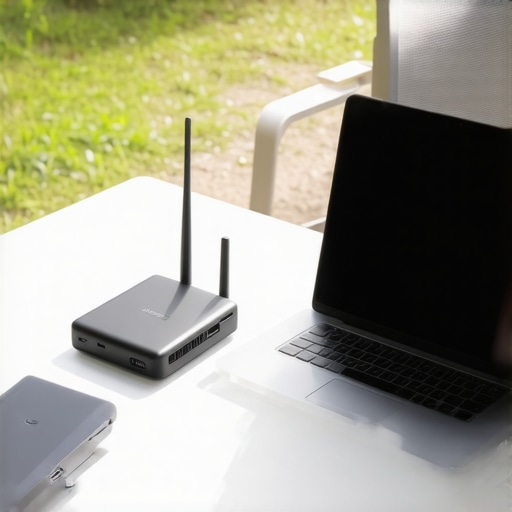
It was a typical Tuesday, or so I thought. I walked into a bustling conference room during a crucial client presentation, laptop in hand, only to realize my equipment was incompatible with their AV system. The embarrassment, the wasted minutes—you’ve probably been there. That lightbulb moment made me realize: a truly portable office isn’t just about having a sleek tablet or a powerful laptop. It’s about packing the right tech that ensures seamless productivity wherever I go.
Why Your Mobile Office Needs the Right Tech Arsenal
Building a portable office goes beyond tossing a few gadgets into your bag. The right tech stack transforms your mobile workspace from a collection of tools into a strategic advantage. I’ve learned firsthand that without the proper gear, even the most promising meetings can turn into technical nightmares. On the flip side, having tested and refined my toolkit, I can navigate any co-working space, startup hub, or client site confidently.
Research indicates that 82% of remote workers consider reliable tech essential for productivity (source: TechRepublic). That statistic is no surprise to me anymore—it’s the backbone of a successful remote or mobile work setup. Early on, I made the mistake of assuming that a good laptop and internet connection were enough. Turns out, a host of other tools—like portable chargers, universal adapters, and cloud sync solutions—are equally vital. Skimping on these cost me painfully in the past, but each mishap taught me what really matters.
If you’ve faced clunky setups or missed opportunities because of tech failures, you’re not alone. The good news? You don’t have to stumble through this alone. Next, I’ll walk you through assembling an essential tech stack that keeps your portable office running smoothly—no matter where you are.
Prioritize Reliable Connectivity
Start by testing your internet connection in various locations before heading out. Use a portable Wi-Fi hotspot or a cellular USB dongle as a backup to ensure you’re never offline during critical meetings. I once relied solely on hotel Wi-Fi in a remote conference center, only to experience buffering during a key presentation. After that, I always carry a dedicated mobile hotspot, which proved invaluable during my last startup pitch in a busy coworking space. Vet your connectivity options to avoid surprises.
Equip with the Right Hardware
Invest in a lightweight, versatile laptop or tablet that can handle your core tasks efficiently. Pair it with a compact, multi-ported adapter to connect to different projectors or screens in various conference rooms. Remember, not all rooms have the same ports; one startup I worked with faced repeated failures because their adapters didn’t match the room’s HDMI or VGA connectors. Always carry a universal adapter and verify its compatibility beforehand. How to choose the right hardware can streamline your setup.
Streamline Power Solutions
Portable chargers are a must. Keep a lightweight power bank charged and ready in your bag to extend your device’s battery life. During a recent trip, my laptop died midway through an important client call in a coworking lounge. A quick plug-in saved the day and kept the momentum going. Make it a habit to charge your devices fully before heading out and consider a multi-device charger for simultaneous top-ups. Maximize your battery life effectively.
Sync to the Cloud for Flexibility
Use cloud-based storage solutions like Dropbox, Google Drive, or OneDrive to access your files from any device. This way, whether you’re in a startup hub or a traditional conference room, your documents are always at hand. In one instance, I needed an urgent pitch deck update, and thanks to cloud sync, I made quick edits from a nearby cafe. Ensure your files are well-organized and autocomplete settings are enabled to save time. Optimize your cloud workflow.
Set Up a Mobile Workspace
Create a dedicated digital workspace, with a focus on ergonomics and minimal distraction. Use noise-canceling headphones to block out background noise during calls—crucial in lively coworking areas or busy conference centers. I once tried to focus in a bustling startup event, but the noise was overwhelming until I put on my headphones and used a virtual background for video calls. Establish a “work zone” within your gear, and customize your settings to boost productivity. Design your mobile office for maximum efficiency.When it comes to conference rooms and coworking spaces, many entrepreneurs and remote workers fall for common misconceptions that can hinder productivity and growth. One widespread belief is that the bigger the meeting room, the more effective the meeting. However, in my experience, excessively large spaces can lead to disengagement and even anxiety among attendees, especially when the room feels empty or intimidating. Instead, opting for appropriately sized, versatile rooms that foster intimacy and focus tends to generate better outcomes.
What do high-tech features really add to a meeting space?
Many assume that integrating cutting-edge technology, like advanced projectors or smart boards, automatically boosts collaboration. Yet, overcomplicating your setup can backfire. Complex tech often introduces technical issues, distracting from the goal—productive discussion. Simplify where possible, ensuring reliable connectivity, and leverage tech as an enabler rather than a hurdle. According to research published in the Harvard Business Review, over-reliance on technology can hinder spontaneous collaboration and reduce overall engagement if not implemented thoughtfully.
Another common myth involves accessibility. Many believe that booking a premium space ensures better productivity. But overlooking the importance of spatial psychology can lead to overlooked nuances. Natural lighting, fresh air, and ergonomic furniture significantly impact participants’ alertness and creativity. For instance, a windowless room might save costs but can drain energy levels, undermining the meeting’s purpose. To truly maximize your startup’s potential, consider evaluating spaces based on these subtle but impactful factors. For more tips on selecting the ideal conference environment, visit this guide.
Finally, many entrepreneurs underestimate the value of communal and flexible setups. The myth that fixed, traditional conference rooms are always best is flawed. The modern workspace encourages adaptable zones—breakout areas, casual lounges—that promote spontaneous discussions and creativity. The shift toward flexible environments isn’t just trendy; it’s backed by studies like those from Steelcase, which show that flexible spaces increase collaboration by up to 35%. Recognizing these nuances can transform how your startup fosters innovation. Want to explore more about how space design influences productivity? Check this article.
Have you ever fallen into this trap? Let me know in the comments.Ensuring your portable workspace remains reliable over time requires more than just selecting the right gadgets—it involves a strategic combination of dependable hardware, smart software, and routine maintenance. Personally, I rely on a set of tools that have proven effective in real-world scenarios, allowing me to focus on productivity instead of troubleshooting.
Prioritize a Secure and Sync-Friendly Cloud Platform
I use Google Drive for its seamless integration across devices and its robust collaboration features. It allows me to access and edit documents in real-time during meetings, whether I’m on my laptop, tablet, or smartphone. The auto-sync feature ensures my files are always up to date, minimizing the risk of version control issues. To maintain long-term reliability, I regularly review my shared folders, clean obsolete files, and enable two-factor authentication to enhance security. Combining cloud storage with a strong password manager like LastPass also helps me keep credentials safe and accessible.
Leverage Advanced Connectivity Solutions
While conventional Wi-Fi works in most cases, I always carry a dedicated 4G LTE hotspot device—specifically, the Netgear Nighthawk—that provides a stable internet connection even in congested or unreliable networks. The Nighthawk supports carrier aggregation, boosting download speeds, which is critical during time-sensitive meetings or file uploads. I schedule routine speed tests using Ookla’s Speedtest app to ensure consistent performance and consider upgrading my data plan if I notice fluctuations. This proactive approach keeps my workflow uninterrupted and gives me peace of mind in dynamic coworking environments.
Maintain Hardware with Preventive Care
Investing in high-quality, durable peripherals like the Logitech MX Master mouse and a portable monitor from ASUS has significantly increased my efficiency on the road. I establish a weekly routine to clean my devices, update firmware, and verify charging cables and adapters for any wear. For software, I keep my operating system and key apps up to date, applying patches and security updates regularly—this practice reduces vulnerabilities and improves system stability. Setting up reminders to perform these upkeep tasks helps me avoid sudden failures that could disrupt important sessions.
Automate and Organize with Productivity Apps
I utilize Todoist for task management and Evernote for note-taking, both of which synchronize effortlessly across devices. To keep long-term performance optimal, I archive completed projects and regularly review pending tasks to realign my priorities. These apps help me stay organized, and automations—like scheduling backups or setting recurring reminders—save me time and prevent oversight. By establishing a consistent routine for digital organization, I ensure that my tools support my goals rather than hinder my progress.
What Do Experts Say About Long-Term Maintenance?
According to the tech analyst Marco Arment, periodically auditing your workflow and digital tools is key to maintaining efficiency. He recommends scheduling quarterly reviews to evaluate your hardware performance, update software, and reassess your internet connectivity needs. Implementing these routines has helped me adapt to changing environments and avoid tech dead-ends, ensuring my mobile office remains reliable for the long haul.
To apply this advice, try setting a monthly maintenance schedule where you check your internet speed, update critical software, and review your hardware condition. Staying proactive can save you time and headache down the line. If you’re interested in optimizing your workspace further or need help integrating these systems, consider reaching out via our contact page. Keep your tools sharp and your workflow smooth—your mobile office will thank you!
Lessons I Wish I Learned Sooner in Conference Room Strategy
- One unexpected lesson was realizing that no matter how advanced your tech setup, understanding the environment’s psychology—like lighting, furniture, and acoustics—can make or break your productivity in conference rooms.
- I used to believe that the newest gadgets would always guarantee seamless meetings, but I found that consistent routine maintenance and familiarity with my tools often trump flashy hardware.
- My biggest insight? Flexibility in workspace design and tech adaptability often lead to more spontaneous innovation, especially in coworking spaces where the environment shifts constantly.
Tools & Resources That Keep My Mobile Office Running Smoothly
- Google Drive: Its real-time collaboration and auto-sync features give me peace of mind knowing my documents are up-to-date across devices—a lifesaver during last-minute pitch adjustments.
- Netgear Nighthawk: This hotspot provides reliable, mobile internet, crucial for those remote startup meetings when local Wi-Fi is unreliable or congested.
- Logitech MX Master Mouse: Its ergonomic design and precision have significantly boosted my efficiency, especially when working with detailed design files or extensive spreadsheets.
- Todoist: My task manager helps me organize priorities and automate recurring reminders, keeping all my project timelines integrated and clear.
Remember, Your Next Growth Step Begins Now
Stepping into the world of mobile productivity isn’t simply about gadgets; it’s about cultivating a mindset that values adaptability, forethought, and ongoing learning in how we use conference rooms and coworking spaces. Equip yourself thoughtfully, stay curious about your environment, and embrace the flexibility that modern workspaces demand. Your portable office can become a powerful catalyst for your startup’s success—so start refining your setup today.
What’s the one piece of tech that transformed your conference room experience? Share your story below—I’d love to hear how you’re leveling up your mobile workspace!
,