
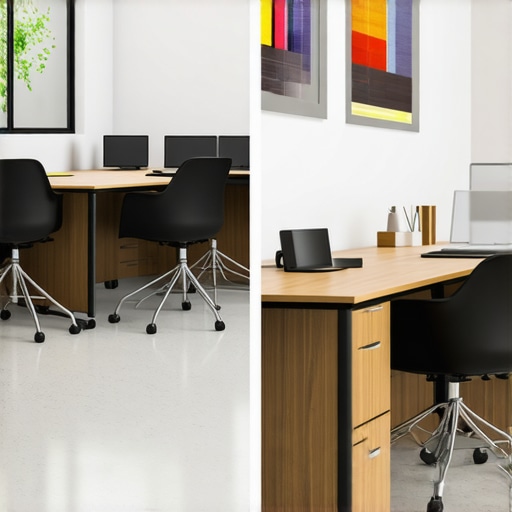
I remember the moment vividly. I was seated in a bustling coworking space, trying to hammer out a critical pitch, only to be interrupted by loud conversations and ringing phones. Frustration bubbled up as I realized my current setup was sabotaging my focus. That lightbulb moment made me question: should I settle for a hot desk that offers flexibility or invest in a dedicated suite that promises quiet and consistency? This dilemma is more common than you think, especially for entrepreneurs and remote workers trying to find that sweet spot in their work environment.
Why Your Workspace Choice Can Make or Break Your Productivity
Choosing between a hot desk and a dedicated workspace isn’t just about convenience—it’s about your ability to focus, innovate, and grow. I’ve learned firsthand that the right environment can significantly boost your efficiency and morale. Conversely, the wrong choice can lead to burnout, scattered thoughts, and missed opportunities. Studies suggest that workspace design impacts up to 40% of an employee’s productivity, making this decision genuinely impactful (source: Harvard Business Review). So, how do you decide what fits best with your working style and business goals?
Is the Hype Around Dedicated Suites Overrated?
One mistake I made early on was assuming that a private office would automatically translate into better productivity. I thought the proximity to my team and the privacy would be enough. But without considering my daily needs—like quick access to collaboration spaces or budget constraints—I ended up overpaying for a setup that didn’t always serve my purposes. This experience taught me that choosing a workspace should be strategic, not just idealistic.
Let’s explore how to navigate this decision intelligently, ensuring you set yourself up for success from the get-go. Whether you’re leaning toward flexible hot desks or a dedicated suite, understanding the pros and cons will help you make a choice aligned with your startup’s growth and your personal work style. Ready to dive into the practical tips that will clarify your options? Check out our related insights on meeting room innovation to see what amenities might influence your workspace decision.
Assess Your Needs Before Booking
Begin by clearly defining what your startup requires from a meeting room. Ask: Will you need high-quality audio-visual equipment? Is privacy essential? Do you prioritize a creative environment or a formal boardroom setting? For example, I once booked a room without considering the need for digital projection, only to scramble during a critical pitch. To avoid this, list your must-haves and nice-to-haves, ensuring your space aligns with your objectives.
Evaluate Space Flexibility and Accessibility
Choose spaces that adapt to your fluctuating team size. Flexible coworking environments often offer hot desks and modular rooms that adjust to your workload. When I scaled my team from 3 to 12, shifting to a coworking space with versatile meeting rooms helped us avoid the cost of long-term leases. Consider access hours, proximity to your team’s base, and ease of booking—these factors prevent disruptions and support seamless operations.
Prioritize Technology for Seamless Communication
Invest in or verify the availability of reliable high-speed Wi-Fi, quality microphones, and displays. For crucial investor meetings, a well-equipped conference room can make or break impressions. I once hosted a remote pitch in a room with poor connectivity; the frustration was palpable, and it impacted our professionalism. Preview the tech setup beforehand, or consult directly with the coworking staff via Contact Us to ensure standards are met.
Design for Collaboration and Focus
Arrange furniture to foster engagement—avoid rows that restrict interaction. Incorporate whiteboards or writable walls for brainstorming sessions. During a recent team workshop, I transformed a standard meeting room into a dynamic collaboration zone by adding movable chairs and shared screens. This simple tweak boosted participation and idea flow.
Control Acoustics and Reduce Distractions
Soundproofing is often overlooked but vital. Loud neighbors or thin walls can derail concentration. I faced this challenge when my noisy neighbors’ calls interrupted our strategy sessions. To mitigate this, I selected rooms situated away from busy corridors and used portable soundproof panels. For ongoing issues, auditing your office acoustics via our guide helps identify cost-effective solutions.
Leverage Design and Amenities for Inspiration
Elements like natural light, plants, and ergonomic furniture invigorate creativity. I noticed my team became more innovative when I switched sessions to rooms with large windows and comfortable chairs. Incorporate amenities such as coffee stations or standing desks to energize meetings further.
Optimize Booking and Usage
Implement a streamlined system for scheduling to avoid overlaps and conflicts. Use digital booking platforms that sync with your team’s calendars. During a recent project, inconsistent booking led to wasted time. Moving to a centralized booking system improved efficiency, freeing up hours for actual work. For best practices, explore specialized tools or contact coworking providers through this page.
Foster Networking and Community Engagement
Select spaces that encourage interaction beyond your team—lounge areas, shared kitchens, and event spaces promote serendipitous connections. I benefited when attending open networking events at coworking hubs; they introduced me to potential partners and clients. To find spaces that facilitate networking, review this resource.
Many entrepreneurs and startups stumble by overlooking nuanced aspects of meeting room utilization, often believing that selecting any suitable space suffices. However, a common myth is that all conference rooms are created equal; in reality, the subtle differences can dramatically impact your productivity and client impressions. For instance, opting for a basic space without assessing acoustics or technology can lead to disconnects during vital pitches, impairing credibility. Advanced startups recognize that the best rooms offset potential distractions with features like soundproofing and seamless tech integrations, aligning with insights from industry experts who emphasize meticulous space planning (see this resource).Maintaining an efficient and reliable setup in your coworking or conference room environment is essential for ongoing success. I personally rely on a combination of high-quality hardware, specialized software, and strategic methods to ensure my spaces stay productive and scalable over time. Key tools include the Logitech Rally series for crystal-clear video conferencing, which I’ve found indispensable during long remote sessions or hybrid meetings. Their modular microphones and cameras deliver consistent audio and visual clarity, even in rooms with imperfect acoustics. I also utilize the Robin app for room scheduling; it streamlines booking processes and prevents double-bookings, saving time and reducing frustrations. For collaboration, I prefer Miro for real-time visual ideation—it’s intuitive and integrates smoothly with Slack and Teams, making teamwork seamless. Regular system audits, using tools like the Jabra SoundPlus app, help me identify and resolve lurking audio issues before they impact meetings, especially in acoustically challenging spaces. Looking ahead, I think the trend towards intelligent meeting rooms, equipped with AI-driven analytics to optimize layouts and sound quality, will become the norm. To keep your setup effective long-term, establish a routine check-in system—monthly audits of tech performance and user feedback are invaluable. How do I maintain my conference room technology over time? The answer lies in proactive upkeep: schedule periodic firmware updates, run diagnostics before major meetings, and foster a culture where team members report issues promptly. Incorporate an easily accessible contact point, such as https://coworkingcentral.com/contact-us, to quickly resolve technical hiccups and prevent small problems from escalating. For example, investing in a structured maintenance schedule for your IT gear ensures that your meeting spaces stay reliable and scalable as your startup grows. Don’t shy away from exploring advanced tools—like the Logitech Rally, which I personally vouch for—and set regular audits to keep everything running smoothly. This approach not only preserves the quality but also empowers your team to focus on what truly matters: innovative ideas and strategic growth. As technology evolves rapidly, staying ahead with consistent maintenance makes certain your spaces continuously enhance collaboration and productivity. Want to learn more about how to future-proof your meeting areas? Check out the latest insights at this resource and consider implementing a routine tech review today.
Lessons That Don’t Make It Into the Brochure
- One of my most surprising realizations was how my personal work habits clashed with the environment I chose. For example, assuming that a private suite would automatically boost my focus proved naive. It taught me that understanding my workflow is more crucial than simply opting for what seems luxurious or private.
- Another lightbulb moment came when I underestimated the importance of acoustics. I once booked a seemingly perfect conference room, only to be thwarted by noisy neighbors. It became clear that physical environment details often hide behind glossy descriptions but can make or break your meeting’s success.
- Finally, I learned that flexibility in workspace design isn’t just a convenience—it’s a strategic advantage. Adapting spaces to meet fluctuating team sizes and project demands has saved me from costly office moves and kept my startup agile.
Tools and Resources That Changed My Approach
- Robin Room Scheduling App: I trust this tool because it simplifies booking and reduces conflicts, saving time during hectic days. Seamless scheduling is essential for maintaining flow in a busy startup environment.
- Logitech Rally Series: My go-to for reliable video conferencing; I know that high-quality audio and video are non-negotiable when pitching to investors or collaborating remotely. Their hardware has never let me down.
- Miro Collaborative Boards: This software transformed my team’s brainstorming sessions, making virtual collaboration as dynamic as in-person whiteboarding. It’s intuitive and integrates well with other tools, which is a huge plus.
- Regular Tech Audits via Contact Us Page: Scheduling periodic reviews of my conference room tech setups keeps everything running smoothly. Proactive maintenance avoids unexpected failures, especially before major meetings.
Step Out and Make Your Mark
Choosing the right workspace isn’t merely a logistical decision—it’s a powerful statement about your startup’s identity and your personal work style. By embracing intentionality, leveraging reliable tools, and being attentive to your environment’s nuances, you set the stage for growth and innovation. Don’t hesitate; your ideal meeting environment is within reach. Explore innovative coworking options and outstanding meeting rooms detailed at this resource and start crafting spaces that inspire success today.