

I vividly remember the first time I tried coordinating a hybrid team in a bustling coworking space. I had this bright idea: let’s harness the energy of shared environments while juggling remote workers. Yet, as I looked around the room during our first few meetings, I felt a sinking sense of chaos—a mixture of frustrated glances, distracted whispers, and the ever-present issue of who’s really paying attention. That disorienting moment made me realize that managing a hybrid team in such dynamic shared spaces isn’t intuitive; it requires strategy and finesse.
If you’re struggling to keep your hybrid team aligned in a shared workspace, you’re not alone—and I’ve been there too. Today, I promise to share proven tips that transformed my approach, reducing confusion and boosting productivity in ways I hadn’t imagined. We’ll explore practical strategies to create cohesion, foster communication, and make the most of coworking environments—no matter where your team members are physically located.
Is Your Hybrid Team Collapsing Under the Weight of Disorganization?
Early in my journey, I made a crucial mistake: I assumed that high-tech tools alone would solve all our coordination woes. I invested heavily in conference room booking software but neglected the human element—simple things like setting clear expectations and maintaining consistent communication. According to a study by Harvard Business Review, teams that prioritize communication over tools achieve better cohesion and results. The lesson? Technology helps, but it’s the human touch that keeps everything running smoothly.
Have you faced similar struggles with hybrid teams in shared environments? If so, you’re in the right place. This post will walk you through actionable steps to prevent disarray, maximize your coworking experience, and build a truly integrated team—right here in our shared spaces. So, let’s dive into the first key tactic that can turn chaos into clarity.
Set Clear Communication Protocols
Start by establishing specific communication channels and expectations. Use tools like Slack or Microsoft Teams to create dedicated channels for different projects or teams, ensuring everyone knows where to find updates and share information. During my first attempt, I assigned different platforms for internal chats and urgent alerts, which initially caused confusion but eventually streamlined our interactions. Make sure all team members understand and agree upon these protocols to prevent miscommunication.
Define Meeting Norms
Schedule regular check-ins to synchronize efforts and reinforce accountability. Use coworking spaces’ conference rooms to hold daily stand-ups or weekly syncs, depending on your team’s rhythm. I once tried to hold a daily stand-up via Zoom without defining its purpose clearly; the session turned into a time-consuming status update. Clearly state the meeting’s goal—whether it’s problem-solving, updates, or brainstorming—and stick to it to maximize productivity.
Optimize Use of Shared Spaces
Think of coworking environments as collaborative hubs similar to a beehive—each space serving a specific role. Reserve dedicated meeting rooms for sensitive discussions or client presentations to prevent distractions and ensure privacy. When I worked on a project that required constant collaboration, I secured a quiet corner using https://coworkingcentral.com/how-to-choose-the-perfect-conference-room-for-business-success, which minimized noise and increased focus. Implement a booking system so team members can plan their use of shared rooms proactively.
Create Visual Coordination Boards
Use physical whiteboards or digital tools like Trello or Asana to track tasks, deadlines, and responsibilities. This creates a visual map of progress and keeps everyone aligned. In one project, I set up a Kanban board on a large whiteboard in the shared area; it became a focal point for daily updates, reducing email clutter. Regularly review and update these boards in team meetings to keep the momentum alive.
Implement Flexibility with Tech
Leverage technology to bridge the remote and in-person divide. Video conferencing tools, screen sharing, and real-time document collaboration make it possible to work seamlessly across locations. I remember hosting a brainstorming session where half the team was in the conference room, and the rest dialed in via https://coworkingcentral.com/the-future-of-conference-rooms-in-startup-ecosystems; the session was dynamic, and input flowed freely. Ensure high-quality audio and video equipment is in place to prevent technical issues from disrupting your flow.
Offer On-Site Support and Resources
Provide staff or onsite coordinators to assist with room setups, tech troubleshooting, or scheduling conflicts. During a busy week, I enlisted a coworking staff member to manage our room bookings and technical needs, which freed me up to focus on strategic tasks. Establish a simple contact point—such as https://coworkingcentral.com/contact-us—that team members can reach out to for immediate assistance, ensuring smooth operations.
Nurture a Culture of Accountability and Trust
Encourage transparency and responsibility through shared goals and recognition. Celebrate milestones and openly discuss challenges during team huddles. In my experience, acknowledging individual contributions in shared spaces boosted morale and ownership. Foster an environment where feedback is constructive and frequent, so team members feel valued and motivated to stay aligned despite physical distances.
Regularly Review and Adjust Processes
Hold retrospective sessions to identify what works and what doesn’t. This iterative approach ensures your coordination methods evolve with team needs and workspace changes. For instance, after a quarter, we realized that our scheduled check-ins were too frequent, causing fatigue. Reducing them and shifting to as-needed updates improved engagement. Use insights from https://coworkingcentral.com/how-to-maximize-productivity-in-your-startups-conference-rooms-by-0245-pm to refine your approach continuously.Many assume that selecting a coworking or meeting space is as simple as choosing a price or location, but in my experience, the real pitfalls lie deeper. One common myth is that all shared spaces are created equal; in reality, the subtle design choices and service levels dramatically impact efficiency and professionalism. For instance, a room with poor acoustics or outdated tech can sabotage your engagement, no matter how ideal the location seems. According to a study by Harvard Business Review, overlooked environmental factors like sound quality and lighting can decrease meeting productivity by up to 25%. This emphasizes the importance of examining these nuances beyond surface-level features.
Another frequently misunderstood aspect is the emphasis on fancy amenities over core functionality. Many startups believe that high-end coffee machines or lounging areas directly correlate with innovation. While amenities do matter, they often distract from prioritizing essential elements such as privacy, soundproofing, and reliable connectivity. An advanced startup guide suggests focusing on these fundamentals first, as they directly affect daily operations and deal-making opportunities.
Beware of the trap of over-reliance on booking systems. While digital reservation tools are handy, they often create a false sense of control. Double bookings, tech failures, or last-minute changes are common pain points. My advice? Always have a manual backup plan and communicate proactively with your team or clients about space availability to avoid awkward or disruptive situations.
Is It Time to Rethink Traditional Meeting Rooms?
Many believe that conventional conference rooms are still the best option for serious discussions, but modern needs demand flexibility. Movable furniture, modular walls, and portable tech allow spaces to adapt on the fly, fostering creativity and accommodating different engagement styles. For those overwhelmed by countless options, I recommend exploring innovative solutions that turn ordinary meeting rooms into collaboration hubs—like transforming an area into a podcast studio or brainstorming zone. You can explore such ideas further by visiting https://coworkingcentral.com/innovative-meeting-rooms-that-boost-startup-creativity.
Lastly, beware of misjudging the importance of natural light and air quality. They’re often dismissed as superficial, yet they significantly influence mood and alertness during meetings. A well-lit, ventilated room can keep participants more engaged and reduce fatigue, as noted by environmental psychology research. Incorporate elements like window placement and air circulation into your assessment process.
Have you ever fallen into this trap? Let me know in the comments. Staying aware of these subtleties ensures your workspace truly supports your goals and avoids common pitfalls that could undermine your success.Keeping your coworking space and conference rooms running smoothly over the long term demands the right selection of tools and consistent maintenance. After years of managing diverse environments, I’ve identified a set of equipment and software that truly make the difference in daily operations and scalability.
Invest in Smart Room Booking Solutions
Manual scheduling can quickly become chaotic, especially as your team or community grows. I personally use Google Calendar combined with a dedicated booking app like Doodle because it offers real-time updates, prevents double bookings, and integrates seamlessly with other tools. To elevate this, I recommend setting up automated email reminders for upcoming reservations, which cut down no-shows and last-minute conflicts. As your needs evolve, consider adopting more sophisticated solutions like Roomzilla that support kiosk check-ins and analytics on space utilization.
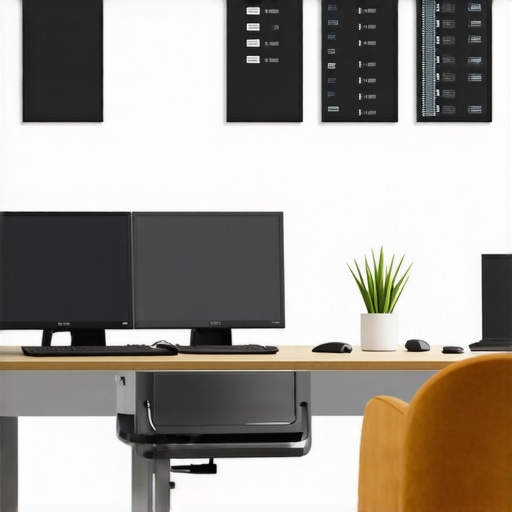
The future of space management is moving towards AI-driven occupancy prediction and adaptive booking systems. Such innovations can forecast peak hours and suggest optimal configurations, reducing downtime and enhancing user experience.
Maintain Equipment with Scheduled Checks
Nothing hampers productivity like malfunctioning tech during a critical meeting. I schedule bi-weekly maintenance for audiovisual equipment, routers, and shared devices. For this, I rely on ServiceNow, which allows you to track issues, assign technicians, and monitor resolution times. Routine inspections—such as testing microphones, projectors, and Wi-Fi strength—ensure everything remains operational. Partnering with a local tech support provider and establishing a clear contact point via our contact page has kept disruptions minimal for us.
Use Data to Scale Effectively
Analyzing space usage and attendee feedback guides you on when and how to expand. I employ tools like OfficeSpace Software for real-time analytics; it reveals patterns—like peak booking times or underused amenities—that inform strategic decisions. Combining this data with periodic surveys allows for continuous improvement, ensuring your facilities adapt with your community’s needs.
How do I maintain these tools over time? Regular training sessions, updating software to the latest versions, and proactive troubleshooting keep operations smooth. Fostering open channels for feedback ensures your team can report issues early, minimizing downtime. Remember, technology alone isn’t enough—coupling it with a culture of meticulous upkeep enhances resilience and growth. As coworking and meeting environments become increasingly complex, staying ahead with these tools ensures your space remains efficient, scalable, and client-friendly. Ready to optimize your space management? Start by implementing a smart booking system and schedule routine equipment checks today. For deeper insights, explore networking opportunities in top coworking spaces and connect with experts who can help you refine your approach.
Lessons I Wish I Had Known About Hybrid Team Dynamics
- One of the toughest lessons was realizing that technology can’t substitute genuine communication. No matter how advanced your booking software or collaboration tools are, they won’t replace face-to-face rapport built through intentional interactions in coworking spaces.
- Over-planning can backfire. I used to schedule back-to-back meetings, assuming more would mean more productivity. Instead, I learned to prioritize quality over quantity, leaving room for spontaneous collaboration that often sparks innovation.
- Flexibility is key. Rigid routines in shared environments can stifle creativity. Allowing team members autonomy to choose when and where they work fosters a sense of ownership and leads to better engagement.
My Secret Weapons for Space and Team Optimization
- Invest in adaptable furniture and modular spaces. They empower your team to tailor their environment to the task at hand, whether focused work or dynamic brainstorming sessions.
- Leverage data analytics from tools like real-time space usage software to understand patterns and optimize your layout and scheduling. Knowing when and how spaces are used helps in scaling effectively.
- Prioritize continuous learning—attend webinars like innovative meeting room design discussions. Staying updated fuels innovation and keeps your workspace fresh and engaging.
Embrace the Journey and Conquer Coworking Challenges
Designing and managing a hybrid workspace is an ongoing adventure filled with learning and adaptation. Every obstacle presents an opportunity to refine your approach—whether it’s upgrading your amenity offerings or rethinking your space layout. Remember, the goal isn’t perfection but creating environments where your team can thrive, innovate, and feel connected, regardless of physical location. Don’t wait for the perfect setup—start implementing these insights today and watch your coworking space evolve into a hub of productivity and inspiration. How have you used space or tech to empower your hybrid team? Share your experience below and inspire others to take that next step.