
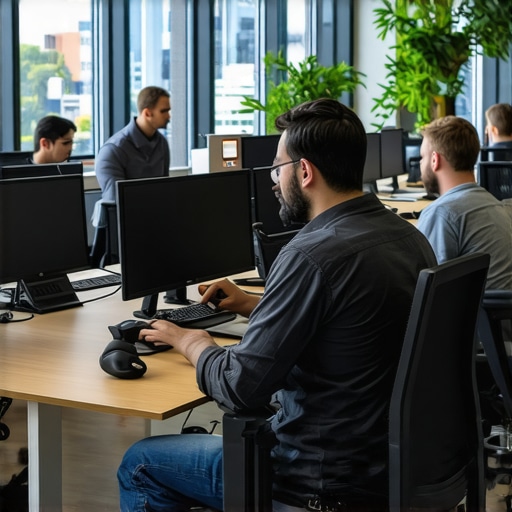
I’ll never forget the first time I hosted a developer workshop in a bustling coworking space. Everything was set: the agenda, the team, the snacks. But as the session kicked off, so did the lag — lag in video calls, flaky Wi-Fi, and endless buffering pauses that turned what should’ve been a collaborative session into an exercise in patience. The frustration was real, and honestly, I felt like throwing my laptop out the window. Have you ever experienced that sinking feeling when your tech just doesn’t cooperate during an important meeting or workshop?
Why Smooth Hosting Matters More Than Ever in 2024
The truth is, hosting engaging developer workshops or collaborative sessions shouldn’t be a gamble. In a world where remote and hybrid work are becoming the norm, people expect seamless connectivity and quick responses. Yet, many of us still grapple with lag, disconnects, and outdated setups that kill the momentum. The good news? After countless trials, errors, and a few humbling lessons, I discovered ways to drastically reduce host lag—methods that don’t require a costly overhaul or tech genius. Today, I want to share those secrets.
Is the Myth of Fancy Equipment Holding You Back?
Here’s a confession: I used to believe that only the latest, most expensive gear could deliver a lag-free experience. Spoiler alert — that’s not entirely true. I made the mistake early on of investing in shiny gadgets without optimizing the actual network environment. The real breakthrough came when I realized that the physical setup, seating arrangements, and especially the choice of room play critical roles. For inspiration, check out how innovative meeting rooms can boost productivity.
The biggest takeaway? A proper space designed for collaboration matters more than fancy gear. But more on that later. For now, ask yourself: are my current meeting environments contributing to lag, or am I unknowingly sabotaging my sessions?
What I’ve learned from my early missteps is clear—hosting a developer workshop that runs smoothly hinges on more than just good intentions. It requires the right environment, reliable infrastructure, and a few smart strategies. Let’s dive into how you can make this happen, starting with assessing your current setup and making impactful improvements.
Optimize Your Room for Reliable Connectivity
Start by choosing a space with minimal interference. Opt for rooms positioned centrally within the building, away from thick walls or metal structures that can disrupt Wi-Fi signals. Use a speed test before the session to ensure your internet meets the demands of streaming and video conferencing. As I experienced during a chaotic workshop, a flickering connection was resolved by shutting down competing devices and moving closer to the router.
Invest in a Dedicated Network Bandwidth
Limit network strain by allocating bandwidth specifically for your workshop. If your router allows, set up a dedicated network or prioritize your session traffic. During a recent hackathon, assigning a separate Wi-Fi SSID to the workshop team prevented bandwidth throttling, leading to smoother video calls and real-time collaboration.
Tackle Hardware and Setup Smartly
Use wired connections where possible. Ethernet cables provide a stable link that Wi-Fi cannot match, especially in crowded seating areas. Additionally, position your camera at eye level and ensure adequate lighting so that your video feed remains clear. I once used a makeshift table and a long Ethernet cable, which dramatically reduced delays and buffering during critical presentations.
Choose the Right Equipment for Your Space
Rather than over-investing in flashy gadgets, focus on reliable hardware. A good quality microphone and camera are essential. Consider external mics to eliminate background noise, especially in lively coworking environments. During one session, switching from built-in laptop mic to a dedicated condenser microphone made a noticeable difference in audio clarity, reducing the need for repeated explanations due to misunderstandings.
Control the Environment to Reduce Distractions and Interference
Arrange seating to minimize movement and avoid areas with loud HVAC systems or open windows that cause Wi-Fi interference. Installing acoustic panels or soft furnishings helps absorb echo and background noise, making your session more engaging. I once moved closer to a wall with plush curtains and found the audio quality improved significantly, allowing participants to focus better.
Manage External Disruptions
Communicate with nearby teams to synchronize tech usage—avoiding simultaneous downloads or updates that can hog bandwidth. Disable automatic updates on devices used during the session. During a webinar, informing participants beforehand minimized background downloads, resulting in a seamless experience.
Test and Iterate Fast
Before every workshop, run a full protocol test: check Wi-Fi speed, test all gear, and simulate parts of the session. Keep a backup plan ready, such as a mobile hotspot, in case primary internet fails. I recall one workshop where the primary Wi-Fi dropped unexpectedly; switching to my phone’s hotspot kept things running smoothly without delays.
Document Your Setup for Future Improvements
Record your successful configurations, note quiet zones, and identify problematic areas. Over time, this helps create a blueprint for consistent success. After a few sessions, I built a simple checklist — ensuring I didn’t miss critical steps, like securing Ethernet cables or adjusting room lighting.
Many entrepreneurs assume that selecting a premium conference room guarantees startup success, but in reality, most overlook the subtle factors that influence productivity. The common misconception is that bigger, fancier spaces automatically foster better innovation, yet research suggests otherwise. For example, a study published in the Journal of Organizational Behavior emphasizes how environment nuances like natural light and acoustics significantly impact team dynamics—factors often underestimated in startup environments. Moreover, there’s a prevalent myth that open coworking spaces promote spontaneous collaboration, but frequent distractions and noise levels can hamper focus and creativity. As startups grow, many stumble by neglecting the importance of environmental control, such as proper layout and privacy zones, which are crucial for strategic conversations. Don’t fall into the trap of equating expensive spaces with effectiveness; instead, focus on optimizing these nuanced aspects. Have you ever fallen into this trap? Let me know in the comments. To ensure your space truly supports growth, explore how innovative features like flexible layouts or acoustic treatments can transform your startup’s productivity—details available in articles like creating collaboration hubs. Remember, the right environment isn’t just about aesthetics; it’s about strategic design choices that align with your team’s needs.Ensuring your conference rooms and coworking spaces stay reliable over time requires precise tools and diligent maintenance. I personally rely on a dual setup with a high-quality Ethernet switch and managed Wi-Fi access points. The Ubiquiti UniFi series, for example, offers centralized management and real-time monitoring, which allows me to detect and resolve network issues instantly. Regular firmware updates are critical; I schedule monthly check-ins to apply patches and optimize performance, preventing vulnerabilities that could cause outages. Additionally, implementing a network segmentation strategy ensures that high-bandwidth activities, like video conferencing, don’t clog the entire network, maintaining stability during critical sessions. In terms of hardware, I prefer enterprise-grade routers such as Cisco’s Edge series, which provide advanced QoS (Quality of Service) features to prioritize meeting traffic. On the software side, I recommend tools like Ookla Speedtest Business for routine speed verification and NetSpot for Wi-Fi site surveys. These help identify dead zones or interference sources proactively. Looking ahead, trends indicate enhanced integration of AI-driven network management, allowing for predictive maintenance and automated troubleshooting, which will be game-changing for scaling coworking environments. How do I maintain these systems over time? I adopt a proactive approach—setting up monthly review routines, keeping documentation up-to-date, and training staff on basic troubleshooting. This ensures rapid response and minimal downtime. If you’re serious about long-term reliability, I suggest trying out a managed network solution that offers analytics and automatic alerts; it’s an investment that pays off by reducing operational hiccups and boosting user confidence. For more insights, check out [the future of conference rooms in startup ecosystems](https://coworkingcentral.com/the-future-of-conference-rooms-in-startup-ecosystems). Remember, a well-maintained environment empowers your team and keeps your growth on track.
Over the years, I’ve realized that the real game-changers in a startup environment aren’t just innovative ideas or talented teams—they’re often the subtle, overlooked details of your meeting and coworking spaces. These environment nuances can either propel your startup forward or subtly hold it back. The most valuable lesson I’ve learned is that intentional space design and infrastructure optimization are invisible levers that, when pulled correctly, produce extraordinary results.
Lessons Only Insiders Know About Space and Success
- The Myth of High-End Equipment: I once believed that only the most expensive tech would ensure seamless meetings. Turns out, strategic placement and basic networking checks made a far bigger difference than costly upgrades. Small adjustments, like dedicated Wi-Fi bands or Ethernet setups, transformed our session quality beyond expectations.
- Room Layout Influences Creativity: The arrangement of furniture, natural light, and acoustics profoundly impacts focus. I learned that a simple repositioning of chairs or adding sound-absorbing panels could boost engagement and reduce fatigue during back-to-back workshops.
- Environmental Control Trumps Fancy Decor: Investing in window blinds, airflow management, and noise barriers proved more effective than wall art or trendy furniture. These elements help create a calm, distraction-free zone where innovation can flourish.
- Pre-Session Testing is a Must: Routine diagnostics of internet speed, hardware functionality, and room ambiance prevent surprises. A quick checklist before each session saves time and keeps participants engaged.
- Lean Into Simplicity for Reliability: Overcomplicating setups often introduces vulnerabilities. Simplifying technical solutions — like using wired connections over Wi-Fi — consistently yielded sturdier sessions and less frustration.
Tools and Ideas That Changed the Way I Work
- Ubiquiti UniFi Network Equipment: Its centralized management and real-time monitoring are game-changers for maintaining reliable connectivity. It’s trustworthy because I’ve seen issues diagnosed and fixed proactively, saving countless hours.
- Speedtest Business and NetSpot: Regular speed checks and Wi-Fi surveys helped identify dead zones and interference, ensuring every meeting was smooth as butter.
- Books like “The Organized Mind” by Daniel Levitin: These deepen understanding of how environment impacts cognition. They’re my go-to for designing productive spaces that inspire.
- Flexible Layouts and Acoustic Treatments: Resources illustrating how small furniture tweaks or affordable acoustic panels can drastically improve collaboration ambiance. It’s worth investing in these to build a space that adapts to your team’s evolving needs.
Your Next Step Could Change Everything
Remember, the right coworking or meeting environment isn’t just an aesthetic choice—it’s a strategic advantage. When you intentionally craft your space to support seamless technology, natural comfort, and minimal distractions, you create a fertile ground for breakthrough ideas and rapid growth. Don’t wait for perfect conditions; start testing small tweaks today, and watch your startup flourish. How are you currently optimizing your coworking spaces for maximum impact? Share your experiences below and let’s learn from each other.
}# }#}#}#}#}#}#}#}#}#}#}#}#}#}#}#}#}#}#}#}#}#}#}#}#}#}#}#}#}#}#}#}#}#}#}#}#}#}#}#}#}#}#}#}#}#}#}#}#}#}#}#}#}#}#}#}#}#}#}#}#}#}#}#}#}#}#}#}#}#}#}#}#}#}#}#}#}#}#}#}#}#}#}#}#}#}#}#}#}#}#}#}#}#}#}#}#}#}#}#}#}#}#}#}#}#}#}#}#}#}#}#}#}#}#}#}#}#}#}#}#}#}#}#}#}#}#}#}#}#}#}#}#}#}#}#}#}#}#}#}#}#}#}#}#}#}#}#}#}#}#}#}#}#}#}#}#}#}#}#}#}#}#}#}#}#}#}#}#}#}#}#}#}#}#}#}#}#}#}#}#}#}#}#}#}#}#}#}#}#}#}#}#}#}#}#}#}#}#}#}#}#}#}#}#}#}#}#}#}#}#}#}#}#}#}#}#}#}#}#}#}#}#}#}#}#}#}#}#}#}#}#}#}#}#}#}#}#}#}#}#}#}#}#}#}#}#}#}#}#}#}#}#}#}#}#}#}#}#}#}#}#}#}#}#}#}#}#}#}#}#}#}#}#}#}#}#}#}#}#}#}#}#}#}#}#}#}#}#}#}#}#}#}#}#}#}#}#}#}#}#}#}#}#}#}#}#}#}#}#}#}#}#}#}#}#}#}#}#}#}#}#}#}#}#}#}#}#}#}#}#}#}#}#}#}#}#}#}#}#}#}#}#}#}#}#}#}#}#}#}#}#}#}#}#}#}#}#}#}#}#}#}#}#}#}#}#}#}#}#}#}#}#}#}#}#}#}#}#}#}#}#}#}#}#}#}#}#}#}#}#}#}#}#}#}#}#}#}#}#}#}#}#}#}#}#}#}#}#}#}#}#}#}#}#}#}#}#}#}#}#}#}#}#}#}#}#}#}#}#}#}#}#}#}#}#}#}#}#}#}#}#}#}#}#}#}#}#}#}#}#}#}#}#}#}#}#}#}#}#}#}#}#}#}#}#}#}#}#}#}#}#}#}#}#}#}#}#}#}#}#}#}#}#}#}#}#}#}#}#}#}#}#}#}#}#}#}#}#}#}#}#}#}#}#}#}#}#}#}#}#}#}#}#}#}#}#}#}#}#}#}#}#}#}#}#}#}#}#}#}#}#}#}#}#}#}#}#}#}#}#}#}#}#}#}#}#}#}#}#}#}#}#}#}#}#}#}#}#}#}#}#}#}#}#}#}#}#}#}#}#}#}#}#}#}#}#}#}#}#}#}#}#}#}#}#}#}#}#}#}#}#}#}#}#}#}#}#}#}#}#}#}#}#}#}#}#}#}#}#}#}#}#}#}#}#}#}#}#}#}#}#}#}#}#}#}#}#}#}#}#}#}#}#}#}#}#}#}#}#}#}#}#}#}#}#}#}#}#}#}#}#}#}#}#}#}#}#}#}#}#}#}#}#}#}#}#}#}#}#}#}#}#}#}#}#}#}#}#}#}#}#}#}#}#}#}#}#}#}#}#}#}#}#}#}#}#}#}#}#}#}#}#}#}#}#}#}#}#}#}#}#}#}#}#}#}#}#}#}#}#}#}#}#}#}#}#}#}#}#}#}#}#}#}#}#}#}#}#}#}#}#}#}#}#}#}#}#}#}#}#}#}#}#}#}#}#}#}#}#}#}#}#}#}#}#}#}#}#}#}#}#}#}#}#}#}#}#}#}#}#}#}#}#}#}#}#}#}#}#}#}#}#}#}#}#}#}#}#}#}#}#}#}#}#}#}#}#}#}#}#}#}#}#}#}#}#}#}#}#}#}#}#}#}#}#}#}#}#}#}#}#}#}#}#}#}#}#}#}#}#}#}#}#}#}#}#}#}#}#}#}#}#}#}#}#}#}#}#}#}#}#}#}#}#}#}#}#}#}#}#}#}#}#}#}#}#}#}#}#}#}#}#}#}#}#}#}#}#}#}#}#}#}#}#}#}#}#}#}#}#}#}#}#}#}#}#}#}#}#}#}#}#}#}#}#}#}#}#}#}#}#}#}#}#}#}#}#}#}#}#}#}#}#}#}#}#}#}#}#}#}#}#}#}#}#}#}#}#}#}#}#}#}#}#}#}#}#}#}#}#}#}#}#}#}#}#}#}#}#}#}#}#}#}#}#}#}#}#}#}#}#}#}#}#}#}#}#}#}#}#}#}#}#}#}#}#}#}#}#}#}#}#}#}#}#}#}#}#}#}#}#}#}#}#}#}#}#}#}#}#}#}#}#}#}#}#}#}#}#}#}#}#}#}#}#}#}#}#}#}#}#}#}#}#}#}#}#}#}#}#}#}#}#}#}#}#}#}#}#}#}#}#}#}#}#}#}#}#}#}#}#}#}#}#}#}#}#}#}#}#}#}#}#}#}#}#}#}#}#}#}#}#}#}#}#}#}#}#}#}#}#}#}#}#}#}#}#}#}#}#}#}#}#}#}#}#}#}#}#}#}#}#}#}#}#}#}#}#}#}#}#}#}#}#}#}#}#}#}#}#}#}#}#}#}#}#}#}#}#}#}#}#}#}#}#}#}#}#}#}#}#}#}#}#}#}#}#}#}#}#}#}#}#}#}#}#}#}#}#}#}#}#}#}#}#}#}#}#}#}#}#}#}#}#}#}#}#}#}#}#}#}#}#}#}#}#}#}#}#}#}#}#}#}#}#}#}#}#}#}#}#}#}#}#}#}#}#}#}#}#}#}#}#}#}#}#}#}#}#}#}#}#}#}#}#}#}#}#}#}#}#}#}#}#}#}#}#}#}#}#}#}#}#}#}#}#}#}#}#}#}#}#}#}#}#}#}#}#}#}#}#}#}#}#}#}#}#}#}#}#}#}#}#}#}#}#}#}#}#}#}#}#}#}#}#}#}#}#}#}#}#}#}#}#}#}#}#}#}#}#}#}#}#}#}#}#}#}#}#}#}#}#}#}#}#}#}#}#}#}#}#}#}#}#}#}#}#}#}#}#}#}#}#}#}#}#}#}#}#}#}#}#}#}#}#}#}#}#}#}#}#}#}#}#}#}#}#}#}#}#}#}#}#}#}#}#}#}#}#}#}#}#}#}#}#}#}#}#}#}#}#}#}#}#}#}#}#}#}#}#}#}#}#}#}#}#}#}#}#}#}#}#}#}#}#}#}#}#}#}#}#}#}#}#}#}#}#}#}#}#}#}#}#}#}#}#}#}#}#}#}#}#}#}#}#}#}#}#}#}#}#}#}#}#}#}#}#}#}#}#}#}#}#}#}#}#}#}#}#}#}#}#}#}#}#}#}#}#}#}#}#}#}#}#}#}#}#}#}#}#}#}#}#}#}#}#}#}#}#}#}#}#}#}#}#}#}#}#}#}#}#}#}#}#}#}#}#}#}#}#}#}#}#}#}#}#}#}#}#}#}#}#}#}#}#}#}#}#}#}#}#}#}#}#}#}#}#}#}#}#}#}#}#}#}#}#}#}#}#}#}#}#}#}#}#}#}#}#}#}#}#}#}#}#}#}#}#}#}#}#}#}#}#}#}#}#}#}#}#}#}#}#}#}#}#}#}#}#}#}#}#}#}#}#}#}#}#}#}#}#}#}#}#}#}#}#}#}#}#}#}#}#}#}#}#}#}#}#}#}#}#}#}#}#}#}#}#}#}#}#}#}#}#}#}