
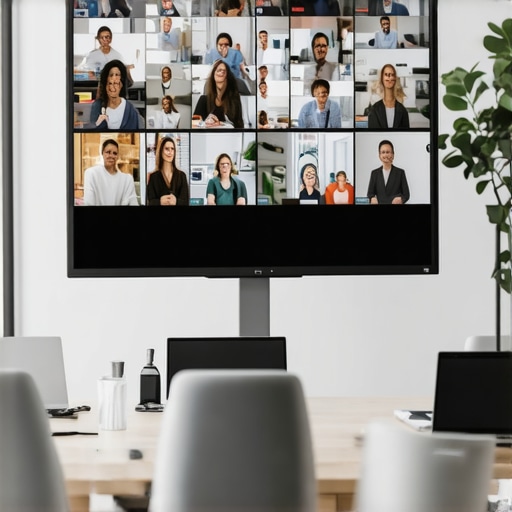
Imagine this: you’re halfway through a crucial hybrid meeting in a rented room, and suddenly, the connection drops. The presenters are pixelated ghosts, voices echo strangely, and your colleagues struggle to follow along. It’s a familiar nightmare for many startup founders and team leaders. I used to think that rent-a-room setups were simple—set up the laptop, turn on the projector, and go. But early on, I made a fatal mistake: underestimating how technical glitches could sabotage our professionalism and productivity. Now, I know better, and I want to share what I’ve learned so you can avoid the chaos.
Why Hybrid Meetings in Rented Rooms Can Feel Like a Minefield
Running a seamless hybrid meeting in a rented space isn’t just about putting together a conference call; it’s about creating an environment where everyone, whether dialing in or physically present, feels engaged and connected. The stakes are higher, especially when schedules are tight, budgets are limited, and the room’s acoustic or tech setup isn’t tailored for high-stakes broadcasts. A missed connection, audio lag, or uncontrolled background noise can cause frustration, miscommunication, and even project delays. The pressure to appear professional can be overwhelming, especially when you’re using shared or temporary spaces that aren’t optimized for virtual collaboration.
Over my initial setups, I often overlooked the importance of dedicated soundproofing, reliable internet, or test runs. The result? Embarrassing moments that I blamed on hardware, but often stemmed from simple overlooked fixes. According to research by Harvard Business Review, ineffective communication costs companies billions annually—don’t let your meeting be the reason your team misses out on that potential breakthrough. Small tweaks and preparation can prevent this chaos, turning your rented rooms into productivity hubs rather than stress zones.
If you’ve ever faced a meeting where technical issues stole the show, you’re not alone. But here’s the good news: it doesn’t have to stay that way. Next, we’ll walk through step-by-step how to set up your rented meeting space for maximum effectiveness, so you can focus on the content—and leave the connectivity worries behind.
Secure Reliable Internet Connections
Start by testing the internet speed before your meeting. In my experience, showing up and discovering Wi-Fi is unstable is common. To fix this, invest in a portable Wi-Fi hotspot or ensure the room’s Ethernet ports are active. During a critical pitch, I once relied solely on shared Wi-Fi, and when it dropped, my screen froze. The fix was simple: tether my laptop to a mobile hotspot, ensuring a stable connection that kept my presentation smooth.
Equip the Room with Essential Tech
Next, verify that all necessary hardware works—projectors, microphones, speakers, and cameras. Don’t assume everything will function; test them hours in advance. I once arrived to find the projector bulb dead. Replacing it mid-meeting was embarrassing. Always carry spare batteries, adapters, and portable speakers. Additionally, consider a dedicated microphone system; it amplifies voices and minimizes background noise, making remote participants feel more engaged.
Optimize Acoustic Environment
Sound quality matters more than visuals. Use portable soundproofing panels or arrange furniture to dampen echo. In a startup’s first attempt at a hybrid demo day, the open space caused reverb and muffled voices. Adding blankets and moving away from reflective surfaces improved clarity. Remember, if the room isn’t sound-friendly, remote attendees will struggle to follow discussions.
Set Up a Dedicated Video Call Station
Create a specific corner with the camera at eye level, good lighting, and minimal background clutter. I once used my laptop on a cluttered table, which distracted viewers. Investing in a simple tripod and ring light made a huge difference. Test camera angles and lighting before the actual meeting. Use high-quality conferencing software that supports screen sharing and recording, enhancing professionalism.
Prepare Your Workspace and Content
Organize all materials beforehand—slides, documents, and demos. Use digital annotations to highlight key points. During a recent workshop, I prepared a shared folder for participants to access resources easily, reducing awkward pauses. Encourage everyone to share their screens when needed to foster interaction. Also, have backup copies of your presentation on a USB drive or cloud storage.
Design a Clear Meeting Flow
Outline a structured agenda with time slots and designated speakers. Share this agenda beforehand to set expectations. During the session, use visual signals or chat to manage Q&A, avoiding interruptions. Once, I missed a crucial point because I didn’t set clear transitions, leading to confusion. Proper planning keeps the meeting on track and maximizes every minute.
Test Everything Again Before the Meeting
Conduct a dry run an hour prior. Check tech, lighting, and acoustics. I recall organizing a last-minute session and skipping this step—it resulted in delayed starts and frustrated participants. Use a checklist to ensure nothing is overlooked. This rehearsal also helps identify potential issues and gives you peace of mind.
Maintain Engagement Throughout
Assign a co-host to handle technical issues or monitor chat. Use polls or interactive elements to keep remote attendees involved. I once had a participant’s audio cut out, but through quick coordination, we shared links and images to keep them engaged. Regularly check-in, encourage questions, and be flexible to adapt in real-time.
Many believe that simply securing a conference room or coworking space is enough to ensure productive meetings. However, the truth is that most startup founders overlook critical nuances that can make or break their collaboration efforts. A common misconception is that larger or more high-tech spaces automatically lead to better outcomes, but in reality, the environment’s design, acoustics, and cultural fit are often neglected. For example, an overly sterile or impersonal meeting room can stifle creativity and discourage open dialogue, defeating the purpose of gathering your team or clients together. According to a study published in the Harvard Business Review, the physical environment significantly impacts team communication and morale, yet many startups fail to optimize their spaces accordingly.
One sneaky trap to watch out for is relying solely on visible tech upgrades—like new projectors or whiteboards—without addressing underlying issues such as poor room acoustics or inadequate lighting. These overlooked factors can cause frustration and reduce engagement, regardless of how shiny your equipment appears. Moreover, a misunderstood aspect is the importance of the room’s psychological cues that influence behavior. A space that feels too formal may inhibit candid discussions, while a casual setup might lack the professionalism necessary to impress clients.
Another subtle nuance involves how startup teams utilize the space beyond scheduled meetings. Spaces that aren’t adaptable to different functions—like breakout sessions or quiet focus zones—limit spontaneous collaboration and innovation. For instance, a conference room designed solely for presentations won’t support dynamic team brainstorms, causing ideas to stagnate.
Advanced startups understand that their environment should evolve with their growth. This includes selecting spaces that can be customized or reconfigured as needed, fostering a sense of ownership and flexibility. Innovative meeting rooms are increasingly incorporating modular furniture and advanced acoustic treatments to facilitate various interaction styles, as highlighted by Coworking Central’s article on transforming spaces into collaboration hubs.
Finally, it’s crucial to recognize that the social and cultural atmosphere of your physical environment shapes your company’s brand identity. Spaces that reflect your startup’s values and personality attract like-minded talent and clients. If you’re curious about creating spaces that truly support your goals, check out our deep dive on the future of conference rooms in startup ecosystems.
Have you ever fallen into this trap? Let me know in the comments.
Maintaining a seamless hybrid meeting environment requires more than just purchasing the latest gadgets; it’s about deploying durable, purpose-specific tools and establishing routines that ensure longevity. From hardware to software, every component must be selected with reliability and ease of maintenance in mind. A key area many startups overlook is investing in high-quality cabling and connectors, such as those from Monoprice or Anker, which resist wear and tear better over years of frequent use. Additionally, choosing scalable conferencing platforms like Zoom Pro or Microsoft Teams Business ensures your tools grow with your organization, avoiding disruptive upgrades mid-cycle. Personally, I prefer a hardware setup that includes a dedicated video switcher—like the Blackmagic ATEM Mini—because it allows quick switching between multiple cameras and sources, reducing downtime and technical errors during livestreams or large meetings. Regular firmware updates from manufacturers are crucial; they patch security flaws and add features to keep your equipment running smoothly. Prediction-wise, as AI-driven diagnostics become more accessible, I believe future conference room tools will self-monitor and alert you to issues before they cause disruptions, similar to how smart HVAC systems operate.
How do I maintain my conference room technology over time?
Implement a quarterly audit routine to check all hardware connections, test backups, and review software licenses. Keep an inventory list and schedule firmware updates—set reminders to keep all devices current. Establish relationships with local technical support or service providers who can provide on-site maintenance quickly. Automate your network management with tools like PRTG Network Monitor to identify bandwidth bottlenecks before they affect a meeting. For instance, one startup I worked with set up automated alerts for their Wi-Fi health, which caught a failing router after noticing intermittent issues; replacing it prevented potential meeting interruptions. Using rugged, all-in-one conference solutions such as Logitech Rally or Poly Studio series simplifies maintenance—they include integrated microphones, speakers, and cameras designed for durability. Also, always have spare cables, power adapters, and spare hardware on hand to replace faulty parts swiftly, avoiding lengthy downtimes. Remember, technology is only as reliable as your routine maintenance. Want to see how these practices can transform your meeting experiences? Try scheduling a routine hardware check using the latest network management tools and see problems before they appear. For detailed guides, see Coworking Central’s insights on maintaining tech in shared spaces, which emphasizes proactive upkeep as a core strategy.
3 Lessons That Changed How I Approach Conference Rooms for Startups
One of the most profound realizations I had was that even the most advanced equipment won’t compensate for poor room design or setup. The key is understanding the subtle cues—like acoustics and lighting—that influence engagement and professionalism. Investing in these details early saves you time and embarrassment down the line, especially as your team scales and client expectations rise. I learned this the hard way during a major pitch, realizing that simplicity and thorough preparation trump flashy gadgets when it comes to reliable hybrid meetings.
Better Tools, Smarter Strategies: My Go-To Resources for Effective Meeting Spaces
I’ve come to trust tools like Coworking Central’s guide on optimizing conference rooms, which offers practical tips rooted in real experience. For quality hardware, I prefer brands like Logitech and Blackmagic; their durability and ease of use make them indispensable. For software, Zoom Pro and Microsoft Teams Business have become my staples because of their stability and features supporting hybrid collaboration. Lastly, I recommend the book Meeting Better, which delves into creating engaging, productive meetings—an essential read for entrepreneurs aiming to elevate their team interactions.
Your Turn to Make Every Meeting Matter
Stepping into a thoughtfully prepared conference room can transform your startup’s collaboration and credibility. It’s about more than technology; it’s about fostering an environment where ideas flow freely and everyone feels heard, whether in person or remote. The future of hybrid meetings depends on your willingness to invest in the small details that make big differences. Are you ready to upgrade your meeting spaces and see the impact on your team’s connection and productivity? Let me know your biggest challenges in creating an effective hybrid environment below, and let’s start a conversation!
,