
I remember walking into a conference room that felt more like a dungeon than a place for ideas to flourish. The lighting was dim, the chairs uncomfortable, and I could feel the energy draining from the team even before we started. That moment was a lightbulb for me—how much does a room really influence the success of your meetings? If you’ve ever experienced a flop because of a bad venue, you’re not alone. Today, I promise to guide you through the secrets of selecting a conference room that energizes, inspires, and helps your business thrive.
Why the Right Conference Room Can Make or Break Your Business
Choosing a conference room isn’t just about finding a space to sit around a table. It’s about creating an environment where ideas flow freely, decisions are made confidently, and team members feel valued. A poorly chosen space can stifle creativity, cause distraction, or even send the wrong message to clients and partners. I learned this the hard way early on in my career when a crucial pitch was derailed because the room was too cramped and noisy. That mistake taught me how vital the setting can be.
Did you know that a study by Steelcase found that the environment impacts employee productivity by up to 15%? That’s a significant chunk of your business potential, just waiting to be unlocked with a smarter choice of space. So, how do you avoid the pitfalls and pick a room that truly supports your goals?
If you’ve ever hesitated, wondering if you’re overthinking it or just not sure where to start, I get it. I’ve been there. And that’s exactly why I’ve put together this guide to help you find the perfect conference room—whether it’s for a quick team huddle or a major client presentation. From assessing your space needs to considering the ambiance, I’ll walk you through the practical steps.
But first, let’s address the elephant in the room—many people underestimate how much their environment influences success. To give you a clearer picture, I’ll share some insights on what to look for and common mistakes to avoid. Ready to transform your meetings from mediocre to memorable? Let’s dive in.
Assess Your Needs Precisely
Start by listing your meeting goals. Are you hosting a quick team check-in or a formal client presentation? For example, I once organized a strategy session for my startup that required a space accommodating 10 people with breakout areas. I initially booked a small conference room, but it turned out too cramped, stifling creativity. Learning from that, I now always clarify the purpose and size before choosing a space.
Match Space Size to Your Group
Always pick a room that comfortably fits your team without feeling empty or overcrowded. A good rule of thumb is to have at least 15 square feet per person. When I prepared for a major investor pitch, I rented a room designed for 20 but only used 10 seats, which created unnecessary distance and a cold vibe. Adjust accordingly and avoid the temptation to overshoot or undershoot.
Prioritize Location and Accessibility
Choose a room easily reachable for all participants. Consider proximity to public transport, parking, and amenities. I once booked a room on the outskirts of town, which caused delays and frustration. After that, I now always check the location’s convenience, especially when inviting external stakeholders. It’s a simple step but makes all the difference in participation and punctuality.
Think About Parking and Transit
Provide clear instructions or options for parking and transit. For remote team members, ensure the room is accessible via video conferencing. I once neglected this, and a remote presenter struggled to connect due to poor Wi-Fi, ruining the flow. Test these details beforehand to prevent surprises.
Check for Essential Amenities
Make a checklist of must-have features: reliable Wi-Fi, audio-visual equipment, whiteboards, and sufficient power outlets. When I organized a product demo, I overlooked the projector, and it delayed our presentation. Now, I always verify tech setups at least a day before. If your team needs to brainstorm, a whiteboard or flip chart can be invaluable.
Invest in Good Technology
High-quality AV equipment ensures smooth communication. I recommend testing all devices beforehand, especially if you’re using external equipment or unfamiliar tech. This prevents awkward moments during critical meetings and keeps everyone engaged.
Create an Inviting Atmosphere
Lighting, acoustics, and decor influence mood and productivity. I once booked a room with harsh fluorescent lights, which made the team sluggish. Now, I look for rooms with natural light or adjustable lighting and add plants or artwork to boost comfort. Small touches can turn a sterile space into a vibrant hub for ideas.
Consider Ambiance and Comfort
Choose comfortable chairs and a temperature-controlled environment. If your meetings tend to run long, these factors become even more crucial. I once had to cut a session short because the room was too cold, which disrupted focus. Always verify comfort levels in advance.
Evaluate Future Scalability
Think ahead about growth. Will your team expand? Will you host larger or different types of meetings? I’ve found that choosing a versatile space allows for easier adjustments. When I moved to a coworking space offering flexible rooms, I could adapt as my startup grew, aligning with Maximize Your Startup’s Growth with Prime Coworking Spaces.
Plan for Versatility
Opt for rooms that can be reconfigured or expanded. This saves you the hassle of rebooking and ensures consistency in your meeting environment, fostering a professional image.
Test Drive Your Choice
Before your big meeting, do a trial run. Check acoustics, tech, and comfort. I once hosted a mock session in my chosen room, discovering that the microphone was faulty. This proactive step saved me from embarrassment and technical chaos during the real event.
Gather Feedback
After meetings, ask participants what worked and what didn’t. This insight helps refine your choice over time. I keep a simple checklist to track these notes and improve my room selections continually.
Many assume that simply selecting a large or modern-looking room guarantees a successful meeting, but the truth runs much deeper. One common myth is that more tech equals better meetings. While having the latest AV equipment is helpful, over-reliance on flashy gadgets can distract from the real goal: fostering genuine connection and productivity. For example, I once booked a high-tech conference room with all the bells and whistles, only to find the complex system caused delays and frustration, ultimately hindering our discussion. This illustrates that technology should serve your needs, not override them. The key is to balance tech with simplicity and reliability, ensuring that tools enhance rather than detract from your meeting objectives.
Another misconception is that the most expensive or prestigious rooms are always the best choice. Often, these spaces are designed to impress externally but may lack the intimacy or comfort necessary for open dialogue. I’ve seen startups invest heavily in premium venues, only to find that the sterile environment stifled creativity. Instead, focus on how the room makes participants feel—does it invite collaboration? Is it adaptable to different formats? For instance, a cozy, well-lit space can promote more candid conversations than a cavernous, impersonal hall.
One of the biggest traps is neglecting the nuance of acoustics. Many overlook how sound quality influences engagement. Poor acoustics can lead to misunderstandings, frustration, and disengagement. I once hosted a remote workshop in a room with echoing walls, and it was challenging for participants to follow along. Testing sound quality in advance is crucial, especially when using external microphones or speakers.
Now, let’s consider the advanced question: How can you optimize a conference room for hybrid meetings where some participants are remote? This isn’t just about having a good camera or microphone. It’s about creating an environment that bridges physical and virtual spaces seamlessly. According to a report by Harvard Business Review, effective hybrid meetings require thoughtful room design that prioritizes audio clarity, visual accessibility, and engagement tools. For example, I recommend investing in 360-degree cameras and multiple microphones, and arranging seating to ensure everyone, remote or in-person, can see and hear clearly. Additionally, establishing clear protocols for participation helps keep everyone involved, regardless of location.
Remember, selecting the right conference room isn’t a one-size-fits-all decision. It requires understanding your specific needs, avoiding common pitfalls, and paying attention to the subtleties that impact success. Have you ever fallen into this trap? Let me know in the comments and share your experiences.Once you’ve selected the perfect conference room, maintaining its functionality is crucial for ongoing success. Let’s explore some specific tools and methods I personally rely on to ensure my meeting spaces stay productive and up-to-date. To future-proof your setup, consider how emerging trends like remote collaboration tools and smart room technology will reshape your approach — I recommend keeping an eye on innovations in the future of conference rooms in startup ecosystems. My first tip is investing in a dedicated room management software like Robin or Teem. These platforms allow you to schedule rooms easily, monitor usage, and troubleshoot issues remotely, saving you time and avoiding conflicts. I personally use Robin because it integrates seamlessly with my calendar and provides real-time updates, ensuring the room is ready when needed.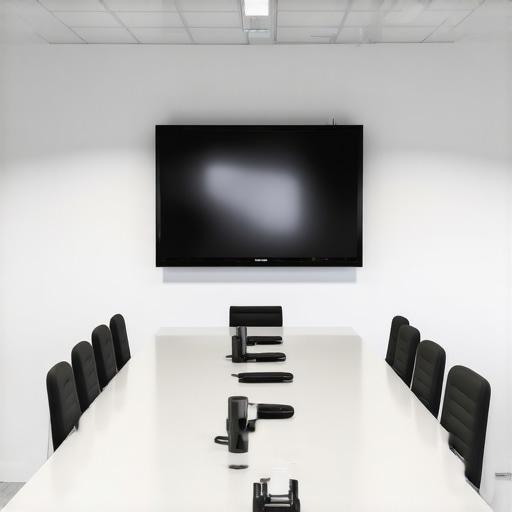
Next, consider the importance of reliable hardware. I recommend Logitech’s Rally series for video conferencing because of its exceptional clarity and ease of setup. The high-quality microphones and cameras make remote participants feel like they’re in the same room, which is essential for hybrid meetings. Regularly updating firmware and performing routine checks keeps everything running smoothly. I set quarterly reminders to test all AV equipment, so nothing surprises me during critical meetings.
To keep everything running smoothly over time, establish a maintenance schedule. This includes cleaning equipment, updating software, and reviewing room setup to adapt to changing needs. I also keep a troubleshooting checklist handy, inspired by technical documentation from Logitech, which guides me through common AV issues and their fixes. For example, if Wi-Fi drops during a presentation, I know to check the router, restart devices, or switch to a wired connection if possible.
Another tip is training your team on tech use and best practices. I host short onboarding sessions whenever I introduce new equipment or software, which helps minimize user errors and maximizes efficiency. Plus, encouraging feedback from team members about what’s working and what’s not allows continuous improvement.
Looking ahead, I see a growing trend towards smart conference rooms equipped with sensors that automatically adjust lighting, temperature, and even sound levels based on occupancy and activity. This integration not only saves energy but also creates an optimal environment for meetings. To stay ahead, consider experimenting with IoT devices compatible with your existing setup, such as smart thermostats or lighting controls.
Finally, I challenge you to try one advanced tip today: set up a routine maintenance checklist that includes testing all AV components and software updates before each major meeting. This small step can prevent countless technical headaches and ensure your space is always conference-ready.
Remember, maintaining your conference room isn’t a one-and-done task. It requires consistent effort, the right tools, and a willingness to adapt as technology evolves. By implementing these specific strategies, you’ll keep your space functioning flawlessly, supporting your business success for years to come.
Lessons from the Trenches That Changed My Approach to Conference Rooms
- One of my biggest realizations was that a room’s ambiance directly impacts how well ideas flow. After hosting a brainstorming session in a sterile, fluorescent-lit space, I understood why inviting comfort and warmth can unlock creativity. Now, I prioritize natural light and inviting decor to foster collaboration.
- Another lesson was that tech, no matter how fancy, can become a distraction if not tested beforehand. I once spent half an hour troubleshooting a faulty microphone during a crucial pitch, which could have been avoided with proper prep. Testing all equipment in advance is a non-negotiable for me now.
- Location, often overlooked, is everything. An accessible, convenient room ensures punctuality and participation. I learned this the hard way when a remote team missed an important meeting because the room was hard to reach. Now, I always double-check proximity and accessibility.
- Scalability matters more than I initially thought. A flexible, reconfigurable space saves time and maintains professionalism as my team grows. Investing in adaptable rooms has allowed me to host everything from quick huddles to large presentations without hassle.
My Essential Toolkit for Conference Room Success
- Robin Room Management Software—this has transformed how I schedule and monitor my conference spaces, ensuring everything is ready ahead of time and conflicts are minimized.
- Logitech Rally Series—reliable AV gear that makes remote participants feel as if they’re in the room. I trust its quality and ease of use.
- Regular Maintenance and Testing—quarterly check-ins for all tech and furniture keep my spaces in top shape, preventing unexpected glitches.
- Team Training Sessions—short onboarding for new equipment and best practices help my team use the space and tools efficiently.
Your Turn to Elevate Your Meetings
Choosing and maintaining the perfect conference room is an ongoing journey that pays dividends in productivity and morale. Don’t settle for mediocrity—invest in your environment and watch your business thrive. Remember, the right space isn’t just a backdrop; it’s a catalyst for success. So, what’s one change you can make today to improve your meeting environment? Let me know below.