
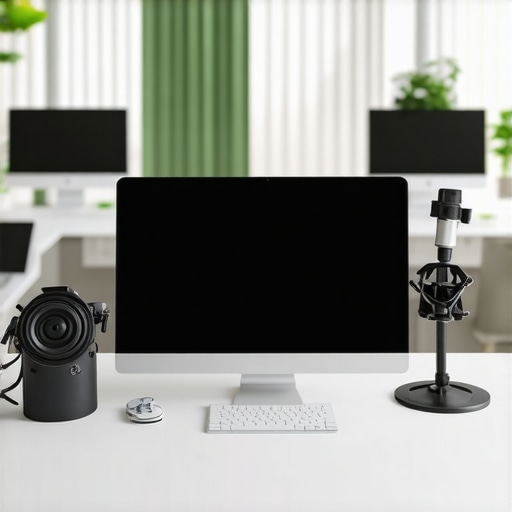
I remember the sinking feeling of committing to a live webinar, only to realize minutes before kick-off that my audio was malfunctioning or the lighting was just plain terrible. It’s a common nightmare for anyone trying to project professionalism in a virtual or hybrid event environment. One lightbulb moment for me was when I finally treated my webinar setup like a serious operation—not just a lucky shot with a laptop in a noisy corner. That shift transformed my webinars from amateurish attempts to polished, credible presentations that people actually remembered.
**
Why Hosting a Seamless Webinar Matters More Than Ever**
In today’s competitive startup ecosystem, a well-executed webinar can be your golden ticket to attracting investors, partners, or even new teammates. But it’s not just about having a fancy mic or a good camera. It’s about creating a professional experience that makes your audience trust you instantly. When your presentation environment looks and sounds professional, it signals that your startup is serious, organized, and ready to scale.
According to a study by Cisco, 92% of business professionals believe that a convincing presentation online is more effective than a face-to-face meeting. This underscores how crucial it is for us, founders and entrepreneurs, to master the art of hosting engaging, high-quality webinars directly from our booths or dedicated spaces. And trust me, early on I made the mistake of assuming that good content alone would carry the day. I neglected foundational elements like lighting, sound, and visual cues, which are key for maintaining credibility.
Are you tired of unprofessional, forgettable webinars? Do you find yourself scrambling with tech issues or worrying that your setup looks too casual? If so, you’re not alone. Many entrepreneurs underestimate how much effort and preparation go into hosting a successful webinar—especially if it’s from a shared coworking space or a conference booth. The good news? You can learn the tricks of the trade—and I’ll guide you through those very steps.
Next, we’ll explore the essential tools and environment tweaks to ensure your webinar not only runs smoothly but leaves a lasting impression. Ready to dive into the practical side? Let’s turn your booth into a professional studio and wow your audience every time.
Get Your Environment Ready Before Going Live
Start by choosing a dedicated space that resembles a professional workspace, not your cluttered living room. Think of your webinar space as a mini conference room—clean, organized, and free of distractions. Use a quiet room with minimal background noise, and inform others to keep interruptions to a minimum. Adjust your furniture so you’re comfortable and your view looks intentional, not haphazard.
Optimize Your Lighting
Lighting can make or break your video quality. Aim for natural light if possible, positioning yourself facing a window. If natural light isn’t an option, invest in soft, diffuse artificial lights positioned in front of you to eliminate shadows. Remember, lighting is a quick signal to your audience that you’re serious—poor lighting can make even a great presenter look unprofessional. I once tried a DIY ring light, which drastically improved my appearance during a webinar, making me feel more confident and trustworthy. <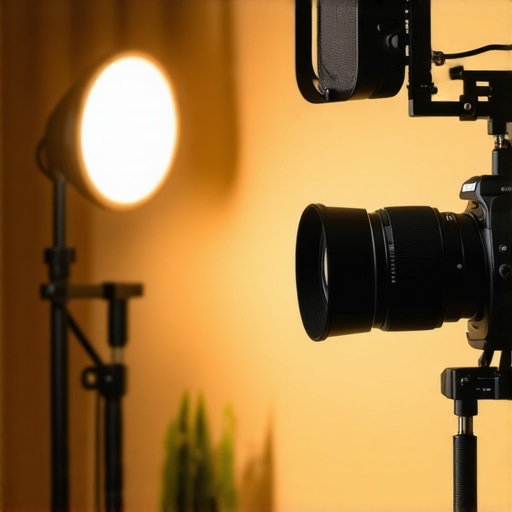 >
>
Set Up Reliable Audio Equipment
The mic is your most critical tool; a decent condenser microphone or a high-quality headset beats your laptop’s built-in mic every time. Test your audio beforehand using free tools to check clarity and background noise. Consider placing a small rug or curtains in the room to dampen echo, similar to how soundproofing works in conference halls. I remember one event where switching to a dedicated mic reduced echo and noise complaints, leaving viewers focused on my message, not my audio issues.
Position Your Camera Properly
Your camera should be at eye level—imagine you’re looking directly at the audience, not down or up at them. Use a sturdy mount or stack books to raise your device if necessary. Ensure your background isn’t distracting; a simple, tidy backdrop or a branded backdrop can reinforce your credibility. Pay attention to framing: your eyes should be one-third from the top of the frame, like a professional headshot. This setup is akin to a well-designed meeting room where every detail signals professionalism.
Test Everything Multiple Times
Don’t assume your tech works flawlessly because it did last week. Conduct at least three trial runs—check audio-visual sync, lighting, and internet stability. Use a friend or colleague to give you feedback on what they see and hear. I once had a last-minute glitch with my connection, but thanks to prior tests, I identified the issue early and switched to a backup network—saving the webinar from being a disaster. Testing builds confidence and helps iron out surprises, much like rehearsing a key pitch in a proper conference room beforehand.
Design Your Visuals with Intention
Slides and visual aids should be clean, simple, and on-brand. Avoid clutter; use large, readable fonts and apply company colors subtly. Position your webcam so your face is high and centered, avoiding awkward angles or shadows cast by poor lighting. Well-designed visuals act like the stage in a physical event—setting the tone and reinforcing your message. During one webinar, I created custom slides with bold headlines and minimal text, which improved engagement significantly and made my points clearer.
Practice and Prepare for Smooth Delivery
Practice your script but avoid sounding robotic—aim for authentic enthusiasm. Memorize key points and have prompts ready but don’t read verbatim. Record yourself during rehearsals to catch mannerisms or unnecessary fillers. I once practiced with a timer and discovered I was rushing; adjusting my speaking pace made my delivery more natural and confident. A seamless presentation mirrors a well-coordinated conference session, impressing your audience and establishing authority.
Many founders believe that selecting a startup space or conference room is merely about budget and availability, but the real nuances often go unnoticed. A common misconception is that bigger is better—that opting for the largest meeting room guarantees comfort and functionality. In reality, optimal space utilization, acoustics, and layout design are far more critical in fostering productivity and professionalism. For instance, selecting a room with poor acoustics can lead to miscommunication and frustration, hampering team cohesion. A study by Harvard Business Review emphasizes that the environment directly influences team collaboration and innovation, which many underestimate when settling into a new coworking space. Moreover, there’s a pervasive myth that high-end furnishings alone make a meeting space impressive; however, research highlights that lighting and acoustics significantly impact participants’ engagement and alertness. Another advanced mistake is neglecting technological considerations—such as fiber internet or the placement of display screens—which are essential for seamless presentations and remote collaborations. Curiously, many entrepreneurs overlook the importance of privacy features in their choice. An open-plan coworking area might seem appealing but can be detrimental for sensitive discussions, a mistake that can cost in credibility and security. Have you ever fallen into this trap? Let me know in the comments. To navigate these nuances, it’s wise to deeply assess your specific needs—looking beyond superficial features—and consider consulting resources like [this guide on choosing the perfect conference room](https://coworkingcentral.com/startup-success-secrets-choosing-the-perfect-conference-room-at-0817-am). Remember, your choice of space reflects your startup’s professionalism and can influence your growth trajectory significantly.Running a professional startup operation requires more than just a good idea; it demands reliable tools and systems that keep everything running smoothly. From maintaining high-quality conference calls to managing your team’s tasks efficiently, choosing the right equipment and software makes all the difference. One essential component is a high-definition webcam like the Logitech Brio, which I personally use because it offers crisp video quality and excellent low-light performance, ensuring I look professional during every virtual meeting. Pairing this with an outstanding microphone such as the Shure MV7 has significantly improved my audio clarity, eliminating background noise and making remote collaborations feel more personal. Tracking project progress and team accountability is equally critical, so I rely on Asana for task management; its intuitive interface and versatile integrations help keep everyone aligned and deadlines met.
The Tough Lessons That Changed My Approach to Webinars
One of the most valuable insights I gained was the importance of relentless preparation. Initially, I thought nailing the content was enough, but I overlooked critical factors like sound and lighting. After a few awkward moments and technical hitches, I realized that every detail counts—like a seasoned performer meticulously rehearsing every cue. Investing in good equipment and setting up a dedicated, professional space transformed my webinars into credible and memorable interactions.
Another hard-earned lesson was that consistency beats flashiness. Flashy visuals and high-tech gear won’t save a poorly structured presentation. Instead, consistent branding, clear visuals, and a confident delivery build trust. I learned that simplicity often resonates more than overcomplicated setups, especially when your audience cares about your message, not your equipment.
Finally, I discovered that testing isn’t optional; it’s a necessity. Hosting multiple dry runs allowed me to catch issues early, ensuring a smooth experience during the live event. This proactive approach minimizes surprises and builds confidence—both crucial for engaging an audience in a virtual environment. Your startup’s success in virtual staging hinges on these behind-the-scenes lessons that many overlook at first glance.
Tools and Resources That Changed My Webinar Game
For reliable audio, I trust the Shure MV7 microphone, which offers excellent clarity and noise suppression—crucial for maintaining professionalism. When it comes to lighting, a simple ring light drastically improved my appearance on camera, making me look more approachable and trustworthy. Visuals matter, so I use Canva to create sleek, on-brand slides that reinforce my message without overwhelming viewers.
If you’re looking to host engaging webinars regularly, I recommend checking out this guide on maximizing your conference room setup. It offers practical tips that complement the environment tweaks I discussed earlier. Additionally, tools like this resource help you select spaces that reflect your startup’s identity, boosting credibility from the moment you log in.
Take the Leap—Your Virtual Stage Awaits
Hosting a high-quality webinar isn’t just about tech; it’s about storytelling, preparation, and presentation. Every startup has a story worth telling, and your virtual stage is your opportunity to shine—if you invest a little in the right setup and mindset. With the right environment, tools, and a dash of confidence, you’ll turn routine webinars into powerful showcases for your startup’s vision. Remember, the virtual opportunity is vast—don’t leave your audience with anything less than a seamless, professional experience.
What’s one small tweak you plan to make to your webinar setup after reading this? Share below—I’d love to hear your plans!
,