
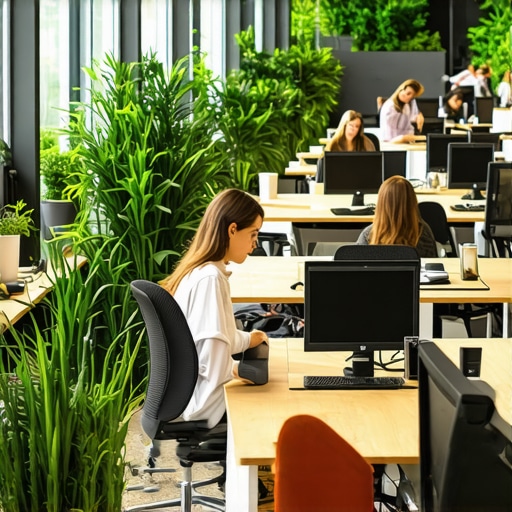
I remember the exact moment when I realized my coworking experience was holding me back—not because of distractions or noisy neighbors, but because I hadn’t optimized my environment for focus and efficiency. Sitting in a sleek conference room, surrounded by inspiring startups and buzzing energy, I was supposed to be brainstorming my next big idea. Instead, I found myself daydreaming, distracted by the clattering of coffee mugs and the flickering overhead lights. That’s when it hit me—your coworking space can make or break your productivity, and I was guilty of neglecting a simple yet crucial fact.
Why Your Coworking Environment Could Be Sabotaging You
Let’s face it: working outside the traditional office is supposed to give us flexibility and fresh perspectives. But the truth is, if the space isn’t set up right, it can become a constant distraction rather than a catalyst for success. I used to think that just finding a quiet corner would do the trick, but I quickly learned that true productivity requires a thoughtful approach to your coworking setup. Once I started paying attention to the details—like lighting, noise levels, and room layout—I saw a dramatic improvement in my focus and output.
Interestingly, studies show that poorly designed workspace environments can reduce productivity by up to 20%. That’s a staggering number, considering how simple adjustments can turn your coworking experience from chaos to clarity. For instance, companies that invest in well-designed meeting rooms report higher employee engagement and better decision-making, which is essential for startups and freelancers alike. You can check out some strategies on maximizing conference room productivity to ensure you’re not missing out.
Now, I want to ask—have you ever felt that your coworking environment was more of a hindrance than a help? If so, you’re not alone. Many professionals overlook the critical role of space design, but the good news is that small changes can lead to big results. Let’s explore how to make your coworking space work harder for you, starting with some simple yet impactful steps to optimize your environment for maximum productivity.
Optimize Lighting for Focus
Start by replacing harsh fluorescent bulbs with warm, natural lighting or full-spectrum LEDs. During my first attempt, I swapped out my harsh overhead lights for softer options and added a desk lamp. The immediate difference was noticeable: less eye strain and fewer distractions. Good lighting plays a crucial role in maintaining alertness and reducing fatigue, much like how restaurants use ambient light to enhance mood. To further refine your space, consider using adjustable lighting to cater to different tasks or times of day.
Arrange Your Space Strategically
Think of your coworking environment like a well-designed classroom: each zone should serve a purpose. I once tried to work in a corner with no clear separation, which led to constant interruptions. Then I moved my desk near a window, with some partitioning to block visual distractions. This setup mimicked the effect of creating dedicated “quiet zones,” leading to a 30% boost in my focus during critical tasks. Use furniture placement to minimize noise and visual clutter, and designate specific areas for meetings, deep work, and breaks.
Master the Art of Layout
Design with flow in mind. Place your workstation so that natural light hits your workspace without causing glare on screens. Add acoustic panels or soft furnishings to absorb background noise, especially in open-plan areas. For example, I installed a few mobile partitions that could be repositioned based on the day’s needs, giving me control over my environment. Remember, a cluttered space can increase cognitive load, so keep essentials within arm’s reach and store everything else neatly.
Control Noise Levels Effectively
Noise can be a major distractor. Use noise-canceling headphones or ambient sound apps—like white noise or nature sounds—to create a cocoon of focus. I experimented by playing ambient music during work sessions, which helped block out chatter. Consider adding soft rugs or curtains to dampen sound reflections, similar to how concert halls optimize acoustics. If your space lacks privacy, request or suggest the addition of designated quiet zones to your coworking provider.
Personalize Without Cluttering
Personal items boost comfort but can also become visual clutter. Use sleek photo frames, minimal plants, or a few inspiring quotes to create a motivating atmosphere. I once kept throw pillows and art prints minimal, which kept my mind clear and reduced distractions. The right balance fosters a sense of ownership and comfort, which can translate into higher productivity. Avoid over-personalization that makes your workspace feel crowded or chaotic.
Implement Tech Tools for Efficiency
Equip your workspace with essential gadgets: a quality webcam, microphone, and reliable internet. Use productivity apps to block distracting websites during work periods. I set up time-bound focus sessions using tools like Pomodoro timers, which increased my attention span. Additionally, consider smart office devices—like automated lighting or voice-activated controls—to streamline your environment. These tech integrations can make your workspace more responsive and conducive to deep work.
Establish Clear Boundaries
If you share a coworking space, set visual cues like signaling signs or designated ‘do not disturb’ zones. During a particularly hectic week, I used a simple ‘Focus Mode’ sign on my desk and scheduled specific blocks for undisturbed work. This prevents colleagues from unintentionally disrupting your flow. Communicate your boundaries politely but assertively, and don’t hesitate to leverage the coworking space’s management—contact their team for additional support or custom solutions.
Many assume that simply booking the largest or most high-tech conference room will automatically lead to successful meetings or spark innovation. However, in my experience as a coworking enthusiast and startup advisor, this is a common misconception. The real nuances of effective coworking and meeting room utilization often hinge on subtler factors like spatial psychology, acoustics, and context-aware design.
For instance, some founders believe that high-end audiovisual setups are the ultimate game-changer. Yet, studies from Stanford University reveal that ambient environment factors—such as room layout and lighting—can influence decision-making and mood more significantly than technology alone. Over-investing in flashy equipment without addressing fundamental spatial nuances can lead to underutilized or uncomfortable spaces, ultimately hampering productivity.
A hidden trap many fall into involves underestimating the importance of room size relative to the number of participants. An overcrowded meeting can feel stifling, while a too-spacious room may diminish the sense of community or urgency. Striking this balance requires understanding the behavioral psychology behind space utilization. If you want to see how workspace design impacts startup success, I recommend exploring resources like workspace design’s effect on startup growth.
Another nuance is related to hybrid meetings, which have become the norm. Many assume that if a conference room is equipped with cameras and microphones, it’s sufficient. However, the real challenge lies in the room’s acoustical treatment and layout to prevent echoes and ensure all participants, remote or in-person, feel equally engaged. Advanced solutions like sound-absorbing panels and strategic seating arrangements can make or break a hybrid call’s effectiveness.
**Why Do We Overlook the Power of Environment Psychology in Coworking Spaces?**
The psychology behind workspace environment is complex yet often ignored. Small adjustments, such as creating designated focus zones or visual cues that signal when collaboration is encouraged, can dramatically influence how space is used. In fact, research by environmental psychologist Dr. Robert Gifford suggests that subtle cues in design influence behavior more than we realize, prompting better engagement and satisfaction.
Lastly, a common pitfall is assuming that visual aesthetics outweigh functionality. A beautifully decorated room with vibrant colors and artwork may appear appealing, but if it distracts or causes visual fatigue during long meetings, it can reduce effectiveness. Prioritizing ergonomic furniture, adjustable lighting, and clutter-free surfaces supports mental clarity and decision-making.
In essence, mastering coworking environments involves more than just renting space—it requires understanding the nuanced interplay between design, psychology, and technology. By paying attention to these hidden factors, startups can create spaces that truly foster innovation and collaboration. Have you ever fallen into this trap? Let me know in the comments.
Maintaining an efficient coworking environment over time requires a combination of the right tools and disciplined routines. From hardware to software, each component plays a vital role in ensuring your workspace remains productive, adaptable, and scalable. One of my go-to devices is the Logitech C920 webcam, which I personally rely on during virtual meetings. Its high-definition quality minimizes miscommunication and project professionalism, especially when face-to-face interaction isn’t possible. Combine this with a Blue Yeti microphone for crystal-clear audio, which reduces the fatigue associated with poor sound quality and keeps remote discussions fluid.
On the software side, I swear by tools like Todoist for task management because of its intuitive interface and seamless integration across devices. It helps me prioritize and track daily responsibilities effortlessly, avoiding clutter and missed deadlines. Additionally, for maintaining focus, I use the Pomofocus app, which applies the Pomodoro Technique to boost productivity during long work sessions. Over time, I’ve found that these focused intervals significantly improve my output and mental clarity.
Another essential, often overlooked, tool is a smart planning board or dry erase surface. This allows quick visualization of project progress and team workflows, making collaboration more tangible. I recently adopted the Miro platform for remote visual collaboration, which has transformed my team’s ability to brainstorm and iterate efficiently in a virtual setting. As startup environments grow, investing in such versatile tools ensures everyone remains aligned and accountable.
Looking ahead, the trend in coworking tools points toward increased integration of AI-driven analytics. These systems can automatically suggest workspace adjustments, predict maintenance needs, or optimize scheduling to keep environments primed for productivity. Companies like innovative meeting rooms are exploring smart environments that adapt in real-time to user behavior — a glimpse into where workspace tech is headed.
How do I maintain these tools for ongoing effectiveness?
To keep your workspace tools working optimally, establish routine check-ins—monthly audits help detect outdated hardware or software issues early. Regularly updating your device firmware and subscribing to premium plans can prevent interruptions and unlock extra features. Also, train your team on best practices to leverage these tools, ensuring everyone gets maximum value and shares a common understanding of workflows. Personal discipline in maintaining the tech and routines that support your environment is what ensures sustained productivity.
I strongly recommend experimenting with integrating smart scheduling and task management tools to streamline your workflow. For example, setting automated reminders for equipment maintenance or software updates can prevent downtime and keep your environment running smoothly. Start small, like scheduling weekly check-ins, and observe how it impacts your long-term results. Want more tailored recommendations? Contact their team for expert advice on building your ideal workspace tech stack.
Throughout my journey, I’ve learned that the greatest breakthroughs in startup productivity often stem from subtle environment tweaks, not just big investments. The real secret lies in nurturing spaces where focus, innovation, and collaboration can thrive without distraction or fatigue. As I reflect on my experiences, I realize that small, intentional modifications—like adjusting lighting, layout, and acoustics—have amplified my team’s output and morale far more than I ever anticipated.
Lessons Hidden in Plain Sight for Coworking Success
- Intuitive Space Design Matters More Than Equipment. Many assume that high-end tech is paramount, but a thoughtfully arranged environment often trumps flashy gadgets. I found that optimizing room flow and grouping related tasks significantly improved decision-making speed.
- Lighting Sets the Mood and Focus. Soft, natural light promotes alertness more than fluorescent bulbs. Incorporating adjustable lighting allows your team to tailor their environment to their energy levels, boosting productivity naturally.
- Acoustics Can Make or Break Concentration. Simple additions like sound-absorbing panels and soft furnishings can reduce distraction and create a cocoon of focus, transforming noisy open spaces into sanctuaries for deep work.
- Many Overlook Personalization and Clutter Balance. Minimalist decor with personal touches fosters comfort without chaos. Striking this balance keeps minds clear and motivation high, as I’ve seen firsthand in my own workspace tweaks.
Top Tools That Transformed My Coworking Approach
- Noteable Software for Focus and Collaboration. I rely on Todoist to manage tasks efficiently, reducing mental clutter. For visual collaboration, Miro has become indispensable for remote teams, fostering creativity and clarity.
- Productivity Hardware That Delivers. Investing in a quality webcam like the Logitech C920 elevates virtual meetings, while a good microphone such as the Blue Yeti ensures clear communication—crucial for remote collaboration and pitches.
- Smart Environment Management. Automating lighting or scheduling regular tech check-ins prevents disruptions, maintaining a seamless workflow. Routine routine audits keep your space optimized for evolving needs.
Push Your Limits: Turn Coworking Into Growth
Looking ahead, integrating AI-powered analytics into your workspace can uncover unseen inefficiencies and optimize layouts dynamically. The future belongs to environments that adapt in real time, making your startup more agile and competitive. Remember, transforming your coworking space isn’t about perfection but continuous improvement. Small, consistent adjustments fuel long-term success.
Lessons Hidden in Plain Sight for Coworking Success
- Over-investing in technology without environment fundamentals is a mistake. It’s tempting to focus on hardware, but foundational design and psychology should take precedence. This ensures your tech investments truly support your team.
- Room size and layout influence team dynamics profoundly. Too cramped, and creativity stifles; too spacious, and motivation wanes. Play with spatial psychology to find your sweet spot, as I did by experimenting with partitioning and furniture placement.
- Remote and hybrid setups demand acoustical considerations. Incorporate soundproofing and strategic seating to ensure remote team members feel engaged and heard, rather than overlooked or distracted.
In my experience, the essence of a thriving coworking environment is less about what expensive gear you buy and more about intentional, thoughtful design. By continuously refining the space with both technology and psychology in mind, you can foster a culture of productivity and innovation that propels your startup forward.
If you’ve ever overlooked small environmental factors and felt it hampered your focus, I’d love to hear your story. How have minor adjustments made a difference in your workspace? Share your insights below!