
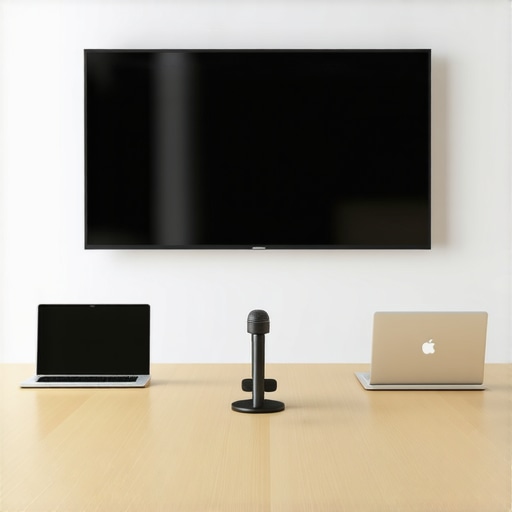
It hit me one busy Monday afternoon as I struggled to connect my laptop to the projector, only to realize the AV system was incompatible with my device. Frustration bubbled up, and I couldn’t help but think: why is it so hard to get a meeting room tech setup right? That moment made me realize how a poorly equipped meeting space can derail even the best team discussions. If you’ve ever experienced the awkward silence of a webinar ruined by bad audio or the chaos of scrambling for a charger mid-presentation, you know what I mean. Improving this environment isn’t just about gadgets; it’s about creating a space where ideas flow freely without technical hiccups. Today, I promise to share the essential tech stack that can transform your meeting rooms into productivity hubs, saving you time and headaches. After all, a modern conference room isn’t complete without the right tools to support collaboration.
Why Modern Meeting Rooms Need More Than Just a Big Table
Are you Overestimating Your Device Capabilities?
Early on, I made the mistake of assuming that just because I had some fancy gadgets, the room was ready for high-stakes meetings. Turns out, compatibility issues and outdated hardware were my biggest enemies. According to a study by Stanford University, technical difficulties can reduce meeting productivity by up to 20%, which is staggering. That’s a wake-up call to invest in reliable, integrated solutions rather than piecemeal tech. If you’ve faced similar setbacks, you’re not alone. The key is understanding what tools are truly necessary to streamline your workflow. Over the next sections, I’ll walk you through the specific components that form the backbone of an effective modern meeting room, backed by my hands-on experience and the latest industry insights. Curious if your current setup measures up? Let’s find out together.
Choose the Right Tech Infrastructure
Start by assessing what your meetings require. For a startup aiming to impress investors, invest in a 4K HDMI cable and a wireless presentation system like Chromecast or Apple TV to avoid the dreaded “tech failure” moments. I once set up a room with a basic projector and a tangled mess of cables that nearly derailed a crucial pitch—since then, I learned the value of reliable connections. Use all-in-one video conferencing solutions like Zoom Rooms or Microsoft Teams Rooms, which integrate audio, video, and content sharing seamlessly. Installing a high-quality mic array ensures everyone’s voice is captured, preventing the “who said that?” confusion commonly experienced in echo-prone rooms. Remember, a robust network with wired Ethernet ports minimizes lag during remote collaborations; relying solely on Wi-Fi can cause frustrating delays.
Set Up Clear Audio and Video
Prioritize audio quality over everything else. In a coworking space, I replaced the built-in mic with a shotgun microphone mounted on a boom arm, which instantly improved clarity. Pair this with acoustic treatments—think foam panels or diffusers—to reduce echo. For video, opt for cameras capable of at least 1080p, positioned at eye level to foster engagement. I learned this the hard way when presenting virtually; sitting below or above the camera made me appear distant and unapproachable. Test connectivity and equipment daily; a quick run-through prevents embarrassing moments during important meetings.
Optimize the Room Layout for Collaboration
Arrange furniture to encourage interaction. In my startup, we replaced traditional conference tables with modular seating that can be rearranged for breakout sessions or full-team huddles. Use portable whiteboards and digital displays to facilitate brainstorming. As an example, during a project kickoff, I set up a standing area with sticky notes and a screen for real-time updates, which energized the team and sparked ideas. Ensure adequate space for comfortable movement; cramped settings inhibit flow and creativity. Introducing flexible seating options also supports diverse meeting types—from formal pitches to casual updates—making the room versatile.
Integrate Easy-to-Use Control Systems
Eliminate confusion with intuitive controls. I installed a centralized tablet that manages lighting, screens, and audio with single taps; simpler than juggling multiple remotes or navigating complex menus. During a product demo, this setup allowed me to switch inputs instantly, keeping the momentum without awkward delays. Label all cables and equipment for quick troubleshooting. Consider automation features like scheduled lighting or preset room modes to adapt to different meeting styles effortlessly.
Implement Best Practices for Usage
Train your team on the tech. I held a quick workshop showing colleagues how to connect devices, share screens, and troubleshoot common issues—this reduced repeated questions and kept meetings productive. Schedule regular maintenance and updates to prevent software incompatibilities. Encourage feedback: what obstacles do team members face? Use their insights to refine your setup—sometimes, just repositioning a speaker can make a big difference. Remember, a well-equipped room isn’t static; it evolves with your needs, so stay adaptable and proactive.
Connect With Experts and Resources
For tailored advice, consider reaching out to specialized providers like Coworking Central. Their team can assist in customizing a tech stack that fits your startup’s growth trajectory. Additionally, explore [top coworking spaces](https://coworkingcentral.com/coworking-spaces-unlock-innovation-top-meeting-rooms-of-2025-at-1123-am) to see what innovations are leading the industry. Incorporating best-in-class tools and practices ensures your meeting environment supports collaboration and creativity, helping your startup thrive in competitive markets.Many entrepreneurs believe that outfitting a conference room with the latest gadgets automatically ensures productive meetings. However, that’s a misconception. In my experience, most startups overlook subtle nuances that can drastically impact collaboration. One common myth is that high-tech equipment compensates for poor room layout or acoustics. In reality, a sophisticated video system won’t matter if participants sit too far apart or if sound echoes distort voices. I’ve seen startups invest thousands in smart boards only to realize that a simple acoustic treatment could have doubled their meeting effectiveness. Remember, the core of a successful conference room lies in its thoughtful design, not just the gadgets. Moreover, a prevalent trap is assuming that one-size-fits-all solutions work universally. For example, a startup with a creative team needs a flexible space that fosters spontaneous brainstorming, not just a formal boardroom setup. So, do your homework before rushing into equipment purchases. Understand how nuance and context shape the room’s purpose and your team’s workflow.
What Do Top Performers Know About Conference Space That You Might Not?
In the world of startups, seasoned founders and industry experts realize that the real secret lies in mastering the room’s psychological and physical environment. They optimize seating arrangements, lighting, and even scent to inspire creativity and comfort. Studies show that ambient factors can influence mood and productivity more than technological upgrades. For instance, a well-lit space with natural light can reduce stress and enhance focus, as highlighted by a Harvard Business Review article. Neglecting these human-centered elements can turn an otherwise modern room into a sterile environment that stifles innovation. So, the key takeaway? Focus not only on technology but also on design details that nurture a vibrant, collaborative atmosphere.
Avoid falling into the trap of ignoring these nuances. Instead, take a comprehensive approach—consult experts if needed and customize your space to match your startup’s culture. Curious how to choose a conference room that truly elevates your team? Check out [this guide](https://coworkingcentral.com/how-to-choose-the-perfect-conference-room-for-business-success) for actionable tips. Have you ever fallen into this trap? Let me know in the comments.Maintaining a reliable conference room setup requires more than just initial installation; it demands ongoing attention, quality tools, and adaptive strategies to ensure long-term efficiency. One tool I personally swear by is the **Logitech Rally Bar**, which combines high-quality video and audio in a single device, simplifying regular upkeep and ensuring clear communication for virtual meetings. Its auto-zoom and adaptive light correction features reduce manual adjustments, saving valuable time every week. To keep software updates smooth and consistent, I use **ManageEngine Patch Manager**, which automates patch deployment across all devices, minimizing security vulnerabilities and compatibility issues over time. Regular calibration of audio equipment is crucial; for this, I rely on **Room Acoustic Analyzer** apps that measure sound frequencies and help optimize placement. This proactive approach not only preserves sound quality but prevents costly reconfigurations in the future. Predictions suggest that AI-driven diagnostics will become standard, enabling real-time troubleshooting without manual intervention—making maintenance even more streamlined. To effectively handle long-term upkeep, it’s essential to schedule quarterly reviews using tools like **UpKeep**, a maintenance management platform that tracks issues, schedules inspections, and manages inventory. Think of it as your digital maintenance team. Want to make sure your tech keeps running smoothly? I encourage you to try implementing **automatic software patch management** today—it’s a game-changer, especially when scaled across multiple rooms. How do I maintain this setup over time? Regularly collect user feedback and monitor system performance logs via centralized dashboards to catch issues early and adapt your tools as your startup grows. Remember, a well-maintained conference space isn’t just about fixing problems; it’s about anticipating them before they disrupt your next critical meeting.
Lessons the Hard Way About Conference Room Mastery
- I learned that no amount of cutting-edge gadgets can fix a poorly thought-out room layout. When I first set up our space, I underestimated how much furniture arrangement influences collaboration—small tweaks, like removing a bulky table, opened up the room and made virtual participants feel more connected.
- Investing in the right audio equipment transformed our meetings. Early on, I ignored sound quality and struggled to hear team members clearly. After switching to directional mics and acoustic treatments, communication became seamless, saving us hours of frustration.
- Automation isn’t just for fancy offices. Using simple control apps to manage lighting, screens, and AV equipment removed confusion and delays. It empowered my team to focus on discussion instead of fiddling with tech.
- Regular maintenance and user feedback keep the setup effective. I’ve found that scheduling quarterly check-ins to calibrate devices and listen to team suggestions ensures our conference room remains a productivity hub, not a tech headache.
- The real secret: viewing the conference room as an evolving tool tailored to your team’s growth. What works now might need tweaking tomorrow. Staying adaptive is key to long-term success.
My Favorite Resources for Building Better Meeting Spaces
- Coworking Central’s consulting services provide tailored advice for startups seeking effective conference rooms. They understand the nuances of collaborative spaces and can help you craft a setup that grows with your team.
- Books like Designing for Collaboration by Jenn Danziger have offered me fresh perspectives on how spatial design affects creativity and efficiency. I trust this well-researched resource for practical insights.
- Tools such as Creative Coworking’s guides help me keep our conference environment engaging and adaptable, ensuring every meeting feels fresh and inspiring.
- Online communities and forums where peers share their successes and failures are invaluable. Learning from others’ experiences accelerates your growth and avoids common pitfalls.
Your Next Conference Room Move Starts Now
Elevating your startup’s meeting spaces isn’t just about gadgets—it’s about creating an environment that nurtures ideas and fosters real connection. Every improvement you make today can set the stage for breakthrough moments tomorrow. Think about what your conference room could become, and take that first step towards transforming it into a hub of innovation. Ready to start? I invite you to reach out to Coworking Central for expert guidance, or explore more at top industry insights. Your team deserves a space that works as hard as they do. What’s the one change you’re excited to implement first? Let me know below.