
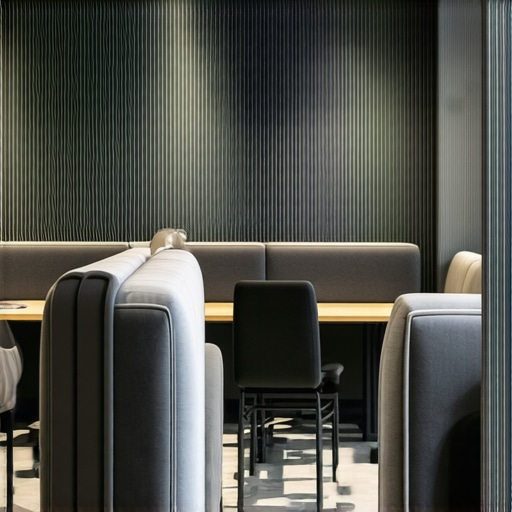
Ever found yourself in a bustling coworking space, eyes darting around, desperately searching for that one quiet corner to take a high-stakes call? I recall countless times when I thought I could duck into an empty meeting room only to realize it was booked or echoey enough to turn my important conversation into a privacy nightmare. That lightbulb moment hit me—finding a truly quiet spot isn’t as straightforward as it seems, especially with shared spaces becoming more popular and hectic.
Unearthing the Quiet Nooks Amidst the Chaos
Today, we’re diving into the art of hunting down those elusive quiet corners in coworking spaces. It’s not just about avoiding distractions; it’s about safeguarding your focus, professionalism, and peace of mind during high-stakes conversations. In this post, I’ll share personal strategies and insider tips to pinpoint those hidden spots that most overlook, so you can elevate your remote work game.
Is the M lounge Worth the Hype for Privacy?
One mistake I made early on was assuming all available spaces offered the same level of quiet. I once tried to squeeze into a popular lounge area during peak hours, thinking it would be fine. Spoiler: it was far from silent, and my call was riddled with background noise. That experience taught me to evaluate spaces beyond their surface—considering factors like soundproofing, location, and whether the space is used exclusively for calls. As research shows, environment plays a crucial role in productivity and focus, especially during critical talks (source). So, choosing the right spot requires more than just walking in; it’s about intentional selection. Next, I’ll share how you can do just that and make your next high-stakes call a success from start to finish.
Assess the Space Before Locking In
When you arrive at your coworking location, take a quick walk around. Imagine it as scouting a battlefield—know the terrain before settling. Look for areas that are physically distant from high-traffic zones like printers or snack bars. Pay attention to the acoustics; rooms with carpets, curtains, or soft furnishings tend to muffle sound better. I once mistook a lounge near the entrance for a quiet haven, only to find it filled with chatter. A quick survey saved me from noise chaos on a crucial call.
Identify True Sound Barriers
Not all walls are created equal. Solid partitioning, like glass with acoustic panels or enclosed booths, drastically reduces outside noise. Avoid open-plan areas where chatter and footsteps create an audio nightmare. Look for spaces with door seals or dedicated soundproof rooms. During a project, I once used https://coworkingcentral.com/creative-coworking-transforming-meeting-rooms-into-collaboration-hubs-at-0455-pm to find a meeting room with enhanced soundproofing—an upgrade that made all the difference during sensitive negotiations.
Test the Environment
Before committing, test the spot with a quick call or playback. Speak casually, listen for echoes, or see if nearby conversations bleed over. I recall a time when I booked a corner in a shared lounge, only to realize the moment I made a quick test call, the ambient noise was deafening. If possible, arrive early or scope out the space ahead of your scheduled call.
Leverage Coworking Innovations
Many coworking spaces are upgrading to specialized conference rooms designed for privacy. These spaces often feature noise-canceling technology, adjustable lighting, and ergonomics conducive to focus. To find such spaces, explore options via top coworking spaces for 2025 or book in advance. A strategic choice of the right room maximizes your productivity and project a professional image during calls. You can also negotiate with space managers for recurring reservations in designated, quiet areas, ensuring consistency in your remote work setup.
Use Technology to Your Advantage
Wireless headphones with active noise cancellation are a game-changer. They can transform a noisy environment into a private sanctuary. Additionally, portable soundproof booths, like pop-up pods, serve as mobile sanctuaries and are perfect for sporadic high-stakes discussions. I adopted a foldable booth during a period when I needed undisturbed focus; it effectively blocked external noise and gave me peace of mind. For more ideas on optimizing your coworking environment, visit effective conference room strategies.
Maintain an Ongoing Evaluation Routine
Spaces change, and so do your needs. Make it a habit to reassess your preferred spots regularly. Keep an ear out for new noise sources or renovations that could impact acoustic quality. In my workflow, I set recurring reminders to revisit chosen areas and, if necessary, switch to quieter options. Document your experiences—what worked, what didn’t—and share tips with fellow remote workers to build a collective knowledge base. Remember, the perfect quiet spot is not static; adapt as your projects evolve.
 Many entrepreneurs assume that selecting any available meeting room at their coworking space will suffice for high-stakes discussions. However, this misconception can severely impact your engagement and professionalism. Contrary to popular belief, not all conference rooms are created equal; some might look suitable but harbor silent pitfalls that undermine your objectives. For instance, a room with glossy glass walls might seem sleek but can cause echo problems, making voice clarity an issue during important calls. Advanced space utilization involves understanding subtle nuances like acoustic design, furniture arrangements, and technological integration. Many startups fall prey to the myth that larger rooms always mean better privacy, but bigger spaces can sometimes amplify external noise or create an unsettling atmosphere. For nuanced insights into selecting optimal meeting environments, explore effective conference room strategies here. Moreover, some overlook how room positioning within a coworking center affects acoustics and concentration. Rooms near elevators or restrooms often suffer from vibrations and extraneous sounds that distract during high-stakes meetings. It’s crucial to evaluate these factors during your site visit before committing. The myth of the perfect infrastructure also extends to technology, where many assume that plug-and-play solutions are sufficient. Yet, integrating high-quality soundproofing, ambient lighting, and reliable Wi-Fi can make or break your conference experience. Failures in these areas could lead to misunderstandings or unprofessional impressions. As experts recommend, leveraging innovative spaces designed specifically for confidentiality and focus can be transformative. Check out top coworking spaces for 2025 here to find venues optimized for startup needs. Finally, be cautious of overestimating your spatial needs; a cramped room with poor acoustics hampers communication just as much as an overly large, empty hall. Find a space that balances size with acoustic quality and technological support. Remember, the right environment is a strategic asset that directly influences your startup’s image and outcomes. To optimize your next meeting, ensure you’re evaluating not just surface features but also these **hidden nuances** that can make all the difference. Have you ever fallen into this trap? Let me know in the comments.
Maintaining a seamless coworking environment requires more than just selecting the right space; it demands consistent upkeep of your tools, technology, and processes. Personally, I rely on a combination of hardware and software solutions to ensure that my productivity remains uninterrupted, especially during critical meetings or brainstorming sessions.
Invest in Quality Audio-Visual Equipment
High-quality webcams and microphones are non-negotiable. I opt for a Logitech Brio 4K webcam and BlueYeti X microphone because they deliver crystal-clear video and audio, reducing misunderstandings during virtual meetings. When paired with good lighting—like a desk lamp with adjustable brightness—your image remains professional, and your voice comes through loud and clear. This setup minimizes fatigue for remote clients and colleagues and projects a professional image that can accelerate your startup’s growth.
Leverage Robust Communication Tools
For team collaboration, I swear by Slack integrated with project management apps like Asana. This combo ensures real-time updates, reduces email clutter, and keeps everyone aligned. Additionally, using Zoom for virtual meetings with features like breakout rooms and closed captioning provides flexibility. Recent improvements in Zoom’s audio processing, backed by studies like those from Zoom’s technical documentation, demonstrate how sound optimization significantly enhances clarity in noisy environments. Regularly updating these tools prevents glitches and security vulnerabilities, ensuring your meetings go smoothly.
Implement Backup and Redundancy Measures
Nothing disrupts a meeting faster than tech failure. I always keep a portable SSD—the Samsung T7—to backup important files locally. Cloud services like Dropbox or Google Drive sync automatically, but having a local copy acts as insurance during connectivity issues. For internet fail-safes, I use a dual-WAN router, which switches between different ISPs seamlessly. This redundancy ensures your work continues unhindered and demonstrates a level of professionalism that impresses clients and partners alike.
Set Routine Maintenance Rituals
Consistency is key. I dedicate a weekly block to update software, clean hardware accessories, and review my audio-visual setup. Regularly calibrating your microphones, updating firmware, and cleaning camera lenses can prevent technical glitches. Additionally, scheduling buffer time before major meetings allows for troubleshooting any last-minute issues. This routine not only keeps your tools reliable but also minimizes stress during critical discussions.
How do I sustain this upkeep over time?
People often neglect ongoing maintenance, leading to equipment failures or software obsolescence. To avoid this, I set recurring reminders in my calendar and subscribe to newsletters from my gear and software providers for updates. Joining community forums and reading expert reviews helps me stay ahead of emerging trends and new technologies that could further streamline my setup. As a tip, consider subscribing to newsletters from sources like Coworking Central for insights into the latest tools and best practices. Make it a habit to review and upgrade your workspace tools periodically—your future self will thank you.
To maximize productivity, I recommend trying advanced audio setup techniques, such as integrating professional-grade soundproofing and testing your environment with quick audio playback tests. These small investments can drastically reduce background noise and echo, creating an ideal environment for high-stakes conversations. Start implementing one of these maintenance tips today, and you’ll notice your remote work environment becoming more reliable and professional—ready to support your startup’s growth.

Throughout this journey, I’ve learned that the key to high-stakes coworking calls isn’t just about luck—it’s a strategic dance with your environment. The most valuable lesson I uncovered is that the quietest corner isn’t always where you least expect it; sometimes, it’s where you intentionally create it. Setting up routines to evaluate and re-evaluate spaces ensures you stay one step ahead of noise and distractions, no matter how chaotic the coworking zone becomes.
The Hidden Gems That Transformed My Workday
- Silent sanctuaries require active hunting. I realized that peek-a-boo spaces with great soundproofing are well-kept secrets. It took me discovering dedicated booths—like those showcased in this resource—to truly understand how to secure privacy.
- Technology can turn chaos into calm. Investing in noise-canceling headphones and portable soundproof pods isn’t just luxury—it’s a necessity. Trusted tools like the effective conference room strategies they recommend have been my game changers.
- Small habits make a big difference. Regularly testing space acoustics and adjusting your routines keep your environment optimized and your mind focused. My consistent evaluations have saved countless stressful moments, proving routine is essential.
My Toolbox for Coworking Command
- Soundproofing gear: High-quality headphones like the top-rated noise-canceling headphones
- Room selection guides: Exploring the best coworking spaces for 2024 has consistently guided me to spaces designed with privacy in mind.
- Tech redundancy: Dual Internet setups and portable backup drives, like the best practices show, keep me prepared for any unforeseen disruptions.
- Regular maintenance routines: Setting weekly reviews for hardware and software ensures persistent reliability, saving me from last-minute tech panic.
Seize Your Coworking Power Move Today
The future of productive coworking and impactful meetings lies in your willingness to embrace these tailored strategies. Whether it’s choosing the right space, investing in the best tools, or cultivating disciplined routines, each step brings you closer to mastering the art of quiet focus amidst the hustle. Don’t wait for perfect conditions—begin transforming your coworking experience now. Your startup’s success depends on it.
What’s your biggest challenge when finding quiet spots for important calls? Share your stories or tips below—I’d love to hear how you’re conquering coworking chaos!
Comments are closed.