
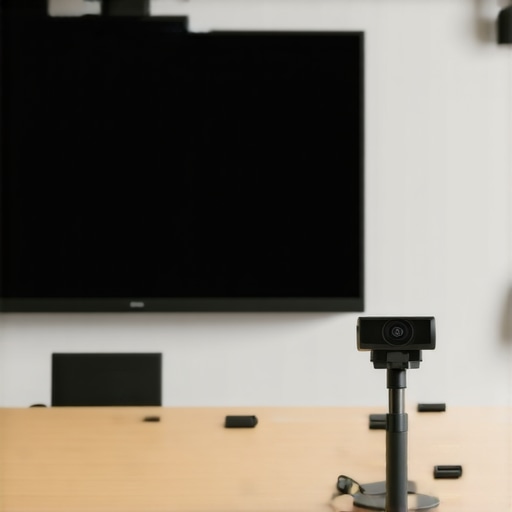
It was a Monday morning, and I sat in a conference room that should have felt motivating but instead felt chaotic. The projector was flickering, participants kept struggling to connect their devices, and I realized we were fighting our tech instead of focusing on the real work. That moment was a lightbulb for me: no matter how innovative your ideas are, poor tech setup can kill momentum before the meeting even begins.
Why Your Conference Room Tech Can Make or Break Startup Success
In today’s fast-paced startup ecosystem, your conference room isn’t just a space; it’s a hub of collaboration, decision-making, and inspiration. Yet, it often feels like a missed opportunity. You might have a sleek table and comfortable chairs, but if the tech stack isn’t up to par, those valuable hours can turn into frustrations. I’ve seen startups pour thousands into marketing, but neglect to optimize their meeting spaces—a mistake I made early on, wasting time troubleshooting connection issues instead of pushing forward.
The good news? With the right equipment and setup, your conference room can become a powerhouse of innovation. Today, I’ll walk you through the essential tech every modern conference room needs and how to avoid common pitfalls.
Is Your Conference Tech Really Worth the Investment?
It’s fair to wonder if investing heavily in conference room tech is necessary. Truthfully, not every startup needs cutting-edge gear—yet skipping key components can cripple productivity. I once tried to cut costs with cheap projectors and free conferencing apps, only to find my team frustrated and less engaged. A study from Harvard Business Review found that meeting inefficiencies cost companies roughly $37 billion annually in the US alone. That’s a hefty price for dodging a few investment decisions.
So, are you sure your tech setup supports your team’s needs, or are you unknowingly dragging productivity down? If this sounds familiar, don’t worry. We’re about to explore the must-have tools and how they can transform your meetings from mundane to impactful. For more insights on enhancing collaboration, check out this article on [innovative meeting rooms that boost startup creativity](https://coworkingcentral.com/innovative-meeting-rooms-that-boost-startup-creativity).
Let’s get started and make your conference room a true asset, not a liability.
Choose the Right Equipment for Seamless Meetings
Start by investing in a high-resolution projector or large display that’s compatible with multiple devices. During a past startup workshop, I learned the hard way that a 720p projector struggled to display detailed charts, causing repeated frustrations. Upgrading to a 4K display improved clarity instantly, making it easier for teams to grasp complex ideas. Pair this with quality speakers and microphones to ensure everyone, whether in the room or dialing in remotely, hears clearly.
Prioritize Compatibility and Ease of Use
Opt for devices that support universal standards like HDMI, USB-C, or wireless casting. I once introduced a smartboard incompatible with most laptops, which caused delays. Choosing standardized equipment prevented such issues, leading to smoother collaboration. When selecting tech, test how straightforward it is for team members to connect their devices—complex setups kill momentum even before a discussion begins.
Set Up a Functional Layout That Promotes Engagement
The physical arrangement complements your tech setup. Imagine your conference table as a command center; ensure screens are visible from all angles and microphones pick up voices uniformly. During a recent reorganization, I repositioned speakers and screens to eliminate dead zones, which dramatically enhanced participation. Use cable management systems to keep wires tidy, reducing trip hazards and creating a professional environment.
Optimize Video Conferencing for Hybrid Teams
Integrate a high-quality webcam and conferencing software that supports multiple participants with minimal lag. I once experimented with different cameras; a wide-angle lens secured better room coverage, making remote attendees feel more included. Test your setup before meetings to prevent surprises. Also, ensure your internet connection is robust—fiber-optic is preferable for consistent bandwidth.
Implement Software That Facilitates Collaboration
Select a collaboration platform like Slack, Microsoft Teams, or Asana that integrates seamlessly with your hardware. During a demo, I found that linking screens with collaborative apps allowed real-time editing, saving hours of back-and-forth. Encourage team members to familiarize themselves with these tools ahead of meetings, reducing technical hiccups and focusing on ideas instead.
Control Access and Permissions
Manage who can share screens or control presentations to avoid chaos. In one project, I set permissions to prevent unauthorized screen sharing, which maintained focus. Use password protections or dedicated meeting links for sensitive sessions. Regularly update your software to patch security vulnerabilities and improve stability.
Regularly Test and Maintain Equipment
Schedule routine checks to ensure all devices work correctly. I set monthly maintenance days, during which I verify connections, update firmware, and replace worn-out cables. This proactive approach prevents last-minute failures that disrupt important meetings. Keep spare cables, adapters, and batteries on hand for quick replacements.
Train Your Team on Tech Usage
Offer brief tutorials or cheat sheets so everyone can operate equipment confidently. I created a quick reference guide, which new hires appreciated. Empowered team members reduce downtime caused by technical confusion, fostering a more efficient meeting culture.
Seek Expert Support When Needed
If your space scales or you face persistent issues, hire a professional AV technician to optimize your setup. I once contracted an AV specialist to design our conference room; the investment paid off with consistently smooth meetings and happier team members. Their expertise can help you avoid costly mistakes and future-proof your tech infrastructure.
Many entrepreneurs and managers believe that simply investing in modern conference rooms guarantees innovation and productivity. However, the real challenge lies in understanding nuanced dynamics that often go unnoticed. For example, a common myth is that bigger meeting rooms always foster better collaboration. In reality, smaller, well-designed spaces can stimulate more focused discussions, avoiding the pitfalls of unintentional audience dispersion. According to a study by Harvard Business Review, spatial design influences cognitive engagement more than many realize, emphasizing the need for intentional layout choices. Additionally, many assume that state-of-the-art technology automatically boosts meeting effectiveness. But without proper training or integration, high-end tools can backfire, leading to frustration and wasted time. This is where many companies stumble: investing heavily in equipment without fostering a culture of tech literacy.
Another overlooked aspect involves the psychological impact of meeting environments. Neutral or overly sterile settings may hinder openness, while warm, personalized spaces encourage candid exchanges. For instance, incorporating elements from successful coworking spaces—like flexible seating and creative decor—can enhance team cohesion. However, some believe that open-plan arrangements are always best, forgetting about acoustic privacy and individual focus needs. Noise creep in shared environments often reduces productivity, a mistake that can be mitigated with strategic acoustical treatments or dedicated quiet zones.
From an advanced perspective, understanding the social psychology behind seating arrangements can dramatically alter meeting outcomes. Research indicates that seating positions near leadership influence participation levels, which can be strategically employed to promote inclusive dialogue. Moreover, the prevalent practice of placing chairs in a circle isn’t always optimal; depending on the agenda, different configurations might be more effective. Do you know how to configure your room for maximum engagement? If not, exploring innovative layouts—like those discussed in this [article on top meeting room designs](https://coworkingcentral.com/coworking-spaces-unlock-innovation-top-meeting-rooms-of-2025-at-1123-am)—can give your startup an edge.
Finally, beware of the trap of technological overreach. More gadgets don’t automatically translate into better meetings—they can often distract rather than add value. The key is balance: having the right tools, well-maintained and properly used, aligned with clear objectives and team habits. Regularly reviewing your setup and training your team reinforces a culture where tech enhances collaboration rather than hinders it. Want to learn more about creating effective, tech-savvy meeting spaces? Check out [how to choose the perfect conference room](https://coworkingcentral.com/how-to-choose-the-perfect-conference-room-for-business-success) for your startup.
Are you falling prey to any of these pitfalls? Let me know in the comments—it’s the first step toward transforming your meeting culture and, ultimately, your startup’s success.
Maintaining your conference room equipment and software isn’t a one-time task; it’s an ongoing commitment that ensures your meetings run smoothly and efficiently. Personally, I rely on a combination of scheduled maintenance routines and smart tools to keep everything functioning at peak performance. Regularly updating firmware on devices like projectors and cameras prevents security vulnerabilities and bugs—tech companies often release patches that fix known issues. I set quarterly reminders to check for updates, ensuring nothing slips through the cracks. Using tools like Evoluent Remote Management Software helps me track device health remotely, reducing downtime. Investing in a dedicated IT support partner, even if just for preventive maintenance, saves me hours of troubleshooting during crucial meetings. As technology trends evolve, integrating AI-powered diagnostics can preempt hardware failures, allowing preemptive repairs before issues impact your workflow. This future-forward approach is where I see conference room maintenance heading, blending automation with predictive analytics. To get started, try setting up a routine that includes firmware updates, deviceHealth checks via remote management software, and partner support agreements to streamline the process. Want personalized assistance? Reach out to our expert team to tailor a maintenance plan suited for your startup’s needs.
Over the years, I’ve realized that the most overlooked aspect of a startup’s growth often lies right in the conference room. The lessons I’ve learned are not just about equipment but about creating an environment where ideas flourish without technical hitches. The harsh truth is that many entrepreneurs underestimate the importance of seamless conference tech—believing that a fancy projector or microphone is enough. But in reality, the devil is in the details, and overlooking these can cost you valuable momentum. One pivotal moment for me was realizing that investing in training your team on tech tools yields returns far beyond hardware upgrades. It transforms meetings from frustrating to fluid, fostering innovation instead of irritation. Additionally, I discovered that regular audits and proactive maintenance are your best friends—they prevent small issues from turning into major disruptions. Lastly, I learned that choosing compatible, user-friendly devices tailored to your team’s habits is essential. This mindset shift turned my conference rooms from problem zones into strategic assets that drive our startup forward.