
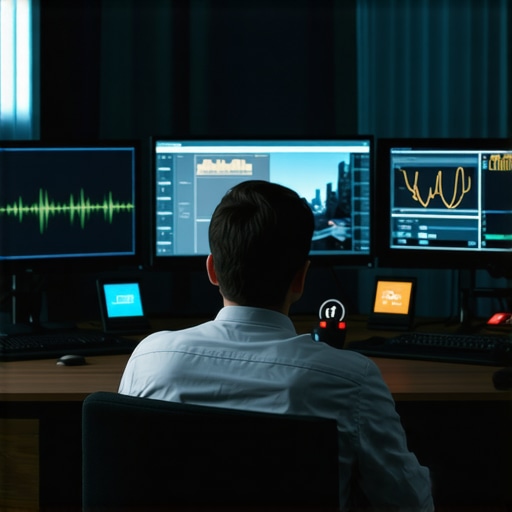
Ever been mid-call when suddenly your screen freezes, or your audio cuts out just as you’re about to make a crucial point? Yeah, we’ve all been there. One minute, you’re confidently presenting your startup idea; the next, you’re battling a jumble of pixelated images and muffled voices. It’s frustrating, distracting, and, frankly, embarrassing. I remember one particularly important client call where my camera refused to turn on, and I spent the next ten minutes trying to troubleshoot, all while my potential partnership was hanging in the balance.
These tech glitches are more than mere annoyances—they can sabotage your credibility and waste valuable time. But here’s the truth: you don’t have to accept them as unavoidable. Today, I want to share how some common issues—those sneaky glitches—creep into your video meetings and, more importantly, how you can tackle them head-on. By understanding these pitfalls, you’ll be better equipped to keep your meetings smooth, professional, and distraction-free.
Why Tech Glitches Are Sabotaging Your Conference Confidence
It’s easy to dismiss these problems as minor, but in the high-stakes world of startups and networking, they can be game-changers. A recent survey highlighted that poor audio and video quality are among the top reasons meetings fail to impress or even conclude successfully. And let’s face it—no one wants to be the founder whose tech fails at a critical pitch.
Early on, I made the mistake of assuming my internet connection was enough without testing my equipment. That was a rookie move. I overlooked simple steps like updating my drivers or choosing a dedicated, wired connection instead of relying solely on Wi-Fi. These small oversights made all the difference, turning what could have been a seamless presentation into a tech disaster. Trust me, it pays to be proactive.
If you’ve ever been caught off guard by a technical hiccup during a crucial meeting, you know how unsettling it can be. But don’t worry—by the end of this post, I’ll show you practical tips to prevent these glitches from ruining your next important video call.
Interested in how the right coworking environment can minimize some of these issues? Check out [the future of conference rooms in startup ecosystems](https://coworkingcentral.com/the-future-of-conference-rooms-in-startup-ecosystems) to learn more about setting up a tech-friendly workspace. Now, let’s dive into the main culprits behind those conference nightmares and how to keep them at bay.
Test Before Every Important Call
Treat your meeting setup like a pilot preparing for a flight. I recall scheduling a crucial investor call; I ran a quick test an hour prior and caught a misconfigured microphone. This simple step saved me from scrambling for solutions during the presentation.
To do this efficiently, launch your video conferencing app and verify all systems—audio, video, and internet connection—aren’t just working but are optimized for quality. Keep a checklist close: Clear camera, working mic, stable internet. Performing this prep like a pilot’s pre-flight check ensures that tech mishaps don’t become your late-landing.
Optimize Your Workspace for Reliability
Your environment plays a pivotal role. Choose a coworking space with dedicated tech zones, equipped with high-speed internet and soundproof booths. When I moved my team to a coworking hub noted for top-tier conference rooms (see how future-ready spaces are designed), our video quality soared.
Consider investing in a wired ethernet connection. Unlike Wi-Fi, a wired setup is less prone to interference and lag, acting like the highway versus the city streets, ensuring your signal is smooth and reliable. Think of your workspace like a race car: every component must be tuned for peak performance. Using the right tools means fewer hiccups during your critical moments.
Manage Hardware with Precision
Up-to-date hardware is your secret weapon. Regularly update drivers for your camera and microphone—it’s like maintaining your car engine. I remember ignoring driver updates and facing jittery video; after a routine upgrade, my feed was crystal clear, akin to switching from a blurry lens to HD.
Test your equipment with a friend or record a short video to review quality. A quick hardware audit before high-stakes meetings prevents embarrassing moments and keeps your professional image intact. Remember, in a coworking environment, sharing equipment like headsets or webcams demands routine checks to avoid cross-connection issues.
Arm Yourself with Backup Plans
Always have a contingency. Keep a secondary device ready—tablet, phone, or even a hot spare laptop. Once, my primary laptop froze during a pitch; switching to my phone’s hotspot and connecting through a backup device kept the meeting alive, much like a relay racer passing the baton seamlessly.
Also, share your meeting link and dial-in options ahead of time. This way, even if your primary platform crashes, participants can join via alternative methods. Think of it as having multiple roads leading to the same destination, ensuring your journey isn’t halted by a single obstacle.
Leverage the Power of Dedicated Conference Rooms
Don’t underestimate the impact of a professional conference room space. A well-equipped room minimizes external disruptions and signals seriousness to clients. Explore how startups choose the right spaces to find environments that prioritize high-quality connectivity and privacy.
Many entrepreneurs believe that selecting the most popular coworking space or the cheapest conference room guarantees success, but in reality, these choices often overlook critical nuances that can impact your company’s growth. One widespread myth is that all coworking environments are created equal; however, the true differentiator lies in the quality of the spaces’ infrastructure and community engagement. Choosing a space with outdated amenities or a toxic environment can slow down your progress, despite glowing reviews.
Another common mistake is assuming that booking a large, professional-looking conference room automatically elevates your startup’s image. While a well-designed space can influence client perceptions, it’s equally vital to understand the *hidden advantages* of specialized rooms that foster innovation and collaboration. For instance, some top-tier coworking spaces offer meeting rooms equipped with advanced tech integrations and flexible configurations that enhance productivity, aligning with the insights shared in creative coworking articles.
Beware of the “more is better” trap—adding more meeting rooms or bigger spaces doesn’t necessarily translate to better outcomes. Instead, focus on how well a space supports your team’s specific needs, such as privacy for sensitive discussions or acoustic treatments to minimize noise distractions. These details often go unnoticed but play a critical role in your day-to-day operations.
### How can startups leverage advanced coworking space features without falling prey to costly misconceptions?
A smarter approach involves adopting a strategic mindset, assessing whether the space aligns with your long-term goals. For example, some spaces offer innovative meeting rooms designed to boost creativity, which may be more beneficial than simply renting a traditional conference room. Investing in the right environment can accelerate your team’s innovation, aid in talent attraction, and leave a lasting impression on clients.
It’s also crucial to understand the social dynamics within these environments. Spaces that cultivate a collaborative community can open doors to invaluable networking opportunities, as discussed in this article. Moving beyond the superficial aspects of workspace selection and focusing on these hidden features ensures you’re making the most of your investment.
Don’t overlook the importance of privacy policies—review the privacy policies of your chosen space to safeguard sensitive data. Remember, the ideal coworking environment not only offers excellent facilities but also aligns with your startup’s mission, culture, and growth trajectory.
Have you ever fallen into this trap? Let me know in the comments.In the fast-paced environment of startups and flexible workspaces, maintaining reliable tools and systems is crucial for continued success. Over the years, I’ve identified specific hardware and software that help keep meetings seamless, collaboration efficient, and growth on track. One of my go-to investments is the Logitech Brio 4K Webcam. It’s not just about clarity; this camera’s autofocus and low-light correction ensure my video quality remains sharp even in suboptimal lighting, reducing the need for constant adjustments during crucial calls.
For audio, I swear by the BlueYeti X Microphone. Clear sound minimizes misunderstandings and ensures my voice is heard loud and clear, especially in noisy coworking spaces. Its multiple patterns allow me to adapt to different meeting formats, whether I’m recording a presentation or participating in a team huddle.
On the software side, I rely heavily on slimmed-down, reliable conferencing tools like Zoom’s webinar features paired with Otter.ai for real-time transcription. This combo guarantees that everyone in the room is aligned, and meeting notes are accurately captured without manual effort.
For project management, I prefer Notion. Its highly customizable dashboards allow me to track multiple projects, schedule maintenance tasks, and keep team responsibilities transparent. Regularly reviewing and updating these dashboards keeps everything running without hiccups.
Looking ahead, I anticipate an increased reliance on integrated hardware solutions, where cameras, microphones, and speakers communicate seamlessly through IoT protocols, reducing setup times and technical glitches. Preparing your startup to adopt such future-proof tools can save countless hours down the line.
How do I maintain these systems over time? Routine checks and periodic upgrades are key. For hardware, I schedule quarterly maintenance, ensuring firmware updates are installed—this prevents compatibility issues. For software, I subscribe to updates and beta programs from trusted providers, staying ahead with new features and security patches. Additionally, keeping a dedicated tech checklist, similar to pre-meeting routines, helps avoid overlooked maintenance tasks.
If you’re serious about ensuring your coworking or conference spaces operate flawlessly, I highly recommend setting up a regular hardware audit. For example, schedule monthly tests of all cameras and mics to catch potential issues early. This proactive approach keeps your essential tools reliable and your professional image intact.
Interested in innovative meeting room tech? Check out how creative coworking spaces are transforming meeting rooms for inspiration. Implementing just one of these tailored tools or methods can make a significant difference in your daily operations. Start with testing your hardware regularly, and see how much smoother your meetings become.
Over the course of my journey helping startups thrive in coworking environments, I’ve realized that the most overlooked secret to success is mastering the art of reliable technology. The biggest lightbulb moment? —No matter how innovative your ideas are, if your tech fails during a crucial meeting, your credibility takes a hit. Ensuring your workspace is equipped to handle unforeseen glitches isn’t an extra—it’s essential. The key? Build habits around proactive checks and invest in tools that stand the test of time, like the creative coworking spaces that push boundaries. When I adopted this mindset, I saw a noticeable jump in team confidence and client trust, reinforcing that the right environment makes all the difference.