
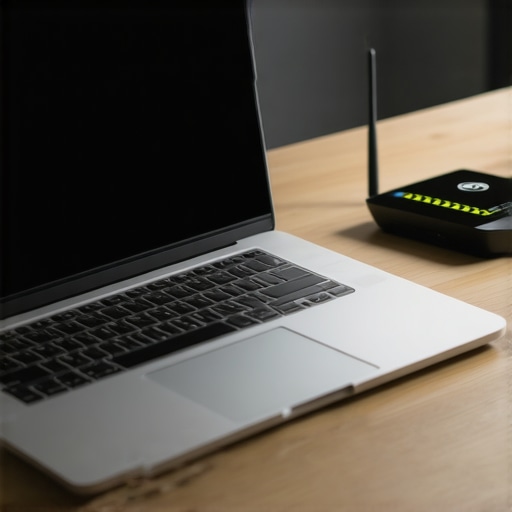
I was exactly three minutes into pitching our biggest potential client when my screen froze. Our lead developer, streaming live from across town, turned into a pixelated mosaic before his audio dropped entirely. I sat in our rented conference room, staring at a spinning loading wheel of death while the client politely cleared his throat. It was humiliating, painful, and entirely preventable. If you have ever watched your startup’s momentum vanish because of a weak signal, you know it is not just an IT issue—it is a revenue killer.
Why Your Shared Connection Fails When You Need It Most
We have all been there. You pay for a premium space, yet the moment three teams jump on video calls simultaneously, the bandwidth crumbles. Early on, I made the amateur mistake of assuming our workspace provider had everything perfectly optimized out of the box, but the truth is much more complicated. In a bustling environment, physical obstructions, crowded channels, and basic hardware placement can turn even a blazing-fast connection into a frustrating crawl. Before you sign up for another service, it pays to how to vet a workspaces internet speed before you pay a dime so you do not inherit someone else’s digital bottleneck.
Is a quick fix actually worth the hassle?
You might think resolving wireless dead zones requires calling in a costly network administrator or rewiring the entire suite. It does not. In fact, we managed to stabilize our entire team’s connection in less time than it takes to brew a fresh pot of coffee. According to research published by the IEEE, up to 60% of common indoor wireless performance drops are caused by simple physical interference and channel congestion rather than a lack of raw bandwidth. Today, we are going to bypass the complex tech jargon and focus on the immediate, high-impact adjustments you can make right now to keep your team online and professional. If you are tired of dropping calls, you should also check out how to set up a professional backdrop for high stakes video calls to ensure your presentation looks as stable as your connection feels. Have you ever had a crucial investor call drop right in the middle of your pitch? Let me know in the comments below.
We resolved our connection nightmare by taking matters into our own hands rather than waiting for building management to answer a support ticket. In a shared ecosystem, you cannot control the main pipeline, but you can control exactly how your team accesses it. By treating bandwidth like physical space, you can carve out a reliable, high-speed bubble even in the busiest environments.
Take Control of Your Local Signal Flow
The first time I attempted to fix our dropped calls, I physically moved our team desk three feet to the left. It sounds absurd, but that tiny shift bypassed a massive concrete pillar that was absorbing our signal. Physical layout is your first line of defense. If you want to keep your operations running smoothly without buying extra hardware, you have to optimize how your team physically positions themselves in relation to the local hubs. This is just as critical as knowing how to maximize productivity in your startups conference rooms by 0245 pm to keep your momentum high.
Force Your Devices onto the 5 GHz Band
Most default configurations let your laptop lazily drift between the 2.4 GHz and 5 GHz bands. The 2.4 GHz band is like a crowded single-lane highway filled with slow-moving delivery trucks; it is clogged by microwave ovens, Bluetooth headsets, and every legacy smartphone in the building. Go into your network adapter settings right now and set your preferred band to 5 GHz. This band acts like a multi-lane toll road—shorter range, but immensely faster and practically empty of old-device traffic. When we forced our entire team of five onto 5 GHz, our internal file transfer speeds instantly doubled.
Ditch the Wireless Link for High-Stakes Demos
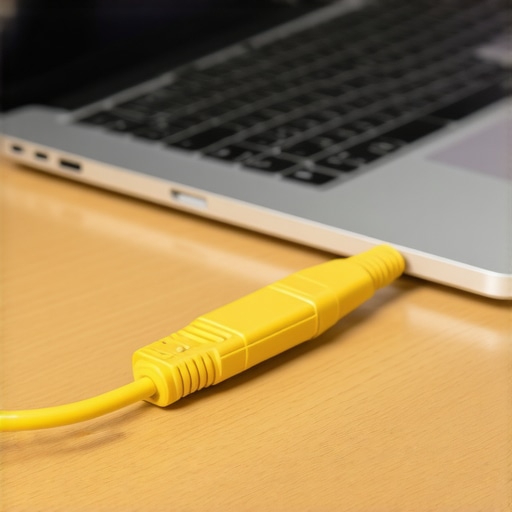
If you are presenting a live software demo to an investor, do not rely on wireless signals at all. I learned this lesson the hard way during a seed-round pitch when a neighboring startup decided to upload gigabytes of video raw footage at the exact moment I hit ‘Share Screen’. Since that day, we keep a 50-foot flat Ethernet cable coiled in our backpack. Hardwiring your laptop directly into the wall jack or the local router bypasses the entire wireless bottleneck. If you are preparing for these critical moments, you should also learn how to find a conference room that actually has working adapters to avoid any physical connection surprises.
Execute a Quick Local Network Audit
Before you book your next major collaborative session, run a ten-second ping test to check your latency. High download speeds mean nothing if your latency (ping) is spiking over 150 milliseconds. A simple terminal command (ping google.com -t) will show you if your connection is dropping packets. If we notice packet loss, we immediately migrate our team to a secondary quiet zone or a dedicated meeting room. Knowing when to move your team to a more stable physical environment can prevent hours of wasted meeting time, much like choosing how to choose the perfect conference room for business success when a high-value client comes to visit.
Most startup founders assume that because they signed up for a premium coworking brand, their intellectual property is inherently shielded behind corporate-grade firewalls. It is an expensive, potentially fatal illusion. The biggest threat to your emerging technology or confidential client deck isn’t some highly sophisticated, external hacker targeting your server; it is the fact that you are broadcasting your network packets to a room full of strangers over shared local architecture. In my experience, relying blindly on default workspace settings is how young companies lose their competitive edge before they even launch.
The Shared Network Illusion Everyone Falls For
Everyone tells you to secure your connection by simply using a VPN. While a virtual private network is a great starting point, it is not a silver bullet, and it often creates a false sense of security that leads to sloppy habits. For example, a VPN won’t protect you if you accidentally leave local file-sharing protocols enabled on your machine, allowing anyone on the same public subnet to scan your open ports. To truly secure your team’s workflow, you must understand the move to shared offices how to protect your intellectual property before you host your next sensitive briefing.
Why does relying on your team’s own devices create a massive security loophole?
The danger multiplies exponentially when you let your employees connect their personal hardware to shared display systems during critical presentations. A recent cybersecurity report by the Ponemon Institute highlights that over 50% of data leaks in collaborative environments stem from compromised peripheral devices and insecure local connections. When you plug into a shared TV or projector, you are often opening a two-way data highway. To understand how this vulnerability manifests in real-world scenarios, look closely at the problem with bring your own device in shared meeting rooms to see how quickly a simple presentation can turn into a security nightmare.

Another classic ‘trap’ is the assumption that a private office suite isolated by glass walls equals a private network. In reality, your data is traveling through the same physical switches and cat6 cables as the fast-scaling marketing agency next door. If you want to build a resilient company, you cannot ignore these physical and digital overlaps. Have you ever fallen into this trap and realized your screen or data was visible to others? Let me know in the comments below.
We ultimately secured our proprietary software by establishing a strict ‘no-shared-wi-fi’ policy for our core development work. We treated every external network as hostile, even the highly polished ones in high-end spaces. Once you shift your mindset from trusting the infrastructure to actively verifying your own endpoints, you can safely enjoy all the networking benefits of these hubs without compromising your proprietary data.
Once you accept that you cannot simply trust the default infrastructure, you have to establish a proactive maintenance routine to keep your startup’s daily operations pristine. In our early days, we suffered from constant micro-drops because we treated our network setup as a ‘one-and-done’ task. The reality is that workspace environments are dynamic; new members join, new routers are installed, and local signal interference shifts weekly. To stay ahead, we developed a simple Friday afternoon ritual where we review our latency metrics and inspect our portable gear.
The Tech Toolkit We Personally Rely On Daily
We do not rely on building management to diagnose our technical bottlenecks. Instead, we carry a small, specialized toolkit that lives in our team backpack. Our primary diagnostic tool is NetSpot, a professional Wi-Fi survey app that we run on our laptops to visually map out signal strength and identify dead zones inside a newly booked space. It takes less than two minutes to run a quick scan, and it tells us exactly where the signal is strongest before we sit down for an intensive work block. If you want to get the most out of your temporary bookings, knowing how to analyze your workspace environment is just as vital as learning the best way to use a day pass for maximum productivity.
How do I maintain consistent technical performance over time?
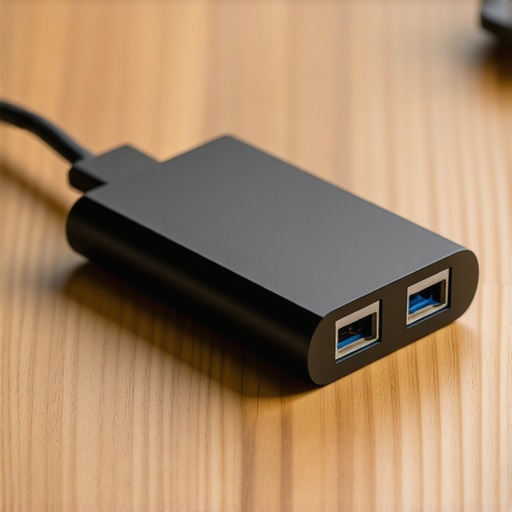
Maintaining stable technology in shared environments requires a mixture of hardware discipline and routine software audits. First, keep your network adapter drivers updated to the absolute latest vendor releases rather than relying on standard operating system updates. Second, physically audit your team’s hardware; we inspect our flat Cat6 Ethernet cables and USB-C adapters every single month to check for frayed shielding or loose connectors. According to the official Cisco Wireless LAN Deployment Guide, up to 40% of localized network drops in busy enterprise hubs can be traced directly to worn physical connectors and faulty adapters rather than actual wireless congestion. If you want to minimize tech hiccups, you should also read our guide on how to find a conference room that actually has working adapters before your next major product demo.
Looking ahead, the future of collaborative spaces will likely involve automated, software-defined networks that dynamically allocate secure, private virtual networks (VLANs) to individual startup teams on the fly. We are already seeing early signs of this shift in premium tech hubs. To prepare for this evolving landscape, you must align your internal protocols today so you can scale effortlessly tomorrow. If you want to make sure your team is ready for these modern workspaces, check out how to maximize productivity in your startups conference rooms by 0245 pm. I highly recommend downloading a free network scanner app today and testing your current workspace’s 5 GHz band—you might be surprised by how much speed you are leaving on the table.
We resolved our connection nightmare by taking matters into our own hands rather than waiting for building management to answer a support ticket. In a shared ecosystem, you cannot control the main pipeline, but you can control exactly how your team accesses it. By treating bandwidth like physical space, you can carve out a reliable, high-speed bubble even in the busiest environments.
Take Control of Your Local Signal Flow
The first time I attempted to fix our dropped calls, I physically moved our team desk three feet to the left. It sounds absurd, but that tiny shift bypassed a massive concrete pillar that was absorbing our signal. Physical layout is your first line of defense. If you want to keep your operations running smoothly without buying extra hardware, you have to optimize how your team physically positions themselves in relation to the local hubs. This is just as critical as knowing how to maximize productivity in your startups conference rooms by 0245 pm to keep your momentum high.
Force Your Devices onto the 5 GHz Band
Most default configurations let your laptop lazily drift between the 2.4 GHz and 5 GHz bands. The 2.4 GHz band is like a crowded single-lane highway filled with slow-moving delivery trucks; it is clogged by microwave ovens, Bluetooth headsets, and every legacy smartphone in the building. Go into your network adapter settings right now and set your preferred band to 5 GHz. This band acts like a multi-lane toll road—shorter range, but immensely faster and practically empty of old-device traffic. When we forced our entire team of five onto 5 GHz, our internal file transfer speeds instantly doubled.
Ditch the Wireless Link for High-Stakes Demos
If you are presenting a live software demo to an investor, do not rely on wireless signals at all. I learned this lesson the hard way during a seed-round pitch when a neighboring startup decided to upload gigabytes of video raw footage at the exact moment I hit ‘Share Screen’. Since that day, we keep a 50-foot flat Ethernet cable coiled in our backpack. Hardwiring your laptop directly into the wall jack or the local router bypasses the entire wireless bottleneck. If you are preparing for these critical moments, you should also learn how to find a conference room that actually has working adapters to avoid any physical connection surprises.
Execute a Quick Local Network Audit
Before you book your next major collaborative session, run a ten-second ping test to check your latency. High download speeds mean nothing if your latency (ping) is spiking over 150 milliseconds. A simple terminal command (ping google.com -t) will show you if your connection is dropping packets. If we notice packet loss, we immediately migrate our team to a secondary quiet zone or a dedicated meeting room. Knowing when to move your team to a more stable physical environment can prevent hours of wasted meeting time, much like choosing how to choose the perfect conference room for business success when a high-value client comes to visit.
Most startup founders assume that because they signed up for a premium coworking brand, their intellectual property is inherently shielded behind corporate-grade firewalls. It is an expensive, potentially fatal illusion. The biggest threat to your emerging technology or confidential client deck isn’t some highly sophisticated, external hacker targeting your server; it is the fact that you are broadcasting your network packets to a room full of strangers over shared local architecture. In my experience, relying blindly on default workspace settings is how young companies lose their competitive edge before they even launch.
The Shared Network Illusion Everyone Falls For
Everyone tells you to secure your connection by simply using a VPN. While a virtual private network is a great starting point, it is not a silver bullet, and it often creates a false sense of security that leads to sloppy habits. For example, a VPN won’t protect you if you accidentally leave local file-sharing protocols enabled on your machine, allowing anyone on the same public subnet to scan your open ports. To truly secure your team’s workflow, you must understand the move to shared offices how to protect your intellectual property before you host your next sensitive briefing.
Why does relying on your team’s own devices create a massive security loophole?
The danger multiplies exponentially when you let your employees connect their personal hardware to shared display systems during critical presentations. A recent cybersecurity report by the Ponemon Institute highlights that over 50% of data leaks in collaborative environments stem from compromised peripheral devices and insecure local connections. When you plug into a shared TV or projector, you are often opening a two-way data highway. To understand how this vulnerability manifests in real-world scenarios, look closely at the problem with bring your own device in shared meeting rooms to see how quickly a simple presentation can turn into a security nightmare.
Another classic ‘trap’ is the assumption that a private office suite isolated by glass walls equals a private network. In reality, your data is traveling through the same physical switches and cat6 cables as the fast-scaling marketing agency next door. If you want to build a resilient company, you cannot ignore these physical and digital overlaps. Have you ever fallen into this trap and realized your screen or data was visible to others? Let me know in the comments below.
We ultimately secured our proprietary software by establishing a strict ‘no-shared-wi-fi’ policy for our core development work. We treated every external network as hostile, even the highly polished ones in high-end spaces. Once you shift your mindset from trusting the infrastructure to actively verifying your own endpoints, you can safely enjoy all the networking benefits of these hubs without compromising your proprietary data.
Once you accept that you cannot simply trust the default infrastructure, you have to establish a proactive maintenance routine to keep your startup’s daily operations pristine. In our early days, we suffered from constant micro-drops because we treated our network setup as a ‘one-and-done’ task. The reality is that workspace environments are dynamic; new members join, new routers are installed, and local signal interference shifts weekly. To stay ahead, we developed a simple Friday afternoon ritual where we review our latency metrics and inspect our portable gear.
The Tech Toolkit We Personally Rely On Daily
We do not rely on building management to diagnose our technical bottlenecks. Instead, we carry a small, specialized toolkit that lives in our team backpack. Our primary diagnostic tool is NetSpot, a professional Wi-Fi survey app that we run on our laptops to visually map out signal strength and identify dead zones inside a newly booked space. It takes less than two minutes to run a quick scan, and it tells us exactly where the signal is strongest before we sit down for an intensive work block. If you want to get the most out of your temporary bookings, knowing how to analyze your workspace environment is just as vital as learning the best way to use a day pass for maximum productivity.
How do I maintain consistent technical performance over time?
Maintaining stable technology in shared environments requires a mixture of hardware discipline and routine software audits. First, keep your network adapter drivers updated to the absolute latest vendor releases rather than relying on standard operating system updates. Second, physically audit your team’s hardware; we inspect our flat Cat6 Ethernet cables and USB-C adapters every single month to check for frayed shielding or loose connectors. According to the official Cisco Wireless LAN Deployment Guide, up to 40% of localized network drops in busy enterprise hubs can be traced directly to worn physical connectors and faulty adapters rather than actual wireless congestion. If you want to minimize tech hiccups, you should also read our guide on how to find a conference room that actually has working adapters before your next major product demo.
Looking ahead, the future of collaborative spaces will likely involve automated, software-defined networks that dynamically allocate secure, private virtual networks (VLANs) to individual startup teams on the fly. We are already seeing early signs of this shift in premium tech hubs. To prepare for this evolving landscape, you must align your internal protocols today so you can scale effortlessly tomorrow. If you want to make sure your team is ready for these modern workspaces, check out how to maximize productivity in your startups conference rooms by 0245 pm. I highly recommend downloading a free network scanner app today and testing your current workspace’s 5 GHz band—you might be surprised by how much speed you are leaving on the table.
The Hardest Lessons We Learned While Scaling Our Startup’s Network
If we could turn back the clock, we would change how we approached shared systems entirely. When we first graduated from working in our living rooms to utilizing a flex space, we treated network speed like electricity—assuming it would just work safely in the background. Here are the core insights we gained the hard way:
- Speed test results lie: A simple speed test button only shows a snapshot of performance under zero load. It does not account for the packet loss that happens when thirty other companies start streaming at 10:00 AM.
- Never display sensitive code on shared monitors: We once temporarily exposed our API keys on a community projector because we didn’t disable background sync protocols before plugging in.
- Your phone hotspot is a valid emergency shield: When the local network is visibly struggling or suspicious, tethering to your own cellular connection is always safer than gambling with your seed round.
The Portable Network Gear in My Everyday Carry
You do not need an enterprise budget to keep your team safe and fast. After trying and breaking dozens of different adapters and software utilities, these are the few tools I personally trust every single day:
- GL.iNet Portable Travel Router: This tiny device lets us connect to the shared building Wi-Fi and broadcast our own private, encrypted local network just for our team’s laptops. It is a game-changer for basic internal security.
- CableCreation Flat Cat6 Cables: They roll up thin, fit easily into a backpack sleeve, and bypass wireless interference completely when a physical jack is accessible.
- NetSpot App: The easiest way to visualize wireless signal density and pinpoint the exact corner of a hot-desking zone where your signal will not drop.
Take Command of Your Tech Setup Today
Your connection is the lifeline of your company. Do not leave your presentation quality or data integrity to chance or the mercy of a generic workspace network. By taking tiny, proactive steps—such as carrying an emergency Ethernet cable and forcing your adapters to use the 5 GHz band—you can confidently pitch investors and build your product with total peace of mind. Every startup deserves a stable, secure foundation to scale. Have you ever had a crucial investor call or a client demo drop because of poor wireless connections? Let me know in the comments below.