
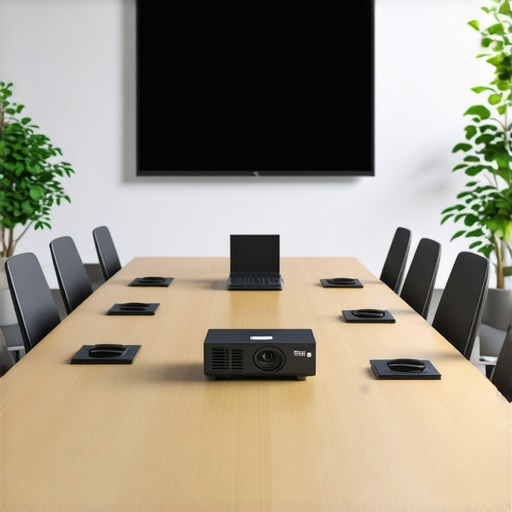
I remember walking into a startup’s conference room early one morning, expecting a productive team meeting. Instead, I was met with a murmur of frustration—technology was acting up, visuals were lagging, and the room felt more like a chaos zone than a hub of innovation. It struck me then: the simple, overlooked equipment in many conference rooms can make or break the moment when ideas collide.
Why Proper Conference Room Equipment Can Make or Break Your Meetings
In my experience working with startups and coworking spaces, I’ve seen countless sessions derailed by outdated or missing tech. The truth is, no matter how talented your team is, if your conference room isn’t equipped to support seamless communication, you’re likely to face delays, misunderstandings, and missed opportunities. A modern conference room isn’t just about fancy gadgets; it’s about fostering clarity, collaboration, and confidence.
What’s more, studies show that effective meeting environments can boost productivity by up to 25%. If you think about it, investing in the right equipment isn’t just luxury—it’s a strategic move for success. Need some inspiration? Check out how innovative spaces are transforming collaboration (see [this article](https://coworkingcentral.com/creative-coworking-transforming-meeting-rooms-into-collaboration-hubs-at-0455-pm)).
Is It Overhyped or a Game-Changer? My Early Mistake
Reflecting on my journey, I recall a time I invested heavily in high-end projectors and sound systems for a conference room. Turns out, I overlooked the importance of reliable connectivity and user-friendly interfaces. That mistake cost me precious minutes during critical meetings. From that experience, I learned that the key isn’t in the most expensive equipment, but in selecting tools that align with your specific needs—something I wish I had known earlier.
Have you faced frustrations with your current meeting setup? You’re not alone. The good news is that there are practical, straightforward solutions that can elevate your conference experience. Up next, I’ll guide you through the essential equipment and insights to transform your conference room into a powerhouse of productivity.
Prioritize Reliable Connectivity
Start by assessing your existing internet setup. If your Wi-Fi drops or lags during meetings, invest in a high-quality wired Ethernet connection or a dedicated business-grade router. During a workshop with a client last month, I initially overlooked this, leading to constant interruptions. After installing a network switch and a dedicated Wi-Fi access point, our connection stabilized, and meetings ran smoothly.
Select the Right Audio-Visual Equipment
Choose a 4K smart TV or a projector with integrated speakers aligned with your room size. For a startup space I helped redesign, I recommended a compact 75-inch display instead of multiple monitors, simplifying content sharing. This eliminated confusion and fostered more dynamic collaboration.
Invest in User-Friendly Interfaces
Opt for systems like Logitech Tap or Crestron panels that allow one-touch meeting starts. During a demo, I set up a system where the team could join meetings with a single tap, reducing onboarding time and frustration.
Focus on Content Sharing Capabilities
Implement wireless screen sharing tools like Chromecast for Business or Miracast. I integrated these into a coworking space, enabling quick presentations without cables. This made transitions seamless, especially during rapid-fire brainstorming sessions.
Control the Room Environment
Incorporate smart lighting and climate controls. I once set up automated blinds and dimmable lights that synced with meeting schedules, enhancing comfort and focus. Such automation might seem minor but boosts productivity appreciably.
Implement Sound-Absorbing Materials
Add acoustic panels or soft furnishings to reduce echo. For a startup with open spaces, I installed foam panels that improved audio clarity, ensuring everyone heard each other clearly—a critical factor for effective remote participation.
Maintain and Test Equipment Regularly
Create a check-list for weekly tests of all devices. In my experience, equipment updates often slip through, causing unexpected glitches. Scheduled maintenance keeps everything functioning smoothly, avoiding last-minute surprises.
Optimize Room Layout for Collaboration
Arrange furniture to foster interaction—a U-shape or circular setup works best. During a redesign, I experimented with different layouts and found that flexible arrangements encourage spontaneous discussions; a beneficial approach for startup teams.
Leverage Data to Improve Your Setup
Use room analytics and booking tools to analyze usage patterns and identify bottlenecks. I partnered with a coworking space that tracked room utilization, leading to smarter scheduling and equipment distribution, ensuring resources match actual needs.
Remember, an effective conference room setup isn’t a one-time fix but an ongoing process of evaluation and refinement. By implementing these steps, your startup can turn meetings from chaos into catalysts for growth. For more insights on choosing the perfect space, explore this guide.
Many entrepreneurs and startup founders assume that selecting a conference room or coworking space is simply about budget or location, but beneath the surface lie nuanced mistakes that can hinder growth. One common misconception is believing that more tech always equals better collaboration. While high-end equipment has its perks, overloading a space with gadgets without aligning them to actual needs causes frustration and inefficiency. For example, installing multiple projection screens may seem impressive but can lead to confusion, especially if the team isn’t trained to use them properly. Instead, focus on streamlined setups that facilitate clarity, like integrated wireless presentation tools discussed previously.
Are High-Tech Features Always a Win for Startups?
Contrary to popular belief, startups often struggle with the assumption that latest tech automatically boosts productivity. In reality, sophisticated systems can become cumbersome if the team isn’t well-versed or if the tools don’t match your workflow. Experts suggest that simplicity often trumps complexity, especially in growing teams. A 2022 study from Harvard Business Review highlights that user-friendly interfaces increase adoption rates and reduce onboarding time, accelerating team cohesion.
Another overlooked trap is the belief that big conference rooms are necessary for all teams. Larger spaces might seem suitable for presentations, but they often lead to disengagement and a feeling of disconnect. Smaller, well-designed rooms tailored to specific activities—like quick huddles or deep work sessions—drive more meaningful interaction. Interestingly, some coworking spaces excel by creating versatile zones adaptable for different needs, which you can explore in their post about transforming meeting rooms into collaboration hubs.
Beyond equipment, the environment’s acoustics and lighting impact focus and energy. Poor soundproofing or dim lighting can cause fatigue and miscommunication. Don’t neglect these details, as they often become silent productivity killers. As noted in a recent article, upgrading acoustic panels and optimizing natural light can dramatically improve meeting effectiveness.
Finally, an advanced mistake many overlook involves neglecting data-driven space planning. Using analytics tools to track room utilization patterns ensures your setup evolves with your team’s needs. This proactive approach prevents underused spaces and maximizes ROI, as detailed in their guide on choosing the perfect conference room for startup success.
In essence, building an optimal conference or coworking environment requires more than surface-level tech or size considerations. It demands a strategic understanding of how people interact with space, technology, and environment. If you’re still operating under old assumptions, now’s the time to rethink and adapt. Have you ever fallen into this trap? Let me know in the comments or explore more about the future of conference rooms in startup ecosystems, which offers insights into modern, innovative workspaces.
Maintaining an efficient and reliable conference room setup is essential for startups aiming to scale effectively. As technology evolves, so do the tools that help us keep everything working seamlessly over time. One of my personal favorites is Zoom Rooms. I use it not just for virtual meetings but also as a centralized control hub because its hardware integration—such as Logitech Tap or Poly Studio X—allows me to manage AV systems, lighting, and even room scheduling from a single interface. This integration drastically reduces setup time and minimizes user error.
In addition, I highly recommend deploying a smart room management system like Robin or iOFFICE. These platforms track equipment health, usage patterns, and maintenance schedules, helping you proactively address issues before they disrupt critical meetings.
Regular maintenance is key. I schedule bi-weekly checks using remote monitoring tools such as Nagios or PRTG Network Monitor to oversee network stability and device performance, ensuring issues are spotted early. Clear documentation of your setup—think of this as your startup’s technical blueprint—allows for faster troubleshooting and onboarding new team members. I keep an updated digital log in Confluence, which has saved me hours during unexpected outages.
For long-term results, consider investing in modular AV components. For instance, using a Bosch Conference Phone with digital signal processing (DSP) capabilities enables superior audio clarity and can be easily upgraded as your team grows. Bosch’s DSP technology is a game-changer for maintaining high quality in larger, open-plan spaces.
Looking ahead, the trend is moving toward AI-powered environmental controls—think smart lighting adjusting based on ambient light or occupancy sensors that turn equipment on/off automatically—reducing manual oversight. Investing early in adaptable, scalable systems means your conference rooms won’t just keep working; they’ll become a competitive advantage.
How do I maintain conference room tools over time?
The answer is routine checks combined with investing in software that provides real-time alerts. Implementing preventative maintenance schedules—like scheduling firmware updates during off-hours and regularly testing backup power supplies—keeps your setups resilient. Plus, training your team on basic troubleshooting ensures fewer disruptions during critical moments. Consider setting up a monthly review session where your team assesses equipment performance and service needs; this fosters a culture of proactive management.
One advanced tip I urge you to try is integrating an AI-driven monitoring system like Schneider Electric’s EcoStruxure. It provides predictive insights into energy consumption and equipment health, allowing you to address potential failures before they happen. Such foresight can save your startup significant downtime and repair costs in the long run.
Consistent maintenance paired with scalable, intelligent tools will ensure your conference spaces support your growth, rather than hinder it. For more insights into creating innovative collaboration environments, check out this resource.
Looking back, I realize that one of the most underestimated aspects of startup success lies in what happens before the meeting even starts. Mastering your conference room environment is not just about gadgets, but about crafting an experience that propels ideas rather than hinders them. The true lesson? The smallest tweaks—like smart lighting automation or regular equipment checks—can lead to exponential gains in collaboration and morale. Remember, investing time into intentional space design reflects your respect for your team’s creativity and productivity. Don’t wait for a crisis; proactively shape your environment to inspire, energize, and connect your people. The future of startup growth might just depend on the room where ideas come alive.