

I vividly remember the first time I sat through a hybrid board meeting that felt more chaotic than productive. The screen kept flickering, some attendees had spotty audio, and I couldn’t shake the feeling that we were all just going through the motions—without actually moving forward. It was one of those moments that made me realize: if we don’t nail this setup, our strategic conversations—and ultimately our startup’s success—are at risk.
The Hidden Pitfalls of Our Previous Meetings
Let me be honest: early on, I underestimated how complex a flawless hybrid board meeting truly is. I thought, “We just need a decent webcam and a stable internet connection.” Turns out, that’s only scratching the surface. Poorly planned meetings lead to wasted time, miscommunication, and frustration all around. As I dived deeper into the science of effective virtual collaboration, I discovered that 73% of remote meetings suffer from technical issues that derail productivity, according to a recent report by [Harvard Business Review](https://hbr.org/2022/03/the-hidden-costs-of-ineffective-virtual-collaboration). That was a wake-up call.
The good news? With a structured checklist and a few thoughtful touches, I managed to transform our hybrid meetings into engaging, productive sessions. And today, I want to share that journey with you, so you don’t have to stumble as I did.
Is Overcomplicating the Setup Worth It?
One mistake I made early on was overloading our tech setup, thinking more equipment meant better meetings. Spoiler: it often just created more points of failure. I learned that the key isn’t having the latest gadgets but ensuring reliable connections, clear visuals, and good audio are prioritized. Keep it simple, functional, and user-friendly.
If you’ve ever felt exasperated trying to make a hybrid meeting work seamlessly, you’re not alone. But I promise, with the right approach, you can turn your virtual sessions into powerful tools for decision-making and team alignment. Ready to dive into the nuts and bolts? Let’s get started.
Streamlining Your Tech Setup for Flawless Connection
Start by auditing your current equipment. I once set up a high-end camera, expecting pristine visuals, but it malfunctioned during the first meeting. Instead, opt for reliable, user-friendly gear like a solid webcam and quality microphone. Use a dedicated, wired internet connection to avoid disruptions, ensuring a stable link. Test your setup beforehand; I now schedule a quick dry run to troubleshoot issues.
Designing the Space for Optimal Engagement
Choose a room that mimics a cozy coffee shop—intimate yet professional. Provide a round table to promote eye contact and facilitate discussion. Remove clutter that can distract participants. I arranged our startup’s conference room with a simple backdrop, boosting focus, and reducing background noise. Incorporate visual aids strategically—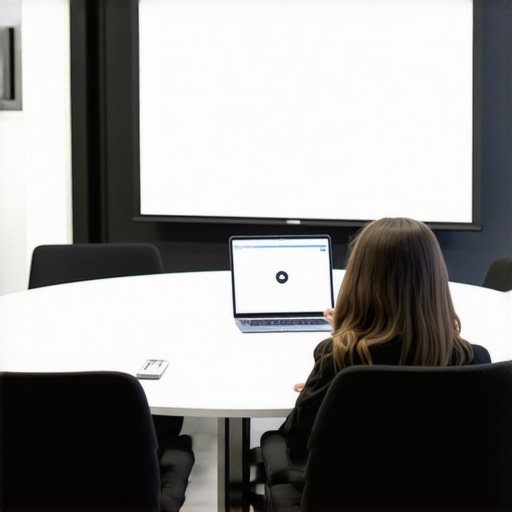 —which can be as simple as a whiteboard or screen displaying key points, making sure everyone stays aligned.
Facilitating Clear Communication and Participation
Set explicit guidelines: speak one at a time, mute when not speaking, and use hand signals if necessary. During our first hybrid session, I assigned a moderator to keep the flow smooth, making sure remote voices weren’t overshadowed. Use features like breakout rooms for smaller discussions, increasing engagement. Encourage camera use to foster connection; I found that it humanizes the interaction and reduces virtual fatigue.
Implementing a Meeting Structure That Drives Results
Create an agenda shared beforehand—this sets expectations and keeps everyone accountable. Allocate time for updates, deep dives, and Q&A. During one meeting, I started with a quick round of personal check-ins; it warmed up the room. Incorporate visual timelines and progress trackers visible to all, which keeps discussions focused and goal-oriented.
Follow Through With Feedback and Adjustments
Immediately after meetings, send out quick surveys or ask for verbal feedback. I discovered that adjusting the room setup based on team input—like adding a second screen or improving lighting—significantly boosted participation. Continuously refine your process; the effectiveness of your hybrid model depends on small, ongoing improvements.
When it comes to coworking and conference rooms, many entrepreneurs operate under assumptions that could hinder their growth. One popular misconception is that bigger, more sophisticated spaces always lead to increased productivity. However, studies show that the actual impact depends on how well the space aligns with your team’s dynamics, not just its size or bells and whistles. For example, a well-designed, intimate meeting room can foster better communication than a sprawling, impersonal space. It’s essential to look beyond surface-level features and understand the subtle nuances that influence efficiency.
Another area ripe for misconceptions involves shared coworking environments. Some believe that all coworking spaces offer the same networking opportunities, but in reality, the community’s culture and purpose significantly affect your potential connections. Spaces tailored for startups, for instance, encourage collaboration specifically among early-stage founders, which can be a game-changer for resource sharing and mentorship. For insights on creating a thriving startup environment within coworking spaces, check out [the future of conference rooms in startup ecosystems](https://coworkingcentral.com/the-future-of-conference-rooms-in-startup-ecosystems).
**Avoiding the Pitfall of Over-Equipping**
Many startups fall into the trap of over-investing in high-end tech or plush furniture expecting immediate gains. While having modern equipment is beneficial, overdoing it can divert funds from more critical areas like product development or marketing. The real trick is to balance functionality with simplicity—ensuring the space serves its purpose without becoming a money sink. Remember, a cluttered space with advanced technology isn’t necessarily more productive if it complicates your workflows.
**The Myth of One-Size-Fits-All Conference Rooms**
It’s tempting to replicate classic conference room setups with large tables and formal atmospheres, but that approach doesn’t suit every startup. Flexibility is key. For example, creative startups thrive with versatile spaces that adapt to group sizes and activities, like breakout zones or content creation corners. According to industry leaders, innovative meeting rooms that foster creativity often include features like writable walls or modular furniture—elements that traditional rooms lack. You can learn more about designing impactful spaces in [innovative meeting rooms that boost startup creativity](https://coworkingcentral.com/innovative-meeting-rooms-that-boost-startup-creativity).
**Beware of Complacency in Meeting Habits**
Finally, many teams become complacent with their meeting routines, assuming they are efficient simply because they happen regularly. This complacency often masks underlying issues like poor engagement or miscommunication. To avoid this, regularly reassess your meeting structure, incorporate diverse formats, and experiment with new tools. For instance, implementing visual collaboration tools or incorporating standing meetings can dramatically improve participation.
In the fast-evolving landscape of startups and coworking, understanding these hidden nuances can be your secret weapon. Recognize that the perfect space isn’t just about aesthetics or tech; it’s about how well it supports your team’s unique needs and workflows.
Have you ever fallen into this trap? Let me know in the comments, and share your experiences or questions on optimizing coworking and meeting spaces for startup success.Maintaining a productive coworking or conference environment requires more than just initial setup; it demands ongoing attention to the tools and processes that keep everything running smoothly. Over the years, I’ve refined a system that ensures reliability, seamless communication, and long-term growth. Key to this is investing in high-quality, purpose-built equipment like the Logitech Rally series, renowned for their plug-and-play design and broadcasting quality, which I use personally to avoid the pitfalls of complex wiring and frequent technical hiccups. Complement this with a robust platform like Zoom or Microsoft Teams, depending on your team’s preference, but with added integrations such as Miro for live visual collaboration—an essential so your team stays aligned regardless of location. Regularly scheduled tech audits, which I perform quarterly, help identify aging peripherals or bandwidth bottlenecks before they turn into costly downtimes. Additionally, adopting a cloud-based file sharing service like Google Drive or Dropbox ensures everyone can access the latest versions of documents without the frustration of outdated files or sync issues, which I find crucial for continuous workflow. Predictions indicate that as hybrid work becomes mainstream, automation tools will further simplify routine maintenance—think AI-driven network monitoring or smart lighting systems that adjust based on occupancy, aligning with industry estimates from Gartner that 70% of enterprises will use some form of automation for operations by 2025.
How do I maintain long-term workspace effectiveness?
The secret lies in setting up a recurring review process where team members can report issues and suggest optimizations. For example, I encourage regular feedback sessions using simple surveys—via tools like Typeform—that pinpoint pain points, enabling swift action. Experimenting with new configurations or equipment based on these insights keeps the environment fresh and efficient. Incorporate user-friendly tech, such as cable management trays and wireless chargers, to reduce clutter and support clean desk policies, which I’ve found dramatically decrease distraction and downtime. Always stay ahead by exploring innovative solutions like modular furniture that adapts to your team’s evolving needs, detailed in this article on flexible spaces. Remember, the key to durability is consistency—regularly check your infrastructure, upgrade proactively, and foster a culture of continuous improvement. Try one of these advanced maintenance tips today, like scheduling quarterly tech reviews or implementing automation alerts, and watch your workspace’s reliability soar.
Looking back, one of the most enlightening lessons I learned about coworking and conference rooms is that it’s not just about flashy gadgets or stylish decor—it’s about understanding your team’s true needs and constantly adapting. Over time, I realized that overly complex setups often backfire, creating more friction than productivity. Instead, simplicity paired with intentional design has been my secret sauce. Additionally, I discovered that fostering genuine human connection in these spaces, whether through small touches like good lighting or thoughtful layouts, significantly boosts morale and collaboration. Lastly, I learned that staying vigilant with technology maintenance and being open to feedback ensures your workspace remains a catalyst for innovation rather than a source of frustration.
My Go-To Resources for Workspace Wisdom
Firstly, The Future of Conference Rooms in Startup Ecosystems offers deep insights into evolving space trends, helping me stay ahead. Secondly, How to Maximize Productivity in Your Startup’s Conference Rooms provided practical tips that I immediately applied. Lastly, Innovative Meeting Rooms that Boost Startup Creativity inspired me to rethink our room designs for more innovation.
Your Next Move Starts Today
Embrace the journey of crafting coworking and conference spaces that truly serve your startup’s unique spirit. Remember, the right environment can unlock your team’s full potential and fuel sustained growth. Don’t wait for perfect conditions—start experimenting with small changes, gather feedback, and refine constantly. The future of coworking and meeting rooms is dynamic, and your proactive approach will set you apart. Now, I’d love to hear: what’s one tweak you’re ready to implement in your workspace today? Share your thoughts below and let’s grow together!