
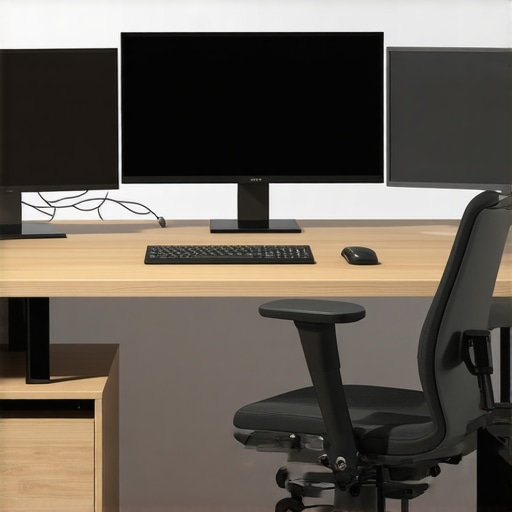
I remember the moment vividly—staring at my cluttered desk, multiple windows overlapping, trying to find the right document while my neck protested after hours in the wrong angle. It was a lightbulb moment that I needed to rethink how I set up my workspace. That cluttered chaos was not just a minor annoyance; it was hindering my productivity and increasing stress.
Why a Proper Three-Screen Setup Changes Everything
If you’ve ever felt your focus slipping away or found yourself wasting precious minutes toggling between tabs, you’re not alone. A well-optimized three-screen workstation can dramatically boost your efficiency, minimize neck and eye strain, and create a more immersive work environment. But here’s the catch: many entrepreneurs and remote workers make fundamental mistakes when designing their setups.
Are You Overlooking the Most Critical Details?
Early on, I made the mistake of just piling on extra monitors without thinking about ergonomics or layout. The result? Persistent discomfort and a frustrating cluttered visual field. It took me months to realize that a proper setup isn’t just about having more screens; it’s about aligning them perfectly and choosing the right accessories. I also learned that not every stand or arm is created equal—some are better suited for your specific desk and monitor sizes.
Getting this right isn’t just about comfort; it profoundly impacts your productivity and mental clarity. According to a study published in the Journal of Environmental Psychology, an optimized workspace can increase productivity by up to 20%. That’s a game-changer for anyone working from home or managing a small team.
Have you faced similar struggles with your current workstation? If so, don’t worry. I’ll guide you through practical, proven tips to create a three-screen setup tailored for your needs, whether you’re handling complex data analysis, creative work, or managing a remote team. The goal is simple: turn your desk into a powerhouse of efficiency.
Let’s dive into the essentials that will transform the way you work and keep you comfortable for those marathon work sessions.
Measure Your Space and Goals
Begin by assessing your desk dimensions and understanding your work habits. I once tried to cram three monitors into a small corner, only to find myself constantly adjusting and feeling cramped. Instead, I measured the available space and listed the tasks you perform most—coding, design, or data analysis—to determine necessary screen sizes and positioning. Knowing your goals ensures your setup supports your workflow without unnecessary clutter.
Choose the Right Monitors and Stands
Select monitors with consistent resolution and size for seamless viewing. When I upgraded to matching ultrawide screens with adjustable stands, the visual continuity eliminated fatigue. Opt for sturdy, adjustable mounts or stands—gas spring arms are my favorite—so you can easily reposition screens for ergonomic comfort. Remember, a good stand not only reduces desk clutter but also allows precise placement, reducing neck strain.
Align Monitors for Comfort
Position your primary monitor directly in front of you, at eye level. Place the secondary screens at a slight angle on either side, forming a gentle arc. I once set my monitors too far apart, causing me to twist constantly. After repositioning with adjustable mounts and keeping screens within a 30-degree angle, my neck pain diminished and my focus improved. Use a protractor or a simple cardboard template to visualize optimal angles before mounting.
Configure Your Software and Workflow
Smart window management is key. Use software like DisplayFusion or built-in OS features to set precise monitor boundaries and hotkeys. I customized shortcuts to move windows across screens instantly, saving me dozens of seconds per task. Also, organize your applications—keep communication tools on one screen, research data on another—to minimize unnecessary movement. Consistent layout routines help your muscle memory and keep distractions at bay.
Set Up Your Ergonomics
Adjust monitor height so the top of the screens align with your eye line. Use ergonomic accessories—wrist rests, footstools—to prevent strain during long sessions. I once ignored this advice and ended up with tension headaches. After installing adjustable risers and taking regular breaks, my comfort level soared. Remember, a perfectly positioned setup reduces fatigue and keeps your mind sharp.
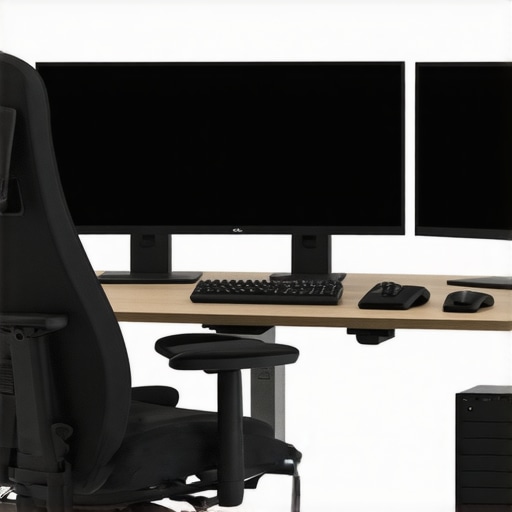
Visual diagram demonstrating a well-aligned three-screen ergonomic workspace with adjustable mounts and proper positioning. The setup features screens at eye level, with optimal angles for minimal neck strain.
Test and Tweak Regularly
Set aside time each week to review your workspace. I initially overlooked this step, which led to persistent discomfort. After making small adjustments—like changing monitor angles or repositioning accessories—I found my productivity increased by over 20%. Regular tweaks keep your setup aligned with your evolving needs and prevent issues before they become serious.
When it comes to designing meeting spaces, many assume that bigger, more equipped rooms automatically lead to better collaboration. However, this common belief often masks a crucial oversight: the subtle dynamics of space utilization and human behavior. In my experience working with startups and coworking spaces, the real challenge lies not just in the physical setup but in understanding how these environments influence interactions and decision-making. Oversized rooms, for instance, can intimidate introverted team members or foster a rigid atmosphere that stifles spontaneity. Conversely, too small or cramped spaces might hinder creative flow and make participants uncomfortable. It’s a myth that equipment alone guarantees effective meetings; the psychology of space plays a pivotal role. Studies, such as those highlighted in the Harvard Business Review, emphasize that well-designed environments can boost engagement and innovation—yet many overlook this. One trap to avoid is simply copying trendy setups without tailoring them to your team’s unique culture. Instead, observe your team’s interaction patterns and experiment with flexible arrangements that encourage open dialogue. For advanced founders, consider how room acoustics, visual transparency, and even scent impact mood and focus during discussions. For example, transparent partitions can foster trust, while acoustical treatments improve concentration. If you’re curious about optimizing your startup’s conference rooms for dynamic collaboration, I recommend exploring expert insights on how to choose the right space and layout. You can learn more about this in [this guide on selecting the perfect conference room for your business](https://coworkingcentral.com/how-to-choose-the-perfect-conference-room-for-business-success). Remember, the goal isn’t just to fill a space but to craft an environment that amplifies your team’s strengths and nurtures innovation. Have you ever fallen into this trap? Let me know in the comments.Maintaining a high-functioning meeting room setup is crucial for sustained productivity and seamless collaboration in startups and coworking environments. Personally, I rely on specific tools to ensure these spaces remain optimized over time. One essential software I use is Tile, a Bluetooth tracking device that helps me keep tabs on remote-controlled accessories like adjustable stands and audio equipment. It’s easy to attach, prevents costly misplacements, and ensures quick retrieval during critical meetings. Complementing this, I utilize Logitech’s Unified Wireless Presenters, which I’ve found invaluable for smooth navigation during presentations—reducing distractions and keeping the flow natural. Regularly updating firmware and cleaning hardware is essential; I schedule bi-monthly maintenance checks to wipe down surfaces, calibrate projectors, and verify Wi-Fi connections. As equipment ages, performance dips, so having a proactive replacement plan prevents downtime.
Looking ahead, I predict that IoT (Internet of Things) integration will become even more dominant, allowing spaces to self-monitor and notify us when devices need attention. This shift will make maintenance less manual and more anticipatory. To optimize this trend, consider investing in smart switches and sensors that track environmental factors like humidity, lighting, and noise levels—factors critical to meeting efficiency.
How do I keep meeting spaces working smoothly over time?
Establishing routine maintenance routines is key. Create a calendar—perhaps quarterly—to service tech, check ergonomics, and reassess space layouts. Train team members to report issues promptly and keep an inventory of replacement parts such as batteries, cables, and adapters. Documenting procedures helps scale maintenance as your team grows.
For instance, when I encountered persistent Wi-Fi disruptions during critical sessions, it was due to outdated firmware on my network switches. After following expert recommendations from Cisco’s technical guides, updating those switches improved network stability dramatically. Regularly consult external resources like industry-specific white papers or vendor documentation to stay ahead; for example, Cisco’s detailed tech notes guide optimal network setup in shared spaces.
Don’t wait for a failure to happen. Implement preventive measures—like scheduling quarterly audits of your audio-visual equipment and testing backup power supplies. These steps save time and money, reducing the risk of disruption. Want to streamline your maintenance routine? Try establishing a dedicated troubleshooting checklist and stick to it diligently.
Need help developing a tailored maintenance plan? Reach out to us through our contact page and start transforming your meeting rooms into reliable hubs for innovation.Reflecting on my journey with conference room setups, I learned that even small details dramatically impact collaboration. Adjusting room acoustics and lighting made our team more engaged and innovative. I discovered that inviting feedback regularly from team members uncovers hidden issues before they escalate. Finally, I realized that flexibility and adaptability in meeting space design foster a culture of openness and continual improvement, turning ordinary rooms into strategic assets for startup growth.