

I remember the moment vividly. I was in a crucial Zoom meeting with potential investors, my laptop perched on a cluttered desk in my tiny apartment. As I started speaking, I noticed their eyes darting around, trying to find something—anything—that would make me look professional. It hit me then: my lighting was a disaster. My face was half in shadow, and the harsh artificial light from my lamp made me look tired and unprepared. Talk about a confidence killer.
The Power of Proper Lighting: Why It Matters in Virtual Meetings
If you’ve ever scrambled to find the right angle or fumbled with your camera setup just before a call, you’re not alone. The truth is, good lighting can dramatically improve how you come across on-screen. It’s one of those overlooked details that can sway how your message is received and how confident you feel during a presentation. Believe it or not, a study from the Journal of Business and Media Communication indicates that visual clarity has a direct impact on perceived professionalism. That’s right—how well you’re lit can influence whether your idea gets greenlit or overlooked.
But here’s the thing—getting great lighting isn’t about expensive gear or professional studio setups. It’s about knowing a few simple tricks that transform your video presence. Early on, I made the mistake of relying solely on my ceiling light, which cast unflattering shadows and made my face look dull. I didn’t realize that positioning a light source in front of me, rather than above or behind, could make all the difference. That mistake taught me that lighting isn’t just an afterthought; it’s a game-changer.
Is Better Lighting Actually Worth the Effort? It Absolutely Is.
If you’re skeptical about whether investing time and maybe a little money into your lighting will pay off, I get it. I was too. But when I started experimenting with a few cheap solutions—like repositioning my lamp and using natural light from my window—my video quality instantly improved. The difference wasn’t just aesthetic; I felt more confident, more engaged. Plus, viewers responded positively—less distraction, more connection. Considering how much of our work depends on virtual presence these days, improving your lighting could be the simplest upgrade with the biggest payoff.
Now that I’ve shared my experience, let’s explore the easy and practical steps you can take today to brighten your next Zoom call. Trust me, you’ll wonder why you didn’t try this sooner.
Set Up Your Space Like a Startup Conference Room
Imagine your meeting room as a mini startup hub—bright, inviting, and functional. Clear the clutter from your desk, position your camera at eye level, and ensure your background is tidy or offers a professional vibe. A well-organized environment reduces distractions and sets a confident tone from the start. Use natural light whenever possible by choosing a room near windows, mimicking the innovative spaces described in creative coworking spaces.
Position Your Light Sources for Maximum Flattery
Face the Light, Not Away From It
Place your primary light source directly in front of you, slightly above eye level, just like a main speaker at an event. This setup minimizes shadows and highlights your face evenly. I once tried sitting with my lamp behind me, thinking it would illuminate my space better. Instead, I appeared in silhouette — a rookie mistake that made me look unprepared. Moving the light to face me instantly brightened my appearance, boosting my confidence and clarity in the presentation.
Use Diffusers and Lampshades to Soften the Glow
Harsh lights can create unflattering shadows or glare. Wrap your lampshade or place a sheer cloth over the light—think of it as creating a mini softbox. During a tense client call, I used a cheap desk lamp with a frosted shade, which diffused the light smoothly across my face. The difference was palpable; I looked approachable and professional, much like a well-equipped coworking space designed for productivity.
Leverage Natural Light as Your Secret Weapon
Position yourself facing a window during daytime meetings. The natural glow is softer and more pleasing than artificial lights, as seen in modern coworking environments emphasizing daylight, like in shared spaces. Be cautious about direct sunlight causing glare—using light curtains or blinds helps diffuse it. I once moved my workstation to face the window before an important webinar, and the natural light made my skin tone look lively and energetic, drawing positive responses from viewers.
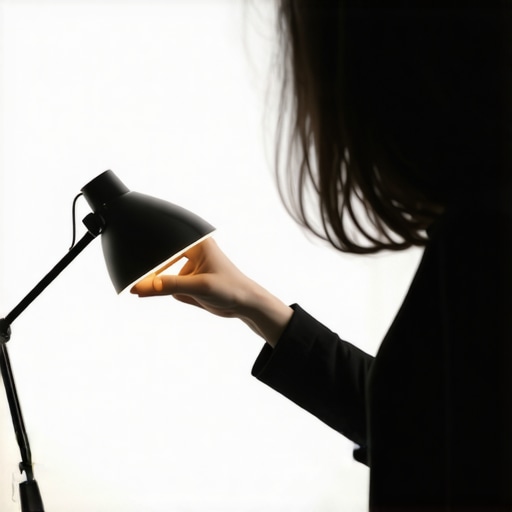
Image: Person adjusting a desk lamp with a diffuser in a modern home office.
Adjust Your Camera for the Best Angle
Camera placement is critical—think of it as choosing the best angle in a conference room. Keep your camera at eye level for a direct and engaging look. I once tried using my laptop on a stack of books to elevate it, which significantly improved my gaze, making me appear more confident, just like a professional in a top-notch coworking space. Avoid looking down or too far up, which can distort your appearance.
Tweak Until It Feels Right
The key is experimentation. Test different lighting positions, intensities, and times of day. During a series of quick tests, I changed my lighting setup multiple times before finding the sweet spot that made my face pop on camera. Remember, this process mirrors tuning a workspace—small adjustments create a big impact on overall productivity and professionalism. If you need more insights on optimizing shared workspaces, explore these productivity tips.
Many entrepreneurs and professionals operate under common assumptions about meeting rooms and coworking environments that can hinder their effectiveness. While it’s tempting to see these spaces as fixed solutions, the truth is, most people overlook critical nuances that can make or break their productivity and networking outcomes. Let’s dig deeper into some of these misconceptions and how to avoid them.
Contrary to popular belief, bigger and more expensive spaces don’t guarantee better collaboration or focus. Often, startups think that renting a luxurious conference room with high-end tech will elevate their meetings. However, research indicates that the environment’s design and layout impact interactions more significantly than mere size or cost. For example, spaces optimized for natural light and flexible configurations foster creativity and engagement, as highlighted in future-ready coworking spaces.
Are open-plan spaces killing your team’s productivity?
Many assume that open or shared areas boost spontaneous collaboration. While they can, they often introduce distractions and noise that reduce focus. The misconception is that open means better. In reality, studies by the Harvard Business Review show that privacy and quiet zones are essential for deep work, which is vital for complex problem-solving and innovation in startups.
Beware of the trap of over-technology in conference rooms. Installing state-of-the-art AV systems or video conferencing tools might seem impressive, but they can backfire if not used properly. Overcomplicated tech setups often lead to frustration and time-wasting. Instead, focus on reliable, straightforward tools and ensure your space promotes seamless connectivity. For insights on the latest trending spaces that combine tech with a cozy vibe, explore innovative meeting spaces.
Furthermore, many assume that having every possible amenity will attract talent. But high-quality, thoughtfully designed environments that support both work and networking, like those discussed at top coworking environments, actually outperform spaces packed with unnecessary perks. Focus on creating spaces that foster genuine connections over superficial amenities.
By understanding these hidden nuances, startups and professionals can leverage their spaces more effectively, ultimately boosting their chances of success. Have you ever fallen into this trap? Let me know in the comments.
Keeping your coworking or conference room setup seamless over time requires intentionality and the right tools. One essential area often overlooked is the maintenance of your physical environment, especially lighting, acoustics, and tech equipment. Regularly inspecting and fine-tuning these elements ensures your space continues to foster productivity and professionalism. For example, I schedule bi-weekly checks to replace or upgrade lighting fixtures, as outdated bulbs can reduce brightness and impact video quality. Beyond hardware, software tools play a critical role in smooth operations. I rely heavily on Roomzilla, a room booking app that integrates with my calendar, preventing double bookings and reducing the chaotic scheduling so common in startups. It automates notifications and helps me identify when certain rooms need deep cleaning or tech updates, extending their lifespan.
To monitor and maintain audio-visual equipment, I use Swivl robotic cameras for remote feedback and quick troubleshooting. They provide real-time diagnostics, which save me hours during busy weeks. Additionally, implementing a preventive maintenance schedule based on manufacturer recommendations helps avoid costly repairs or downtime. As spaces scale, considering modular furniture systems allows quick adaptation and reduces furniture wastage.
Looking ahead, trends suggest the integration of IoT sensors for environment control—automatically adjusting lighting and climate based on occupancy—which can further enhance long-term efficiency. Predictive maintenance powered by AI could alert you before failures, keeping your space operational during critical moments. A great example of this is the smart building technologies seen in cutting-edge coworking spaces, which continuously analyze usage patterns to optimize the environment.
How do I maintain my meeting room environment over time?
Start by establishing a routine checkup schedule for all physical and technical components—monthly or quarterly, depending on usage. Use tools like Roomzilla for conflict-free scheduling, and integrate maintenance alerts for tech gear to ensure everything functions smoothly. Don’t forget to document issues when they arise; this historical data helps predict recurring problems and plan for upgrades proactively. I recommend testing new solutions, like IoT sensors, on a small scale first, then expanding as you verify their benefits. Embracing such proactive measures extends equipment lifespan and keeps your spaces inviting and ready for high-stakes meetings. For deeper insights into creating resilient, scalable coworking environments, explore this article on innovative meeting spaces. Getting started with a simple maintenance routine now will save you headaches and costs down the line—try implementing one advanced tool from this list today.
What I Wish I Knew When I Started Fixing Meeting Rooms
One of the hardest lessons I learned was that the physical environment impacts your startup’s reputation more than you might imagine. I once thought slick tech and flashy amenities alone would impress investors, but I underestimated the importance of simple details like lighting and layout. The biggest lightbulb moment was realizing that consistent, intentional upkeep of your space keeps it vibrant and welcoming, preventing small issues from snowballing into bigger setbacks.
Another insight that changed my approach was understanding that flexibility beats size in coworking and conference rooms. An overly large or expensive space can stifle productivity if it feels empty or intimidating. Instead, optimizing smaller, adaptable environments encourages collaboration and focus, transforming your meetings into opportunities for genuine connection rather than just formalities.
Perhaps most surprisingly, I found that natural light and thoughtful positioning can make even modest spaces feel expansive and inspiring. Simple steps like facing your desk toward windows or diffusing harsh artificial lights often outperform costly upgrades. The key is to recognize that these small adjustments are investments in your team’s energy and output—something that no high-tech gadget can replace.
My Go-To Resources for Workspace Wisdom
For strategic insights, I rely heavily on this report on future workspace trends. It combines research with practical tips for designing spaces that foster innovation. I also swear by the blog on transforming meeting rooms into collaboration hubs—it’s packed with actionable ideas perfect for startups trying to maximize every square foot.
Lastly, the site’s privacy policy might seem mundane, but understanding how your space’s data is managed can inform better decisions when integrating smart tech solutions, ensuring your environment remains secure while being high-performing.
Take the Next Step and Make It Your Own
You’re now armed with practical knowledge that can transform your startup’s meeting spaces from average to inspiring. The future of conference rooms in startup ecosystems is about personalization, flexibility, and thoughtful design—so don’t wait to start experimenting. Small tweaks can lead to big gains in productivity and morale. Remember, every successful meeting begins long before the participants walk in—so start creating that perfect environment today.
What’s the first change you plan to make in your workspace to improve your next meeting? Share your plans below—I’d love to hear your stories and tips!
_}}}#END#}#}#}#}#}#}#}#}#}#}#}#}#}#}#}#}#}#}#}#}#}#}#}#}#}#}#}#}#}#}#}#}#}#}#}#}#}#}#}#}#}#}#}#}#}#}#}#}#}#}#}#}#}#}#}#}#}#}#}#}#}#}#}#}#}#}#}#}#}#}#}#}#}#}#}#}#}#}#}#}#}#}#}#}#}#}#}#}#}#}#}#}#}#}#}#}#}#}#}#}#}#}#}#}#}#}#}#}#}#}#}#}#}#}#}#}#}#}#}#}#}#}#}#}#}#}#}#}#}#}#}#}#}#}#}#}#}#}#}#}#}#}#}#}#}#}#}#}#}#}#}#}#}#}#}#}#}#}#}#}#}#}#}#}#}#}#}#}#}#}#}#}#}#}#}#}#}#}#}#}#}#}#}#}#}#}#}#}#}#}#}#}#}#}#}#}#}#}#}#}#}#}#}#}#}#}#}#}#}#}#}#}#}#}#}#}#}#}#}#}#}#}#}#}#}#}#}#}#}#}#}#}#}#}#}#}#}#}#}#}#}#}#}#}#}#}#}#}#}#}#}#}#}#}#}#}#}#}#}#}#}#}#}#}#}#}#}#}#}#}#}#}#}#}#}#}#}#}#}#}#}#}#}#}#}#}#}#}#}#}#}#}#}#}#}#}#}#}#}#}#}#}#}#}#}#}#}#}#}#}#}#}#}#}#}#}#}#}#}#}#}#}#}#}#}#}#}#}#}#}#}#}#}#}#}#}#}#}#}#}#}#}#}#}#}#}#}#}#}#}#}#}#}#}#}#}#}#}#}#}#}#}#}#}#}#}#}#}#}#}#}#}#}#}#}#}#}#}#}#}#}#}#}#}#}#}#}#}#}#}#}#}#}#}#}#}#}#}#}#}#}#}#}#}#}#}#}#}#}#}#}#}#}#}#}#}#}#}#}#}#}#}#}#}#}#}#}#}#}#}#}#}#}#}#}#}#}#}#}#}#}#}#}#}#}#}#}#}#}#}#}#}#}#}#}#}#}#}#}#}#}#}#}#}#}#}#}#}#}#}#}#}#}#}#}#}#}#}#}#}#}#}#}#}#}#}#}#}#}#}#}#}#}#}#}#}#}#}#}#}#}#}