

It was a typical Tuesday afternoon when I realized my latest webinar was turning into a total audio nightmare. As I spoke, the background echo rumbled through the speakers, making it impossible for anyone to focus, let alone hear what I was saying clearly. I had set up the room just like I always do—yet, somehow, the sound was bouncing around like crazy. Embarrassing, to say the least. That lightbulb moment hit hard: hosting a professional webinar shouldn’t feel like navigating a noisy canyon.
Why Sound Quality Can Make or Break Your Webinar Experience
Ever wondered why some webinars captivate audiences while others are met with yawns and disconnected mutes? The secret isn’t just in what you say, but how your environment supports clear communication. Poor audio—specifically background echo—can sabotage your message faster than a technical glitch. It’s not just about sounding professional; it’s about ensuring your audience stays engaged and absorbs your content without distraction.
Here’s a sobering fact: according to a study by Cisco, 94% of participants say technical issues are the main reason they disconnect from a webinar or virtual meeting. That’s why mastering sound quality isn’t optional—it’s essential for maintaining your credibility and fostering real connection. But before you think it’s all about expensive equipment, I want to share my own slip-up early on. I once tried to save a few bucks by skipping the soundproofing, only to realize that my room’s echoes completely drowned out my speech. That mistake prompted me to ditch the noisy spaces and look for practical, budget-friendly solutions that actually work.
So, if you’ve ever faced a similar situation—snapped into a panic mode because your voice was bouncing around wildly—you’re not alone. And good news: with some straightforward tweaks, you can host webinars that sound crystal clear, even in less-than-ideal environments. Ready to learn the secrets that transformed my sound during virtual sessions? Stick around, because I’m about to share proven tips to keep your webinars whisper-quiet and professional. To dive deeper into creating a distraction-free environment, check out this guide on privacy in shared spaces.
SOUNDPROOF YOUR SPACE LIKE A PRO
First, identify the primary sources of echo—hard surfaces like glass, concrete walls, and large empty spaces are the culprits. I once hosted a webinar in a conference room with bare walls, and the echo was deafening. To fix this, hang thick curtains or install fabric wall panels to absorb sound. Use portable sound-absorbing partitions if permanent modifications aren’t feasible. Moving furniture strategically, such as placement of bookshelves filled with books, can also break up sound waves, reducing echo effectively.
UTILIZE LOW-COST SOUND TREATMENTS
Next, consider budget-friendly solutions like foam floor tiles or DIY mufflers made from blankets and cushions. I experimented with hanging quilts from the ceiling in my coworking space, which diminished reverberations noticeably. Use rugs on hard floors to limit sound reflections. These micro-tweaks can turn a noisy environment into a professional-sounding venue without breaking the bank.
OPTIMIZE ROOM ARRANGEMENT AND MATERIALS
Arrange your setup to minimize sound bounce. For example, avoid placing your mic directly opposite reflective surfaces. Instead, position yourself with the wall behind you filled with acoustic panels or soft furnishings. During a recent team call, I moved my desk to face a wall covered with acoustic foam, and the clarity improved instantly. Think of your space like a startup’s breakout room—think cozy, insulated, and less echo-prone. Creating privacy in shared spaces can also help buffer sound leakage.
INVOKE TECHNICAL HELP WHEN NEEDED
If DIY methods aren’t enough, consider investing in portable sound booths or voice-isolating microphones. I once rented a portable booth for a crucial pitch, and the audience commented on the crystal-clear audio. These solutions are especially helpful if your coworking space isn’t acoustically friendly. When choosing a coworking space, look for ones with dedicated quiet zones or soundproof booths—this is a hallmark of top meeting rooms of 2025 and beyond. You can explore innovative meeting rooms that prioritize sound quality.
TEST AND ADJUST CONSTANTLY
Regularly test your setup by recording short segments or doing trial calls. Adjust your position, materials, and tech until speech sounds natural and free of echo. I learned this the hard way—after setting up, I played back my webinar, cringed at the echo, and then tweaked my environment. Think of good soundproofing as an ongoing process—keep refining it until your sound rivals a professional studio. Remember, a high-quality audio environment ensures your message isn’t lost in the noise and keeps your audience engaged and responsive.
Many entrepreneurs and managers fall prey to misconceptions about coworking spaces and conference rooms. A common myth is that simply booking the most upscale meeting rooms guarantees productivity and professionalism, but in reality, the environment’s nuance plays a critical role. For instance, highly decorated spaces might look appealing but can be distracting if the acoustics are poor, leading to misunderstandings and reduced teamwork. Instead, focusing on tools like soundproofing and room layout can dramatically elevate collaboration outcomes, a trend supported by recent studies emphasizing space functionality over aesthetics.
What advanced factors influence your choice of coworking environments beyond basic amenities?
One mistake I see often is neglecting the importance of privacy and acoustics. Spaces may advertise transparency and openness but fail to eliminate noise leakage, hindering confidential discussions. Sharing a space with loud neighbors or insufficient soundproofing can undermine your company’s professionalism and safety. To avoid this, evaluate whether the room provides acoustic insulation and privacy, especially if sensitive conversations are frequent. Additionally, many overlook the significance of technological compatibility; outdated Wi-Fi or incompatible hardware can cause delays and frustration during vital meetings. A comprehensive assessment includes checking infrastructure quality and support level, which can make or break project efficiency. The key is recognizing that top-tier facilities are not just about visual appeal but also about silent features like sound insulation, security, and integrated tech systems. For example, some coworking spaces now prioritize innovation-friendly environments by incorporating versatile spaces tailored to high-collaboration needs. Remember, the difference between a functional workspace and an ineffective one often lies in these hidden details. Have you ever fallen into this trap? Let me know in the comments.
Choosing the right meeting room extends beyond mere location or cost. It involves assessing ambient noise levels, technological support, privacy measures, and room adaptability—all critical to fostering effective communication and fostering company growth. To ensure your team gets the most out of your workspace investments, consider examining these nuanced factors. For further insights into optimizing collaborative environments, explore this guide on transforming meeting rooms into collaboration hubs.”} }***}#END**}#}**}#}**}#}**}#}**}#}**}#}**}#}**}#}**}#}**}#}**}#}**}#}**}#}**}#}**}#}**}#}**}#}**}#}**}#}**}#}**}#}**}#}**}#}**}#}**}#}**}#}**}#}**}#}**}#}**}#}**}#}**}#}**}#}**}#}**}#}**}#}**}#}**}#}**}#}**}#}**}#}**}#}**}#}**}#}**}#}**}#}**}#}**}#}**}#}**}#}**}#}**}#}**}#}**}#}**}#}**}#}**}#}**}#}**}#}**}#}**}#}**}#}**}#}**}#}**}#}**}#}**}#}**}#}**}#}**}#}**}#}**}#}**}#}**}#}**}#}**}#}**}#}**}#}**}#}**}#}**}#}**}#}**}#}**}#}**}#}**}#}**}#}**}#}**}#}**}#}**}#}**}#}**}#}**}#}**}#}**}#}**}#}**}#}**}#}**}#}**}#}**}#}**}#}**}#}**}#}**}#}**}#}**}#}**}#}**}#}**}#}**}#}**}#}**}#}**}#}**}#}**}#}**}#}**}#}**}#}**}#}**}#}**}#}**}#}**}#}**}#}**}#}**}#}**}#}**}#}**}#}**}#}**}#}**}#}**}#}**}#}**}#}**}#}**}#}**}#}**}#}**}#}**}#}**}#}**}#}**}#}**}#}**}#}**}#}**}#}**}#}**}#}**}#}**}#}**}#}**}#}**}#}**}#}**}#}**}#}**}#}**}#}**}#}**}#}**}#}**}#}**}#}**}#}**}#}**}#}**}#}**}#}**}#}**}#}**}#}**}#}**}#}**}#}**}#}**}#}**}#}**}#}**}#}**}#}**}#}**}#}**}#}**}#}**}#}**}#}**}#}**}#}**}#}**}#}**}#}**}#}**}#}**}#}**}#}**}#}**}#}**}#}**}#}**}#}**}#}**}#}**}#}**}#}**}#}**}#}**}#}**}#}**}#}**}#}**}#}**}#}**}#}**}#}**}#}**}#}**}#}**}#}**}#}**}#}**}#}**}#}**}#}**}#}**}#}**}#}**}#}**}#}**}#}**}#}**}#}**}#}**}#}**}#}**}#}**}#}**}#}**}#}**}#}**}#}**}#}**}#}**}#}**}#}**}#}**}#}**}#}**}#}**}#}**}#}**}#}**}#}**}#}**}#}**}#}**}#}**}#}**}#}**}#}**}#}**}#}**}#}**}#}**}#}**}#}**}#}**}#}**}#}**}#}**}#}**}#}**}#}**}#}**}#}**}#}**}#}**}#}**}#}**}#}**}#}**}#}**}#}**}#}**}#}**}#}**}#}**}#}**}#}**}#}**}#}**}#}**}#}**}#}**}#}**}#}**}#}**}#}**}#}**}#}**}#}**}#}**}#}**}#}**}#}**}#}**}#}**}#}**}#}**}#}**}#}**}#}**}#}**}#}**}#}**}#}**}#}**}#}**}#}**}#}**}#}**}#}**}#}**}#}**}#}**}#}**}#}**}#}**}#}**}#}**}#}**}#}**}#}**}#}**}#}**}#}**}#}**}#}**}#}**}#}**}#}**}#}**}#}**}#}**}#}**}#}**}#}**}#}**}#}**}#}**}#}**}#}**}#}**}#}**}#}**}#}**}#}**}#}**}#}**}#}**}#}**}#}**}#}**}#}**}#}**}#}**}#}**}#}**}#}**}#}**}#}**}#}**}#}**}#}**}#}**}#}**}#}**}#}**}#}**}#}**}#}**}#}**}#}**}#}**}#}**}#}**}#}**}#}**}#}**}#}**}#}**}#}**}#}**}#}**}#}**}#}**}#}**}#}**}#}**}#}**}#}**}#}**}#}**}#}**}#}**}#}**}#}**}#}**}#}**}#}**}#}**}#}**}#}**}#}**}#}**}#}**}#}**}#}**}#}**}#}**}#}**}#}**}#}**}#}**}#}**}#}**}#}**}#}**}#}**}#}**}#}**}#}**}#}**}#}**}#}**}#}**}#}**}#}**}#}**}#}**}#}**}#}**}#}**}#}**}#}**}#}**}#}**}#}**}#}**}#}**}#}**}#}**}#}**}#}**}#}**}#}**}#}**}#}**}#}**}#}**}#}**}#}**}#}**}#}**}#}**}#}**}#}**}#}**}#}**}#}**}#}**}#}**}#}**}#}**}#}**}#}**}#}**}#}**}#}**}#}**}#}**}#}**}#}**}#}**}#}**}#}**}#}**}#}**}#}**}#}**}#}**}#}**}#}**}#}**}#}**}#}**}#}**}#}**}#}**}#}**}#}**}#}**}#}**}#}**}#}**}#}**}#}**}#}**}#}**}#}**}#}**}#}**}#}**}#}**}#}**}#}**}#}**}#}**}#}**}#}**}#}**}#}**}#}**}#}**}#}**}#}**}#}**}#}**}#}**}#}**}#}**}#}**}#}**}#}**}#}**}#}**}#}**}#}**}#}**}#}**}#}**}#}**}#}**}#}**}#}**}#}**}#}**}#}**}#}**}#}**}#}**}#}**}#}**}#}**}#}**}#}**}#}**}#}**}#}**}#}**}#}**}#}**}#}**}#}**}#}**}#}**}#}**}#}**}#}**}#}**}#}**}#}**}#}**}#}**}#}**}#}**}#}**}#}**}#}**}#}**}#}**}#}**}#}**}#}**}#}**}#}**}#}**}#}**}#}**}#}**}#}**}#}**}#}**}#}**}#}**}#}**}#}**}#}**}#}**}#}**}#}**}#}**}#}**}#}**}#}**}#}**}#}**}#}**}#}**}#}**}#}**}#}**}#}**}#}**}#}**}#}**}#}**}#}**}#}**}#}**}#}**}#}**}#}**}#}**}#}**}#}**}#}**}#}**}#}**}#}**}#}**}#}**}#}**}#}**}#}**}#}**}#}**}#}**}#}**}#}**}#}**}#}**}#}**}#}**}#}**}#}**}#}**}#}**}#}**}#}**}#}**}#}**}#}**}#}**}#}**}#}**}#}**}#}**}#}**}#}**}#}**}#}**}#}**}#}**}#}**}#}**}#}**}#}**}#}**}#}**}#}**}#}**}#}**}#}**}#}**}#}**}#}**}#}**}#}**}#}**}#}**}#}**}#}**}#}**}#}**}#}**}#}**}#}**}#}**}#}**}#}**}#}**}#}**}#}**}#}**}#}**}#}**}#}**}#}**}#}**}#}**}#}**}#}**}#}**}#}**}#}**}#}**}#}**}#}**}#}**}#}**}#}**}#}**}#}**}#}**}#}**}#}**}#}**}#}**}#}**}#}**}#}**}#}**}#}**}#}**}#}**}#}**}#}**}#}**}#}**}#}**}#}**}#}**}#}**}#}**}#}**}#}**}#}**}#}**}#}**}#}**}#}**}#}**}#}**}#}**}#}**}#}**}#}**}#}**}#}**}#}**}#}**}#}**}#}**}#}**}#}**}#}**}#}**}#}**}#}**}#}**}#}**}#}**}#}**}#}**}#}**}#}**}#}**}#}**}#}**}#}**}#}**}#}**}#}**}#}**}#}**}#}**}#}**}#}**}#}**}#}**}#}**}#}**}#}**}#}**}#}**}#}**}#}**}#}**}#}**}#}**}#}**}#}**}#}**}#}**}#}**}#}**}#}**}#}**}#}**}#}**}#}**}#}**}#}**}#}**}#}**}#}**}#}**}#}**}#}**}#}**}#}**}#}**}#}**}#}**}#}**}#}**}#}**}#}**}#}**}#}**}#}**}#}**}#}**}#}**}#}**}#}**}#}**}#}**}#}**}#}**}#}**}#}**}#}**}#}**}#}**}#}**}#}**}#}**}#}**}#}**}#}**}#}**}#}**}#}**}#}**}#}**}#}**}#}**}#}**}#}**}#}**}#}**}#}**}#}**}#}**}#}**}#}**}#}**}#}**}#}**}#}**}#}**}#}**}#}**}#}**}#}**}#}**}#}**}#}**}#}**}#}**}#}**}#}**}#}**}#}**}#}**}#}**}#}**}#}**}#}**}#}**}#}**}#}**}#}**}#}**}#}**}#}**}#}**}#}**}#}**}#}**}#}**}#}**}#}**}#}**}#}**}#}**}#}**}#}**}#}**}#}**}#}**}#}**}#}**}#}**}#}**}#}**}#}**}#}**}#}**}#}**}#}**}#}**}#}**}#}**}#}**}#}**}#}**}#}**}#}**}#}**}#}**}#}**}#}**}#}**}#}**}#}**}#}**}#}**}#}**}#}**}#}**}#}**}#}**}#}**}#}**}#}**}#}**}#}**}#}**}#}**}#}**}#}**}#}**}#}**}#}**}#}**}#}**}#}**}#}**}#}**}#}**}#}**}#}**}#}**}#}**}#}**}#}**}#}**}#}**}#}**}#}**}#}**}#}**}#}**}#}**}#}**}#}**}#}**}#}**}#}**}#}**}#}**}#}**}#}**}#}**}#}**}#}**}#}**}#}**}#}**}#}**}#}**}#}**}#}**}#}**}#}**}#}**}#}**}#}**}#}**}#}**}#}**}#}**}#}**}#}**}#}**}#}**}#}**}#}**}#}**}#}**}#}**}#}**}#}**}#}**}#}**}#}**}#}**}#}**}#}**}#}**}#}**}#}**}#}**}#}**}#}**}#}**}#}**}#}**}#}**}#}**}#}**}#}**}#}**}#}**}#}**}#}**}#}**}#}**}#}**}#}**}#}**}#}**}#}**}#}**}#}**}#}**}#}**}#}**}#}**}#}**}#}**}#}**}#}**}#}**}#}**}#}**}#}**}#}**}#}**}#}**}#}**}#}**}#}**}#}**}#}**}#}**}#}**}#}**}#}**}#}**}#}**}#}**}#}**}#}**}#}**}#}**}#}**}#}**}#}**}#}**}#}**}#}**}#}**}#}**}#}**}#}**}#}**}#}**}#}**}#}**}#}**}#}**}#}**}#}**}#}**}#}**}#}**}#}**}#}**}#}**}#}**}#}**}#}**}#}**}#}**}#}**}#}**}#}**}#}**}#}**}#}**}#}**}#}**}#}**}#}**}#}**}#}**}#}**}#}**}#}**}#}**}#}**}#}**}#}**}#}**}#}**}#}**}#}**}#}**}#}**}#}**}#}**}#}**}#}**}#}**}#}**}#}**}#}**}#}**}#}**}#}**}#}**}#}**}#}**}#}**}#}**}#}**}#}**}#}**}#}**}#}**}#}**}#}**}#}**}#}**}#}**}#}**}#}**}#}**}#}**}#}**}#}**}#}**}#}**}#}**}#}**}
Invest in Reliable Equipment for Seamless Operations
My first recommendation is always to prioritize hardware that I personally trust day in and day out. For video conferencing, Logitech Brio 4K Webcam has become my go-to because of its crisp resolution and robust low-light performance. The built-in microphone’s noise-canceling features significantly reduce background noise, which is crucial in shared coworking environments. For audio, I swear by the Shure SM7B microphone, paired with an Focusrite Scarlett 2i2 audio interface — these ensure my voice remains clear, even when multiple meetings run simultaneously. The durability and quality of this gear minimize disruptions during crucial client calls or team syncs.
Leverage Software Solutions for Efficiency
On the software side, I rely heavily on Asana for task management. Its intuitive interface and integrations with Slack and email streamline project tracking, especially when coordinating a tech-enabled coworking hub. For virtual meetings, Zoom remains my preferred platform, especially with its latest updates for polling and breakout rooms, which enhance engagement in large groups. To keep my team aligned on shared documents, I lean on Google Workspace, utilizing Docs and Drive for real-time collaboration, ensuring everyone is on the same page without losing time searching for files or conflicting edits.
Maintain Your Systems Like a Pro
Regular maintenance of your equipment and software prevents unexpected failures. I schedule weekly check-ins to update firmware on all devices, run speed tests on Wi-Fi, and clear caches on collaborative tools. Investing in surge protectors and UPS units safeguards against power fluctuations and outages that can cripple your conference rooms or workstations. Additionally, establishing a hardware replacement plan ensures that aging or malfunctioning gear doesn’t disrupt your energy or productivity. For instance, I replace headsets annually and update our conferencing hardware every 18 months, keeping the setup modern and reliable.
Scaling Your Coworking Environment Without Losing Quality
As your startup or coworking space grows, so does the complexity of maintaining quality. Implementing centralized control systems like Crestron or Kramer allows for seamless management of multiple conference rooms and meeting spaces from a single interface. These systems enable quick calibration of audio and video, which is critical during back-to-back meetings. Furthermore, integrating IoT sensors to monitor room occupancy and equipment status helps in preempting maintenance issues before they impact performance. Scaling smartly involves both technology investments and establishing clear protocols for routine checks and staff training.
How do I maintain coworking or meeting room tech over time?
The key is consistency. Schedule regular audits of your equipment, stay updated with software patches, and build relationships with trusted vendors who can provide quick support when needed. It’s also beneficial to keep a detailed inventory and maintenance log, which simplifies troubleshooting and planning for future upgrades. Over the years, I’ve found that proactive maintenance reduces downtime notably and keeps the space inviting for members and clients alike. A recent read from TechRepublic underscores that automation and scheduled updates are game-changers in proactive equipment management. I highly recommend trying to set up a maintenance calendar for your hardware and software—small investments now save big headaches later.
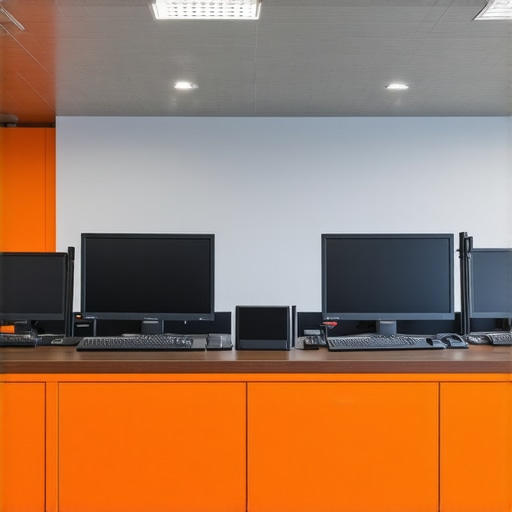
Visualize a modern coworking space with integrated tech management tools, showcasing sleek hardware and control panels for seamless operation.
Over the years, I’ve seen firsthand how small, often overlooked details in coworking spaces can dramatically influence your startup’s success. From acoustics to privacy, these insights are the secret sauce that transforms a basic room into a powerhouse of productivity and innovation. Trust me, investing in understanding these nuances isn’t just about upgrades—it’s about strategic growth and seamless operation.
What I Wish I Had Known When I Started Out in Coworking
- One of my biggest lightbulb moments was realizing that acoustics in a coworking space are more than just noise—they influence the clarity of communication and, ultimately, decision-making speed. A silent, well-insulated room allows ideas to flow without distraction.
- I underestimated the importance of room layout in fostering collaboration. Moving from a traditional setup to a flexible, open arrangement boosted team synergy and adaptability, teaching me that space design directly impacts innovation.
- It became clear that reliable tech infrastructure in shared environments isn’t a luxury—it’s a necessity. A single malfunctioning mic or shaky Wi-Fi can derail an entire pitch or meeting, emphasizing the need for proactive tech management.
My Playbook for Elevating Coworking Experiences
When choosing tools and resources, I rely on a few cornerstone solutions that deliver consistent results. For instance, exploring innovative meeting rooms of 2025 has reshaped how I view space potential, urging me to prioritize environments that blend tech with comfort. Using productivity-focused setups ensures every minute counts, whether in a private nook or an open-plan zone. Additionally, I swear by creating collaboration hubs that spark serendipitous interactions. These resources have been instrumental in shaping a conducive environment for growth.
Harnessing Emotion to Push Your Workspace Forward
Your workspace isn’t just about physical infrastructure; it’s about the energy and mindset it cultivates. Embrace the challenge of optimizing spaces as an ongoing journey, not a one-time project. When you see a space as a living organism—requiring regular tweaks, upgrades, and emotional investment—your team will feel the difference. Remember, a well-designed coworking setup isn’t just a backdrop; it’s an active participant in your success story.
So, I challenge you to look beyond the obvious: consider how your environment influences your team’s mood, creativity, and resilience. Share your experiences or ask questions—together, we can push the boundaries of what’s possible in coworking and conference room design. What’s one small change you believe could make your space more inspiring? I’d love to hear your thoughts below.