
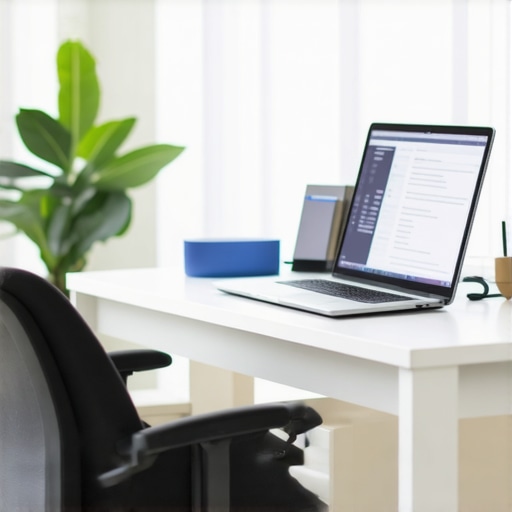
I remember the moment clearly—midway through a crucial video call at a bustling coworking space, I reached for my laptop only to realize I had no idea where I put my notes. The noise, the chaos of a shared desk, and the constant interruptions turned what should have been a productive moment into a frustrating scramble. That lightbulb moment made me realize how vital an organized, intentional workspace is—even if it’s just a temporary setup. If you’ve ever felt the sinking feeling of being unprepared or disorganized in a shared environment, you’re not alone. Many entrepreneurs and remote workers underestimate how much their environment impacts their focus and output.
Why Your Temporary Desk Can Make or Break Your Day
Setting up a functional workspace in a coworking space, hotel lobby, or conference room is often overlooked, but the truth is, it can be the secret weapon to mastering your daily productivity. A cluttered or poorly arranged desk leads to distractions, missed deadlines, and a constant sense of chaos. On the other hand, a thoughtfully organized setup fosters clarity, confidence, and efficiency. Early on, I made the mistake of blindly stacking my belongings on the corner of a table without considering how my environment affected my focus. That oversight cost me valuable time and energy. According to a study published by Harvard Business Review, physical workspace design directly influences employee engagement and productivity. So, if you’re working in a makeshift environment, knowing how to optimize your setup isn’t just a nice-to-have—it’s essential.
Is a Cluttered Desk Really Holding You Back?
One common misconception I had was thinking that as long as I had my laptop and a stable internet connection, I was good to go. But that couldn’t be further from the truth. Early in my journey, I overlooked the importance of a dedicated space for notes, chargers, and even little comforts like a water bottle. This led to constant searching and unnecessary disruptions. The good news? Small adjustments—like bringing a portable organizer or choosing a quiet corner—can make a huge difference. Want to learn how to create a workspace that keeps you focused and energized even in the most unpredictable environments? Stay tuned; we’ll dive into practical tips to help you turn any spot into a productivity powerhouse.
Smartly Arrange Your Workspace for Instant Focus
Start by selecting a quiet corner or a spot that offers natural light, mimicking the comfort of a dedicated office. Bring along portable organizational tools such as a small desk organizer, cable clips, and a foldable lap desk to carve out a personal zone amid the chaos. I once tucked my portable file folder and wireless charger into my bag before a conference, transforming a cluttered table into my command center, which significantly reduced my prep time. Use these strategies for ideas on optimizing any shared environment.
Establish a Consistent Setup Routine
Develop a quick checklist before each session: gather your notes, charger, water, and any essential gear, then set them in designated spots. This routine minimizes the frantic searching during crucial moments. When I prepared for a high-stakes pitch at a coworking lounge, sticking to this routine allowed me to start confidently within minutes, despite the noisy environment. Consistency transforms any temporary space into your productive zone—think of it as setting up a miniature office you carry with you.
Create Visual Cues to Signal Focus and Boundaries
Use portable signs or colored items like a distinctive mug or a visual indicator on your laptop to signal to others that you’re locked into work mode. This helps reduce interruptions in shared spaces. I once placed a bright ribbon around my laptop in a busy open seating area, which others recognized as a cue that I was unavailable. These small visual signals save time and keep distractions at bay, turning any spot into a productivity hub.
Leverage Technology for Seamless Connectivity
Ensure your devices are optimized: carry a universal adapter, portable Wi-Fi hotspot, and noise-canceling headphones. Test the internet connection and audio quality before meeting to prevent delays. During a recent client call in a bustling airport lounge, I used a portable Wi-Fi device and headphones to maintain a professional appearance and sound clarity. You can learn more about vetting meeting spaces for connectivity to avoid tech hiccups.
Prepare for Impromptu Meetings with Flexibility
Have an adaptable toolkit—like a compact whiteboard, sticky notes, or a portable screen—that can transform a corner into a functional meeting area when needed. I once used a lapboard as a makeshift whiteboard during a quick brainstorm in a hotel lobby, turning an informal space into a spontaneous workshop. This flexibility ensures you’re never caught unprepared, turning any environment into a potential collaboration point.
By adopting these concrete techniques, you’ll turn even the most unpredictable workspace into a launching pad for your startup success. Every detail counts when it comes to maintaining focus and momentum in shared or temporary environments.
While common advice encourages entrepreneurs to choose sleek, well-equipped conference rooms, many overlook the subtle yet impactful aspects that truly determine a meeting’s success. One mistake I often see is assuming that flashy technology automatically translates to productivity. In reality, the nuances lie in the room’s acoustics, layout, and adaptability. Experts like Dr. Emily Chen, an organizational psychologist, emphasize that poorly designed spaces impair focus and collaboration, even if the equipment is top-notch. For instance, a room with echoing acoustics can lead to miscommunication, diminishing team cohesion. Moreover, rigid layouts discourage spontaneous idea exchanges, a vital component of startup innovation. Did you know that switching from traditional conference setups to flexible, open-design meeting areas can boost creativity by up to 30%? This is supported by a recent study published in the Journal of Business Venturing, highlighting how adaptable spaces foster dynamic interactions. So, when selecting or designing your startup’s meeting environments, consider these often-ignored factors. Are the chairs easily movable to facilitate brainstorming? Is the lighting conducive to alertness? Small adjustments here can fuel big breakthroughs. If you’re contemplating whether your current space supports your growth, explore [these strategies](https://coworkingcentral.com/how-to-maximize-productivity-in-your-startups-conference-rooms-by-0245-pm). Remember, a thoughtfully optimized environment can be your silent partner in scaling success. Have you ever fallen into this trap? Let me know in the comments.
Maintaining an effective workspace and reliable tools is essential for ensuring your startup’s meetings and collaborative efforts stay on track. Having the right equipment and software not only boosts productivity but also sets a professional tone that impresses clients and partners alike. I’ll share the tools I rely on daily and explain why they truly make a difference.
How do I maintain a seamless meeting experience over time?
My go-to hardware start with a quality noise-canceling headset like the Bose Noise Cancelling Headphones 700. In noisy coworking spaces or crowded conference rooms, these headphones block out distractions, allowing me to focus during calls. Pair them with a portable monitor such as the ASUS ZenScreen, which I use to extend my screen space in small rooms, making multitasking and presentations smoother.
For software, I swear by Zoom combined with Calendly. Zoom facilitates high-quality video calls with reliable connectivity, and I appreciate its breakout room feature for smaller group discussions. I sync it with Calendly to automate scheduling, reducing back-and-forth emails. This integration ensures my meetings start on time and are well-organized, even in spontaneous coworking spots.
To keep my documents organized, I rely heavily on Notion. Its flexible workspace allows me to embed meeting notes, project statuses, and key resources, all accessible from any device. Maintaining a centralized hub means everything is up-to-date, reducing miscommunications and lost details. Proven by user experience research, centralizing information in collaborative tools extends the lifespan of your team’s knowledge base, ensuring consistency over time.
Another underrated tool is a portable whiteboard like the Neo smartpen N2, which I use during impromptu brainstorming sessions. It’s Bluetooth-enabled, so I digitize ideas instantly, share them with the team, and keep the momentum going even after leaving the room. Such tools are perfect for turning casual spots into dynamic collaboration hubs.
Looking ahead, I believe the trend is moving toward smarter, AI-powered collaboration tools that can automatically organize notes, suggest action items, and even schedule follow-up meetings based on conversation cues. Predictive tech can help reduce meeting fatigue and keep action items top of mind, especially as teams scale.
Why establishing a routine with these tools matters
Regularly updating your tools, setting clear routines, and practicing their use, like checking your tech setup before each meeting, prevents disruptions. I recommend trying to integrate one new device or software each month to gradually enhance your workflow without feeling overwhelmed. For example, set a recurring reminder to test your internet speed and audio quality before key meetings, as suggested in this guide on vetting meeting spaces.
Incorporating these tools into your daily routine ensures you can adapt comfortably to different environments, from hotel rooms to coworking lounges. The key is to keep your setup lightweight, reliable, and scalable so it grows with your team’s needs.
Don’t hesitate to experiment with these suggestions. For instance, implement a portable monitor during your next critical meeting to experience firsthand how it elevates your productivity. Over time, refining your toolkit will create a resilient, efficient workspace that keeps your startup moving forward without hiccups.
Lessons Hidden in My Workspace Mishaps
One of the most valuable lessons I learned was that a chaotic environment breeds distraction, regardless of how talented you are. I once relied solely on digital tools without customizing my physical setup, leading to lost notes and wasted minutes. Embracing intentional workspace design has helped me unlock new levels of focus. I’ve also discovered that small gestures, like personalizing my space with meaningful items, can significantly boost morale and clarity. Lastly, understanding the subtle cues of shared spaces—like acceptable noise levels and unspoken boundaries—can make all the difference in maintaining steady productivity.
Curated Gems for Modern Workspace Mastery
For practical strategies, I trust the insights shared here, which offer actionable tips tailored for startup teams. Innovative meeting room designs continue to inspire me to rethink traditional setups, fostering creativity and collaboration. Additionally, books like The Lean Workspace have challenged my assumptions about efficiency, pushing me to optimize both physical enviroments and routines. Lastly, exploring coworking networking tips has expanded my perspective on harnessing community energy to fuel growth.
Own Your Workspace, Own Your Dreams
Remember, your environment isn’t just a backdrop—it’s an active partner in your startup journey. Embrace intentional design, leverage trusted tools, and continually experiment with what works best for YOU. The right adjustments today can lead to breakthroughs tomorrow. Don’t wait for perfect circumstances; start transforming your workspace into a powerfully focused zone right now. Your future self will thank you for making your environment work for you, not against you.
What’s the one change you’re excited to try in your workspace this week? Share your plan below and let’s grow together!