
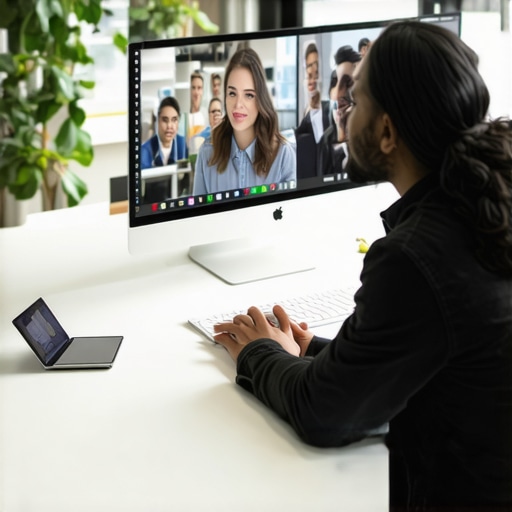
I remember the moment clearly: we were staring at our screens during a crucial team sync, and suddenly it felt like everyone was speaking a different language. Amidst the endless stream of messages and missed cues, it hit me—we were failing to connect. As someone who’s been through the ups and downs of managing a hybrid team, I know that disconnect all too well. And let me tell you, it’s more common than you think.
Why Hybrid Communication Can Feel Like a Gordian Knot
Early on, I made the mistake of assuming that hybrid work simply meant giving everyone flexible schedules. I thought, “As long as we have video calls, we’re good.” Turns out, I was overlooking the deeper issues—misaligned expectations, unclear channels, and the dreaded virtual silence during meetings. These gaps weren’t just minor inconveniences; they hampered our productivity and team cohesion.
In fact, research shows that poor communication in hybrid teams can lead to a 25% decrease in overall productivity (source: Harvard Business Review). And that’s when I realized: if we don’t fix our communication habits, we risk losing top talent and falling behind competitors who’ve figured this out.
Is Overhauling Our Communication Strategy Really Worth It?
Admittedly, I was skeptical at first. We had invested time and resources, and I wondered whether these adjustments would really make a difference. My initial mistake? Relying solely on digital tools without addressing the nuances—like tone, context, and informal check-ins—that foster genuine understanding. I learned the hard way that investing in the right strategies isn’t just a nice-to-have; it’s essential for hybrid success.
So, if you’ve faced similar frustrations or doubts, rest assured—what you’re about to read can transform your team’s collaboration. We’ve distilled what worked for us into actionable steps, and I’m excited to share them with you. But first, let’s unpack what makes communication in hybrid teams so tricky in the first place.
Streamline Your Meeting Environment for Clarity
Start by optimizing your physical and virtual meeting spaces. Choose conference rooms that are equipped with quality microphones, cameras, and reliable Wi-Fi to minimize technical glitches—is your current setup failing at this? I once booked a last-minute meeting in a space with poor acoustics, leading to constant misunderstandings. Investing in dedicated meeting rooms with soundproofing and high-speed connections significantly reduced miscommunication and boosted team confidence.
Define Clear Communication Protocols
Implement Consistent Tools and Channels
Establish specific platforms for different communication types. For instance, use Slack for quick updates, email for formal notices, and dedicated video calls for in-depth discussions. I once assigned project updates to a general chat, causing confusion when messages overlapped; switching to structured channels clarified responsibilities and timelines.
Set Expectations for Availability and Response
Clarify working hours, response windows, and meeting etiquette. When I introduced ‘core hours’ in our team, it became clear when everyone was available, reducing the frustrating wait for replies and unnecessary follow-ups. This discipline encouraged respect for colleagues’ time, especially in different time zones.
Create Rituals that Foster Connection
Build informal check-ins or virtual coffee breaks into your schedule. During a tough quarter, I initiated weekly ‘virtual lunch’ sessions, which helped break the ice and diffuse tension. These rituals humanized remote interactions, increasing engagement and trust without requiring extra tools.
Leverage Visual and Interactive Tools
Use collaborative platforms like Miro or Figma during meetings for real-time brainstorming. I demonstrated this during a project pitch, drawing diagrams and notes live, which kept everyone’s attention and clarified complex ideas instantly. Incorporate shared documents, polls, or quick surveys to ensure everyone’s voice is heard and issues are addressed promptly.
Monitor, Adjust, and Train Regularly
Set benchmarks for communication effectiveness and solicit feedback. For example, after implementing new channels, I surveyed the team—a simple poll revealed confusion about where to post certain updates, leading us to refine our protocols. Regular training sessions on new tools or practices keep everyone aligned and aware of best practices to avoid common pitfalls.
Finally, remember that a hybrid team’s success depends on intentionality—every step you take should be aimed at bridging gaps rather than widening them. For more innovative workspace ideas, explore creative coworking spaces that can inspire your team’s collaboration.
Many founders and managers assume that selecting any conference room or coworking space guarantees productivity and professionalism. But in my experience, most people overlook the subtle yet critical elements that truly impact your meetings. For instance, habits around booking and configuring space often reinforce misconceptions that can sabotage your efforts. Everyone thinks that a well-equipped room automatically ensures success—yet what they miss are nuances like acoustics, layout, and cultural fit, which matter immensely. This illusion of simplicity can lead to costly mistakes, including underestimating the importance of customized space designs that foster creativity and focus. According to a study by Harvard Business Review, 70% of communication issues in teams stem from physical environment shortcomings—yet most startups ignore this detail until it’s too late. So, how can we decode these hidden factors?
### Are You Sabotaging Productivity By Misjudging Meeting Space?
One common myth is that bigger or more high-end spaces inherently improve outcomes. In reality, overestimating the impact of size or luxury can lead to underwhelming results. A cramped or poorly configured room might kill focus, while a smaller, well-designed area cultivates intense collaboration. For example, a startup I worked with invested heavily in an upscale conference room but installed poor soundproofing, leading to incessant interruptions and miscommunications during calls. They found that optimizing acoustics and layout — like create dedicated quiet zones— significantly uplifted their meeting efficiency. Remember, it’s the *purposeful* design of your space, not just aesthetics or capacity, that truly matters. For strategic insights on how to maximize your space, check out [effective conference room strategies](https://coworkingcentral.com/effective-conference-room-strategies-to-boost-your-startup-in-2024).
### How to Avoid the Trap of Relying Solely on Equipment
Another pitfall is putting too much faith in technology—brand-new monitors, interactive whiteboards, or high-end projectors—to compensate for poor space planning. While tools can enhance the experience, neglecting fundamentals like proper lighting, room acoustics, and furniture ergonomics can negate their benefits. In fact, a study by the Gensler Research Institute found that well-designed environments can boost productivity by up to 20%, emphasizing that technology is only part of the solution. Incorporate elements such as natural light and flexible layouts to foster engagement. For more on designing the perfect startup meeting environment, explore [meeting room solutions](https://coworkingcentral.com/ultimate-startup-coworking-meeting-room-guide-2024).
### Should Startups Focus on Community or Space Alone?
Lastly, many overlook the value of the community within coworking and shared spaces. It’s not just about walls and furniture; the ecosystem of collaborators and the network effects they bring can exponentially enhance meeting outcomes. A shared environment offers spontaneous interactions helpful for brainstorming or mentorship, but only if the space supports privacy and casual engagement. This balance between openness and confidentiality is often underestimated. So, remember that choosing the right coworking hubs—like those highlighted in [top coworking spaces for startups](https://coworkingcentral.com/top-coworking-spaces-conference-rooms-for-startups-in-2025)—is about more than rent; it’s about building an ecosystem conducive to innovation.
If you’ve ever fallen into the trap of oversimplifying your meeting space, now’s the time to reconsider. Effective spaces do more than look good—they enable your team to communicate clearly, think creatively, and grow faster. Want to know more about optimizing your workspace? Visit [contact us](https://coworkingcentral.com/contact-us) or browse the latest in [collaborative coworking](https://coworkingcentral.com/creative-coworking-transforming-meeting-rooms-into-collaboration-hubs-at-0455-pm). Have you ever fallen into this trap? Let me know in the comments.
Invest in Reliable Equipment for Seamless Meetings
One of the most critical aspects of maintaining effective meeting spaces is ensuring your equipment remains up-to-date and well-maintained. Personally, I rely on high-quality wireless microphones like the Sennheiser EW 112P G4, which offer clear audio without the clutter of cables—crucial for maintaining focus during presentations. Additionally, a dedicated 4K conferencing camera such as the Logitech Brio ensures sharp video for remote participants, reducing fatigue and miscommunication. Regularly test and calibrate these devices to prevent unexpected failures that can disrupt your scheduled discussions.
Adopt a Routine Maintenance Schedule
Consistency is key. I schedule bi-weekly checks for all essential conferencing tech and lighting setups, ensuring everything functions smoothly before each major meeting. Use a checklist to verify sound quality, video clarity, internet stability, and lighting conditions. Implementing a routine not only prevents breakdowns but also extends the lifespan of your tools. Remember, equipment failure isn’t just inconvenient—it can undermine your team’s confidence and professional image.
Leverage Software for Better Meeting Management
Tools like video conferencing software such as Zoom or Microsoft Teams are essential, but they are only part of the solution. I use scheduling integrations like Calendly to automatically reserve meeting rooms and send reminders, reducing double bookings or forgotten appointments. For collaboration, platforms like Miro or Figma allow real-time interactive brainstorming, which I find invaluable for remote or hybrid teams. Regularly update and train your team on these tools to maximize their potential and minimize technical hiccups.
Predicting Future Trends in Meeting Maintenance and Technology
As the workspace evolves, automation and AI-driven diagnostics are poised to revolutionize how startups maintain their meeting environments. Imagine sensors that automatically alert you when microphone batteries are low or when room acoustics drift out of optimal ranges—saving time and preventing disruptions. Staying ahead by investing in such technologies today can give your startup a competitive advantage and keep your meetings running smoothly in the long run.
How do I keep my meeting tools effective over time?
Consistently review and upgrade your equipment based on feedback and technological advancements. Regular training sessions ensure your team is comfortable with new features and changes. Establish partnerships with reliable suppliers for quick replacements, and keep a repair kit handy for minor fixes. By embedding maintenance into your routine, you ensure your meeting spaces are always ready for productive discussions. Want to implement these strategies now? Try setting up a quarterly equipment audit—it’s a game-changer for seamless collaboration!

That Lightbulb Moment I Never Saw Coming
One of the most valuable lessons I learned was that investing in top-tier equipment is just half the battle; understanding the environment’s impact is equally crucial. I once thought a sleek microphone would solve all audio issues, only to realize poor room acoustics sabotaged the effort. The real breakthrough came when I realized that customizing spaces to suit specific meeting types—whether quick check-ins or deep brainstorming sessions—made all the difference. This experience taught me that creating purpose-built zones within your workspace can dramatically enhance communication and productivity.
My Essential Tools for Elevating Meeting Environments
Over the years, I’ve curated a set of tools that reliably boost meeting quality. The effective conference room strategies have been foundational. Investing in soundproof furniture and high-quality AV equipment, like Logitech’s Brio camera, ensures clarity for remote participants. Additionally, apps like Calendly streamline room bookings and reduce scheduling chaos. These tools are trustworthy because they’ve been tested in real startup environments, providing consistency and professionalism that clients and team members appreciate.
Stepping Into the Future of Collaborative Workspaces
As I look ahead, I see an exciting shift towards AI-powered diagnostics that keep spaces optimized without manual intervention. Imagine rooms that automatically adjust lighting or notify you when equipment needs maintenance—minimizing disruptions. This tech promises to transform how startups maintain seamless meetings and foster innovation. The key is embracing these advancements early, viewing them not as luxuries but as essentials for staying competitive in the era of flexible work.
What Unexpected Lessons Have You Discovered in Your Space Journey?
Have you ever overlooked the importance of room layout and paid the price during an important call? Or perhaps you stumbled upon a surprisingly effective ritual that boosted team rapport? Share your insights below—your story might be the breakthrough someone else needs. And if you’re curious to explore more about optimizing your startup’s meeting environments, check out our contact page for personalized advice.