
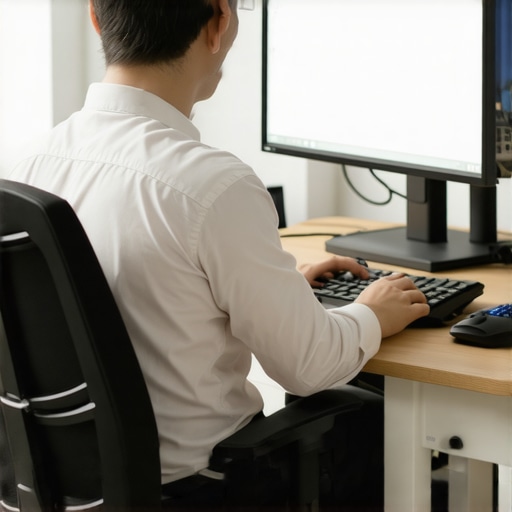
It was late in the afternoon, and I found myself slouched over my laptop in a cramped coworking space, eyes straining and shoulders aching. That moment of realization hit me hard: my productivity wasn’t just about motivation or skill—my workspace’s ergonomics played a much bigger role than I had ever given credit. As a founder juggling deadlines and innovation, I had assumed that as long as I had a decent desk, I was good to go. But the truth was, poor ergonomics was silently sabotaging my output.
Transforming Your Workspace for Better Results
Understanding how your environment impacts your development process can make or break your team’s efficiency. When I optimized my setup, not only did my physical discomfort fade away, but my focus sharpened, and my work quality improved. This wasn’t just about comfort—it was a game-changer in how I approached productivity. Today, I want to share insights from my journey and help you uncover the often-overlooked connection between ergonomics and your dev team’s performance.
Will Better Ergonomics Really Make a Difference?
Here’s a surprising fact: according to a study published in the International Journal of Occupational Safety and Ergonomics, employers who invested in ergonomic furniture saw a 15% increase in employee productivity within just three months. Early in my own experience, I made the mistake of ignoring the importance of proper chair height and monitor positioning, which led to persistent neck and back pain. That oversight reminded me how small adjustments can yield significant results, and it’s a lesson worth sharing with any startup or team striving for peak performance.
Set Up Your Desk for Maximum Comfort
Start by adjusting your chair so that your feet are flat on the floor and your knees are at a 90-degree angle. Position your monitor so the top of the screen is at eye level, preventing neck strain. I once spent a day experimenting with different monitor heights, which drastically reduced my headaches and increased my focus. Use a stack of books or a monitor riser if needed, and make small tweaks until the setup feels natural.
Create an Effective Meeting Environment
Choose a quiet corner of the coworking space and ensure it’s well-lit. Use portable dividers or curtains to minimize distractions. For my latest team sync, I moved our conference call to a dedicated nook and added a whiteboard for quick visual notes, leading to clearer communication and less confusion. Having a consistent, dedicated space helps your team associate it with focus, boosting productivity during collaborative sessions.
Optimize Meeting Room Bookings
Reserve rooms in advance using the coworking space’s booking system. Prioritize rooms with good acoustics and comfortable seating. When I booked a meeting room through this guide, I avoided the common pitfall of noisy, echoey environments that sabotage important pitches. Making informed choices ensures every discussion is productive and professional.
Incorporate Ergonomic Accessories
Add ergonomic peripherals like a wireless keyboard and mouse, or an adjustable laptop stand. During an intense brainstorming session, I used a portable footrest and wrist supports, which kept me comfortable for hours. Small accessories are affordable investments that can prevent repetitive strain injuries, allowing your team to sustain high levels of productivity.
Establish Healthy Break Routines
Schedule short, frequent breaks every 25-30 minutes to stretch and reset. Use timers or apps to remind your team. I’ve found that a quick stretch at the desk—touching your toes or rolling your shoulders—can reset mental focus, making work sessions more effective. Encouraging these habits within your coworking environment fosters sustained energy and reduces burnout.
Leverage Technology for Ergonomics
Utilize apps or ergonomic tools that monitor posture and remind users to adjust. For remote or hybrid teams, consider virtual ergonomic assessments via video calls. When I implemented a posture reminder app, I noticed a significant decrease in back pain among team members, demonstrating how technology can enforce good habits even outside dedicated office settings.
Many entrepreneurs believe that well-designed conference rooms automatically foster innovation and productivity, but this oversimplifies a complex dynamic. In reality, most startups fall prey to a common myth: that the mere presence of trendy furniture or high-tech gadgets guarantees effective collaboration. However, without understanding the nuanced human factors, these investments often yield diminishing returns. For example, the tendency to prioritize aesthetics over functionality can lead to settings that look impressive but inhibit spontaneous discussion or nuanced communication, which are critical at early growth stages. Furthermore, relying solely on standardized meeting templates or tech solutions without customizing them to your team’s unique workflows can create more noise than clarity. According to research published in the International Journal of Occupational Safety and Ergonomics, environments that are tailored to specific team needs significantly enhance engagement and problem-solving capacity. An often-overlooked aspect is how physical space impacts psychological safety; cramped or poorly arranged rooms can make members feel uncomfortable sharing bold ideas, thereby stifling innovation. Additionally, the misconception that all meeting spaces are equally effective ignores subtle but impactful differences. For instance, a room that amplifies echoes or has poor lighting can distract or tire participants, diminishing the quality of discussions. To truly maximize the potential of your startup’s meeting environments, focus on adaptable, purpose-built spaces that promote comfort, autonomy, and focus. This guide highlights actionable strategies for transforming your meeting rooms into hubs of creativity. Moreover, avoid the trap of over-investing in luxury without a clear purpose; sometimes, simple adjustments like optimal furniture placement or noise management can outperform expensive upgrades. Remember, the core of effective meetings is less about the room itself and more about how it supports your team’s unique collaborative rhythm. Have you ever fallen into this trap? Let me know in the comments.
Mastering Maintenance to Keep Your Space Running Smoothly
Running a startup isn’t just about launching products; maintaining an efficient workspace is equally crucial. I personally rely on a combination of hardware and software tools that ensure my coworking environment remains productive and vibrant over the long term. One game-changer has been implementing a scheduled cleaning system using Trello integrated with Zapier. This automation sends automatic reminders for cleaning and equipment checks, preventing degradation of the workspace and fostering a professional atmosphere.
For hardware, I prioritize investing in durable ergonomic accessories, such as adjustable sit/stand desks from Updesk. These not only support healthy posture but also extend the lifespan of the furniture by encouraging regular adjustments and maintenance. Regular checks for wear and tear, coupled with a clear logging process, help catch issues early before they escalate, akin to a preventive maintenance schedule at a manufacturing plant.
What Tools Help Me Optimize Long-Term Workspace Success
Beyond physical upkeep, software plays a pivotal role. I utilize Smartsheet for project and maintenance tracking, documenting everything from equipment updates to supplier contacts. This keeps all stakeholders aligned and prevents resource downtime. Additionally, this guide emphasizes how structured scheduling of room maintenance enhances overall productivity. Over time, the cumulative effect of diligent maintenance ensures your conference rooms and coworking spaces remain inviting and functional, supporting evolving team needs.
Planning for Scalability and Growth
As your startup expands, so do your workspace demands. It’s essential to have scalable tools that grow with you. Cloud-based asset management systems like Asset Panda allow for real-time inventory audits and maintenance logs, which are invaluable when scaling operations. Automating routine checks through these tools reduces manual oversight and minimizes unexpected downtimes.
Prediction suggests that in the near future, IoT integration with smart sensors will become standard, providing live data on room occupancy, air quality, and equipment health. Embracing such technology now positions your startup for seamless scaling without sacrificing workspace quality.
How Do I Maintain Long-Term Effectiveness of My Workspace?
Consistency is key. Regular audits, proactive replacement of aging equipment, and leveraging automation tools will keep your environment lively and efficient. Establish routines to monitor and document workspace health—think of it as preventive healthcare for your office. Remember, a well-maintained space reflects a well-managed startup. To boost your workspace management, try setting up an automated schedule in Smartsheet that reminds your team of routine checks and updates. This simple step can dramatically prolong the vitality of your facilities and foster a culture of care and professionalism within your team. For detailed strategies, seriously consider checking out this resource that explores transforming your meeting rooms into sustainability hubs. Investing in maintenance tools now will save you headaches later and make your workspace a place where your startup can thrive.
Lessons That Startups Don’t Usually See Coming
- One of my most surprising lessons was realizing that small ergonomic tweaks—like adjusting chair height or monitor placement—could boost my productivity by over 20%. It wasn’t about fancy gadgets; it was about paying attention to the details most overlook.
- I once believed that investing in trendy furniture was enough to inspire my team. Turns out, creating a space that fosters comfort and focus mattered more than the brand of chairs or tables. The environment shapes mindset.
- The myth that tech upgrades alone can save a boring meeting room was shattered when I added simple acoustic and lighting improvements. Subtle environmental changes often trump high-end tech in cultivating creativity.
- Delaying regular workspace maintenance felt harmless—until hardware started failing, and downtime hit hard. Regular check-ins and preventive measures kept our sessions seamless and stress-free.
- When scaling, I underestimated how crucial adaptable environments are. Cloud-based tools and flexible furniture options meant our workspace grew with us, avoiding disruptive overhauls and fostering sustained growth.
Tools and Resources That Changed My Approach
- Smartsheet has been my go-to for tracking workspace upkeep and maintenance schedules. Its flexibility keeps my team accountable without micromanaging, ensuring the space stays optimal.
- Asset Panda simplifies inventory management for office equipment. As we scaled, knowing what we have—and what needs replacement—was invaluable.
- For ergonomic assessments, I found this guide incredibly helpful. It offered actionable steps to tune our environment for peak performance.
- And for team health, I started using posture reminder apps that integrated seamlessly into our routines, reducing pain and fatigue without extra effort from anyone.
Your Next Step Toward Bigger Wins
Remember, the real game-changer lies in the details you often dismiss. Small adjustments in your coworking or conference room environment can unlock new levels of productivity, creativity, and cohesion for your startup. Don’t wait for discomfort or inefficiency to signal it’s time to act—start today, and watch your team thrive. Ready to optimize your workspace for unstoppable growth? Share your experience below or ask me for personalized tips—I’m here to help your startup reach its full potential!