
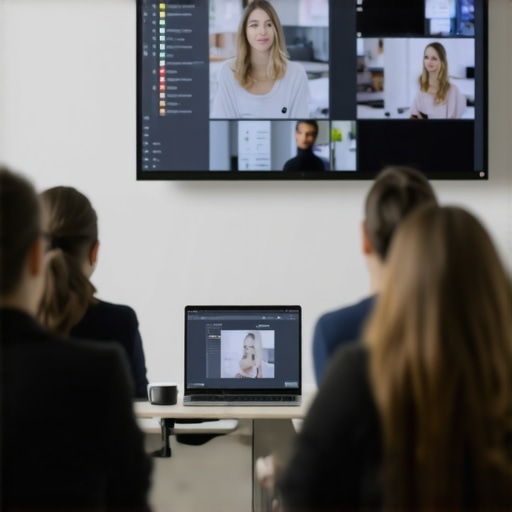
I remember that terrible morning when I had my first big hybrid workshop scheduled. Everything seemed perfect—until the virtual attendees started dropping out, the tech glitches piled up, and I realized I was winging it without a real plan. That lightbulb moment hit hard: hybrid hosting isn’t just about flipping a switch or sharing a link. It’s a complex dance of technology, environment, and engagement. If you’ve ever felt that sinking feeling of chaos during an important session, you’re not alone. Today, I want to share the tried-and-true strategies I’ve developed from countless mistakes and successes to help you deliver seamless hybrid workshops.
The Critical First Step: Understanding Why It Matters
When it comes to hybrid workshops, the stakes are high. You’re trying to connect two worlds simultaneously—physical and virtual—and make everyone feel like they’re part of the same experience. It might seem daunting, but get this: research shows that poor conference room setup and technology mishaps can reduce engagement by up to 40%. That’s a huge chunk of your audience tuning out. In my early days, I overlooked the importance of environment and tech readiness, focusing only on content. Mistake number one: assuming that a good agenda is enough. Spoiler alert: it’s not.
What’s truly at risk? Your reputation, your ability to secure future clients or investors, and the overall perception of your brand. But here’s the good news: with mindful planning and some insider tricks, you can turn chaos into a professional, engaging experience.
Curious if you’ve faced similar obstacles? Maybe you’ve tried hosting hybrid meetings, only to find attendees distracted or disengaged. Well, you’re in the right place. We’re about to dive into the practical solutions that will transform your approach.
Is Hybrid Hosting Overhyped or Truly Worth It?
Early on, I believed the hype: just stream your session, and you’re all set. But I quickly learned that tech alone doesn’t guarantee success. A common mistake I made was neglecting to test the conference room environment for sound, lighting, and connectivity, which are crucial for a professional experience. That oversight cost me credibility and client trust.
So, how do you avoid these pitfalls? Stay tuned, because in the next sections, I’ll unravel the step-by-step process to creating a seamless hybrid workshop, supported by insights from industry experts and my personal journey. And if you’re still skeptical—trust me, I’ve been there—I’ll show you why investing in the right workspace is a game-changer. For even more on how to find the perfect conference space, check out [this guide](https://coworkingcentral.com/how-to-choose-the-perfect-conference-room-for-business-success). Let’s get started.
Start with a Clear Tech Setup
Begin by auditing your conference room’s technology. Ensure high-speed internet, crisp audio, and HD video. Test everything ahead of time to prevent last-minute disasters. During my first hybrid session, I failed to test the microphone, leading to muffled audio that annoyed virtual attendees. Afterwards, I invested in a professional microphone and set up a dedicated testing routine, which dramatically improved audio clarity.
Choose Reliable Equipment
Don’t skimp on quality—using consumer-grade webcams or speakers can cause distractions. Look for equipment tested for video conferencing, especially microphones with noise cancellation. For instance, I upgraded to a USB-C camera with auto-focus, which made my presentations look sharper and more engaging, reducing attendee fatigue.
Design a Professional Environment
Think of your conference room as a stage. Good lighting, a clean backdrop, and minimal distractions matter. I found that windowless rooms help maintain consistent lighting, avoiding shadows and glare. If your room has windows, use blinds or shades. I once hosted a workshop where glare caused participants to squint, which I remedied by installing blackout blinds, turning the space into a professional venue.
Optimize Sound Environment
Soundproof the room if possible. Use carpets, curtains, and acoustic panels to reduce echo. When I moved into a space with hard floors, I added rugs and acoustic panels, which eliminated echo issues and made virtual attendees feel more connected and less distracted.
Implement Camera and Presentation Strategies
Position the camera at eye level to create a sense of intimacy. Use presenter tracking if available. During a pivotal pitch, I placed the camera at my eye level and looked directly into it, which increased virtual engagement. Practice switching between slides and camera views seamlessly, so your flow feels natural.
Prepare Content for Hybrid
Craft visuals that are easy to see on screens and avoid clutter. Use large fonts, high-contrast colors, and minimize long paragraphs. During my last workshop, I used bold headlines and visuals, which helped both in-person and virtual attendees follow along effortlessly.
Engage Virtually and In-Person Equally
Interactivity keeps everyone involved. Use chat, polls, and Q&A. During my sessions, I assigned a co-host to monitor the chat and relay questions. This created a lively atmosphere, even if the virtual audience outnumbered in-person participants.
Incorporate Breakout Activities
Break larger groups into smaller discussion rooms. This fosters engagement. I once used virtual breakout rooms linked with physical table groups, which fostered more intimate discussions and improved overall interaction.
Leverage Innovative Spaces
Consider renting a coworking space designed for hybrid events. These spaces often come equipped with everything you need for a professional presentation. For example, I booked a space from this provider, and it transformed my workshop experiences completely.
Regularly Reassess and Improve
After each session, solicit feedback on technical setup, environment, and engagement methods. Use this feedback for continuous improvement. My process involves quick post-event surveys, which guide tweaks for the next session.
Many entrepreneurs and startup founders assume that securing a fancy conference room or a trendy coworking space automatically guarantees successful meetings. However, this misconception often blindsides startups with overlooked nuances. For example, too many teams focus solely on aesthetics or location, neglecting the crucial aspects like acoustics, layout flexibility, and technological compatibility. Studies, such as one published in the Harvard Business Review, indicate that environmental factors like sound quality and room acoustics significantly influence decision-making and creative outcomes during meetings. Ignoring these subtle but impactful details can lead to poor engagement and lost opportunities. An advanced mistake I see frequently is the misconception that any modern-looking room suffices. In fact, the right space should adapt to your specific needs, offering customizable furniture, modular setups, and integrated tech solutions. When selecting a space, don’t settle for the standard. Instead, evaluate if the environment fosters collaboration and deep focus—this can make or break your startup’s momentum. To maximize productivity, explore innovative coworking environments that offer tailored spaces designed for startup collaboration, like the ones outlined in [this article](https://coworkingcentral.com/innovative-meeting-rooms-that-boost-startup-creativity). Additionally, many overlook the importance of room size and flow, which are often underestimated but vital for maintaining energy and interaction levels. Physical constraints can inadvertently stifle spontaneous discussions or create awkward silence that hampers innovation. Therefore, consider how space planning can facilitate organic conversations, which are essential for startup growth and team cohesion. Have you ever fallen into this trap? Let me know in the comments. Remember, the right environment combined with awareness of these nuanced factors empowers startups to craft spaces that drive success, not just impress.Maintaining a seamless hybrid workspace requires precision, reliable tools, and ongoing adjustments. I’ve personally found that investing in high-quality audio equipment like the Shure MV7 microphone has transformed my virtual meetings, ensuring crystal-clear sound that keeps participants engaged. Similarly, using software like Epson’s EchoBusiness for room acoustics analysis helps identify sound absorption gaps, making sure every word is heard without distraction.
Automation tools are also game-changers. I rely on Zapier to streamline scheduling and reminders, reducing manual effort and avoiding double bookings in my conference rooms. For instance, integrating my calendar with Slack alerts ensures everyone stays on the same page without constant check-ins.
Long-term results hinge on regular tech audits and environmental adjustments. Scheduling bi-monthly checks—testing Wi-Fi strength, audio clarity, and lighting conditions—prevents minor issues from ballooning into major disruptions. This guide offers pro tips on optimizing your space for productivity.
Looking ahead, the trend leans toward AI-assisted room management, where smart sensors automatically adjust lighting, climate, and acoustics based on occupancy. Embracing such innovations now can position your startup as a future-ready operation.
### How do I maintain hybrid tech over time?
One approach I recommend is creating a standardized tech checklist before each session. This includes verifying internet stability, microphone quality, and display clarity. Also, keep a dedicated troubleshooting kit with spare adapters, batteries, and a portable router. Regularly updating firmware and software ensures compatibility and security.
Finally, don’t hesitate to test new tools in low-stakes environments. For example, trialing a wireless presentation system like Barco ClickShare can significantly streamline your presentations and reduce setup time.
I encourage you to try integrating a smart environmental control system into your space. Small adjustments can lead to a big difference in comfort and productivity. Remember, a well-maintained setup isn’t a one-time effort—it’s a continuous process that keeps your meetings sharp and your team aligned.
Over the years, I’ve learned that crafting seamless hybrid workshops isn’t just about plugging in the latest tech—it’s about understanding the subtle nuances that can make or break your session. One of the most profound lessons I discovered is the importance of environment. A well-thought-out space, combined with reliable tools, transforms chaos into clarity. Remember, your virtual attendees should feel as engaged as those in the room, and that requires intentional design and continuous refinement.
What They Don’t Tell You About Conference Room Success
- Noise Management Is Everything: No matter how cutting-edge your mic is, external noise can derail your session. I once underestimated background chatter and paid the price with distracted attendees. Investing in soundproofing, even simple door seals or rugs, can dramatically improve audio quality.
- Lighting Isn’t Just a Visual Cue: Proper lighting boosts your presence and keeps virtual viewers engaged. I discovered that natural light is unpredictable, so supplementing with soft LED lights at eye level creates a professional atmosphere that invites confidence.
- Space Flexibility Matters: Fixed furniture limits interaction. Modular setups allow you to adapt on the fly, promoting spontaneous discussion. A friend of mine redesigned his space with movable chairs and tables—game changer for engagement.
My Toolkit for Unstoppable Hybrid Meetings
- High-Quality Audio Equipment: I swear by the Shure MV7 microphone; crystal-clear sound keeps everyone tuned in. Pair it with a dedicated headset for clarity in noisy environments.
- Reliable Connectivity: A backup Wi-Fi solution, like a portable hotspot, is essential. I’ve learned to always test my internet before every session, avoiding embarrassing hiccups.
- Visual Clarity Tools: A good webcam, such as Logitech Brio, offers sharp video, making interactions more personal. Software like this guide helped me optimize my setup.
Embrace Continuous Growth and Adjustment
Staying static isn’t an option. I conduct quick post-event reviews, gathering honest feedback to identify what worked and what didn’t. Over time, small tweaks—like adjusting lighting angles or fine-tuning sound levels—compound into significant improvements. Remember, technology evolves, so regularly updating your gear and environment keeps you ahead. For cutting-edge insights on innovative meeting spaces, check out this article.