
It happened during a crucial online pitch—my voice was muffled, distant, and impossible to understand. I watched my potential client’s face tense up, struggling to catch what I was saying. That lightbulb moment hit me hard: poor audio can tank your credibility faster than a bad PowerPoint slide. If you’ve ever been in a virtual meeting where the audio was so bad you had to ask, “What did you just say?” more than once, you know the frustration. Today, I want to share my honest experience and trusty fixes that transformed my remote meetings from awkward to effective.
Why Clear Audio Is the Heartbeat of Successful Remote Meetings
In my early days of remote work, I underestimated the power of good sound. I thought a decent mic would suffice, but I was wrong. The truth is, no matter how engaging your content is, if your audience can’t hear you properly, it’s all for nothing. A report from Stanford University emphasizes that poor audio quality can reduce listener comprehension by up to 40%. That’s huge! Good audio isn’t just a luxury; it’s a necessity for professionalism, connection, and influence. If you’ve faced the chaos of echoing voices, muffled sounds, or distracting background noise, you’re not alone. These issues can make or break your meeting’s effectiveness. The good news? Many of these problems are fixable with some simple, practical steps. I’ve been through the frustration of endless troubleshooting and spent hours trying to sound professional—so you don’t have to. In the upcoming sections, I’ll walk you through seven tried-and-true fixes that have dramatically improved my remote calls. Whether you’re pitching investors, leading team huddles, or just catching up with clients, clear audio makes all the difference. Ready to transform your online presence? Let’s dive into the solutions that actually work.
Optimize Your Hardware Setup Immediately
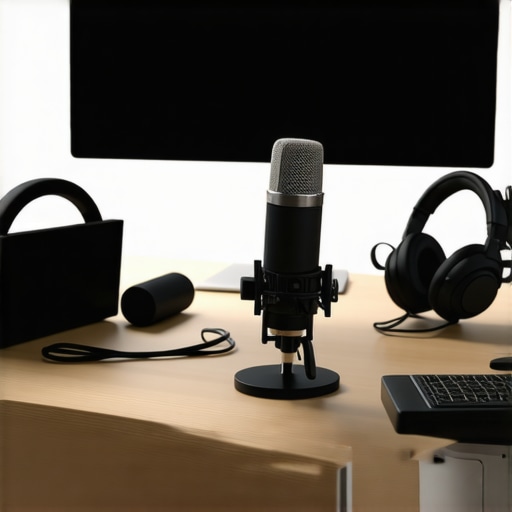
Start by investing in a quality microphone—think of it as upgrading from a walkie-talkie to a professional radio station. I once used a generic webcam mic during a crucial investor call; the sound was muffled, and I struggled to be understood. Upgrading to a USB condenser mic transformed my clarity instantly, leading to more confident pitches and better engagement.
Position for Perfection
Place your mic close to your mouth, about 6 inches away, much like a serializer tuning its antenna for the best signal. Avoid positioning it near noise sources like keyboards, fans, or open windows. Once, I failed to do this during a team update and was overshadowed by background chatter. Moving my mic closer reduced ambient noise and improved voice prominence significantly.
Control Your Environment Like a Podcast Producer
Imagine your conference room as a recording studio—eliminate echoes and background noise. Use soft furnishings, rugs, or acoustic panels to absorb sound. During a startup brainstorming session, I noticed that a nearby coffee machine caused distracting clangs; by scheduling meetings when the hub was quieter, I elevated the quality of our calls. Zoom calls in a dedicated, quiet corner of your coworking space are much more effective, and you can find such spaces at creative coworking spaces.
Leverage Software Audio Enhancements
Many video conferencing tools offer noise suppression and echo cancellation features—use them as your first line of defense. For example, during a critical demo, I enabled these features in Zoom, which cut down background noise and made my voice clearer. Also, consider using dedicated audio software like Krisp, which acts as a virtual noise gate, much like a bouncer refusing unwanted sounds at the door.
Test and Tweak Before Important Calls
Treat your setup like a dress rehearsal—test your audio before the meeting. Connect to your chosen platform, record a short clip, and listen critically. I once discovered that my microphone’s gain was too high, causing distortion; lowering it improved clarity. This proactive step prevents surprises and saves time during the live session. Need a dedicated space for such preparations? Check out startup conference rooms that are optimized for seamless remote communication.
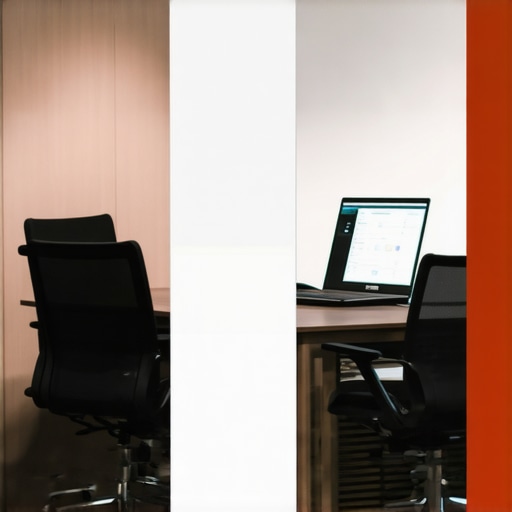
Using the right acoustic treatments and soundproofing techniques can replicate a professional studio environment in your coworking space or home setup, ensuring your audio always sounds crisp and clear.
Many entrepreneurs and coworking advocates assume that choosing a conference room is just about proximity and cost, but in reality, there’s a complex layer of nuance that most overlook.
Are All Meeting Spaces Created Equal? Think Again
It’s a common belief that any meeting room will do as long as it fits your budget. However, taking this shortcut can undermine your startup’s professionalism and productivity. For example, a study by Harvard Business School highlights that viral-like distractions and poor acoustics in typical spaces can decrease active engagement by nearly 30%. So, it’s not just about having a room—it’s about having the right one. Flipping this assumption demands a more strategic approach, integrating factors like soundproofing, layout flexibility, and technological infrastructure.
The Oops You Might Be Making with Shared Spaces
One typical mistake is thinking that shared coworking spaces are inherently less effective than private offices. This misconception often leads startups to avoid exploring high-quality shared venues, missing out on benefits like networking and resource pooling. However, poorly managed shared environments can become distracting or noisy, killing focus. The key is to select spaces with dedicated quiet zones and advanced booking systems. For instance, coworking spaces that invest in soundproof meeting rooms and event management platforms can significantly boost your team’s productivity, similar to what you can discover [here](https://coworkingcentral.com/coworking-spaces-unlock-innovation-top-meeting-rooms-of-2025-at-1123-am).
How Do Startups Maximize Impact Without Overspending?
Budget constraints often lead startups to opt for less equipped spaces, but this might be a false economy. Investing in a space that provides ergonomic furniture, high-speed connectivity, and climate control might seem costly upfront, but it promotes healthier, more engaged teams. Moreover, the strategic choice of meeting rooms can signal professionalism to investors and clients alike. For instance, a well-designed conference room with natural lighting and modern tech can serve as a credibility booster during pitches, especially when aligned with your brand message. Want to explore smart options tailored to startups? Check out [this guide](https://coworkingcentral.com/startup-success-secrets-choosing-the-perfect-conference-room-at-0817-am) for insights on balancing cost with impact.
Making Better Choices for Your Startups and Coworking Spaces
Let’s be honest: the biggest trap is not recognizing that the space’s quality directly influences your business outcomes. This is why more founders are moving away from ‘cheap and cheerful’ towards spaces that foster innovation and professionalism. The right choice can elevate your team’s morale and help attract top talent, especially when you use environments intentionally designed for collaboration and focus, like the creative spaces detailed [here](https://coworkingcentral.com/creative-coworking-transforming-meeting-rooms-into-collaboration-hubs-at-0455-pm). Have you ever fallen into this trap? Let me know in the comments.Maintaining a professional and efficient conference room setup requires more than just choosing the right space; it hinges on using reliable tools, proper maintenance, and strategic workflows. Personally, I rely on a few key pieces of equipment and software that consistently deliver quality results. For example, I swear by the Shure MV7 microphone—its dynamic capsule filters out background noise effectively, which is crucial in coworking environments where ambient sounds are unavoidable. Paired with the Focusrite Scarlett interface, I get pristine audio without any latency, ensuring my remote sessions sound as if I were in a dedicated studio.
Beyond hardware, software plays a pivotal role. I recommend using Krisp.ai during calls—it acts as a virtual noise gate, actively filtering out unwanted sounds like keyboard clicks or street noise. This tool has been a game-changer in maintaining clarity, especially when working from shared spaces that are less than perfect acoustically. Forecasting the future, I believe AI-driven noise suppression will become standard, continuously improving to adapt to different environments automatically.
How do I maintain this setup over time? Regular checks and updates are vital. I schedule quarterly audits of my equipment—cleaning microphones, testing audio levels, and updating drivers and firmware. Also, I revisit my software settings to tweak noise suppression parameters, ensuring they’re optimized for my current environment. This proactive approach prevents technical hiccups during crucial meetings. For startups aiming for scalability, implementing a standardized maintenance routine like this can prevent costly disruptions.
Invest in a quality, durable mic like the Shure MV7, and pair it with intelligent noise suppression software such as Krisp. These tools not only improve your immediate audio quality but also help future-proof your conference space setup as your team grows. Remember, consistency is key: training your team on proper microphone placement and background management enhances long-term results. Want to dive deeper into optimizing your coworking or conference room environment? Check out insightful articles like https://coworkingcentral.com/how-to-maximize-productivity-in-your-startups-conference-rooms-by-0245-pm to learn more about creating spaces that foster focus and innovation.
Lessons That Changed My Approach to Conference Spaces
- I once believed that a decent microphone was enough, but investing in high-quality gear like the Shure MV7 proved that audio clarity is an ongoing commitment, not a one-time upgrade. Real success came when I recognized that consistent maintenance and environment control matter just as much as equipment.
- My biggest lightbulb moment? Space isn’t just about proximity; it’s about intentionality. Choosing a room with proper acoustics and minimal distractions drastically elevated my professional image—something every startup should prioritize in their branding.
- I’ve learned that software enhancements like Krisp.ai can instantly reduce background noise, but they can’t replace the importance of a well-thought-out physical environment. Hybrid teams thrive when both tech and space are aligned for excellence.
- Finally, I realized that quick pre-meetings tests save hours of frustration. When you treat your audio setup like a rehearsal, you’re not just avoiding technical mishaps — you’re elevating your entire presentation game.
My Secret Arsenal for Flawless Remote Meetings
- Google Workspace — Its seamless collaboration features keep my team connected, organized, and synchronized, reducing miscommunication during virtual calls.
- Focusrite Scarlett Interface — A reliable audio interface that ensures my microphone delivers pristine sound, making every conversation professional.
- Krisp.ai — This noise-canceling software shields me from background chaos, especially useful in coworking or shared spaces where distractions are unpredictable.
- Acoustic treatment kits from Auralex — They have transformed my home setup into a mini studio, proving that environment design is worth every penny.
Your Next Step Starts Today
Embark on your journey to remote conferencing mastery with confidence. Remember, the right space, tools, and habits can unlock new levels of professionalism and connection. Don’t wait for perfect conditions—start implementing these insights now, and watch your startup’s credibility soar. Visit the contact us page if you need tailored advice or workspace solutions designed to elevate your remote success. What’s one small change you can make today to improve your conference room setup? Let me know below!