

I still get a twitch in my left eye when I think about the Tuesday morning we moved our startup into our first official lease. It was pouring rain. The moving truck we hired was two hours late, and when it finally arrived, we realized none of the desks would fit through the elevator doors. My co-founder and I spent four hours hauling heavy, solid-wood tables up six flights of stairs, only to discover we had left the box containing all of our server cables in our old garage. We lost two full days of development time because of simple, avoidable chaos. It was humiliating, exhausting, and incredibly expensive. Moving your company should feel like a massive victory, not a logistical nightmare. That is why I want to share the hard-won strategies that will keep your team sane, your equipment intact, and your business online during the big transition. Today, we are going to build your ultimate, bulletproof transition plan.
Why Your Current Moving Plan is Probably a Disaster waiting to Happen
Moving a business is entirely different from moving a residential apartment. You are not just packing up coffee mugs and books; you are relocating a delicate ecosystem of technology, client trust, and team momentum. When we rushed our first transition, I assumed a moving company would just handle the heavy lifting while we handled the rest. I was completely wrong. A successful transition requires a hyper-detailed, chronological system. If you do not map out every single variable—from lease crossovers to IT setup—you will find yourself paying for empty space while your team sits idle in a disorganized mess. Many founders eventually realize that the headache of a traditional lease is too much to bear, leading them to look at the checklist for moving your startup into its first real office or even pivoting toward flexible workspaces. In fact, a surprising study by the Building Owners and Managers Association (BOMA) indicates that unexpected delays in commercial office relocations cost businesses an average of $2,500 per day in lost productivity. It is always the tiny, overlooked details that end up costing you the most money.
Is a stress-free move actually possible for a fast-growing team?
Most people believe that some level of chaos is just the tax you pay for growing your business. I used to think so too, but I learned that with the right preparation, you can keep your operation running smoothly without missing a single beat. Early on, I made the classic mistake of failing to audit our technology needs at the new location, which left us without reliable internet for our first week. If you want to avoid my past pain, you need to systematically prep your infrastructure. Start by coordinating your internet installation weeks in advance, and make sure your new layout supports how your team actually works. Whether you are moving to a private suite or planning how to choose the perfect conference room for business success, having a clear plan ensures you hit the ground running. Have you ever gone through an office relocation that turned into an absolute circus, or are you currently planning your very first move and sweating the details? Drop a comment and let me know your biggest worry.
Step One: Lock Down Your Digital Life Before the First Box is Taped
Most founders think about bubble wrap and moving trucks first, but your digital infrastructure is what actually keeps the lights on. If your internet is down on Monday morning, you are losing money every second. When we moved our operations, I made the mistake of assuming the fiber connection at our new space was plug-and-play. It wasn’t. We lost access to our main development server for twelve hours because our router configurations did not match the new gateway. To prevent this, you must complete a digital audit. Map out every single IP address, server rack necessity, and security protocol. If you are migrating your team out of a temporary setup, it is crucial to understand the move to shared offices: how to protect your intellectual property during the transition. Make sure your team utilizes encrypted virtual private networks (VPNs) and secure hard drives for all sensitive data transit. Do not leave your backup drives in the same truck as your main servers. Carry your backups in your personal backpack.
Run a Live Fire Wi-Fi Speed Test Before Signing Off
Never take a landlord or community manager’s word on bandwidth speeds. Walk into the new space with your laptop, run speed tests at peak hours, and check the physical network ports. If you are transitioning to a shared hub or flexible office, you need to know how to vet a workspace’s internet speed before you pay a dime so that your engineering team doesn’t experience frustrating bottlenecks on day one.
Step Two: Map the Floor Plan to Match Human Behavior
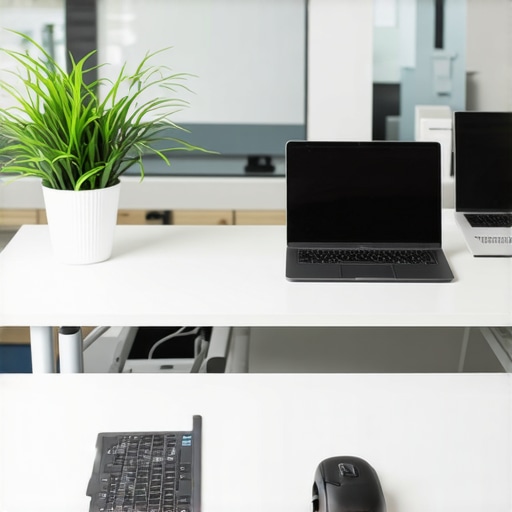
Do not let a moving company randomly drop boxes in the center of your new main room. You need a detailed, physical blueprint of where every single desk, chair, and whiteboard goes before the truck even arrives. I learned this lesson the hard way when we realized our development team was placed directly next to the sales team’s desks. The constant cold-calling noise completely destroyed the developers’ focus for a week until we could physically rearrange the heavy furniture again. When designing your layout, prioritize quiet zones for deep work and open areas for collaboration. If you find yourself in a flexible workspace environment, understanding the exact desk location that boosted my productivity by 40 percent can help you position your key team members in spots that naturally maximize their daily output.
Arrange Meeting Spaces That Drive Real Collaboration
Collaborative zones should not be an afterthought. Whether you are setting up your own private conference table or utilizing shared building resources, you must optimize these spaces for high-stakes work. To prevent administrative chaos, teach your team the two-pizza rule for booking the right-size meeting room to stop two people from hogging a twelve-person boardroom. Ensure your new meeting rooms are equipped with compatible hardware adapters, clear whiteboards, and high-quality lighting so that you can jump straight into creative brainstorms without spending the first fifteen minutes of every meeting troubleshooting wires. Keep the physical layout of your collaborative zones open and dynamic to foster spontaneous, organic communication among your team.
The Great Conference Room Delusion That Costs Startups Thousands
Everyone tells you to reserve the largest, most impressive boardroom you can find to impress investors, but in my experience, massive meeting spaces actually kill deals. When you host an intimate, high-stakes pitch in a room built for thirty people, the physical emptiness translates into psychological distance. It makes your young team look small and desperate. Instead of chasing square footage, smart founders realize that choosing smaller, highly optimized spaces is the key to creating a high-energy environment. If you want to build momentum during critical pitches, you need to master startup success secrets: choosing the perfect conference room at 08:17 AM to set the tone before the day’s chaos begins.
The real trap to avoid is what I call the ‘AV Assumption.’ Founders assume that because a space is modern, the screens and microphones will seamlessly connect with their devices. They don’t. In fact, a study by the Enterprise UX Association revealed that up to 15% of meeting time in collaborative workspaces is completely wasted due to technical troubleshooting. I have personally sat through agonizing minutes of silence while a key investor watched our engineer restart a laptop three times. You must actively prevent this. Learn how to navigate the problem with bring your own device in shared meeting rooms so your team can present flawlessly without a single awkward technical delay.

Why does your team feel completely exhausted after a short brainstorming session?
Most leaders blame screen fatigue or the time of day, but the actual culprit is often poor physical spatial planning. If you are crammed into a windowless box with a low ceiling and bad airflow, your cognitive performance drops dramatically within forty-five minutes. There is a fascinating cognitive link between physical environments and strategic thinking; specifically, why a high-ceiling office actually changes how you think explains how vertical space physically unlocks creative problem-solving and reduces conversational fatigue. Do not let your team’s best ideas die in a stuffy, uninspired closet. If you are struggling to keep energy levels up during long sessions, it is time to reassess your physical environment. Have you ever fallen into this trap and watched a team brainstorm turn into a collective nap? Let me know in the comments below.
My Personal Toolkit for Keeping the Workspace Running Without Friction
Once you survive the physical move, the real challenge begins: maintaining that momentum. I used to spend my Monday mornings resetting routers, hunting down missing HDMI cables, and playing IT support instead of building our product. To stop this madness, I implemented a strict ‘no-friction’ rule powered by a few highly specific tools. First, we completely banished physical cable clutter by mounting heavy-duty Velcro strips underneath every single desk. Every charger, power brick, and adapter is physically strapped to the desk frame. If you want to maintain focus in your daily setup, look into the proper way to share a desk with a part-time co-founder so you don’t spend valuable mornings untangling cords.
For software, we bypassed complex network-sharing tools and standard virtualization delays by using native local development environments. My engineering team specifically swears by local virtualization software to test cross-platform configurations. In our experience, learning how Parallels Desktop saved our dev team from the two laptop shuffle allowed our Mac-based developers to instantly run local Windows-only microservices without carrying extra hardware. Additionally, we use a physical stream deck mounted to our main conference table to control the lighting, launch Zoom, and share screens with a single tap. This completely eliminates the awkward client-facing delay of searching for settings menus.
How do I maintain peak environmental performance over time?
The secret to keeping a workspace optimized is to treat it like a software product that requires constant patching. Every Friday at 4:00 PM, we run a mandatory ten-minute environment audit. We check the Wi-Fi speed, verify that all meeting room adapters are present, and reset our shared boards. If you are operating in a shared space, physical environment planning is critical to preventing friction. I always recommend that teams design spaces that encourage spontaneous learning, which is why understanding why small talk at the printer is the most valuable part of your day is so essential for maintaining organic cultural health over the long term.
Looking ahead, the future of work isn’t fully remote, nor is it a return to boring corporate cubicles. I predict that the next five years will bring highly modular, smart-sensored micro-offices that automatically adjust lighting, acoustics, and air quality based on the biometric stress levels of the occupants. For now, you can achieve a similar edge manually. My challenge to you is simple: do not wait for next week’s chaos. Walk into your primary meeting space right now, check the physical input adapters, and verify that your team has a clear, physical surface for visual brainstorming. If they don’t, set up a dedicated workspace today.
Looking back at our first office transition, the mistakes we made were incredibly painful but equally educational. Relocating a business isn’t just about hauling physical cardboard boxes from one zip code to another. It is about maintaining operational continuity, preserving your team’s focus, and setting up a brand-new space that physically encourages your business to grow.
The Hardest Lesson I Learned About Moving My Startup’s Core Team
When you are in the thick of a move, it is tempting to focus solely on the physical logistics of moving desks. However, the biggest point of failure is always cultural alignment and deep-work protection. Here are the hard-won truths I learned after surviving the chaos:
- Operational crossover is a myth: Do not assume your team can code or sell while movers are actively carrying desks out of the room. Plan for a complete, clean break, or transition in waves during off-peak hours.
- Your culture will shift in the new environment: The physical layout of your new space dictating how your team talks to one another. If you move into a setup without designated quiet areas, prepare for a drop in deep-focus productivity. To counter this, identify why quiet zones are the most important part of any workspace before you assign desk layouts.
- Keep a handle on team scaling plans: Never design a space for the exact number of employees you have today. If you are growing quickly, you must strategically plan for the move to upgrade your membership as your team hits ten people so you do not outgrow your expensive layout within a single quarter.
My Practical Toolkit for Managing Spatial Transitions
You do not need an enterprise budget to keep your team organized during a transition. These are the exact tools and strategies I rely on to eliminate logistical friction:
- Scale Mockups: We use simple digital floor planners to map out team seating arrangements before a single computer is packed. This prevents awkward bottlenecks and ensures our core collaborative departments are placed together.
- Local Virtualization Environments: To make sure our development pipeline didn’t stall when the physical office servers were in transit, we migrated our local workflows. Utilizing native development systems on individual machines is incredibly helpful, and knowing how Parallels Desktop saved our dev team from the two laptop shuffle proved to be a lifesaver for running dual-environment setups seamlessly.
- Frictionless Power Solutions: Under-desk cable trays and physical cord wraps are non-negotiable. If your team hot-desks or shares spaces, keeping cables organized prevents valuable hours from being wasted on daily setup. For shared partner desks, we established clear guidelines by implementing the proper way to share a desk with a part-time co-founder to keep our workspaces clean and organized.
Step Into Your Next Growth Phase with Absolute Confidence
An office relocation should mark the beginning of a thrilling new chapter for your company, not a week of lost revenue and high stress. By taking control of your digital infrastructure, mapping your physical layout to match human behavior, and protecting your team’s collaborative energy, you turn a chaotic move into a highly calculated strategic victory. The effort you put into planning today will pay massive dividends the moment your team sits down at their new desks on Monday morning, ready to build something incredible.
Have you ever survived an office relocation that turned into a complete logistical circus, or are you currently planning your first major move and feeling the pressure? Let me know your biggest challenges in the comments below!