
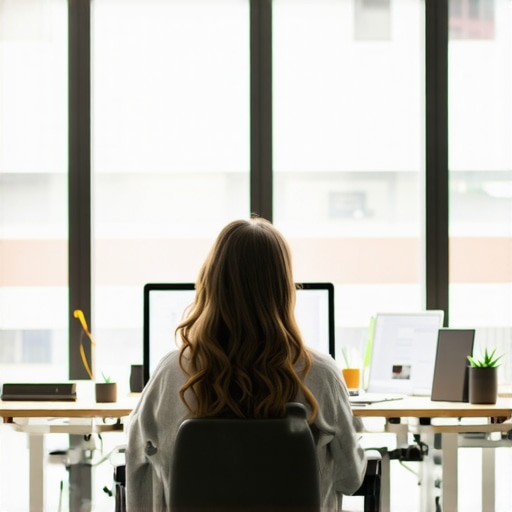
Starting a video call in a busy coworking hub, only to be overwhelmed by poor lighting that makes me look like I just rolled out of bed or a ghost lurking in the shadows, was a wake-up call. I realized that without the right lighting, even the most important client pitches or team syncs can suffer. It’s frustrating, distracting, and honestly, a bit embarrassing. Have you ever found yourself in that situation?
Why Good Lighting Can Make or Break Your Virtual Presence
In my experience, sharing a workspace is a double-edged sword. You get vibrant energy and endless inspiration, but also unpredictable lighting conditions that make your face hard to see or look unprofessional. The truth is, your camera captures what the light reveals—so bad lighting equals bad impressions. Studies show that poor lighting can reduce perceived credibility and trustworthiness during virtual meetings, which is crucial in a startup environment where first impressions matter.
Early on, I made the mistake of relying solely on natural light, hoping it would fix everything. Spoiler: it doesn’t. The limited mood swings of daylight and unpredictable shadows only added to my confusion. That’s when I discovered that a well-lit space isn’t just about having a fancy ring light; it’s about understanding the environment, choosing the right equipment, and positioning yourself wisely. Ready to stop looking like a shadow and start shining in your calls?
Is Overdoing It with Lights Actually Worth the Hype?
At first, I questioned whether investing in new lighting gear was necessary, especially in a workspace where many overlook proper illumination. My early attempts involved cheap clip-on lights that flickered more than they lit. I thought, “Does this really matter?” As it turns out, yes. Proper lighting contributes directly to your clarity and confidence during calls. I learned this the hard way—mistakenly believing that natural light alone would suffice, only to realize that a strategic setup makes all the difference. If you’re unsure whether to jump into fancy lighting solutions, remember that even small adjustments can dramatically improve how you appear on screen.
Now, with a few simple tweaks and the right gear, I can confidently step into any coworking space or conference room knowing I look professional and prepared. This change didn’t just boost my confidence; it elevated my entire virtual presence. And, trust me, if I can do it, so can you.
Let’s dive into the practical steps to master your lighting and leave those shadowy shadows behind.
Positioning Your Lights for Impact
Think of your lighting setup as the stage lighting for a play. You want to illuminate your face evenly, avoiding harsh shadows that can create a spooky effect or uneven brightness that distracts viewers. Place your light source slightly above and in front of you—similar to how a director lights an actor—so the light hits your face directly, reducing shadows. I once adjusted my desk lamp to face directly into my webcam, and the difference was night and day—the clarity of my face improved dramatically, and colleagues commented on how professional I looked.
Choosing the Right Equipment
While a fancy ring light might seem like a must-have, start with simple solutions. Use a soft, diffuse light—like a desk lamp with a lampshade or a ceiling light that offers gentle illumination. If you’re upgrading, look for adjustable LED panels that let you control brightness and color temperature. I invested $50 in a small LED panel and found it versatile enough to suit different coworking environments, whether I was in a dim corner or under brighter lights. Remember, the goal isn’t blinding brightness but balanced illumination.
Controlling Natural Light in Varied Settings
Natural light is a double-edged sword—it can look fantastic but is unpredictable. When working in open coworking spaces, get familiar with the natural light patterns—are the windows facing the sun during your meeting time? Use curtains or blinds to soften or block out harsh sunlight. I keep a blackout curtain handy for days when the sunlight becomes disruptive, especially during afternoon calls. Using window coverings is akin to controlling a spotlight—you direct light where you want it, not where it uncontrollably falls.
Experimenting and Fine-Tuning
Don’t be afraid to tweak your setup. Small adjustments—like angling your lamp differently or adjusting your computer’s screen brightness—can vastly improve your appearance. During a critical pitch, I experimented with different angles until I achieved a natural, professional look. Take notes of what works best in your coworking environment, because each space has unique lighting challenges. Think of it as calibration—getting your setup just right for the best virtual impression.
Leveraging the Right Placement in Shared Spaces
In bustling coworking hubs, positioning yourself strategically is key. Sit facing a window if natural light is your ally, or position your light source so that ambient noise and side glare are minimized. I once tried to set up near a window but faced too much glare; moving to a corner with softer overhead lighting ended up giving me a crisp, clear look. Visualize your space as a stage—where you stand and how you face the light matters more than you’d think.
Want to explore more about making your coworking environment work for your startup? Check out how to maximize productivity in your conference rooms by visiting this guide or discover the best spaces designed for innovation at these upcoming meeting rooms. Ensuring your lighting setup is optimal turns your coworking space into your virtual stage, ready for any professional appearance.Even seasoned founders often buy into misconceptions about coworking and conference rooms that can hinder their growth. The common wisdom suggests that any meeting space with good Wi-Fi and a whiteboard will do, but in reality, many overlook the subtle nuances that impact your startup’s professionalism and productivity. For instance, many assume that larger rooms automatically foster better collaboration, but studies show that smaller, well-designed spaces promote more effective teamwork and innovation. In fact, choosing the wrong type of meeting room can stifle creativity and cause unnecessary frustration.
Are Your Meeting Rooms Truly Optimized for High-Impact Discussions?
Research indicates that physical environment significantly influences decision-making and team dynamics. According to a study by Harvard Business School, well-lit, acoustically sound spaces improve cognitive function and reduce fatigue during intensive brainstorming sessions. Yet, startups frequently neglect these factors, leading to sessions that leave participants disengaged or overwhelmed. A common trap is ignoring the importance of acoustics—poor soundproofing causes distractions and hampers communication, especially in shared coworking spaces where noise levels fluctuate unpredictably. Next time you book a conference room, consider not just its capacity or amenities, but also how its environment supports your goals.
Many entrepreneurs underestimate how the design and location of their meeting spaces influence not just productivity but also their company’s image. A professional, thoughtfully curated conference room can impress investors and clients more than you think. Conversely, a cluttered or outdated setting might send the wrong message about your startup’s credibility. According to industry experts, 75% of meeting attendees judge a company’s professionalism based on its physical workspace, making this an essential aspect of your branding. For tailored guidance, check out this guide.
Another often-overlooked area is the technology setup within the room. While many focus on high-end projectors or microphones, the real differentiator is reliable internet connectivity and seamless integration of conferencing tools. A glitchy connection or outdated equipment can derail important discussions, so investing in modern, robust tech is wise. This is especially relevant as hybrid meetings become the norm—ensuring everyone appears professional and engaged, regardless of location, hinges on a well-equipped environment. For more insights, explore these tips.
Finally, consider the mindset behind your meeting space choices. Many startups default to generic conference rooms without considering how layout and ambiance influence creativity and decision-making. Ergonomics, natural light, and even color schemes can have a subconscious impact on participants’ mood and productivity. Research from the University of Toronto shows that environments rich in natural light enhance focus and overall satisfaction. Make deliberate adjustments to your spaces to foster innovation—something many overlook until it becomes a problem. Remember, the space you choose is more than just a backdrop; it’s a strategic asset that can propel your startup forward. Want to learn more about transforming your coworking environment? Visit this article for inspiration.
Have you ever fallen into this trap? Let me know in the comments.Maintaining efficiency in coworking spaces and conference rooms relies heavily on the right set of tools and consistent routines. As a founder or manager, investing in specific hardware and software can drastically reduce disruptions and elevate your professional image. I personally swear by using a high-quality, adjustable LED panel like the Neewer RL-12 because its flexibility allows me to quickly adapt to different lighting conditions in varied spaces, eliminating shadows and glare that can distract during critical calls. Additionally, a reliable, easy-to-use microphone, such as the Sennheiser XSW-D, ensures crystal-clear audio, preventing misunderstandings and making virtual meetings more productive. Combining this with a robust video conferencing platform like Zoom, which I use to effortlessly schedule, record, and monitor meetings, streamlines collaboration across my team. Regularly updating firmware and software ensures security and compatibility, so I schedule bi-monthly checks to keep everything running smoothly. These small but consistent maintenance routines prevent tech failures during high-stakes discussions and save valuable time. Looking ahead, the integration of AI-driven tools like voice and speech analytics will further enhance our ability to assess and improve meeting efficiency — I recommend trying out AI transcription services now to automatically capture and analyze your discussions for better follow-ups. To keep tools performing optimally over time, establish a routine: test hardware monthly, update software quarterly, and gather team feedback to identify pain points early. Want to delve deeper into setting up your conference room for long-term reliability? Check out this guide for expert tips. Sometimes, a simple change, like investing in a new microphone or scheduling routine checks, can make a significant difference. So, why not start today by testing your current audio setup and upgrading as needed? It’s a small step that yields big returns in professionalism and productivity.
Lessons Learned From Shadows and Glare
One of my biggest lightbulb moments was realizing that no matter how advanced your camera is, poor lighting can undermine your professionalism. I used to believe natural light was enough, but I learned that intentional placement and quality lighting make a real difference—especially in dynamic coworking environments where natural light fluctuates unpredictably.
Another tough lesson was the importance of simplicity. I spent hundreds on pricey gear, only to discover that even affordable, well-positioned LED panels could elevate my virtual presence dramatically. Overcomplicating your setup wastes time and money—sometimes, straightforward solutions are best.
The realization that environment shapes perception extends beyond lighting. I found that controlling natural light with curtains and being mindful of your position relative to windows can turn a messy background into a professional backdrop. It’s the small adjustments that build confidence in your virtual image and, consequently, your startup’s credibility.
My Toolkit for a Bright Future
I swear by tools that offer flexibility and reliability. The Neewer RL-12 LED panel, for example, provides adjustable brightness and color temperature, helping me adapt to different coworking spaces. For sound clarity, my Sennheiser XSW-D microphone is a game-changer, making sure every word counts during pivotal pitches.
Mastering your tech setup isn’t a one-time effort—regular software updates, firmware checks, and gathering feedback keeps performance sharp. Exploring AI-powered transcription tools like this helps me analyze meetings for continuous improvement, turning every call into a growth opportunity.
Take Action and Shine Bright
Remember, a well-lit, thoughtfully arranged coworking space can elevate your startup’s image and your confidence during crucial meetings. Small tweaks—like adjusting your desk lamp or experimenting with natural light—deliver big results. The key is consistency: make lighting a routine part of your virtual preparation.
What’s one lighting adjustment you’re excited to try in your coworking setup? Share your thoughts—let’s shed some light on your success!