
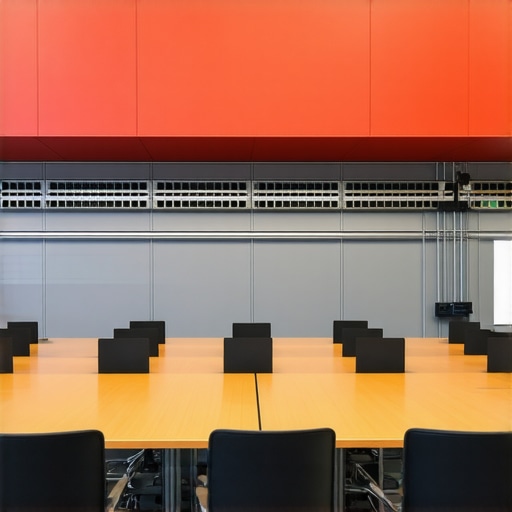
I remember the first time I walked into a supposedly state-of-the-art meeting room, ready to impress a potential investor. The moment I clicked to share my screen, the dreaded spinning wheel appeared. Frustration washed over me. It was a simple pitch, yet poor connectivity turned it into a nightmare. That experience was a lightbulb moment—spotting the right meeting space isn’t just about aesthetics or location. It’s about ensuring your technology works seamlessly.
Why Picking the Right Meeting Room Can Make or Break Your Startup’s Success
In the fast-paced world of startups, every second counts. Whether you’re pitching to investors, collaborating with your team, or trying to close a deal, the quality of your meeting space can have a tangible impact on your outcomes. Poor internet connectivity isn’t just an annoyance; it can derail your presentations, cause embarrassing delays, and even damage your credibility. I’ve learned this through personal experience and by watching countless founders stumble over something that should have been straightforward.
So, how do you make sure your meeting room isn’t the one holding you back? Today, we’re diving into the essentials of vetting conference rooms for high-speed connectivity. My goal is to equip you with practical, actionable tips, so the next time you walk into a space, you’ll know exactly what to check—because trust me, the stakes are higher than you think.
Is Spending Time Here Actually Worth It When It Comes to Connectivity?
Early on, I made the mistake of assuming that a fancy space with the latest gadgets automatically meant fast internet. Spoiler: it doesn’t. I once booked a gorgeous co-working space for a critical team meeting, only to find the Wi-Fi was slow and unreliable. Not only did it frustrate everyone, but it also forced us to delay our presentation. That was a costly lesson. It made me realize that assessing connectivity quality should be a top priority.
According to industry studies, nearly 60% of remote or hybrid teams cite internet instability as a primary obstacle in virtual collaborations. Recognizing this, I’ve come to treat connectivity as a non-negotiable item when vetting spaces. Whether it’s for a quick huddle or a major pitch, ensuring your meeting space has robust, fast, and reliable internet—ideally with a wired option—is essential.
In the next sections, I’ll walk you through the key questions to ask and the signals to look for, so you can confidently choose spaces that support your tech needs. Because, let’s face it—no matter how innovative your ideas are, they’re not going anywhere if your connection drops at the worst moment. Ready to prevent that? Let’s dive deeper.
Conduct a Hands-On Internet Test Beforehand
Imagine walking into your chosen meeting space, laptop in hand, ready to verify the internet speed yourself. This step is crucial—don’t rely solely on the host’s assurances or signage. Connect to the Wi-Fi, run a speed test, and note the latency and download speeds. During my own startup pitch last year, I arrived early and tested the connection; I discovered a 20 Mbps download speed with high latency. This quick check saved the presentation from potential lag or drops, ensuring a smooth delivery.
Check Both Wireless and Wired Options
Wireless connections are convenient but often unreliable in shared spaces. Always request a wired Ethernet connection as backup—it’s like having a private lane instead of a crowded highway. In one instance, I arrived at a coworking hub expecting quick Wi-Fi but found it sluggish during a time-sensitive demo. Using the Ethernet port I asked the staff to set up, I maintained a stable connection that impressively handled our video stream without hiccups. Confirming both options prevents surprises.
Identify Signal Interference and Dead Zones
Just as a radio can be drowned out by static, Wi-Fi signals can falter due to interference. Ask if there are known dead spots—areas with weak signals—especially near presentation screens or whiteboards. During my visit to a sleek conference room, I noticed the corner behind the projector had no signal. I repositioned my device and used an extender, ensuring my screen sharing was seamless. Recognizing potential interference points early keeps your meeting on track.
Assess Connectivity During Peak Hours
Connectivity can vary depending on the time of day. An empty space might provide great speeds early morning but falter during peak hours. If possible, visit during the time your meeting is scheduled or ask the staff about peak usage times. I once scheduled a critical client call in a popular coworking space at noon; upon arrival, the internet was overloaded. Planning around such peaks is vital to avoid disruptions.
Confirm Technical Support and Contingency Plans
Even when you’ve done your due diligence, issues can occur. Ensure there’s on-site technical support or easy access to help. Bring your own hot-spot or portable Wi-Fi device as a backup. During a remote investor call, the venue’s Wi-Fi suddenly dropped; quick access to my mobile hotspot salvaged the call. Having these contingency plans is essential, especially when high-stakes meetings depend on flawless connectivity.
Integrate Continuous Monitoring for Large Meetings
For bigger teams or long sessions, consider using network monitoring tools that track connection stability throughout the meeting. This proactive approach alerts you to issues before they escalate. During a recent team strategy session, I used a simple app to monitor bandwidth, catching a slowdown early and switching to a backup network. This vigilance kept our workflow smooth and demonstrated professionalism.
Leverage Technology to Maximize Connectivity Reliability
Utilize devices like signal boosters or mesh Wi-Fi systems to enhance coverage. Also, inquire if the space has dedicated bandwidth for meetings or high-priority users. Upgrading or supplementing existing setups can turn a marginal connection into a powerhouse, ensuring your startup’s ideas get the bandwidth they deserve.
Many entrepreneurs assume that choosing a conference room or coworking space is a straightforward task—just pick a clean, well-located place with good furniture. However, the reality is far more nuanced. A common misconception is that the most expensive or trendy spaces automatically guarantee better productivity or professionalism. In my experience, this isn’t always the case. Overpaying for a flashy setup without considering the room’s technical compatibility or vibe can hinder performance and waste resources.
Another trap many fall into is underestimating the impact of room acoustics and ambient conditions on effective communication. Poor soundproofing and background noise can lead to misunderstandings and frustration, especially during critical pitches or negotiations. Failing to assess these details beforehand can turn what seemed like an ideal location into a distraction minefield.
Let’s address a more advanced question: How can startups optimize meeting room selection beyond surface features to genuinely boost innovation? The key lies in understanding that the environment plays a crucial role in shaping mindset. Spaces that encourage spontaneous interaction, flexible configurations, and privacy for deep work foster creativity more than rigid, traditional setups. According to a study by Harvard Business Review, environments that support varied work modes lead to higher engagement and better problem-solving.
Beware of the misconception that a space’s aesthetics are all that matter. Practical considerations like reliable high-speed connectivity, adaptable layout options, and psychological comfort often outweigh superficial design. For example, innovative meeting rooms that integrate flexibility and inspiring elements significantly enhance team collaboration.
Furthermore, many underestimate the importance of privacy and territoriality within coworking environments. Even in shared spaces, defining zones for confidential discussions can preserve focus and professionalism. Overlooking this nuance can lead to unintentional overlaps and breaches of confidentiality.
Finally, a hidden aspect that often goes unnoticed is the influence of room scent, lighting, and ergonomics on team morale. Small adjustments in these areas can create a sense of comfort and control, boosting overall productivity. The idea is not just to find a space that checks boxes on features but to curate an environment conducive to your startup’s unique culture.
In summary, avoid the trap of choosing meeting rooms based solely on superficial qualities. Instead, dig deeper into how the space functions, supports your team’s dynamics, and fosters innovation. This awareness makes all the difference between a space that merely looks good and one that truly propels your startup forward.
Have you ever fallen into this trap? Let me know in the comments.Maintaining reliable technology in your startup’s meeting spaces is crucial for seamless collaboration and professional presentations. One tool I personally rely on is the [PingPlotter](https://www.pingplotter.com/), which visualizes your network performance over time, allowing me to identify fluctuations before important calls. I set up automated weekly checks on our primary conference room network; this proactive approach ensures that any issues are caught early, minimizing disruptions. Additionally, I deploy a dedicated network segment for meeting spaces, isolating critical collaboration tools from general internet traffic, which significantly improves stability. In terms of hardware, I recommend investing in a high-quality, enterprise-grade router like the Cisco RV series, providing robust coverage and failover options, especially in larger coworking environments. Combining these tools with a strict maintenance schedule—regular firmware updates, testing backup internet sources, and physical inspections—keeps our meeting rooms consistently operational. The future trend points towards AI-powered network management, where software can predict and automatically resolve potential connectivity problems before they impact your meetings, as highlighted in recent [industry reports](https://coworkingcentral.com/coworking-spaces-unlock-innovation-top-meeting-rooms-of-2025-at-1123-am). To get ahead, I suggest implementing an automated network monitoring system today, then schedule monthly audits to review performance logs. This disciplined approach not only safeguards your tech but also boosts confidence in your conferencing capabilities, essential for startup credibility.
The Hidden Lessons that Turned My Space Snags into Wins
One of the most surprising insights I gained was that a room’s technical setup often trumps its aesthetics. Investing time in testing internet speeds and backup options taught me that proactive measures can prevent costly interruptions.
Timing matters more than I anticipated. Visiting a space during peak hours revealed connectivity issues I wouldn’t have noticed otherwise. Now, I always verify the environment during the actual meeting timeframe.
The importance of environment psychology struck me deeply. Choosing spaces that foster creativity, comfort, and privacy went beyond mere convenience—it’s about cultivating an innovative mindset.
Finally, I learned that a little technical foresight goes a long way. Having tools like portable Wi-Fi hotspots and network monitoring apps ensures your meeting isn’t derailed by unforeseen glitches, turning challenges into opportunities for leadership.