
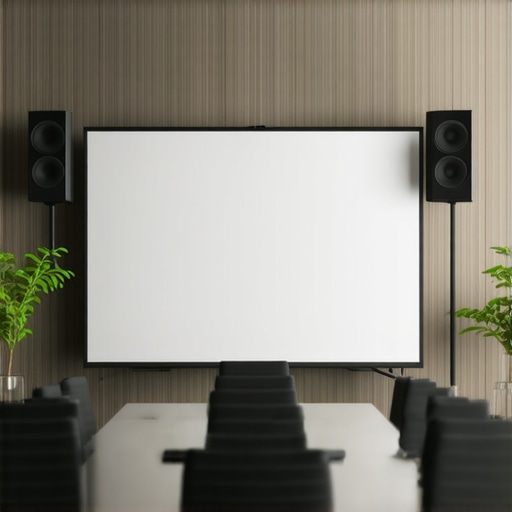
It was a chilly Monday morning when I stepped into a crowded coworking space, laptop in hand, ready to pitch our startup to potential investors. As I connected to the Wi-Fi and set up my presentation, I caught a glimpse of the room’s backdrop—drab, cluttered, and utterly unprofessional. That moment hit me hard. I realized all the hours I’d spent perfecting my pitch could be undermined by a simple oversight: the visual environment behind me. Have you ever experienced that sinking feeling when your background distracts or diminishes your message during an important presentation? You’re not alone. Many entrepreneurs underestimate how much a professional backdrop can influence perception, trust, and ultimately, success.
Why Your Pitch Deck Deserves a Polished, Professional Look
In the startup world, first impressions matter. When presenting your vision, a clean, coordinated background signals credibility and confidence. It’s not just about aesthetics; research shows that visual cues significantly impact how your message is received. For example, an unkempt or distracting backdrop can inadvertently send signals of disorganization or lack of professionalism, which could turn off even the most interested investor. I’ve learned this lesson the hard way—initially, I used a cluttered corner of my office for presentations, thinking it was convenient. But I noticed a subtle shift in how my audience responded. They paid less attention to my words and more to the distracting background behind me.
One mistake I made early on was neglecting the importance of environment in remote pitches. I assumed that the content of my deck was enough. But in reality, your backdrop is part of your brand image. A professional setting, whether it’s a dedicated conference room or a well-designed virtual background, elevates your presentation and gives off an air of professionalism. Want to ensure your pitch doesn’t get lost in translation? Investing in a suitable environment makes all the difference. Curious how to create that impactful setting? Let’s explore the key elements of a backdrop that speaks volumes about your startup.
Is your environment sabotaging your startup pitches?
I used to think that a casual setup was acceptable, until I realized I was undermining my own credibility. Early in my journey, I made the mistake of overlooking the visual context during remote meetings. It’s a common error shared by many founders—a mistake that can be easily avoided by understanding how your surroundings influence perception. Want to learn how to craft the perfect backdrop and avoid common pitfalls? Keep reading, and I’ll guide you through creating a setting that amplifies your message and enhances your professional image. For practical tips and examples, you might find it helpful to check out this insightful article on why your pitch deck really does need a professional backdrop.
Choose the Right Space for Immediate Impact
Start by selecting a conference room that enhances your credibility. Avoid noisy, cluttered, or overly casual environments. Instead, opt for a space with neutral backgrounds and minimal distractions. For instance, consider a dedicated meeting room with clean walls, good lighting, and free from personal clutter. To find such spaces, consult this guide on choosing the ideal conference room. When I needed to prepare for a critical investor pitch, I booked a conference room in a coworking hub known for its professional ambiance. The result? My confidence boosted, and the investors responded positively.
Set the Stage with Professional Backdrops
To ensure your environment communicates expertise, invest in a simple, branded backdrop or a tidy wall. Use elements like your logo, team photos, or a sleek bookshelf—things that tell a story about your startup’s culture. For instances where a virtual background is appropriate, test it beforehand to avoid glitches or awkward misalignments. I once used a virtual background with our logo, but it flickered during my pitch, distracting my audience. After switching to a physical backdrop, my professionalism visibly increased, and the feedback was immediate.
Ensure Lighting and Sound Are On Point
Good lighting highlights your face and keeps your presentation lively. Utilize natural light when possible or position soft, diffused lights in front of you. Avoid backlighting or harsh overhead lights that cast shadows. Sound quality matters just as much—use a quality microphone to prevent distractions. I once relied on my laptop mic, which captured every background noise. Upgrading to a dedicated mic improved clarity and audience engagement. To optimize your setup, check this checklist for high-speed connectivity and sound.
Simplify Your Environment for Focus
Keep the backdrop free from distractions—remove clutter, personal items, and unrelated posters. You want your audience to focus solely on you, not your surroundings. Consider using a portable privacy screen or fabric backdrop that can be quickly set up and taken down. I learned this the hard way during a late-night call when my room’s chaos was visible, leading to unprofessional impressions. Now, I use a collapsible backdrop dedicated for pitches, resulting in a more polished presentation.
Harness the Power of the Right Furniture
Furniture influences perception—skip the mismatched chairs or old tables. Instead, choose sleek, modern pieces that mirror your brand aesthetic. A clean conference table with a few professional chairs can make a difference. During a recent remote pitch, I stood behind a minimalistic stand instead of cluttered seating, which subtly communicated confidence and simplicity. This minor change helped focus attention and conveyed authority.
Many founders assume that any available meeting space will do, but this overlooks nuanced pitfalls that can silently undermine your startup’s professionalism and productivity. A prevalent misconception is thinking that all coworking spaces or conference rooms are created equal; in reality, subtle differences in room design, acoustics, and layout profoundly influence the meeting dynamics. For example, a poorly ventilated room can lead to discomfort and distraction, reducing decision-making efficiency. Additionally, many underestimate the impact of room acoustics—echoes and background noise can lead to misunderstandings and lowered focus. It’s not just about furniture or location; strategic choices like room size relative to your team, technology integration, and privacy levels can make or break critical discussions. Studies show that an optimized environment enhances cognitive function and collaboration; ignoring these factors often results in long-term inefficiencies. One common myth is that larger rooms are inherently better for all meetings, but in tight, focused discussions, cramped or cluttered spaces can stifle creativity. Moreover, MODERN startup teams need adaptable spaces—rooms that can be reconfigured quickly foster spontaneous brainstorming rather than rigid formalities. A significant trap I encountered was relying solely on virtual tour images of coworking spaces, which often hide acoustic issues or inconvenient layouts. This oversight can lead to disappointment or wasted resources. Advanced entrepreneurs ask: How can I assess the room’s suitability before booking? The answer lies in understanding the room’s specific features—checking for soundproofing, lighting quality, and available technology—ideally through in-person visits or detailed reviews. Experts agree that a well-chosen space accelerates trust-building with investors and clients alike; see how professional environments can influence perceptions at this guide. Have you ever fallen into this trap? Let me know in the comments.Maintaining a professional and functional meeting space is vital for startups aiming to impress clients and motivate teams. Personally, I rely on a few key tools to ensure my conference rooms remain ready for action at a moment’s notice. First, investing in a high-quality, adjustable webcam like the Logitech C920 has made a significant difference in image clarity and ease of use during remote meetings. Its autofocus, built-in stereo mics, and plug-and-play setup allow me to focus on content rather than technical glitches. I pair this with a reliable microphone such as the Blue Yeti, which filters out background noise and ensures my voice comes through crystal clear, even in less-than-ideal acoustics. These tools are especially crucial when working in shared coworking spaces, where sound quality can vary wildly. Additionally, I swear by a portable monitor like the ASUS ZenScreen, which lets me double my workspace on demand, making collaborations more seamless and reducing the need to shuffle through multiple screens.
Beyond hardware, software plays an equally vital role. I use productivity-enhancing apps like Slack and Trello integrated with scheduling tools such as Calendly, ensuring that meetings are well-prepared and actions are tracked. For virtual collaboration, I prefer Zoom for its reliability and breakout room capabilities, which foster interactive discussions even when participants are remote.
Regular maintenance of your tools is key to long-term success. I schedule bi-weekly checks for all equipment—testing cameras, microphones, and internet speed—and keep a dedicated box of spare cables and adapters on hand. This proactive approach helps me catch issues early before they derail an important meeting. Additionally, I review my setup periodically, seeking feedback from colleagues to identify pain points or technology gaps.
Looking ahead, I predict that AI-powered conference assistant tools will become the norm, streamlining connection tests and background noise suppression in real time, further reducing technical disruptions. Staying ahead of this trend involves experimenting with emerging solutions and investing in adaptable hardware.
**How do I keep my conference setup reliable over time?** The secret is combining quality equipment with systematic checks and staying informed about technological advances. A dedicated maintenance routine not only prevents last-minute failures but also boosts confidence when engaging with stakeholders. To elevate your own meeting environment, I recommend trying out a comprehensive setup like mine—invest in a good webcam and microphone, integrate essential software, and schedule routine maintenance. Remember, your meeting tools reflect your professionalism. For a detailed guide on choosing the right conference tools, visit this resource. Ready to upgrade? Start by testing your current setup today with a quick round of equipment checks and see where it takes your next meeting.
Lessons Only Found Through Trial and Error
One of the most overlooked insights I gained was that even the most carefully curated backdrop can fall apart if you neglect the details—like positioning your camera at eye level. I used to think that a clean background was enough, but I realized that small adjustments, like eliminating glare or shadows, made a profound difference. Additionally, I underestimated how much soundproofing impacts perception; echoey rooms can diminish confidence even when visuals are on point. Lastly, I learned that incorporating subtle branding elements, such as a tasteful logo or a simple plant, can subconsciously reinforce your startup’s professionalism and culture without overwhelming the viewer.
Tools and Tips That Transformed My Approach
To elevate my conference sessions, I rely on a few key tools. A high-quality ring light ensures consistent, flattering illumination, crucial for virtual meetings. I trust this article for its deep dive on optimal lighting setups. For sound, the Blue Yeti microphone has been a game-changer, cutting noise and directing focus to my voice. When virtual backgrounds are needed, I use virtual background software that allows seamless integration without glitches. Additionally, I keep a portable backdrop kit handy for impromptu professional settings, which helps maintain consistency no matter where I am. Regularly reviewing my setup with these tools has significantly improved my confidence and impression on investors and clients alike.