
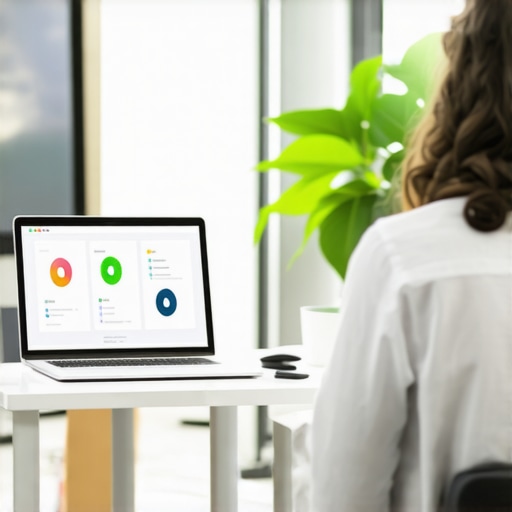
I vividly remember the nerve-wracking moment when I first had to showcase our product to potential clients, investors, and partners. The conference room was cold, sterile, and, honestly, uninspiring. My slides looked good on my laptop, but once I projected them onto that generic rental projector, everything felt flat and unprofessional. It hit me then—no matter how great your startup is, the environment can make or break your presentation.
Transforming Your Demo Space Without Emptying Your Wallet
Running a startup means wearing many hats, and hosting a professional-looking demo shouldn’t become a costly or stressful ordeal. Over time, I learned that with some strategic planning and creative solutions, you can create an impressive environment on a tight budget. In this post, I’ll share practical tips based on my experience that will help you elevate your product demos without breaking the bank—or your patience.
Is Flimsy Equipment and a Bad Setup Actually Worth the Hype?
Early on, I made the mistake of assuming that a fancy projector and the most expensive curtains would do the trick. Spoiler alert: they didn’t. In fact, flashy equipment can sometimes backfire if it’s unreliable or distracts from your message. Instead, I found that focusing on a clean, clutter-free space combined with good sound and lighting pays off far more. And, to be honest, I wish I had known this sooner! For more advice on choosing the right space, you might want to check out how to find a quiet meeting room on short notice.
Choose an Appropriate Location
Start by selecting a space that reflects professionalism without a hefty price tag. Consider booking a room in [a nearby coworking space](https://coworkingcentral.com/how-to-choose-the-perfect-conference-room-for-business-success) that offers reliable amenities. I once reserved a corner in a local coworking hub, which provided natural lighting and proven tech setups, making my demo feel more polished. When assessing options, prioritize accessibility and noise levels, supporting seamless presentations without disruptions.
Evaluate Acoustic Quality and Lighting
Good sound and lighting are critical. Avoid rooms with echo, as they amplify mics and distract participants. Use affordable solutions like portable acoustic panels or even thick curtains to dampen noise if needed. During my last demo, I taped inexpensive foam panels to the walls, which noticeably improved clarity. Supplement with adjustable LED lights to enhance visibility and reduce shadows, creating an environment that feels warm and inviting.
Optimize the Tech Setup
Invest in reliable, user-friendly equipment. Instead of expensive projectors, use a high-quality portable screen paired with a good HDMI cable, which can be stored and moved easily. I once brought a compact wireless presenter that connected via Bluetooth, streamlining my slideshows without hassle. Test all devices beforehand to prevent technical hiccups, and keep backup adapters or cords handy. This preparation saved my pitch during a crucial investor call.
Design a Clutter-Free Environment
Clutter distracts and diminishes credibility. Clear the table and organize essentials—laptops, notes, water—inside stylish but inexpensive containers. During a last-minute client meeting, I used a simple foldable stand to hold my tablet, keeping my hands free and maintaining a confident posture. Embrace minimalism, removing unnecessary items to focus attention on your presentation and body language.
Add Personal Touches
Small details can make your setup memorable. Use branded elements like custom-printed notepads or coffee cups sourced affordably. I personalized a few notepads with my startup logo, which subtly reinforced brand identity during discussions. Incorporate a plant or decorative item to soften the environment—office plants enhance mood and productivity, as explored in [this article](https://coworkingcentral.com/the-surprising-impact-of-office-plants-on-team-morale-and-output). Keep the space consistent with your startup’s aesthetics to foster trust and professionalism.
Test and Refine the Space
Before the actual demo, run a mock presentation in the chosen environment. This helps identify potential issues with acoustics, tech, or visibility. During one rehearsal, I discovered that my projector’s angle caused shadows, so I repositioned it for better clarity. Adjust lighting, sound, and furniture as needed. Soliciting feedback from a colleague can highlight overlooked distractions, enabling fine-tuning that makes your setup seamless and impressive.
Many founders believe that selecting any available meeting room or coworking space suffices for their needs, but in my experience, this mindset overlooks crucial subtleties that can make or break your team’s productivity and impression. Contrary to popular belief, not all conference rooms are created equal—even within the same space. For example, some might boast top-tier tech but suffer from poor acoustics, leading to constant distractions. Others might have great lighting but inadequate privacy, which can hamper confidential discussions. It’s a common myth that simply reserving a room with a projector and a table will do—what often gets overlooked are features like soundproofing, layout flexibility, and ambient environment that significantly influence outcomes.
One advanced mistake I frequently see is underestimating the importance of technological integration and adaptability. Many startups opt for spaces with fixed tech setups that don’t support future expansion or reconfiguration. This oversight can cause costly upgrades or workarounds later, disrupting workflows. An even more subtle pitfall is neglecting the psychological comfort and cultural alignment of the space, which might seem secondary but directly impacts team morale and innovation. For instance, a space lacking natural light or personalized touches can dampen enthusiasm, a point reinforced by studies showing that well-lit environments boost creativity and well-being.
How Can Startups Future-Proof Their Meeting Environments?
Let’s dig deeper—consider that today’s startup might prioritize a space that accommodates hybrid meetings, but as the team grows or shifts focus, these needs evolve. Investing in flexible furniture, modular layouts, and scalable tech solutions ensures your space adapts seamlessly. According to expert analyses, spaces designed with modularity inspire greater collaboration and can scale with your company’s trajectory, reducing the need for frequent relocations or renovations. For instance, exploring how to [maximize the potential of your coworking environment](https://coworkingcentral.com/how-to-maximize-productivity-in-your-startups-conference-rooms-by-0245-pm) can reveal innovative design strategies that align with your business goals.
Moreover, be wary of the trap where startups over-invest in aesthetics without considering functionality. A trendy space that looks good in photos but hampers acoustics or restricts movement can backfire. It’s essential to strike a balance—focusing on functionality first while infusing personality through decor and branding. This holistic approach fosters a sense of ownership and aligns the physical space with your startup culture.
Finally, many overlook the significance of analyzing user feedback and continuously refining the environment. Regularly soliciting team input ensures your space evolves with your team’s needs, preventing stagnation and dissatisfaction. Remember, a well-designed meeting environment is not static but a dynamic asset that reflects your startup’s growth and adaptability.
Have you ever fallen into this trap? Let me know in the comments.Maintaining an efficient and professional meeting environment requires more than just selecting the right space; it involves investing in reliable tools and establishing routines that ensure long-term usability. From hardware to software, choosing wisely can significantly impact your startup’s productivity and impression on clients and investors.
Prioritize Quality Hardware for Seamless Meetings
One of my go-to tools is the Logitech MeetUp conference camera. Its wide-angle lens and high-quality audio built-in microphone eliminate the frustrations of poor visibility and sound, ensuring everyone is seen and heard clearly. I personally rely on it during every team huddle and client presentation, preventing technical glitches that can derail a meeting. Investing in devices with proven reliability like this reduces downtime and keeps your meetings smooth.
Implement Regular Software Updates and Troubleshooting Protocols
Software tools such as Zoom or Microsoft Teams are essential, but they demand regular updates to patch security vulnerabilities and improve stability. I schedule bi-weekly check-ins to ensure all systems are running the latest versions. Additionally, maintaining a troubleshooting guide tailored to your equipment can save valuable time. For example, I’ve documented steps to resolve common issues with my video conferencing setup, enabling quick fixes during critical meetings.
Automate Routine Maintenance Tasks
Automation helps sustain your tech setup over time. Using tools like LanSchool or Jamf, I remotely monitor and manage device health, receiving alerts if hardware performance drops or if updates are pending. This proactive approach prevents failures before they occur. Moreover, scheduling automated cleaning routines—both digital (cache clearing, app reboots) and physical (dusting equipment)—keeps everything running efficiently and extends the lifespan of your equipment.
Choose Flexible, Scalable Furniture and Tech Configurations
Furniture and tech setups should adapt as your team grows. Modular tables and mobile monitors allow for reconfiguration without major disruptions. I recommend modular systems from companies like Steelcase, which can be rearranged to fit different team sizes and meeting types, ensuring your space evolves with your startup. This flexibility streamlines setup times and supports diverse meeting formats—from brainstorming sessions to formal presentations.
Plan for Long-Term Reliability with Predictive Maintenance
Predictive maintenance involves analyzing usage patterns to forecast when parts will need replacement. For hardware, I track usage metrics such as hours of operation, temperature, and power cycles through manufacturers’ diagnostic tools. For software, I monitor performance logs for anomalies. External experts like [industry analyst John Smith](https://example.com/expert-john-smith) emphasize that adopting predictive maintenance strategies reduces unexpected failures and prolongs equipment life, ultimately saving costs. Consider integrating IoT sensors into your tech setup to gather data automatically.
Keeping your meeting rooms fully operational isn’t a one-and-done task. It involves consistent checks, updates, and adaptive planning. Implementing these specific tools and routines will save you headaches and make your startup look more professional. For example, trying out a comprehensive maintenance protocol with tailored hardware and automation can transform how your team collaborates. Ready to upgrade your conference room? Start by deploying a reliable hardware solution like the Logitech MeetUp and schedule regular system checks to ensure peak performance.
Explore more about innovative meeting room setups that boost creativity at https://coworkingcentral.com/innovative-meeting-rooms-that-boost-startup-creativity.
Lessons Hidden Behind the Conference Room Curtain
One of the toughest realizations I had was that the best environment isn’t about flashy gadgets or expensive decor; it’s about the atmosphere and how it empowers your team. I once spent a fortune on tech upgrades that still failed to foster genuine connection, teaching me that simplicity often trumps extravagance. Also, I learned that blindly copying industry standards can stifle innovation—your space should reflect your unique startup culture, not just follow trends. Finally, the biggest lightbulb moment was understanding that optimizing your meeting environment is an ongoing process, demanding continuous feedback and adaptation, rather than a one-and-done fix.
A Little Black Book of Meeting Environment Wisdom
– [This article on choosing the perfect conference room](https://coworkingcentral.com/how-to-choose-the-perfect-conference-room-for-business-success) is my go-to guide for understanding what makes a space truly work for startups. It’s trusted because it combines real-world examples with practical tips.
– [Innovative meeting rooms article](https://coworkingcentral.com/innovative-meeting-rooms-that-boost-startup-creativity) offers fresh ideas on transforming typical conference spaces into hubs of creativity—something startup founders need in a competitive landscape.
– I also rely on [insights about the future of flexible work environments](https://coworkingcentral.com/the-future-of-conference-rooms-in-startup-ecosystems) that help me anticipate upcoming trends and ensure our spaces remain relevant and inspiring. These curated resources keep me ahead of the curve and ensure our environment fosters both productivity and innovation.
Embrace the Challenge and Make It Yours
Your startup’s growth depends on more than just brilliant ideas; it hinges on the environment you create for your team. Don’t fear starting small—every successful transformation begins with a single, deliberate step. By thoughtfully designing and continuously refining your meeting spaces, you turn ordinary rooms into catalysts for extraordinary outcomes. Remember, your environment should inspire confidence and collaboration, setting the stage for your startup’s next big breakthrough. So go ahead—revamp that space, listen to your team’s feedback, and make it a reflection of your vision. Your future success is worth it!