
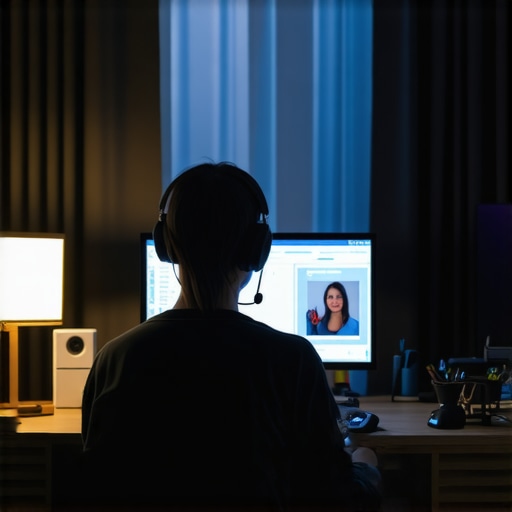
Imagine this: I’m sitting in a bustling coworking space, laptop open, ready to impress a potential client over Zoom. Suddenly, a coworker’s chair squeaks loudly, a phone rings in the background, and a noisy construction site seems to have moved right next door. My face heats up with frustration. That was me, more times than I can count. It hit me—I was no longer just working; I was fighting a daily battle against unpredictable noise that threatened to sabotage my professionalism.
Why Noise Is Your Biggest Hidden Enemy During Virtual Meetings
I’ve learned the hard way that no matter how articulate or prepared you are, background noise can undo all your efforts. It’s not just about being polite; it’s about maintaining credibility. When your audio is drowned out by chaos around you, your message gets lost, and so does your authority. This struggle isn’t unique to me. According to a recent survey, nearly 58% of remote workers admit that noise disruptions negatively impact their meetings. That’s more than half! So, if you’ve ever felt your productivity, or your reputation, taking a hit because of a noisy environment, you’re definitely not alone.
Early on, I made the mistake of thinking that standing in a quiet room or using noise canceling headphones was enough. But reality bites. Sometimes, noise sneaks in through open windows, thin walls, or even the microphone of a seemingly quiet space. I knew I had to take more strategic steps—something more dependable and long-term. That led me down a path of trial, error, and finally, practical solutions that actual professionals swear by. Think of this as your personal guide—based on my experience—to reclaim your focus and sound professional in every call.
Is Your Setup Truly Soundproof or Just Pretending?
Let me be honest—I once believed that a fancy headset and a closed door would solve everything. That mistake cost me time, frustration, and lost opportunities. I didn’t realize how much my environment played a role until I learned about simple modifications and setup tweaks that can make a difference. Small adjustments, when combined, create a significant impact. Want to learn the exact strategies I used? Let’s dive into the proven methods to keep your calls noise-free and your reputation intact.
Select the Ideal Space That Keeps Distractions Out
First, find a room that minimizes ambient noise. Think of it like choosing a quiet corner in a busy coffee shop—look for an enclosed space with a door that can be closed firmly. Avoid rooms with thin walls or large windows facing streets or construction sites. If you’re in a coworking space, consider booking dedicated meeting rooms that are designed for soundproofing. Check the room’s layout beforehand to see if it has dense carpeting, upholstered furniture, or sound-absorbing panels, which can significantly reduce background noise. When I had back-to-back calls, I scheduled meetings in the quietest rooms I could find, avoiding open lounges or shared areas. The difference in audio quality was immediate and noticeable.
Optimize Your Equipment for Clearer Sound
Next, invest in quality audio gear. Use a high-quality headset or microphone with active noise cancellation. Imagine your microphone as a filter—like a net that captures your voice while letting noise slip through. I replaced my standard headphones with a professional-grade headset, which drastically cut down background sounds. Position the microphone close to your mouth—about an inch away—and speak directly into it. Regularly test your audio setup before meetings. Also, ensure your device’s audio drivers are updated. I once experienced echo and static due to outdated drivers, but updating fixed the problem. Proper equipment and setup are the foundations of professional sound.
Manage Physical Environment for Noise Immunity
Control what’s beyond your equipment. Shut doors, close windows, and turn off noisy appliances. If possible, hang heavy blankets or acoustic panels on walls—think of them as soft barriers that absorb sound. During a critical client call, I tucked blankets around my chair and covered nearby windows with curtains, which noticeably muffled exterior sounds. Avoid high-traffic areas or rooms adjacent to kitchens or laundry spaces. If you share an office, set a dedicated “do not disturb” sign during important calls. Making your environment quieter is about creating a cocoon where your voice can shine free of interruptions.
Leverage Technology for Real-Time Noise Cancellation
Use software solutions that actively suppress background noise. Programs like Krisp or NVIDIA Broadcast work as overlay filters, removing unwanted noise before it reaches your microphone. I integrated Krisp into my conferencing app and instantly noticed clearer audio. These tools are especially helpful if you’re in an environment where controlling physical noise isn’t always possible. Test different settings to find the right balance—sometimes, overly aggressive noise suppression can cut off parts of your voice, making you sound robotic. With the right configuration, your calls will sound as if you’re in a dedicated sound studio.
Test and Tweak Before Every Major Call
Finally, always do a quick audio check before your important meetings. Use the recording feature of your conferencing tool to listen to how you sound in real-time. Adjust your microphone position and noise cancellation settings accordingly. I learned that a simple voice memo before a presentation helped me catch residual noise or echoes that I missed during setup. Consistently refining your setup prevents surprises and ensures that your message isn’t drowned out by preventable disturbances. Remember, technology alone won’t make you sound professional—pair it with proactive environment management and preparation.
When it comes to selecting meeting rooms or coworking environments, many entrepreneurs and professionals rely on broad assumptions that can backfire. A common misconception is that any meeting space, regardless of its design or location, suffices for fostering collaboration or projecting a professional image. However, the nuances of space optimization—down to the acoustics, layout, and even ambient lighting—are critical for maximizing productivity and impression.
Contrary to popular belief, bigger or more prestigious spaces do not automatically translate to better outcomes. In fact, overly large or opulent environments can dilute focus and foster a sense of detachment among team members. Conversely, a thoughtfully designed startup-friendly space, emphasizing flexibility and intimacy, often encourages more spontaneous ideas and stronger team cohesion. Experts like those at Coworking Central highlight that choosing the right environment involves more than just capacity or cost; it’s about aligning space attributes with your company’s culture and growth stage.
Beware the trap of equating privacy with physical barriers alone. Many assume that a dedicated conference room with glass walls or minimal soundproofing guarantees confidentiality, but often, poor acoustics and background noise easily compromise sensitive discussions. An innovative meeting space should incorporate sound-absorbing materials, flexible furniture, and technology that manages noise levels effectively.
Curious about how physical proximity impacts startup success? Research suggests that deliberate spatial arrangements can accelerate idea-sharing and decision-making processes. A future-ready conference room isn’t just about technology; it’s about designing for interaction. Moving beyond the misconceptions, smart layouts foster an ecosystem where innovation thrives.
Don’t fall into the trap of underestimating the importance of ambiance. Elements like lighting, temperature, and even scent influence mood and productivity. Neglecting these softer aspects can undercut even the best-equipped space. For instance, well-placed creative coworking hubs leverage ambient lighting and inviting decor to inspire out-of-the-box thinking.
Myth-busting aside, many overlook how technology integration plays a pivotal role. A meeting room equipped with seamless AV systems, reliable Wi-Fi, and easy-to-use collaboration tools ensures that tech issues don’t interrupt flow. Advanced tech shouldn’t be an afterthought but a core component of workspace design.
Finally, remember that a space’s effectiveness often hinges on ongoing assessments and adjustments. Regularly soliciting team feedback helps identify subtle issues—like persistent noise, poor seating arrangements, or inadequate tech—that undermine the space’s potential. Build a culture that treats space optimization as an evolving process, not a one-time fix.
In conclusion, choosing and designing meeting rooms and coworking spaces requires a nuanced approach that considers more than superficial features. It’s about understanding how environment influences behavior, communication, and ultimately, success. By shifting focus from assumptions to strategic design, startups and professionals can unlock hidden benefits of their spaces.
Have you ever fallen into this trap? Let me know in the comments.Maintaining an optimal environment for your meetings and coworking spaces requires more than just initial setup; it involves continuous refinement and the right toolkit. Personally, I rely on a combination of hardware and software solutions that I’ve tested to ensure clarity and productivity in every session. For instance, I use the Blue Yeti X microphone because its multiple polar patterns and gain control give me flexibility to adapt to different environments, reducing background noise effectively. Pairing this with Krisp, a real-time noise cancellation app, has transformed my remote meeting experience. Krisp leverages AI to filter out ambient sounds, which is invaluable when I work from a bustling coworking hub or during accidental household disturbances. Moreover, I schedule regular audio checks before any major calls to fine-tune settings and prevent tech hiccups. Investing in good quality wiring and acoustic panels also plays a critical role—thin walls and open-plan designs make soundproofing a challenge, but strategic placement of foam panels and rugs helps absorb extraneous noise. As we look ahead, the trend is moving towards smarter, AI-powered environment management. Companies are developing adaptive acoustic systems that automatically adjust sound levels based on activity levels, which I predict will become standard in future coworking spaces. To keep it working long-term, I recommend establishing a maintenance routine—monthly checkups of your tech setup and environment are key. Don’t forget to document your setup preferences and update your equipment as newer, more efficient solutions become available. For example, upgrading your microphone to a model with automatic microphone mode can be a game-changer. Test your environment regularly by recording and listening to your setup, and tweak as needed. If you’re still relying solely on standard headsets, I challenge you to try an upgrade to a professional-grade mic combined with AI noise suppression; the difference in clarity might surprise you. For ongoing success, familiarizing yourself with industry best practices from sources like top coworking spaces can offer insights into scalable environmental solutions. Remember, a well-maintained space isn’t just about hardware; it’s about creating a culture of continuous improvement. Set aside dedicated time each month to review your tools and environment, and stay ahead of what’s next in meeting space technology. Ready to elevate your setup? Start with one advanced tool, like integrating Krisp AI noise cancellation into your daily calls, and watch how your professionalism shines through.
Over the years, I’ve realized that even with the perfect technology, environment plays a pivotal role in the quality of virtual meetings. The true breakthrough came when I shifted my focus from solely upgrading gear to meticulously designing my space. Quiet environments aren’t just a luxury—they’re a necessity for startups aiming to project professionalism and credibility. So, if you’re tired of your audio being sabotaged by unforeseen noise, consider these less obvious lessons I’ve learned that can transform your remote communication experience.
What Quiet Spaces Really Mean for Startup Credibility
Choosing the right meeting space isn’t about size or aesthetics alone; it’s about insulation from distraction. I learned the hard way that thin walls and open layouts can undermine even the best presenters. Investing time to find or create a corner with dense furniture, acoustic panels, or even makeshift soundproofing can save your reputation. The difference? A clear voice that commands authority and leaves a lasting impression. Remember, the value of a quiet space extends beyond comfort—it’s a strategic asset for growth.
Why Equipment Is Only Half the Story
High-end microphones and noise-canceling headsets are fantastic, but they won’t compensate for environmental chaos. I discovered that physically managing my surroundings—shutting doors, sealing gaps with blankets, and positioning myself away from noise sources—was equally vital. These small tweaks, when combined with quality gear, create an ecosystem where your voice truly stands out. Don’t underestimate the power of environment; even the best tech needs a quiet partner to perform optimally.
How to Fine-Tune Your Space Without Spending a Fortune
Simple, cost-effective measures can yield remarkable results. I started hanging blankets on walls and placing rugs in open floors to absorb sound. For shared coworking spaces, booking dedicated, enclosed rooms during important calls is crucial. These adjustments not only improve audio clarity but also foster confidence. Experiment with arrangements, test recordings, and make incremental changes—your future self will thank you for the effort.
The Magic of Real-Time Noise Suppression Tools
Software solutions like Krisp or NVIDIA Broadcast can be game-changers, especially in unpredictable environments. I integrated Krisp into my setup and was amazed at how it effortlessly filtered out background chatter and street noise. These tools act as a digital shield, ensuring your message gets across unimpeded. Remember, combining such tech with physical environment management maximizes their effectiveness—think of it as reinforcing your digital and physical defenses simultaneously.
The Power of Routine Checks and Continuous Improvement
Even with all these strategies, regular testing is essential. I make it a habit to record a quick note before major meetings, listening for residual noise or echoes. Over time, small adjustments—moving the microphone, changing position, or even shifting to a different room—add up. Keep an open mind and view each session as an opportunity to refine your environment. Staying proactive ensures your professional image remains intact, no matter the chaos outside.
What I Wish I Knew About Noise and Professionalism
- Consistency is Key: Regularly evaluating your setup prevents surprises and keeps your voice crystal clear.
- Environment Matters More Than You Think: Even minor changes in space can considerably improve audio quality and confidence.
- Combine Tech and Taditional Methods: Noise-canceling tools paired with physical adjustments are unbeatable for professional calls.
- Invest in Purposeful Spaces: Don’t settle for just any corner; seek enclosed, sound-absorbing rooms whenever possible.
- Keep Learning from Others: Visit top coworking spaces and analyze what makes their environments work seamlessly—then adapt.
My Secret Toolbox for Noise-Free Meetings
Some tools have revolutionized how I approach remote professionalism. Besides Krisp, I rely on acoustic panels like affordable foam tiles and portable soundproof booths that can be set up in minutes. For physical adjustments, I swear by adjustable microphone arms and placement guides that help me find the perfect sweet spot. These resources, combined with persistent tweaking, have resulted in crystal-clear calls even in less-than-ideal settings.
Your Next Step Is Within Reach: Elevate Your Meeting Game
The secret to unshakeable professionalism in remote meetings isn’t just cutting-edge equipment or fancy spaces—it’s a commitment to continual environment refinement. By making small but deliberate decisions about your workspace and leveraging smart technology, you craft a stage where your message shines through every time. Remember, every improvement elevates not just your audio quality but your confidence and brand image, opening doors to new opportunities.
What’s the next environment tweak you’re willing to try to make your virtual meetings truly outstanding? I’d love to hear your plans—share below and let’s learn together.
,