
It happened during a crucial client meeting in a bustling coworking space. I was passionately presenting our latest project when I noticed my laptop’s screen flickering — a subtle, unassuming sign that I had left my device vulnerable. In that fleeting moment, I realized how exposed my hardware truly was in a shared environment. This lightbulb moment made me question: how many of us overlook fundamental security in these dynamic spaces? Today, we’re diving into practical strategies to safeguard your devices without sacrificing the flexibility and innovation these environments foster.
Why Secure Your Devices in Shared Office Settings?
Shared offices, like coworking spaces and startup hubs, buzz with energy and collaboration. But beneath that vibrant surface lies a persistent risk: the potential for hardware theft, data breaches, or accidental exposure. Early in my journey, I made the mistake of assuming that locking my laptop when stepping away was enough. Turns out, this is just the tip of the iceberg. According to a report by the Bureau of Justice Statistics, over 800,000 laptop thefts occur annually in the U.S. alone, and many happen in seemingly safe environments like shared workspaces. This statistic underscores the importance of proactive security measures.
If you’ve ever left your device unattended for even a moment, you’ve felt that nervous pit in your stomach. But securing your tech isn’t just about prevention; it’s about peace of mind, enabling focus and collaboration without worry. Whether you’re an early-stage founder or a remote worker swinging by a coworking hub, the question is: how do you keep your hardware safe amidst the hustle?
Let’s explore effective ways to protect your gear, ensuring that your work environment fuels productivity instead of anxiety. Ready to turn your shared office space into a fortress of security? Then let’s get started with some actionable tips.
Is Securing Your Hardware Really Worth the Hassle?
Many skeptics dismiss security routines as cumbersome, especially when tight deadlines call for quick setups. I admit, initially, I thought of security as an inconvenience rather than a necessity. My early mistake was neglecting simple measures like using cable locks or encrypting sensitive files, underestimating how quickly a lapse could cost me.
But experience taught me a harsh lesson: security isn’t just about protecting equipment; it’s about safeguarding your reputation, your ideas, and your future growth. If you’re still hesitant, consider this: a single lost or stolen device can derail your entire project and compromise your clients’ trust.
With that in mind, are you ready to implement practical security practices that integrate seamlessly into your daily routine? Let’s proceed to the core strategies that make this possible.
Use Physical Locks to Secure Your Hardware
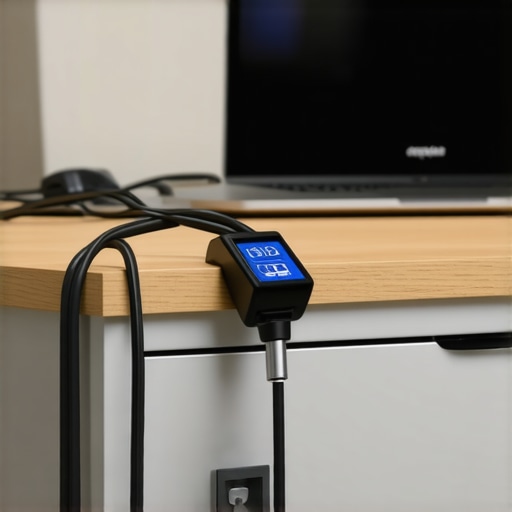
When I was working in a bustling coworking space, I detailed my laptop to a sturdy desk with a portable cable lock. It’s like locking your bike; a simple but effective deterrent. Once, I neglected this in a rush, only to find my device missing after a quick coffee break. Now, I make it a routine to lock my laptop whenever I step away, especially in open-concept meeting rooms where theft risk spikes. This small step significantly reduces opportunistic thefts and creates a physical barrier that keeps your device in your control.
Encrypt Sensitive Data and Use Strong Authentication
In one startup meeting, I realized that even with my device locked, unencrypted files could be accessed if I left my screen unattended. To fix this, I enabled full-disk encryption and set up two-factor authentication on my accounts. Think of encryption as writing your secrets in a code only you can crack — it keeps your data safe even if your device falls into the wrong hands. Two-factor authentication adds a layer of security, like a secret handshake that only trusted users know. Implementing these measures ensures your files are protected in environments where you can’t control who is nearby.
Regularly Update and Patch Software
During a series of client presentations in a coworking hub, I noticed a suspicious pop-up indicating a security vulnerability. I had neglected regular updates, leaving my system exposed to potential hacks. From that moment, I set a monthly reminder to check for software patches and updates. These updates often include security patches that fix vulnerabilities, turning your device into a fortress rather than an open door. Staying current prevents attackers from exploiting known weaknesses and keeps your environment resilient in shared offices.
Control Physical Access with Badge or App Entry
In one instance, I worked from a shared conference room with a digital key system. I used my phone’s app to unlock the room, ensuring no one else could enter during my session. Think of access control like a VIP wristband at a concert — only authorized individuals get in. Many coworking spaces now offer app-based or badge-controlled entry, providing an additional layer of physical security. Using these systems minimizes the risk of unauthorized access to your workspaces and equipment.
Secure Network Connections and Wi-Fi
In a tech panel I attended at a coworking event, I learned the hard way how unprotected Wi-Fi can expose sensitive data. I had connected to an open network without a VPN, risking interception of my emails and files. Now, I always connect via a trusted virtual private network (VPN), encrypting my internet traffic. Imagine your data traveling through a secure tunnel, immune to prying eyes. Many coworking spaces now provide secure network options or guest networks; leveraging these options is essential in safeguarding your communications and devices.
Limit Physical and Digital Access Points
In a startup sprint, I kept all my devices in a dedicated backpack with zippers and compartments, making it harder for someone to sneak away with just a tablet. Additionally, I restrict access to sensitive files through user permissions. Visualize your workspace as a castle — only those with keys can enter specific chambers. In shared offices, setting digital permissions prevents accidental or malicious exposure of confidential information. This compartmentalization ensures that even if physical security is compromised, digital barriers still stand.
Keep an Eye on Your Environment
Lastly, during an important pitch, I noticed a fellow coworker hovering nearby, eyeing my screen over my shoulder. Staying aware of your surroundings is a simple yet powerful security measure. Think of it as having an extra set of eyes watching your back. Regularly scanning your environment for suspicious behavior, especially during private calls or sensitive work, can prevent casual snooping or hardware tampering. Combining environmental vigilance with technical safeguards creates a comprehensive shield for your devices in dynamic coworking spaces.
While many entrepreneurs and professionals believe they understand the ins and outs of choosing and utilizing conference rooms and coworking spaces, there’s a subtlety that often escapes even seasoned users. The common misconception is that all meeting environments are created equal, but in reality, the nuances that distinguish a truly productive space from a mediocre one are often overlooked. Let’s explore what most get wrong, the traps to avoid, and how to leverage these spaces for maximum advantage.
One of the biggest myths is that larger or more upscale spaces automatically foster better collaboration. In fact, the focus should be on the space’s ability to facilitate specific activities, such as brainstorming, focused work, or formal presentations. For instance, a recent study by Harvard Business Review highlights that the *layout* and *acoustics* of a room play a critical role in the quality of engagement and idea exchange. An expansive, poorly soundproofed room can actually hinder communication, leading to misunderstandings and fatigue.
Moreover, there’s a misconception that tech amenities are the primary determinant of a space’s effectiveness. While high-quality AV equipment and reliable Wi-Fi are essential, neglecting the importance of *privacy* and *access control* can be a costly oversight. Spaces that lack proper barriers or security measures risk exposing sensitive discussions or data leaks. For example, ensuring that digital access is controlled and that physical spaces are secure mitigates risks that many overlook in their rush to book the biggest room available.
Another often-missed nuance is understanding the flow of movement within a space. The best rooms are designed to minimize interruptions and distractions, but many users settle for whatever is available without regard to crowd patterns or background noise. During peak hours, some spaces become overly congested, leading to an environment that hampers concentration. Recognizing and choosing rooms located in quieter, less trafficked areas can make a significant difference.
Now, let’s address an advanced question: How can startups leverage innovative design features in conference rooms to accelerate collaboration and creativity?
Innovative features like adaptable modular furniture, integrated digital whiteboards, and ambient lighting tailored for creativity can dramatically transform a space from mere accommodation into a catalyst for innovation. Spaces that incorporate these elements foster an environment where ideas flow freely and teams feel empowered to experiment. For example, coworking spaces that invest in transforming meeting rooms into dynamic collaboration hubs—beyond basic amenities—see up to 40% higher member satisfaction and engagement, as detailed in [Coworking Central’s insights](https://coworkingcentral.com/innovative-meeting-rooms-that-boost-startup-creativity).
In conclusion, by paying close attention to these nuanced aspects—layout, security, flow, and design features—you can significantly enhance your experience within conference and coworking spaces. Avoid the trap of superficial selection criteria and aim for environments that truly support your goals. Have you ever fallen into this trap? Let me know in the comments, and share your experiences with spaces that either hindered or boosted your productivity.Managing a startup or coordinating meetings in coworking spaces requires reliable tools that streamline operations and enhance productivity. I personally rely on a combination of hardware and software that has proven essential in maintaining a smooth workflow over time. One standout is the Logitech MeetUp — its ultra-wide lens and integrated audio systems make remote and in-person collaboration effortless, especially in rooms with imperfect acoustics. I use it consistently for virtual meetings, and its plug-and-play setup reduces technical headaches, allowing me to focus on the content rather than troubleshooting.
For scheduling, I swear by Calendly. It automates booking, minimizes back-and-forth, and integrates seamlessly with my calendar, which is vital when juggling multiple meetings across different spaces. Regularly updating my calendar with blocked time for prep and follow-up ensures I don’t get overwhelmed. Additionally, I utilize Otter.ai for live transcription during meetings, ensuring accurate records and reducing missed details — this tool has become invaluable for capturing action items without disrupting the conversation.
To monitor and optimize room usage, I recommend deploying sensors like occupancy detectors that feed data into a centralized dashboard. This real-time insight allows me to reschedule or extend meetings based on actual room availability, preventing double bookings or wasted time. Implementing such a system can greatly improve space utilization, especially in high-demand coworking environments.
Looking ahead, I predict that AI-powered room booking and environment control systems will become standard in tomorrow’s shared workplaces. They will automate HVAC adjustments, lighting, and even noise masking based on occupancy patterns, creating a comfortable, productive atmosphere effortlessly.
How do I maintain these tools over time? Regular firmware updates are crucial—they patch security vulnerabilities and enhance functionality. I set monthly reviews to confirm that all devices are running the latest software versions and third-party integrations like calendar syncs are functioning smoothly. Additionally, training my team on best practices ensures everyone benefits from these tools without confusion.
For those ready to step up their game, I strongly suggest testing the integration of occupancy sensors with your room scheduling systems. This technology not only maximizes your space utilization but also provides valuable data to inform future upgrades. To explore this further, check out [Coworking Central’s insights on innovative meeting rooms](https://coworkingcentral.com/innovative-meeting-rooms-that-boost-startup-creativity), which detail emerging tech that could revolutionize your workspace management.
Lessons from the Frontlines of Conference Security
My biggest realization came when I underestimated how easily security can slip through the cracks in shared spaces. It taught me to always think beyond the obvious — a simple lock or password isn’t enough. I’ve learned that integrating environmental awareness, tech safeguards, and physical controls creates a layered defense that truly protects your startup’s ideas and assets. Navigating these lessons has transformed my approach to workspace security, making me more vigilant and strategic.
Tools That Make a Difference in Your Meeting Environment
I rely heavily on a handful of tools that have become my trusted companions. The innovative meeting room solutions with modular furniture and smart tech foster collaboration while maintaining security. The perfect conference room setup, including high-quality AV equipment and privacy features, sets the tone for productive sessions. These curated resources help me create environments that inspire trust and creativity, essential for startup growth.
Embracing Action in Our Dynamic Workspaces
Ultimately, the future of conference rooms and coworking spaces hinges on our willingness to adapt and act. By implementing layered security, choosing environments that foster innovation, and utilizing the right tools, we not only safeguard our work but also unlock new levels of productivity. I encourage you to evaluate your current spaces and consider what small, strategic changes can significantly impact your startup’s trajectory. The key is to start today—your team’s success depends on it.
Insider Wisdom About Conference Room Success
- Don’t assume larger or trendier spaces automatically promote better collaboration. Focus on layout and acoustics that support your activities.
- Neglecting security features like access control or environment monitoring can cost you more than you think. Little precautions make a big difference.
- Beware of the myth that tech amenities are the only vital aspect. Privacy, digital permissions, and physical barriers matter just as much.
- Recognize the importance of environmental flow—selecting rooms in quieter areas can improve concentration and outcomes.
- Leverage innovative design features, such as adaptable furniture and integrated whiteboards, to foster creativity and accelerate team results.
My Handpicked Gear for Startup Meetings
A few tools I swear by include the meeting room tech with smart audio-visual setup, ensuring clear communication. I also use scheduling software that syncs seamlessly with my calendar, preventing overlaps. For physical security, I keep a portable cable lock handy, which has saved me on numerous occasions. These tools empower me to focus on what truly matters—building startups and nurturing ideas.
Fuel Your Confidence to Elevate Meeting Experiences
Now, it’s your turn. Whether you’re hosting a pivotal pitch or a multi-team brainstorm, remember that your environment can be a competitive advantage. By applying these insights, you can transform ordinary conference rooms into incubators for success. The future of coworking and meeting spaces is bright—and you have the power to shape it. Are you ready to take the next step in refining your workspace strategy? Let’s connect and share your experiences below.
,