
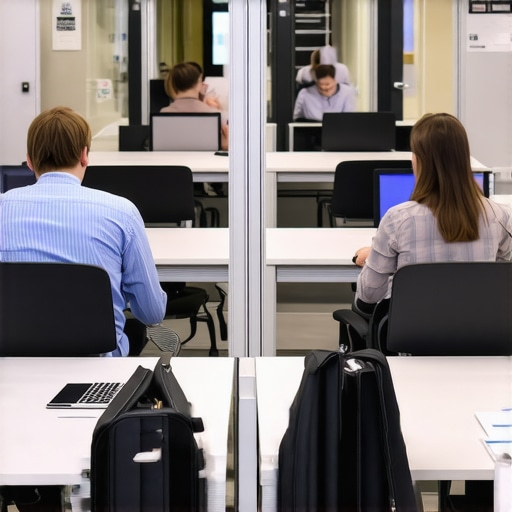
I remember the first time I sat through a crucial team meeting in a bustling coworking space. Everyone was deep into their laptops, and the chatter buzzed like a hive. Then, someone mentioned a sensitive project—an initiative that could make or break our startup—and suddenly, I got nervous. Were my notes visible to anyone passing by? Could a nosy neighbor catch a glimpse of confidential data on my screen? It was an eye-opening moment, realizing just how vulnerable our information was in open office environments.
Why Lack of Privacy Can Be a Startup’s Hidden Pitfall
In the world of startups and creative teams, collaboration is king. But when it comes to sharing space, the lack of physical boundaries often means sacrificing privacy—and that can be a recipe for disaster. Accidental slips of information, distracted colleagues glimpsing sensitive content, or even targeted prying by competitors—these are real threats we all face daily. My early mistake was underestimating how much our environment impacted confidentiality. I thought a casual glance wouldn’t matter until I witnessed a teammate’s mistake that compromised a client proposal—right there in the open!
So, what can we do to protect our sensitive data without losing the advantages of an open workspace?
Facing the Skeptic: Are Privacy Screens Really Necessary?
Some skeptics argue that privacy screens are just fancy accessories, not essential tools. They believe a more disciplined workspace or better seat selection should suffice. But from my experience, relying solely on these methods is shortsighted. A privacy screen acts as a physical barrier, reducing off-angle viewing and shielding your work from unintended onlookers. Plus, modern privacy screens are surprisingly affordable and easy to install, making them a practical addition to your office toolkit.
One common mistake I made was thinking that a simple foldable paper screen would do the job. It didn’t. It often fell over or slipped, leaving my screen exposed. After that, I invested in a high-quality, dedicated privacy filter that stayed firmly in place. This small upgrade drastically improved my focus and peace of mind during sensitive meetings.
If you’ve ever faced the uneasy feeling of exposed screens in a shared space, you’re not alone. Many entrepreneurs and remote workers share this concern, and addressing it can significantly boost your productivity and security. Curious about how to select the right privacy solutions or want to learn more about optimizing your coworking environment? Check out [this guide](https://coworkingcentral.com/how-to-choose-the-perfect-conference-room-for-business-success) to get started.
Now, let’s explore practical ways to implement privacy enhancements that work seamlessly in dynamic, open-office settings.
Secure Your Screen Instantly with Privacy Filters
When I faced a potential data leak during an important client call, I realized I needed immediate protective measures. I purchased a high-quality privacy filter that adhered firmly to my laptop screen, instantly blocking side glances. To deploy this effectively, ensure the filter matches your screen size precisely, and always keep it clean to maintain clarity. Remember, a well-fitted filter acts like a fortress, shielding sensitive info from prying eyes and giving you peace of mind in bustling environments.
Strategically Position Your Workspace for Better Privacy
Think of your workspace as a fortress. During my recent move to a coworking hub, I chose seats near the wall and away from busy pathways. This simple repositioning significantly reduced accidental exposures. When selecting a spot, look for areas shielded by partitions or furniture, and avoid communal zones prone to foot traffic. Using these natural barriers complements your privacy tools and creates a secluded bubble for confidential discussions.
Leverage Office Layouts to Your Advantage
Some coworking spaces offer modular layouts that can be tweaked. During a critical project, I worked in a semi-enclosed booth that enhanced confidentiality. If your current environment doesn’t have such options, consider collaborating with space managers to reserve private areas or suggest adding movable partitions. This proactive approach ensures your sensitive work remains unseen, much like designing a custom hideout within a shared environment.
Utilize Sound Masking and Visual Cues
Privacy isn’t just visual; sound matters too. During a virtual pitch, I used white noise apps to mask conversations and prevent eavesdropping. Similarly, audible cues like soft background music or ambient noise can deter unintended listeners. Combining visual barriers with sound masking is akin to creating an invisible cloak, allowing you to focus solely on your work without external distractions or leaks.
Implement Digital Security Practices On the Fly
Physical measures are vital, but digital security is equally important. I started using encrypted communication channels and VPNs whenever discussing sensitive topics. Keep your devices updated and enable two-factor authentication for all work-related accounts. This layered defense acts like an electronic shield, ensuring that even if someone glimpses your screen, they can’t access your data remotely.
Practice Discreet Meeting Habits in Open Spaces
During impromptu discussions, position yourself with your back against walls and away from open sightlines. Use headset microphones to keep your conversation private. When handling confidential documents, mimic a ‘secret agent’ stance—sitting slightly sideways, angling your body away from unseen observers. These small physical cues, like a spy maneuvers, enhance your privacy in unpredictable settings.
Train Your Team to Respect Confidential Spaces
It’s crucial that your team understands privacy protocols. I organized briefings emphasizing that not every shared space is suitable for sensitive talks. Encourage colleagues to use designated private rooms and cover screens when stepping away. Cultivating this culture turns awareness into a shared shield, making privacy a collective responsibility rather than a solo effort.
Remember, the key is combining these physical tactics, environment awareness, and digital safeguards cohesively. Each element acts like a layer of armor, defending your startup’s secrets against accidental exposure or malicious intent. Want to dive deeper into optimizing your coworking environment? Check out this guide for more strategies that boost privacy and productivity.
While many believe that choosing a conference room or coworking space is straightforward—simply rent a spot, show up, and get to work—there are nuanced pitfalls that often go unnoticed. One common misconception is that bigger or more equipped spaces automatically lead to better productivity. However, studies reveal that the quality of space arrangement and environment can be far more impactful than size alone. For example, a well-designed meeting room with proper acoustics and natural lighting can boost focus and collaboration, regardless of its square footage. Avoid falling into the trap of equating quantity with quality; instead, prioritize thoughtful design elements that foster genuine engagement. Furthermore, many startups overlook the significance of layout flexibility. Static arrangements can stifle spontaneity and creative workflows, a mistake that hampers innovation. Modern spaces like innovative meeting rooms are now designed to adapt seamlessly to diverse needs, empowering teams to switch between solo work and group collaboration effortlessly. Another prevalent error is neglecting the impact of ambient noise and distractions. While some assume that noise-canceling solutions are sufficient, research indicates that behavioral factors—like how individuals and teams reset boundaries—are equally crucial (see more). A hidden nuance is the mistaken belief that all coworking environments are suitable for sensitive discussions. In reality, not all shared spaces provide the required privacy, making it vital to identify spaces designed with confidentiality in mind. For instance, dedicated collaboration hubs incorporate soundproofing and private zones that safeguard sensitive conversations. Remember, the goal isn’t just booking the biggest or most equipped room but selecting a space that aligns with your specific needs, fostering productivity, confidentiality, and innovation. Be cautious of assumptions that tech or size alone determine an effective space; instead, evaluate the environment holistically. Want to ensure your team’s workspace is optimized? Check out this detailed guide for actionable tips. Have you ever fallen into this trap? Let me know in the comments.Maintaining an efficient and secure conference room environment requires the right toolkit. I personally rely on a handful of specialized tools that streamline setup, ensure digital safety, and enhance overall productivity. One indispensable hardware I use is the *Kensington Privacy Screen Filter*. It effortlessly attaches to my laptop and provides a physical barrier that prevents side glances, which is essential during confidential calls or sensitive document review. I recommend investing in a model that fits your screen size precisely, as a snug fit minimizes gaps that could compromise privacy.
On the software side, I swear by *Zoom* with its virtual backgrounds and breakout rooms. They allow me to partition discussions clearly, which is invaluable when handling multiple meetings simultaneously in a coworking space. For digital security, I use *NordVPN* to encrypt my internet traffic, making remote access to confidential data safe from prying eyes, even on shared networks. My choice stems from its ease of use and robust encryption protocols, as explained in the company’s technical documentation. This layered approach—combining physical privacy tools with secure connection software—is essential for long-term security.
To keep everything running smoothly, I utilize *Todoist* for task management, synced across devices, ensuring follow-ups aren’t missed. Setting recurring reminders for equipment checks or software updates prevents little issues from snowballing into bigger problems down the line, thus preserving the integrity of your workspace. Adopting such comprehensive tools not only optimizes daily operations but also prepares your startup for scalable growth.
Looking ahead, I believe technological advancements like AI-driven room booking systems and smart environment sensors will revolutionize how we manage shared spaces. These innovations will proactively alert us to potential privacy breaches or maintenance needs before they escalate, making conference rooms more adaptive and secure.
How do I maintain tools over time? Regularly updating software and calibrating hardware are key. Schedule quarterly reviews of your privacy filters and software subscriptions to ensure compatibility and security. Staying proactive with maintenance reduces unexpected breakdowns and maximizes your investment in these tools.
For example, choosing the right equipment can be a game-changer. If you haven’t already, try integrating a privacy filter with your laptop and pairing it with a reliable VPN service like NordVPN. These small, deliberate steps can dramatically improve your virtual privacy and physical security in shared environments. Want to explore more upgrades? Discover additional strategies here.Navigating open-office spaces has revealed to me that even the best intentions can’t always protect sensitive information. My biggest lesson: a strategic blend of physical tools and environment awareness creates the most secure setup. Investing in a high-quality privacy filter should be your first step—it’s your digital fortress that shields your screen from sidelong glances. Position your workspace thoughtfully; selecting spots near walls or behind natural barriers minimizes accidental exposures. Remember, sound masking isn’t just about silence—white noise apps or ambient sounds create an additional layer of privacy, making confidential conversations undetectable. Digital safeguards like encrypted channels and VPNs are non-negotiable in today’s interconnected world; they ensure your data stays out of reach, even if someone catches a glimpse of your screen. Lastly, fostering a team culture that respects confidentiality transforms individual efforts into collective security. Combining these tactics turns vulnerability into resilience, empowering you to focus on innovation without fear of leaks.