
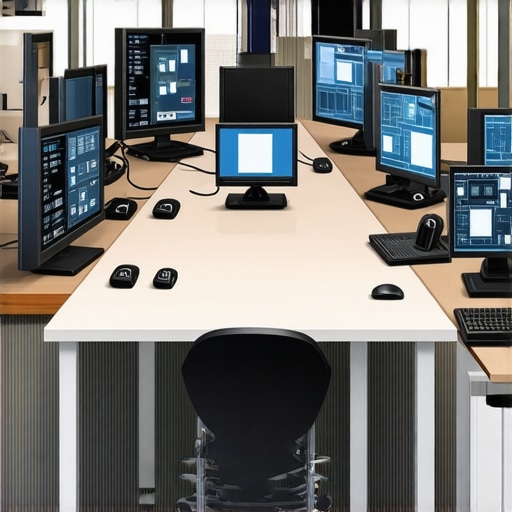
I remember the first time I walked into a conference room packed with the latest tech—screens, smart boards, high-end video conferencing tools—and thought, “This is it. We’ve finally arrived.” But then, as I fumbled with unfamiliar remotes and the system refused to connect, reality hit me hard. Suddenly, that state-of-the-art room felt more like a tech maze than a productivity booster.
Have you ever experienced that sinking feeling when struggling to get the equipment to work just before a crucial meeting? If so, you’re not alone. Many startup teams and coworking spaces invest in shiny, high-tech meeting rooms, only to find them underused or frustratingly complicated. The irony? These spaces, meant to foster collaboration, sometimes become barriers instead.
So, why does this disconnect happen? Why do these rooms, designed to enhance teamwork, often end up causing headaches? The answer often lies in a simple yet overlooked truth: complexity breeds resistance.
And it’s not just a matter of inconvenience. A survey by the Harvard Business Review indicates that 70% of meeting participants feel their meetings are unproductive, and technical issues are a significant contributor. When technology isn’t intuitive or reliable, it hampers creativity, wastes time, and diminishes the very purpose of gathering.
But here’s the good news: understanding common pitfalls and adopting smarter choices can transform your meeting experience. No more tech tantrums or awkward silences. Just smooth, productive sessions where collaboration thrives.
I’ll share my personal journey from frustration to facilitation mastery and guide you through practical steps to make your conference rooms work for you, not against you. Ready to ditch the technical chaos? Let’s dive into the core issues and the solutions that can revolutionize your meeting spaces.
Why Your High-Tech Meeting Room Might Be Doing More Harm Than Good
Keep It Simple with a Clear Tech Setup
When I first tried to troubleshoot a complex AV system during a last-minute client presentation, chaos ensued. To avoid that mess, start by selecting straightforward, universally compatible devices—think HDMI-only connections and wireless screen sharing—to minimize points of failure. Test everything ahead of time and create a quick-reference guide for your team. This proactive step ensures everyone knows how to connect their devices without fumbling, turning what initially feels like a tech nightmare into a well-oiled workflow.
Choose Intuitive Equipment
Invest in user-friendly hardware—automatic camera framing, one-touch meeting join buttons, and plug-and-play microphones. Avoid gadgets with steep learning curves, which can stall productive sessions. I recall upgrading our meeting room with a simple wireless presentation system; the ease of use cut our setup time by half and eliminated repeated tech frustrations.
Implement Standard Operating Procedures
Create a checklist for tech setup before each meeting, including connection tests and device positioning. This routine ensures consistency and helps new team members adapt quickly. During a recent workshop, adhering to a pre-meeting tech checklist prevented delays, enabling us to start promptly and focus on content rather than troubleshooting.
Train Your Team to Use Equipment Efficiently
Conduct brief training sessions—highlighting common issues and fixes—to build confidence in operating the tech. I scheduled a quick walkthrough with our remote team members, demonstrating how to connect via mobile apps. As a result, they felt more self-sufficient and actively participated without asking for help.
Develop Quick-Help Resources
Post visual guides or cheat sheets near the equipment for immediate assistance. Simple diagrams showing how to connect laptops or toggle inputs can save time during busy schedules. Once, a printed laminated guide in our conference room reduced the need for repeated explanations and kept meetings moving smoothly.
Regularly Update and Maintain Equipment
Schedule periodic maintenance—firmware updates, cable checks, cleanings—to prevent unexpected failures. During one upgrade, I learned that neglecting firmware updates caused compatibility issues; now, I set quarterly maintenance reminders. Keeping hardware in top shape guarantees uninterrupted productivity and a polished impression on clients and partners.
Integrate with Your Existing Ecosystem
Ensure your conferencing tools work seamlessly with calendar apps, rooms booking systems, and communication platforms. Linking your video conferencing system with scheduling apps reduces manual steps and booking conflicts. For instance, integrating our room setup with our team’s calendar ensured the right equipment was prepared for scheduled meetings, avoiding last-minute scramble and confusion.
Many entrepreneurs believe that simply outfitting a startup’s conference room with the latest technology will automatically boost productivity. However, this is a myth that can lead to costly mistakes. The real advantage lies in understanding the nuanced needs of your team and selecting solutions that align with your workflow, not just flashy gadgets. For instance, overinvesting in complex tech without proper training often results in underuse or frustration, negating any potential benefits.
A prevalent misconception is that bigger, more high-tech spaces are inherently better for innovation. In reality, sprawling setups can become distracting and dilute team focus. Instead, optimizing interior layouts and fostering a culture of shared purpose often yields better results. As highlighted in a recent study by Harvard Business Review, environments tailored to specific team dynamics significantly outperform generic, cookie-cutter spaces.
To avoid falling into these traps, ensure your meeting rooms are not just technologically equipped but also ergonomically designed and adaptable to different meeting styles. Remember, the goal isn’t to impress visitors with gadgets but to facilitate meaningful collaboration. For advanced teams, consider asking: *How can I leverage technology to support, rather than hinder, spontaneous creative sessions?* This requires a strategic approach—integrating tech that complements your team’s workflows and promotes agile communication.
A common pitfall is the belief that remote-friendly tech can simply be plugged in without training or integration. Without proper onboarding, even the most sophisticated systems become barriers. Ensuring your team understands how to operate and troubleshoot equipment is crucial. Regularly updating your tools and maintaining compatibility with new devices prevent disruptions during critical moments.
Furthermore, overlooking the importance of privacy and security can be disastrous. Sharing sensitive startup data over unsecured networks or unencrypted channels exposes you to risks. Consulting with experts or leveraging trusted providers ensures your conference rooms, whether physical or virtual, uphold confidentiality standards.
What are some advanced mistakes startups often make with their meeting spaces? One notable error is neglecting the acoustic environment. Echoey rooms or poorly soundproofed areas can hamper communication and lead to misunderstandings. Investing in soundproofing and quality microphones can transform a chaotic meeting into a focused strategy session.
For further insights on creating effective coworking environments with future-proof technology, check out [The Future of Conference Rooms in Startup Ecosystems](https://coworkingcentral.com/the-future-of-conference-rooms-in-startup-ecosystems). Remember, the key isn’t just to equip but to design spaces that embody your startup’s culture and growth ambitions.
Have you ever fallen into this trap? Let me know in the comments.Maintaining a functional, efficient conference room requires more than just initial setup; it involves continuous attention to detail and the right tools. Personally, I rely on a combination of smart hardware and intuitive software to ensure everything runs seamlessly during critical meetings. One indispensable tool I recommend is the Logitech Rally Series — I use it because of its plug-and-play setup, excellent audio clarity, and reliable wireless connectivity, which minimizes technical delays and distractions. For video conferencing, I favor Zoom Rooms integrated with scheduling systems, allowing for a unified experience where booking, starting, and managing meetings become effortless. Additionally, employing Airtable for maintaining an equipment inventory helps track hardware updates, repairs, and replacements, preventing unexpected failures. Predicting future trends, I believe that AI-powered meeting assistance and IoT device monitoring will become vital in scaling conference room management, especially in coworking environments. So, how do I maintain my conference tech long-term? Regularly scheduled firmware updates and routine hardware inspections are crucial, as neglecting these can lead to compatibility issues and downtime. Setting calendar reminders for quarterly check-ups ensures your tools remain current and reliable. I also recommend exploring advanced integration options—like cloud-based control systems that enable remote diagnostics—making proactive maintenance simpler and more effective. Don’t wait for failures; start implementing a comprehensive maintenance system today. For example, integrating IoT sensors can alert you when equipment like projectors or microphones need attention, saving time and preventing disruptions. To see how proactive tools transform workspace reliability, check out this guide on tech stacks for conference rooms. Try adopting a maintenance routine that includes firmware updates, equipment inspections, and automation—your future self will thank you for the smooth meetings and long-term savings.
What I Wish I Knew Before Overinvesting in Tech
Early on, I believed that dazzling, high-tech conference rooms would magically boost our startup’s productivity and impress clients. Instead, I learned the hard way that complexity often leads to resistance and wasted time. Simplifying our setup—focusing on intuitive, reliable tools—made meetings smoother and communication clearer.
The Myth of Bigger Being Better for Innovation
I used to think sprawling, state-of-the-art spaces signaled success. But I discovered that optimized, purpose-built environments tailored to your team’s workflow foster genuine collaboration more effectively than size or gadget count. Sometimes, less truly is more, especially when it encourages spontaneous creative exchanges.
How Routine Maintenance Keeps Dreams Alive
Neglecting hardware updates and routine checks can cause chaos when you need your tech most. Establishing scheduled maintenance routines prevents surprises, keeps equipment in top shape, and ensures every meeting begins with confidence rather than troubleshooting. A little foresight goes a long way toward meeting consistency and professionalism.
Curating Resources That Accelerate Growth
From my experience, choosing the right tools can transform your meeting spaces. I swear by the essential tech stack for its seamless integration and user-friendly interface, enabling my team to focus on ideas, not devices. Additionally, reading guides on selecting the perfect conference room saved us from costly mistakes early on.
Seize the Power of Small Wins
Every improvement—be it a quick-reference guide or a reliable wireless system—adds up. Don’t wait until the perfect space arrives; start with what you have, tweak often, and celebrate the gains. Making your conference room a true teamwork canvas is an ongoing journey, one that rewards persistence and thoughtful choices.
Your Next Step in Meeting Room Evolution
The future of startup conference rooms is a blend of simplicity, smart maintenance, and intentional design. Embrace these lessons, and you’ll craft environments where innovation thrives and frustrations diminish. Remember, tech is only as powerful as the people using it. Ready to elevate your meeting spaces? Reach out via this contact form and let’s build better collaborative environments together.