
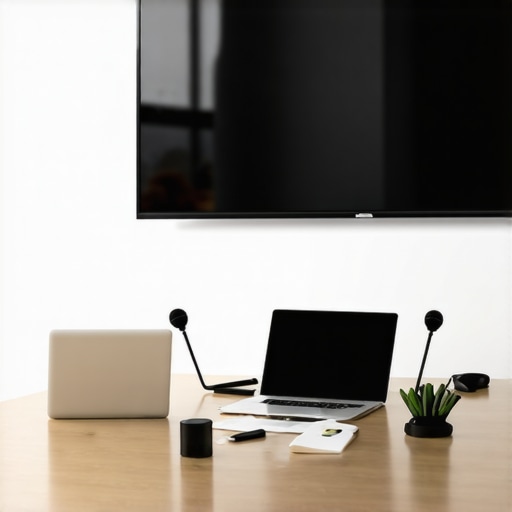
It was a typical Tuesday morning when I realized something was missing in my workspace. Our conference calls were fraught with chaos—background noise, shaky video feeds, and awkward silences. Despite investing in some decent cameras and microphones, our meetings still felt disconnected, like trying to talk through a wall. That lightbulb moment made me question: are we missing a core part of the tech stack for our remote-friendly conference room?
Why Getting Your Conference Tech Right Matters More Than Ever
As someone who’s both experimented and learned the hard way, I can tell you that the right *tech stack* isn’t just about flashing gadgets. It’s about creating an environment where ideas flow freely, where remote team members feel just as engaged as those physically present, and where meetings turn productive, not frustrating. In today’s hybrid work culture, a well-equipped conference space can be a game-changer.
Research shows that poor conference room setups can reduce team productivity by up to 25%. I learned this firsthand after countless hours troubleshooting audio lag, inconsistent screen sharing, and the dreaded “Zoom fatigue” caused by subpar hardware. Early on, I made the mistake of believing that having the newest video conferencing software was enough. Turns out, hardware choices—microphones, cameras, and even room acoustics—play an equally vital role.
If you’ve faced similar frustrations, know that the solution isn’t necessarily buying the most expensive gear. It’s about selecting a *comprehensive tech stack* tailored to your space and team needs. The good news? When done right, it can elevate your meetings from mundane to efficient and even enjoyable.
Will a fancy mic really make a difference, or is all this hype?
One mistake I made early on was overestimating the importance of high-end microphones—thinking that any decent mic would suffice. But trust me, audiophiles will tell you that room acoustics and microphone placement matter just as much as the mic’s quality. A poor-quality mic will pick up background noise and create echo, undermining your efforts.
Over the coming sections, I’ll share practical insights based on my experience to help you build a tech setup that makes remote conferencing seamless. Whether you’re upgrading your existing room or starting from scratch, I’ll show you how to avoid the common pitfalls and how to select reliable gear that truly supports a modern, remote-friendly environment.
Ready to transform your meetings? Let’s get into the details of what your conference room tech should include—and what to watch out for along the way. If you want to dive into more startup-specific strategies, check out [how to maximize productivity in your conference rooms](https://coworkingcentral.com/how-to-maximize-productivity-in-your-startups-conference-rooms-by-0245-pm) for even more practical tips.
Choose the Right Camera for Clear Visuals
Start by selecting a camera that captures your team’s expressions clearly, even in low-light conditions. A good rule of thumb is to opt for a wide-angle lens that covers the entire room without distortion. I once replaced our basic webcam with a 4K PTZ camera during a live demo, which resulted in sharper visuals and fewer miscommunications. The clarity helped investors focus on our pitch instead of distractions.
Invest in Quality Microphones and Speakers
Audio quality often gets overlooked but is critical for effective meetings. Microphones should be able to pick up voices from across the room while minimizing background noise. I recommend gooseneck mics or ceiling array microphones for larger rooms. We initially relied on integrated laptop mics, which caused echo and muffled sound; upgrading to a dedicated boom mic drastically improved clarity. Pair this with high-quality speakers to ensure everyone hears even the quietest speaker without strain.
Optimize Room Layout and Acoustics
Think of your conference room as a musical instrument; room shape and surfaces influence sound quality. Avoid echo-inducing hard surfaces or try adding soft materials like acoustic panels, carpets, or fabric curtains. During my first big client presentation, I noticed that sound reflections echoed around the room, making it difficult for remote attendees. After installing soundproof panels, audio clarity improved overnight, making discussions much more productive.
Select a Reliable Conferencing Platform
Hardware alone isn’t enough—pair it with a stable, user-friendly platform like Zoom, Microsoft Teams, or a tailored solution. During an emergency town hall, we experienced frequent disruptions with a lesser-known platform. Switching to a trusted provider mitigated lag and dropped calls, which kept everyone aligned. Remember, the platform should integrate seamlessly with your hardware and support features like screen sharing and recording.
Ensure Easy Connectivity and Power Access
Simplify connections: use HDMI/USB switchers and wireless options to reduce cable clutter. I once had to juggle multiple adapters during a session, leading to delays and frustration. Installing a dedicated AV rack with all necessary ports streamlined operations and kept the focus on the meeting—not the tech setup. Also, provide sufficient power outlets nearby for laptops, tablets, and additional devices.
Test and Train Before Live Meetings
This step is often neglected but is vital. Organize a dry run to identify potential issues, like lag or poor audio, and ensure each team member knows how to operate the equipment. During our first hybrid workshop, a quick rehearsal revealed that our camera’s auto-focus kept distracting participants. We adjusted settings beforehand, saving us from embarrassment and awkward pauses during the actual event.
Implement Security Measures
Protect your sensitive discussions by setting password-protected meetings, enabling waiting rooms, and restricting screen sharing. During one session, uninvited guests attempted to join, risking confidentiality. Using host controls prevented unauthorized access, maintaining trust with clients and partners.
Incorporating these steps into your conference room setup transforms it into a collaborative powerhouse. For a deeper dive into maximizing your startup’s meeting efficiency, check out this guide. Remember, investing time and resources into your tech stack immediately pays dividends in smoother, more productive meetings.
Many entrepreneurs and startups fall prey to popular myths about coworking and conference rooms, which can hinder their growth and efficiency. One widespread mistake is assuming that high-end tech and flashy amenities automatically translate to better productivity. In reality, strategic space utilization and tailored setups matter far more than expensive hardware or trendy decor. For instance, while some believe open-layout coworking spaces foster collaboration, studies indicate they can also lead to distractions and decreased focus, especially for deep work tasks. It’s essential to evaluate whether a space promotes your specific workflow rather than just following the latest trend Learn how to choose the right environment.
Another misconception is that bigger is always better when selecting a conference room. However, a cramped, acoustically poor room can diminish meeting quality regardless of size. Advanced startups recognize the importance of acoustics, proper lighting, and layout to enhance communication. Overlooking these details can result in ‘meetings that drain energy,’ which is counterproductive. Investing in soundproof booths or strategic furniture placement to reduce echo can make a significant difference Discover how to optimize your space.
Additionally, many assume that technology alone solves collaborative challenges. While tech is vital, neglecting room ergonomics and human factors often leads to underwhelming results. For example, ergonomic chairs and intuitive tech setups promote engagement and reduce fatigue. Advanced entrepreneurs understand that optimizing physical comfort impacts creativity and decision-making. Counting on tech fixes when the real issue is uncomfortable furniture or poor room layout is a mistake worth avoiding See how to create collaboration hubs.
So, what should you prioritize instead? Focus on customizing your environment to fit your team’s unique needs, minimize distractions, and invest in essential but unobtrusive tech. Remember, a well-designed space can unlock innovation and productivity that flashy amenities simply cannot. Have you ever fallen into this trap? Let me know in the comments, and share your experiences with optimizing coworking or conference rooms.Maintaining a top-notch conference room setup requires more than just initial investment; it’s about ongoing care, reliable tools, and foresight. Personally, I swear by regular equipment audits every three months—checking cables, software updates, and hardware functionality—to prevent unexpected disruptions. A key part of this process is documenting your setup, including serial numbers and firmware versions, which streamlines troubleshooting and upgrades. For software, I rely heavily on Zoom for its robust integration and stable performance, especially when paired with hardware like the Logitech Rally Camera and the Shure MXA920 ceiling array microphones, which I chose for their exceptional clarity and ease of control. Together, they create a seamless conferencing experience that minimizes distractions and fosters engagement.
Looking ahead, I predict that automation and AI-assisted maintenance will soon elevate conference room reliability to new heights. Tools that can detect hardware anomalies or Wi-Fi issues proactively will become standard, reducing downtime before it impacts the team.
How do I keep my conference technology functioning smoothly over time?
Develop a routine maintenance schedule that includes hardware checks, software updates, and room acoustics evaluation. Implement a simple ticketing system to log issues, which helps identify recurring problems and informs your upgrade decisions. Additionally, establishing a relationship with a trusted AV support provider ensures professional assistance when needed. Regularly training team members on equipment operation—like how to adjust lighting or troubleshoot minor issues—can prevent small hiccups from escalating. For instance, during our last upgrade, I integrated a network monitoring solution from SolarWinds to oversee device health, which has significantly reduced unexpected failures. Incorporate feedback from users to refine your setup continually, and don’t underestimate the value of each upgrade in maintaining a professional environment.
To deepen your setup’s resilience, consider integrating automated alerts for hardware or network issues. Connecting with reliable vendors and consulting technical documentation, such as the latest AV hardware user manuals, can help you stay ahead. For ongoing, strategic improvements, explore how top coworking hubs adapt their spaces by reading specialized insights into future workplace innovations. Start by scheduling quarterly audits and testing your backup systems—these small but consistent steps keep your conference room running smoothly without you having to scramble during critical meetings. If you’re ready to elevate your maintenance game, I strongly recommend trying automated monitoring tools—they can save you hours and headaches. Learn more about cutting-edge coworking space trends to prepare for the future of collaborative environments.
What I Wish Someone Told Me About Building the Perfect Conference Tech Setup
Early on, I underestimated how crucial the physical environment is to effective remote meetings. I thought software features would compensate for hardware shortcomings, but I soon learned that high-quality audio and video gear are non-negotiable. Investing in the right equipment upfront saved us countless headaches down the line.
Another lesson was the importance of ongoing maintenance and testing. Regularly reviewing and updating your conference room setup can prevent unexpected disruptions during critical calls. A quick routine check before meetings became a game changer for our professionalism and reliability.
Finally, I realized that understanding your team’s specific needs is essential. A one-size-fits-all approach doesn’t work. Tailoring your tech choices—considering room size, acoustics, and typical meeting types—makes a tangible difference in productivity and engagement.
My Go-To Gear and Resources to Keep Meetings Seamless
Over the years, I’ve relied on tools and resources that truly deliver. The Logitech Rally Camera offers crisp visuals with its flexible pan-and-tilt capabilities, making remote participants feel more connected. For audio, the Shure MXA920 ceiling microphone captures voices clearly, even in busy rooms. Pairing these with a robust platform like Zoom, known for stability, keeps everyone on the same page.
I also recommend exploring this practical guide on optimizing your startup’s conference spaces. It’s packed with actionable insights that complement the hardware choices I trust and use daily.
Seize the Moment and Elevate Your Meeting Game
Effective conference room technology isn’t just about gadgets; it’s about creating an environment where ideas flourish and teams grow stronger. Your next big breakthrough might depend on the clarity of a video call or the acoustics of your space. Embrace these lessons, invest in the right tools, and watch your startup thrive.
What’s been your biggest challenge in setting up a reliable conference room? Share your experiences below—I’d love to hear your story!