

I was three minutes into the most important pitch of my life. My slides were crisp, my lighting was studio-grade, and I’d finally perfected that ‘natural but professional’ look. Then, the dreaded ‘Your internet connection is unstable’ yellow box popped up. My voice turned into a robotic stutter, my video froze on a frame where I looked like I was sneezing, and just like that, the potential partnership evaporated. It was devastating, but it was also the moment I realized that my home setup was a ticking time bomb. Today, we are going to fix your connection so you never have to experience that sinking feeling again. We are going beyond just ‘resetting the router’ and diving into the real reasons your bandwidth is betraying you during high-stakes moments.
Your Router is Lying to You About Speed
We’ve all been there, staring at a speed test result that says ‘Fast’ while our Zoom call looks like a pixelated mess. The problem is that most home internet packages are marketed on download speeds—great for watching Netflix, but often insufficient for the high-upload demands of professional video conferencing. I learned this the hard way. I used to think my 500Mbps plan was invincible until I realized my upload speed was barely cracking 5Mbps. The real cost of working from your dining table often includes dealing with these hidden bottlenecks that consumer ISPs hide in the fine print. Home Wi-Fi is essentially a shared highway; your neighbor’s microwave, your partner’s streaming, and even your own smart devices are all fighting for the same narrow lanes. I once had a high-priority meeting ruined because my smart fridge decided to run a firmware update at the exact same time I hit ‘Join Meeting.’
Is a professional setup actually worth the hassle?
You might be wondering if you really need to go through all this trouble just for a few calls. My answer? Absolutely. When you are presenting to a client or a board, your connection quality is your modern handshake. According to research from the University of Chicago, even a 100-millisecond lag in audio can significantly decrease how persuasive a speaker is perceived to be by their audience. If you are lagging, you are losing authority. I made the classic mistake of buying a cheap range extender early on, thinking it would solve my dead zones. All it did was add another layer of latency. Now, I always make sure to how to test the wi-fi speed before you book that venue or a flex office space to ensure the ‘ping’ is low enough for a smooth experience. Have you ever been mid-sentence in a big meeting when your screen just… stopped? It is a nightmare we can avoid if we learn how to deal with technical glitches during a remote board call before they actually happen. We need to stop fighting the hardware and start optimizing for the professional reality of a remote-first world.
Ditch the Wi-Fi and Plug Into the Wall
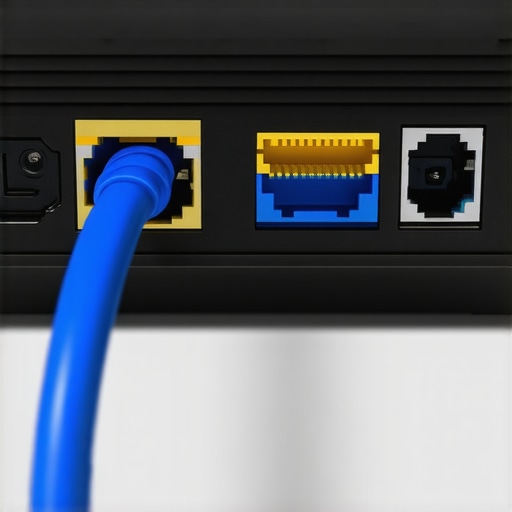
The first rule of professional connectivity is simple: stop trusting the air. Wi-Fi is a convenience, not a guarantee. Every wall, mirror, and piece of electronic equipment in your home acts as a physical barrier that degrades your signal through interference. I remember a specific Tuesday when I was three minutes into a demo for a huge European partner. My router was only ten feet away, but because my kitchen sat between us, the signal was bouncing like a pinball. I finally crawled under my desk, uncoiled a dusty 50-foot Cat6 cable, and ran it across the hallway. The difference was instantaneous. If you want to know what to do when the office wi-fi goes down mid-pitch, the most effective answer is to have a physical line ready. Wired connections eliminate the ‘jitter’ and latency spikes that make your video freeze during a screen share.
Put Your Meetings in the Fast Lane
Your router is essentially a traffic cop that doesn’t know which cars are carrying emergency patients and which are carrying ice cream. By default, it treats a 4K Netflix stream from the living room and your high-stakes board call with the exact same priority. To fix this, you need to enable Quality of Service (QoS) settings. I spent an afternoon diving into my router’s admin panel—usually found by typing 192.168.1.1 into your browser—to manually prioritize my work laptop’s MAC address. This ensures that even if someone else in the house starts a massive download, my packets get the right of way. Mastering these internal settings is exactly how to host a developer workshop without the lag that kills momentum. It is about taking the ‘luck’ out of your professional digital presence.
Find a Space Designed for High Stakes
Sometimes, no amount of home-networking wizardry can overcome a subpar local infrastructure. I once spent three days trying to troubleshoot a recurring bandwidth drop only to find out the local node on my street was over-provisioned for the neighborhood. I couldn’t fix the street, so I changed my environment. This reality is why founders are trading square feet for better network access and moving their most important sessions to professional hubs. When you book a dedicated room, you aren’t just paying for the aesthetics; you’re paying for the enterprise-grade fiber-optic lines and the on-site tech support that home setups lack. However, don’t take their word for it. You should always know how to vet a conference room for client-facing speed before you sign the guest sheet. I always run a packet loss test the moment I arrive to ensure the connection is stable enough for a live product demo.
Why Neutral Ground Beats the Home Office
Beyond the tech, there is a psychological shift that happens when you move into a specialized environment. When I moved my series-A pitch from my bedroom to a rented boardroom, the stability of the connection gave me a level of confidence I didn’t know I was missing. I stopped glancing at my signal bars and started focusing on the investors’ faces. There is a clear reason why your investor pitch needs a neutral meeting room: it eliminates the domestic variables you can’t control, like a sudden power surge or a neighbor’s lawnmower. Professional spaces are engineered for redundancy, meaning if one ISP line goes down, a backup line kicks in immediately. This reliability is why investors prefer meeting in professional spaces—it signals that you value the transaction enough to ensure the technology never gets in the way of the conversation.
People often tell me they chose their current coworking space because it had a ‘great vibe’ and a luxury espresso machine. This is exactly where the amateur trap is set. While a nice latte is a pleasant perk, I’ve found that the most ‘Instagrammable’ spaces are often the least functional for high-stakes work. We need to stop equating aesthetic perks with professional utility. In my experience, a space that over-indexes on communal beanbags usually under-indexes on acoustic privacy and dedicated bandwidth. This is exactly why founders are prioritizing location over fancy amenities. If your lobby looks more like a nightclub than a place of business, your investors might question your focus during a pitch. There is also a massive misconception that ‘all-inclusive’ means ‘no hidden headaches.’ I once signed a contract for a premium suite thinking I was covered for every contingency, only to find out that ‘premium’ didn’t include the use of the conference room for more than two hours a month. It is a classic ‘oops’ moment that can derail a scaling team. You have to realize that why the all-inclusive membership is usually a trap is because it is designed for the average freelancer, not the high-growth startup. If you are running forty hours of calls a week, you are an outlier, and you need a contract that reflects that. 
Can you actually trust a shared network with your trade secrets?
This is the question I get from fintech founders and lead developers most often. The answer is: not by default. A common mistake is assuming that because you have a unique login, your data is perfectly siloed from the person at the next desk. A study by the Ponemon Institute found that over 50% of data breaches in small businesses are linked to negligence in shared digital environments. If you are not verifying the security protocols of your hub, you are essentially working in a glass house. Before you move in, you need to learn how to keep your startups trade secrets in an open office environment. Beyond the digital security, the physical layout of your meeting room can silently sabotage your goals. I have seen billion-dollar ideas die in rooms with bad acoustics or poor sightlines. You should always check why your meeting room layout is killing participation before hosting a brainstorm. If you cannot see the faces of everyone in the room, you are losing the non-verbal cues that lead to breakthroughs. You must learn how to spot a bad coworking community before joining by looking past the surface-level decor and scrutinizing the actual infrastructure. Have you ever fallen into the trap of choosing a space for the perks rather than the performance? Let me know in the comments.
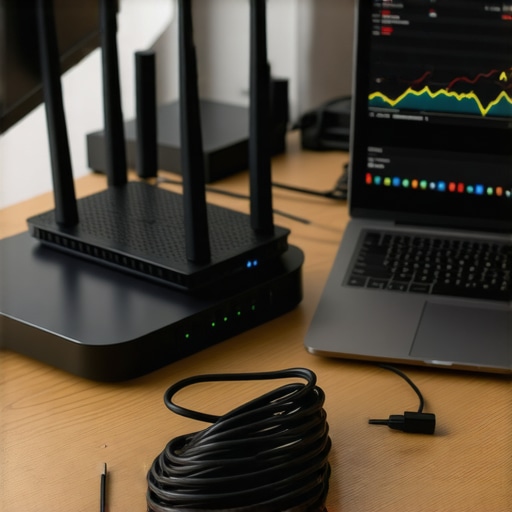
Once you have ditched the erratic Wi-Fi of your dining room, the challenge shifts from finding a signal to maintaining an elite standard of performance. I have learned that professional reliability is not a one-time setup; it is a discipline. I now perform a ‘tech audit’ every Sunday evening. I use the Speedtest CLI (Command Line Interface) instead of the browser version because it removes the resource-heavy overhead of Chrome or Safari, giving me a raw, honest look at my packet loss. If my jitter is anywhere above 30 milliseconds—a threshold Cisco identifies as the breaking point for high-quality real-time video—I know I need to pivot my strategy before Monday morning. This is precisely why I keep the checklist for a glitch-free product launch event saved on my desktop; it reminds me to verify my primary and secondary connections before the stakes get high.
How can I keep my connection perfect for every call?
Maintenance is mostly about anticipation. I recommend using a tool like PingPlotter to track your connection stability over a 24-hour period once a month. This helped me discover that my local ISP was doing ‘maintenance’ every Tuesday at 2:00 PM, which explained why my weekly syncs always felt sluggish. If you are in a shared environment, don’t be afraid to ask the community manager for their recent uptime reports. You should know how to prep for a high-stakes board meeting by ensuring your ‘failover’—usually a 5G hotspot or a secondary line—is already authenticated on your device. I have even gone as far as using ‘NetSpot’ to map out the signal strength in various parts of my hub, helping me find the exact corner where the interference is lowest.
Software is your secret weapon
Hardware is only half the battle. To keep things running smoothly as you scale, you need to lean on software that compensates for human error. I swear by Krisp.ai for noise cancellation; it uses an AI layer to strip out everything from barking dogs to the espresso machine hum at the cafe next door. When I am moving between different cities, I rely on startup success secrets: choosing the perfect conference room to ensure I am not just walking into a beautiful room with terrible echoes. For those of us managing teams, I also recommend a dedicated VPN with a ‘kill switch’ feature. This ensures that if your secure connection drops, your data doesn’t accidentally leak onto the public network. It is about building a ‘digital fortress’ that moves with you, whether you are in a skyscraper or a boutique flex-space.
The end of the router reboot era
Looking ahead, the ‘future of the office’ isn’t just about more desks; it is about smarter environments. We are moving toward a world where AI-driven network management will automatically allocate bandwidth based on the importance of your task. Imagine a room that detects you are starting a VC pitch and immediately throttles background updates for everyone else on your floor. We are already seeing the beginning of this, and it is a major reason why the future of conference rooms in startup ecosystems looks more like high-tech labs than traditional boardrooms. Within five years, I expect 6GHz Wi-Fi 6E to be the bare minimum for any space claiming to be ‘professional,’ offering a massive jump in speed and a total elimination of the ‘neighbor interference’ I mentioned earlier. If you want to stay ahead, I challenge you to run a packet loss test today—don’t wait for your next big meeting to find out your connection is bleeding data. It is time to treat your digital infrastructure with the same respect you give your physical product.
After years of trial and error, I have realized that professional reliability is not a luxury—it is a baseline requirement for anyone serious about growth. We often spend thousands on marketing and product development, only to let a $50 router or a bad signal ruin the delivery. Taking control of your digital infrastructure is the first step toward reclaiming your confidence during high-stakes interactions.
The brutal reality of professional digital presence
Through my journey of fixing my own connection, I have uncovered a few hard-won truths that go beyond the typical tech advice. First, packet loss is a much bigger enemy than slow speed. You can have a 1Gbps connection, but if your data is dropping 2% of its ‘packets’ because of local interference, your video will still stutter. Second, I learned that you cannot fix a bad neighborhood node; sometimes you simply must move. This is often why your startup needs a physical anchor for its remote team in a professionally managed hub. Finally, I realized that ‘unlimited’ is a marketing term, not a technical one. Most residential connections have soft caps that throttle your upload speed when you need it most. If you want to scale, you have to treat your internet like a utility, not a hobby.
My personal kit for flawless remote meetings
I don’t rely on luck anymore. I use a specific stack of tools to ensure I am always ready for a pitch or a board call. I keep a 10-foot Cat6 Ethernet cable in my bag at all times because ‘hardwired’ beats ‘wireless’ every single time. For software, I use PingPlotter to identify stability trends and Krisp to silence the background noise of the world around me. When my home office feels too crowded or the signal acts up, I know how to choose the perfect conference room for business success to ensure I have enterprise-grade hardware backing me up. I also keep a 5G hotspot from a different provider than my home ISP as a ‘failover’—this is my insurance policy against a local outage. Knowing how to handle a server crash from a temporary desk or a total Wi-Fi failure has saved my reputation more than once.
#IMAGE_PLACEHOLDER_E#
Take control of your professional environment today
You have worked too hard to let a spinning loading icon define your professional image. Whether you are optimizing your home router or deciding why founders are ditching corporate cubicles for community, the goal is the same: eliminate the variables that hold you back. Modern coworking spaces unlock innovation because they remove the technical friction of the modern workday. Start by running a packet loss test right now. Identify your weak points, plug into a wall, and show up to your next meeting with the confidence that only a rock-solid connection can provide. Have you ever had a massive pitch or an important interview ruined by a technical glitch? Let me know in the comments how you handled it.