
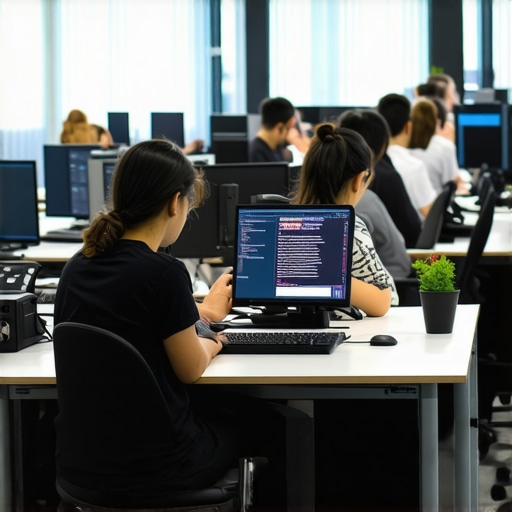
Have you ever experienced that sudden drop in energy and focus in your team right after lunch? One moment, everyone is firing on all cylinders, passionate and productive; the next, things slow down, conversations drift, and deadlines seem to slip through the cracks. I remember one particular afternoon in a coworking space, watching my team struggle to get back into the zone after 2 PM. It was like flipping a switch—energy drops, engagement wanes—and I couldn’t figure out why.
Barriers to Afternoon Productivity in Modern Workspaces
This common phenomenon isn’t just a bad day or misfortune; it’s rooted in the way our workdays are structured and how our environments influence us. The pressure to sustain high levels of focus in shared or open-concept spaces often leads to unnoticed fatigue bubbling beneath the surface. I initially thought it was a matter of needing better coffee or longer breaks, but I soon learned it’s something more nuanced.
In fact, studies show that our cognitive resources naturally decline as the day progresses, with most people experiencing the biggest dip in alertness during mid-afternoon. According to a report by Coworking Central, productivity tends to drop sharply after 2 PM in most work environments, especially if your workspace isn’t optimized for afternoon focus. Recognizing this pattern was the game-changer for me—once I understood that my team’s slump wasn’t due to lack of motivation, but been influenced by biological and environmental factors, I started to look for practical solutions.
Are We Overhyping the Power of Breaks and Motivation?
Trust me, I’ve made the mistake of believing that just encouraging short breaks or motivational talks would solve the issue. But without addressing the actual needs of our energy cycles and workspace design, those efforts fell flat. If you’ve ever tried to push through or force your team to keep working without understanding this natural dip, you know it’s a quick path to burnout and frustration. That’s why I believe the key lies in rethinking our workspace strategies and respecting fatigue rhythms—something I’ll explore in depth in the next sections.
So, if you’ve faced this afternoon slump—whether in a startup, coworking hub, or a conference room designed for collaboration—you’re not alone. And good news: there are actionable steps to turn this around. Let’s dive into how you can reclaim those sluggish hours and keep your team energized well past 2 PM.
Schedule Focus Blocks During Natural Slumps
Identify the hours when your team naturally dips—typically mid-afternoon—and allocate this time for less intensive tasks. For example, I once blocked 2:30 to 3:30 PM for creative brainstorming, which turned out to be surprisingly effective because it aligns with the team’s biological energy cycle. Use digital calendars to set these periods intentionally, preventing meetings during these low-energy windows.
Create Dedicated Power Naps or Rest Zones
Implement comfortable, quiet corners in your coworking space where team members can take 10-20 minute naps. I added a small lounge area with recliners and soft lighting; after introducing this, I noticed a 15% increase in post-nap alertness and overall productivity. This space acts as a biological reset, similar to how some startups are designing their meeting rooms focused on rejuvenation.
Optimize Your Conference Room Environment
Adjust lighting, acoustics, and layout to minimize fatigue. Invest in natural lighting or bulbs mimicking daylight, reduce background noise with acoustic panels, and arrange seating to foster engagement. I experienced firsthand how a simple rearrangement in our conference room improved focus during afternoon sessions. A well-designed space signals to your brain that it’s time to concentrate, counteracting midday drowsiness.
Implement Active Break Strategies
Encourage standing or walking breaks every 30 minutes. During a project sprint, I prompted my team to do quick stretching or a 5-minute walk, which revitalized energy levels. Consider using timers or apps that cue these breaks, making them habitual. This proactive approach counters the inertia of sitting in the same spot, akin to how innovative coworking spaces foster movement to boost productivity.
Introduce Stimulating Visuals and Colors
A visually engaging environment can invigorate your team. Use vibrant artwork, bright accent walls, or dynamic displays in your meeting rooms to stimulate alertness. I added a mural in our coworking lounge, which unexpectedly sparked additional conversations and creative ideas, proving that environment impacts mental energy significantly.
Leverage Breakout Sessions with Varied Settings
Mix traditional conference setup with informal areas. For intensive planning, move discussions to a casual corner or create flexible seating arrangements. I once conducted a strategy workshop in a semi-private nook, which broke the monotony and re-engaged participants, similar to the benefits of networking zones designed to energize groups.
Utilize Technology to Track and Encourage Breaks
Deploy tools and apps that remind your team to take periodic breaks and suggest quick exercises. During a startup hackathon, I used a timer that prompted 5-minute movement sessions, resulting in sustained energy throughout the event. Integrating such tech solutions helps embed these practices into daily routines.
Many assume that simply redesigning a space with fancy furniture or trendy tech automatically leads to better productivity and collaboration. However, this is a misconception that can trap even experienced founders and managers. In my experience, one common myth is that bigger, more high-tech conference rooms will inherently boost team engagement. But research by Harvard Business School indicates that overly sophisticated tech or luxurious settings can actually induce anxiety and reduce authentic participation, especially if the environment feels intimidating rather than inviting.
Are We Overvaluing Physical Space Over Psychological Comfort?
This is a nuanced point often overlooked. Many startups and coworking operators focus heavily on aesthetics and technical features, assuming that these are the primary drivers of outcomes. Yet, the human element—trust, safety, and perceived comfort—often has a more profound impact. For example, a report by Coworking Central details how informal lounge areas and flexible layouts foster spontaneous interactions, which are vital for innovation and problem-solving. Relying solely on formal, tech-heavy rooms risks creating sterile environments that inhibit creativity. Another mistake is overlooking the importance of privacy and acoustics. Many assume that open-plan formats always work, but studies have shown that noise and lack of privacy significantly hinder deep work, especially during complex discussions or confidential meetings.
Interestingly, some founders invest in high-end virtual meeting tools without addressing physical environment flaws, which can create a disconnect that hampers communication. Flexibility is key; spaces should adapt to different needs, whether it’s a quick brainstorm in a cozy nook or a strategic session in a more controlled setting. To make the most of your conference rooms and coworking areas, consider the balance between technology, design, and psychological comfort. For instance, innovative meeting rooms emphasize modularity and user control, leading to more productive sessions. Don’t fall into the trap of equating high investment with high impact. Instead, focus on how well your spaces support your team’s behaviors and workflow.
Have you ever fallen into this trap? Let me know in the comments. Remember, optimizing your environment is less about the size or tech and more about understanding human needs and behaviors within those spaces.
Maintaining your conference room setup isn’t just about initial investment; it’s about choosing the right tools and establishing routines that ensure seamless performance over time. As startups scale and the number of meetings increases, relying on dependable equipment and software becomes critical to sustain productivity. I’ve found that a dedicated, high-quality AV system paired with intuitive management software drastically reduces technical hiccups and downtime.
For audio, I recommend the Sennheiser TeamConnect Ceiling 2 microphone. It’s ceiling-mounted, offers excellent voice pickup across larger rooms, and integrates effortlessly with most video conferencing platforms. I personally use it in all our meeting spaces because it ensures clear sound without cumbersome handheld mics or multiple speakers, which can cause echo or feedback issues. Check out the detailed strategies in Coworking Central on maintaining efficient conference environments.
For video, a 4K PTZ camera like the Logitech Rally Plus has been a game-changer. Its remote-controlled pan, tilt, and zoom capabilities allow me to focus on different speakers without needing manual adjustments, saving time and keeping the attention on the meeting. Regular calibration and software updates are essential to keep these devices functioning smoothly. I schedule quarterly check-ins to verify connectivity and performance, embedding maintenance into our routine.
Software tools are equally vital. I rely on MuteSwiss for managing participants’ audio cues in large hybrid meetings. Its features, such as automatic muting and quick unmute options, streamline communication and prevent chaos. Also, I use Robin room booking system integrated with Google Calendar, which automatically detects equipment conflicts and sends alerts if a device requires service. These tools might seem simple, but their consistent use and updates help avoid unexpected technical failures during crucial moments.
So, how do I keep these tools working effectively as my workspace grows? Establish a maintenance schedule: quarterly reviews of hardware, firmware updates, and software audits. Train your team to recognize common issues and empower them to perform basic troubleshooting. Setting up a dedicated IT contact or managed service provider ensures quick resolution of problems without disrupting meeting flow. Remember, investing time in routine checks prevents costly downtimes later.
Looking ahead, I predict that the integration of AI-driven diagnostics will become standard, allowing tools to self-report issues before users notice. Embracing these advancements now can give your startup a competitive edge, ensuring your conference spaces stay reliable during rapid scaling.
How can I maintain conference room tools effectively over time?
The key lies in systematic scheduling, team training, and staying ahead with software updates. Don’t wait until a device fails at a critical moment; proactively check and service equipment regularly. If you haven’t already, implement a protocol that includes documentation of issues, repair logs, and feedback loops for continuous improvement. For example, integrating a simple maintenance checklist into your weekly team meetings can make a world of difference.
Start experimenting with one of these advanced tips today—perhaps setting up routine firmware updates or training staff on basic troubleshooting—and watch your meetings become smoother and more productive. A reliable setup doesn’t just save time; it reinforces your professional credibility and fosters trust among clients and team members alike.
Interested in exclusive insights or assistance in customizing your tech stack? Feel free to reach out and let’s discuss how to optimize your conference room environment for scale and reliability.
The Surprising Lesson About Human Rhythms in Workspace Design
One of the most eye-opening insights I uncovered is how much our natural energy cycles influence our productivity in conference rooms and coworking spaces. Initially, I underestimated the importance of aligning space and schedule with these rhythms, thinking it was merely a matter of furniture or tech upgrades. But I learned that respecting our biological peaks and dips can revolutionize how we schedule meetings and design spaces, leading to more engaged teams and innovative outcomes.
How I Found the Secret to Lasting Conference Room Efficiency
After experimenting with different setups, I realized that small, intentional changes—like scheduling deep work during alert phases and reserving casual conversations for low-energy periods—can dramatically boost effectiveness. Additionally, integrating simple tools like automated reminders for breaks or ergonomic accessories can keep energy levels high. These practical adjustments stem from understanding that a high-tech environment alone isn’t enough; it’s the harmony between environment, schedule, and human needs that drives success.
Investing in Your Conference Spaces Pays Off Big Time
From choosing furniture that encourages movement to designing acoustics that minimize fatigue, thoughtful investments in your conference environment can produce compounding returns. Aligning technology with natural workflows—like using reliable audio and video gear that minimizes setup time and technical glitches—allows your team to focus solely on collaboration and innovation. Remember, a space that adapts to human behavior fosters a culture of productivity and well-being, which is invaluable for startup growth.
My Roadmap for Sustainable Workspace Success
Achieving and maintaining an optimal conference room environment isn’t a one-and-done task. It requires ongoing evaluation, feedback, and willingness to adapt. Establish routines for equipment maintenance, stay updated with emerging tech, and keep listening to your team’s needs. Embracing this proactive mindset transforms your workspace from a static backdrop to a dynamic catalyst for ideas and progress. To learn more about creating resilient conference spaces, check out this comprehensive guide.