
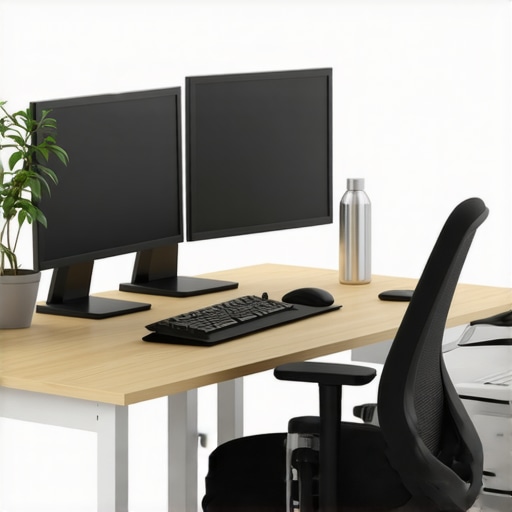
I remember sitting in a shared coworking space, eyeing the clock. It was 9:15 AM, and I already felt the familiar sluggishness creeping in. My makeshift desk, cluttered with papers, a flickering monitor, and an uncomfortable chair, made me realize something crucial: my setup was sabotaging my focus before the workday even truly began. That lightbulb moment hit me hard—what if the key to crushing an 8-hour sprint wasn’t just in my tasks but in how I designed my workspace? The good news is, after countless tweaks and a lot of trial and error, I discovered that a well-optimized desk can drastically boost your productivity and well-being during those marathon work sessions.
Your Desk Setup Matters More Than You Think
Why Investing Time in Your Desk is a Game-Changer
Changing my workspace transformed my workday from a struggle to a smooth flow of energy. Our environment directly impacts our focus, creativity, and comfort. According to a 2022 study by Harvard Business Review, employees with ergonomic and well-organized desks reported 25% higher productivity and significantly lower fatigue. The phrase “you are your environment” has never been more accurate. If you’re nodding along, wondering if your current setup is holding you back, you’re not alone. Many startups and freelancers face the same challenge—trapped in a workspace that doesn’t support their best work. The secret is aligning your desk with your natural habits and needs. When I first started, I made a classic mistake: cluttering my desk with everything I owned, thinking more was better. But in reality, simplicity steers focus. Want practical tips? Stay tuned, because we’ll delve into how to craft a workspace that empowers you to go all in for that marathon work session.
Streamline Your Desk with Purpose
Declutter Ruthlessly
Start by removing everything that doesn’t serve a specific work function. Remember my messy desk experiment? I cleared out unrelated items and only kept essentials like my laptop, a notepad, and a pen. The immediate result was increased focus and a calmer mind. Keep cords organized with cable clips or sleeves to avoid tangles that distract during deep work sessions. Use vertical space effectively—install wall-mounted shelves or pegboards for quick access supplies.
Select Ergonomic Essentials
Invest in a comfortable chair with adjustable height and lumbar support, like the ones discussed in hot desk options. Add a sit-stand desk converter to change positions throughout the day, reducing fatigue. Position your monitor at eye level to prevent neck strain, aligning with best ergonomic practices. When I first set mine up, I used books to raise my screen, which was temporary but effective. The key is consistency to avoid long-term health issues.
Create Zones for Different Tasks
Divide your workspace into specific zones: a primary work area, a brainstorming corner, and a relaxation nook. Use visual cues like lamps or colored rugs to define these sections. For example, I dedicated my corner to creative thinking, stacking colorful sticky notes and sketchpads there. This physical segmentation signals your brain to switch modes, increasing efficiency.
Optimize Lighting for Focus and Comfort
Natural light boosts mood and alertness. If possible, position your desk near a window. Supplement with adjustable LED desk lamps that mimic daylight for late nights or overcast days. I found that replacing harsh overhead lights with softer task lighting reduced headaches and eye strain. Consider the color temperature—around 4000K offers a neutral, focused ambiance. 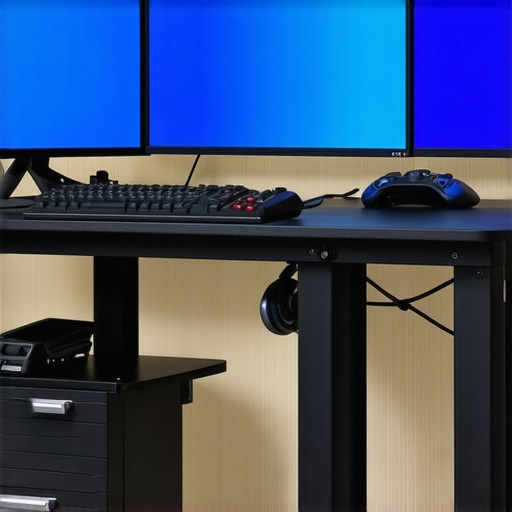
Personalize Without Cluttering
Add motivational quotes, a small plant, or a photo to make the space inviting. Keep these items in moderation to avoid visual noise that hinders concentration. Remember, a carefully curated workspace can simulate the inspiring atmosphere of a innovation hub, like those featured in collaboration hubs. Adjust your setup after a week and note what feels right or needs tweaking—your environment should evolve with your workflow.Many entrepreneurs believe that simply booking any meeting room or coworking space guarantees productivity rise. However, the **nuances and hidden factors** often determine success or failure in these environments. One widespread myth is that high-end amenities automatically foster better collaboration. While nice lounges, fast Wi-Fi, and modern furniture help, they don’t substitute for intentional design and purpose-driven space planning. In reality, a poorly configured meeting room—regardless of its flashy features—can hinder focus and decision-making.
Why Do So Many Startups Fail to Maximize Meeting Room Potential
One common mistake is assuming that more advanced technology or larger rooms inherently lead to better outcomes. Instead, many overlook the importance of soundproofing, room layout, and acoustics, which are critical for clarity and engagement. An underused or noisy environment fosters miscommunication, which, according to research by Stanford University, can decrease group intelligence and problem-solving ability by up to 50%. Avoid the trap of overcrowding or neglecting these details, especially during critical pitches or brainstorming sessions. It’s better to choose spaces that support **focused, meaningful conversations**. For example, many startups miss out on innovative meeting rooms thoughtfully designed to boost creativity, like those highlighted in this article. Ensure your conference or coworking space is optimized for your specific needs rather than blindly following trends. Also, don’t forget the importance of layout. A room with flexible seating that encourages collaboration can make a significant difference, a topic covered in depth here.”}**Have you ever fallen into this trap? Let me know in the comments.**Maintaining an efficient workspace is crucial for startups and coworking environments aiming for long-term success. One of the key aspects is implementing the right tools that streamline operations and foster collaboration. For instance, investing in a robust digital scheduling system like Calendly helps prevent double bookings and ensures your conference rooms are utilized optimally, reducing downtime and frustration. I personally rely on Calendly because it syncs seamlessly with my calendar, allowing team members and clients to book slots without back-and-forth emails, significantly saving time.
Beyond scheduling, having reliable hardware such as a Logitech Brio webcam and a quality microphone like the Blue Yeti ensures high-quality video calls, which are essential as remote meetings become more prevalent. In fact, according to Coworking Central, investing in good audio and video tools directly correlates with improved engagement and decision-making during calls.
To keep your meeting rooms functional and scalable, consider adopting a digital signage system that displays real-time booking schedules and room availability. This minimizes confusion and maximizes space utilization. Additionally, using integrated lighting control systems can dramatically improve the environment’s ambiance, boosting focus and comfort during lengthy sessions.
How do I maintain these tools over time? Regular updates are vital—keep your software on the latest version to patch security vulnerabilities and add new features. Hardware should be periodically tested and cleaned to prevent wear and tear from disrupting meetings. Creating a checklist for routine maintenance, like checking equipment connections, updating firmware, and validating booking systems, helps prevent surprises during critical sessions. Furthermore, establishing a dedicated point of contact within your team for technical support ensures quick resolution of issues, avoiding delays that could derail your productivity.
Looking ahead, I believe the trend will shift toward smarter, AI-powered control systems for spaces, automating lighting, climate, and device management based on occupancy patterns. This advancement will reduce manual oversight and make workspace maintenance more efficient, aligning with the innovations highlighted in Coworking Central. To get started today, try upgrading your conference room with a simple device like a smart control panel, which can dramatically simplify room management and enhance the overall experience for users. Integrating even one advanced tool can set the stage for a more seamless, scalable, and productive environment.Reflecting on my journey, I realized that the unglamorous details—like the right desk setup or a thoughtfully designed conference room—can make or break your startup’s momentum. These lessons taught me that intentional environment design isn’t just about aesthetics; it’s about fostering focus, creativity, and collaboration when it matters most. Investing in ergonomic furniture and smart lighting isn’t a luxury—it’s a strategic move that pays dividends in productivity and team morale. Equally important is recognizing that the true power of your workspace lies in how well it aligns with your core goals and team dynamics. Embracing this understanding transformed my approach from reactive to proactive, ensuring we created spaces that support growth, innovation, and resilience.