
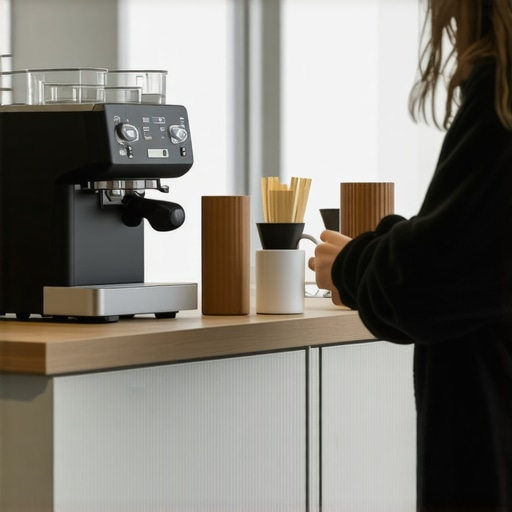
I vividly remember the moment it hit me—standing in a new coworking space, desperately craving a decent cup of coffee, only to find the machine out of order or, worse, completely broken. That lightbulb moment revealed a glaring oversight in our workspace evaluations. If you’ve ever been stranded in a meeting room, staring at an uncooperative coffee maker, you know exactly what I mean. It sounds trivial, but trust me, a reliable coffee machine is more than just a perk; it’s a cornerstone of productivity and morale.
Why the Coffee Machine Quality Should Be Your Top Priority
For startups and freelancers alike, the quality of amenities in your workspace can make or break your daily experience. When I first started testing coworking spaces, I overlooked this seemingly minor detail. But after a couple of days spent battling broken machines and waiting in line for lukewarm brews, I realized that coffee quality directly impacts focus, energy levels, and even team cohesion. According to a survey by TinyBreak, 65% of workers say that good coffee improves their productivity. That’s a staggering number—yet many space providers fail to realize the importance of maintaining a quality coffee setup.
Are you truly satisfied with your current workspace’s coffee amenities? Or have you faced the frustration of subpar coffee that throws off your entire workday? If so, you’re not alone. This led me to develop a simple test—not just for coffee, but for the overall functionality of a workspace—because if the basics aren’t covered, everything else falls apart.
Is the Coffee Test Worth the Hype?
Initially, I dismissed the importance of inspecting amenities like coffee machines. But I made the mistake of assuming that a standard coffee maker was enough, without checking it first. The result? Lost time, reduced mood, and a reminder that sometimes, the small details count more than we think. If you’re considering a new coworking space or conference room, don’t overlook this crucial check. Remember, a well-maintained coffee area can boost morale and even foster spontaneous interactions among team members.
If you’ve had similar experiences, don’t worry—you’re not alone, and there’s a straightforward approach to making sure your workspace is up to snuff. Just like evaluating meeting rooms, the coffee setup is a vital part of the overall workspace assessment. Next, I’ll walk you through the practical steps to ensure your new workspace passes the coffee test and more—because investing a few minutes now can save you countless headaches later. Want to learn how to evaluate spaces effectively? Feel free to reach out through our contact page. Ready to ensure your workspace meets your standards? Let’s dive into the how-to.
Inspect the Coffee Equipment First
Start your evaluation by checking the coffee machine’s condition—pour a test brew if possible. During a personal visit, I once arrived early to a coworking space and ran a quick test: the machine sputtered, then produced a lukewarm cup. This small, immediate action saved me hours of frustration later. If the machine is in disrepair, it’s a red flag for maintenance standards and overall management quality. Remember, a well-functioning coffee station isn’t just about caffeine—it reflects the space’s commitment to daily comfort and operational excellence.
Assess Accessibility and Location of the Coffee Area
Ensure the coffee station is centrally located, easily accessible from work zones, and does not create bottlenecks. I once visited a space where the coffee corner was tucked behind a closed door, forcing staff to traverse a maze—leading to long lines and missed deadlines. An efficient layout promotes spontaneous breaks and casual conversations, fostering community. Test the flow: ask yourself if grabbing coffee would interrupt your workflow or enhance your break time.
Evaluate the Maintenance and Cleanliness
Look beyond the surface: check for signs of neglect—dirty drip trays, stale grounds, or moldy filters. I learned this the hard way when a neglected machine caused my team to switch to subpar coffee sources, decreasing morale. Regular cleaning schedules, visible cleaning logs, and well-stocked supplies are signs of a space that values hygiene and client satisfaction. Don’t hesitate to ask managers about their maintenance routines; transparency here indicates professionalism.
Test the Connectivity and Power Outlets Near Coffee Areas
Plug in your device or ask if there are sufficient power outlets nearby. A coworking space I evaluated had a beautifully designed lounge, but no power sources in sight—forcing me to hunt for outlets while trying to work. For meetings or casual work sessions, accessible power is essential. Combining this with reliable Wi-Fi creates a seamless experience, much like ensuring your smartphone’s battery and network are robust before attempting a long day.
Gauge the Atmosphere and Noise Levels
Spend a few minutes observing the ambient noise around the coffee station. A noisy, chaotic environment can distract or stress your team. Once, I visited a space where the grinder’s roar and chatter turned coffee breaks into mini chaos. A quieter, more relaxed environment encourages mindfulness and socialization. Sit nearby, listen, and see if the setting matches your team’s vibe. Remember, the goal is a space that feels both energizing and comfortable.
Check for Complementary Amenities
Look for additional features like water quality, snack options, or seating arrangements. In one instance, I appreciated a space that offered fresh fruit and comfortable chairs next to the coffee station, transforming a quick break into a mini refresh session. These details may seem minor but significantly enhance the overall experience, boosting productivity and satisfaction.
Implement the Space-Test Regularly
Once you’ve established a checklist, revisit the space periodically to verify ongoing standards. Maintenance issues can develop over time, and what’s acceptable on your first visit might degrade. Schedule regular evaluations, especially if your team relies heavily on shared amenities. This proactive approach ensures the workspace continues to meet your expectations and fosters a culture of continuous improvement.

Image prompt: Well-maintained coworking coffee station with modern equipment and bright ambiance.
Many entrepreneurs and managers assume that selecting a coworking space or conference room is straightforward—find a convenient location, ensure Wi-Fi works, and you’re set. However, this superficial approach overlooks nuanced pitfalls that can undermine productivity and growth. Let’s dig deeper into what most people get wrong about coworking and meeting environments, and how advanced founders avoid these traps.
One common misconception is that more extensive amenities equate to better spaces. While it’s tempting to equate fancy lounges or high-end coffee stations with quality, the real value lies in thoughtful design and functionality. For example, a space with the latest tech gadgets but poor acoustics or uncomfortable seating can hinder meetings and collaboration. Notably, the most innovative meeting rooms prioritize sound control and ergonomic furniture—elements that often go unnoticed but are essential for effective teamwork.
Another misconception concerns the prestige of big-name coworking brands. Many assume that a well-known provider guarantees a productive environment, but that’s not always true. The hidden nuance is that community engagement and space management quality vary widely within brands. An overlooked aspect is the role of community managers in fostering a collaborative culture. As highlighted in building networks in coworking spaces, active engagement by staff creates a vibrant environment that promotes innovation—something a slick exterior can’t compensate for.
Beware the trap of equating space size with functionality. Bigger isn’t always better; a sprawling coworking floor with poor zoning can lead to distractions and loss of focus. Instead, pay attention to spatial flow and flexibility. For instance, meeting rooms that can be reconfigured for both team discussions and private calls add versatility. The criteria for selecting effective conference rooms emphasizes adaptability and acoustic design, which are often overlooked.
An advanced mistake is neglecting technology integration’s depth. Many assume that Wi-Fi alone suffices, but in reality, seamless tech infrastructure—including AV systems, charging stations, and integrated collaboration tools—makes a profound difference. Spaces that leverage these features tend to foster spontaneity and rapid decision-making. As discussed in future-proofing conference rooms, smart tech adapts to evolving work habits and supports remote collaboration, giving startups a competitive edge.
A sophisticated question arises: how can startups accurately assess a space’s capacity for fostering innovation beyond superficial features? First, evaluate the space’s design for serendipitous encounters—are there communal areas that naturally encourage networking? Second, review the space’s event calendar—are there workshops or mentorship programs that can catalyze growth? Finally, seek real user testimonials about the community’s dynamism. These measures, backed by research such as that from office selection checklists, reveal the true potential of a coworking environment.
Remember, the hidden nuance lies in recognizing that a workspace’s success depends on thoughtful design, active community management, technological depth, and adaptability—not just on surface-level amenities or brand names. Have you ever fallen into this trap? Let me know in the comments.Maintaining a productive coworking environment requires more than initial setup; it demands ongoing attention to the tools and routines that keep your space functional and inspiring. Personally, I rely on a carefully curated tech stack that ensures smooth operations and fosters long-term success. For instance, I use Asana for task management because it helps keep everyone aligned on maintenance schedules and daily priorities, reducing forgotten tasks or overlooked issues. Integrating a project management tool with routine checklists allows my team to stay proactive about equipment upkeep, ensuring high availability and minimal downtime.
Another indispensable tool is Slack, which I utilize to facilitate instant communication within the team. Having dedicated channels for space maintenance, supply requests, or technical issues means problems are flagged and addressed immediately rather than festering unnoticed. This swift communication cuts down on unnecessary delays, helping to sustain a seamless workspace experience.
For hardware, I recommend investing in a network-attached storage (NAS) device, like Synology’s DiskStation. This system centralizes all essential documents, maintenance logs, and operational data, making updates accessible and secure. Regular backups ensure that critical information is preserved, even if there’s a hardware failure, thus safeguarding your long-term investments.
In terms of maintaining the physical environment, implementing routine cleaning and calibration schedules is key. Use digital checklists linked to your management platform to remind staff of routine tasks like cleaning filters, checking Wi-Fi signals, or calibrating equipment. This proactive approach prevents minor issues from escalating into costly repairs or major disruptions.
Predicting where workspace tech is headed, I see a strong trend toward smart environments. IoT devices will become standard, enabling real-time monitoring of air quality, temperature, and equipment status, with alerts sent automatically when thresholds are breached. Embracing these innovations now will give your workspace a competitive edge and simplify long-term maintenance.
How do I keep my meeting rooms functioning without constant oversight?
To sustain optimal performance, deploying remote management tools is crucial. For audio-visual systems, solutions like Crestron or Extron systems allow you to monitor and control equipment remotely, scheduling updates or troubleshooting issues without physical intervention. Additionally, regularly reviewing usage data can reveal patterns—like crowded periods or underused slots—guiding you to scale resources effectively.
Finally, don’t forget staff training. Conduct brief, periodic sessions on equipment use and troubleshooting, which reduces user error and extends hardware lifespan. Pair this with a clear maintenance protocol accessible via your project management platform to streamline repairs.
Getting the most out of your coworking and conference spaces means combining smart tools with disciplined routines. I encourage you to implement a centralized task management system linked to maintenance schedules and set up IoT sensors to monitor environmental factors. These proactive measures will help you stay ahead of issues and ensure your workspace remains a hub of innovation and productivity. Ready to upgrade your workspace management? Reach out through our contact page to discuss tailored solutions for your needs.
What I Wish I Knew When I First Chose a Workspace
Choosing the right coworking space isn’t just about location or aesthetics—it’s about understanding the *hidden* nuances that influence your daily flow. One lightbulb moment for me was realizing that the quality of amenities like the coffee setup signals the operational attitude of the entire space. Over time, I learned that investing in environments with proactive management and thoughtful design yields better long-term results than just chasing trendy spots.
Another lesson: Don’t underestimate the power of spatial layout. An efficient, adaptable flow encourages spontaneous interactions, fostering collaboration that can lead to unforeseen opportunities. The deeper I dug, the more I understood that spaces designed with flexibility and connectivity in mind tend to bounce back faster from challenges, keeping teams agile and motivated.
Lastly, I discovered the value of ongoing evaluation. Spaces may seem perfect initially, but without regular checks—on everything from cleanliness to equipment functionality—their quality can degrade. This proactive mindset means you’re always aligning your workspace with your evolving needs, rather than settling for the status quo.
Tools That Make Coworking a Seamless Experience
For managing and maintaining a thriving workspace, I rely on a handful of tools that truly make a difference. Regular maintenance scheduling apps help me keep hygiene and equipment in mint condition, preventing small issues from snowballing into major disruptions.
Communication platforms like Slack are invaluable for real-time troubleshooting and fostering community spirit. They enable my team to address issues instantly—be it a faulty coffee machine or tech glitch—and stay connected, even when working remotely or across different areas of the workspace.
Environmental monitoring devices are becoming game-changers. With sensors that track air quality, temperature, and noise levels, I can adjust conditions proactively—ensuring comfort and productivity, and avoiding the common pitfalls of stale or disruptive spaces.
Finally, I trust resourceful community-building tools like event management platforms to foster organic networking and collaborative opportunities—turning a simple workspace into a vibrant ecosystem that fuels innovation.
Your Next Step—Building a Future-Ready Coworking Strategy
The future of coworking spaces lies in adaptability, smart technology, and nurturing community. If you want to stay ahead, start experimenting with IoT integrations that monitor environmental conditions or explore how AI can optimize space utilization. Remember, the most successful startups and freelancers aren’t just looking for a desk—they’re seeking environments that inspire, support, and evolve alongside their ambitions.
Embrace continuous assessment and don’t shy away from upgrading your workspace tools and layouts. The investment in understanding and enhancing your environment isn’t just about comfort—it’s a strategic move for sustained growth and innovation. Ready to transform your coworking experience? Connect with us for tailored guidance on creating a workspace that truly works for you.