
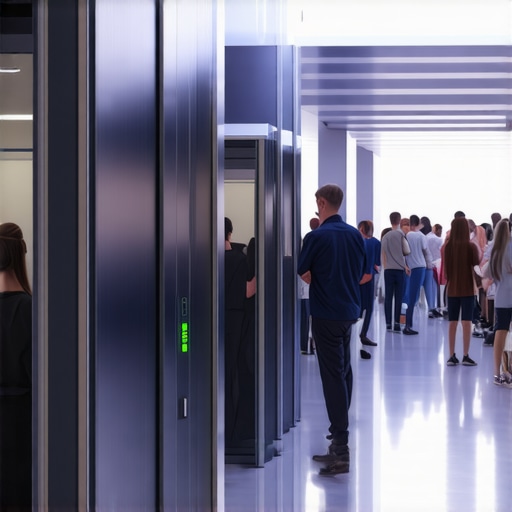
Imagine sitting in the busiest corner of your coworking space, earbuds in, trying to focus on an important call. The city’s noise swirls outside, colleagues chat in the background, and somewhere, a coffee machine hisses endlessly. I used to think such chaos was inevitable—until I had my lightbulb moment. One day, during a frantic morning meeting, I realized the routine noise was not just distracting; it was also affecting my productivity and confidence. That’s when I started searching for a real solution to keep my calls private and quiet, even amid the hustle.
Why Quiet Calls Are the Backbone of Successful Coworking
In today’s fast-paced startup environment, clear communication can make or break deals. Yet, nothing undermines a professional impression more than background noise or overheard conversations during calls. A 2022 report from Coworking Insights highlights that 65% of remote workers and freelancers cite noise disturbances as the top barrier to focused work. The challenge? Most spaces aren’t designed to prioritize privacy or sound control, leaving many of us frustrated and forced to abandon calls altogether.
Early in my own journey, I made a critical mistake. I believed that finding a quiet corner or wearing noise-canceling headphones was enough. It wasn’t. Over time, I realized that without proper space planning and some simple tricks, background noise would always seep in, no matter how good my headphones were. But with a few strategic changes—some of which I stumbled upon almost by accident—I managed to carve out a bubble of peace for my calls. Now, I want to share these secrets with you.
Are you tired of your calls being disrupted or overheard? Have you ever felt embarrassed because your coworker’s conversation was interfering with your important client meeting? If so, you’re not alone. The good news is that with a little insider knowledge, you can turn your coworking hub into a fortress of focus.
In this post, I’ll walk you through proven techniques for achieving acoustic privacy, from selecting the right spaces to leveraging technology and even customizing your environment. Ready to reclaim your focus and regain your professional edge? Let’s dive into the strategies that transformed my workdays—and can do the same for you.
Is It Really Worth the Hassle to Soundproof Your Space?
Many skeptics argue that noise control is just a luxury—not a necessity. I used to think that way too, until I realized how much I was losing—time, energy, and confidence—because of avoidable distractions. My early mistake was underestimating how much control over noise levels could boost my productivity. Now, I advocate for making that investment, even in open, shared environments. Curious about how to get started? Check out [how to maximize productivity in your startup’s conference rooms](https://coworkingcentral.com/how-to-maximize-productivity-in-your-startups-conference-rooms-by-0245-pm) to learn more.
Select the Optimal Location for Calls
Imagine you’re coordinating a crucial client presentation. Instead of randomly choosing a seat or corner, assess the coworking space for spots with minimal foot traffic and distant from noise sources like kitchen areas or communal printers. During my last attempt, I arrived early and scoped out a corner behind a bookshelf—though cluttered, it was surprisingly quiet, reducing interruptions during my call. Use these strategic spots as your default zones for confidential or important conversations.
Leverage Portable Sound Absorbers
Invest in lightweight, portable sound-absorbing panels or foam tiles. These can be quickly set up in your chosen spot and removed when not needed. I attached a foldable panel to the wall behind my desk, which drastically cut ambient noise and eavesdropping. Think of these as your personal acoustic shields—cost-effective and flexible. You can explore options like foam wedge panels or even DIY solutions such as hanging thick blankets or cork boards in key spots.
Enhance Your Environment with Smart Arrangements
Arrange furniture to block sound flow effectively. Position your desk or chair with a tall bookshelf or a partition behind you—these act like barriers, preventing sound waves from bouncing around and reaching your microphone. At my last meetup, I cleverly used a high-backed chair and a plant to create an impromptu sound buffer, which noticeably improved audio clarity. This simple, low-cost step can make a tangible difference in noisy coworking spaces.
Use Technology to Your Advantage
Invest in quality noise-canceling headphones and a good microphone. During video calls, enable software noise suppression features—most conferencing tools like Zoom and Teams offer built-in options. I tested a few headsets, and the difference was stark; background chatter was muffled, allowing my voice to cut through clearly. For added privacy, consider portable voice booths or privacy panels that can be plugged into your workspace, effectively creating a micro-environment within a shared space. If you’re interested, exploring [how we stopped wasting money on empty office desks](https://coworkingcentral.com/how-we-stopped-wasting-money-on-empty-office-desks) can shed more light on maximizing workspace efficiency.
Seal Off Potential Noise Leaks
Use draft stoppers, sealing tapes, or even towels to block gaps around doors or windows. Earlier, I sealed a slightly loose door with weatherstripping, which prevented hallway noise from sneaking in during my calls. These minor modifications are quick fixes that yield major improvements—think of it like plugging leaks in a boat before setting sail. For larger spaces, consider consulting with facility managers about installing soundproofing panels or acoustic curtains for broader coverage.
Establish Call-Only Zones or ‘Quiet Hours’
Coordinate with your coworkers to designate specific zones or times for calls. During these periods, avoid high-traffic areas or loud activities. I approached nearby members about reserving a corner for confidential meetings during mid-mornings, which worked well. Think of it as creating a culture within the coworking environment—mutual respect for quiet times benefits everyone. Building relationships with space managers can facilitate this—reach out through [Coworking Central’s contact page](https://coworkingcentral.com/contact-us-2) to discuss space customization.
**Remember**, these steps aren’t about perfect silence but establishing a controlled acoustic environment that empowers you to communicate confidently. Incorporate these strategies systematically, and your coworking calls will become louder in impact, not in noise.Many assume that simply booking a shared conference room guarantees productivity and privacy, but this is a misconception that can undermine your startup’s growth. In reality, overlooking the nuanced dynamics of coworking environments often leads founders astray. One common myth is that all meeting rooms are created equal—that choosing a space based solely on capacity or location suffices. However, small details like acoustic design, lighting, and ambient noise significantly impact meeting effectiveness. For instance, a study by Harvard Business Review emphasizes that environmental factors can boost collaboration and innovation—the very elements most coworking spaces neglect if not carefully curated.
Too often, startups fall into the trap of underestimating the importance of dedicated environments designed for deep focus. They opt for multi-purpose spaces without considering soundproofing or adaptability, leading to frequent disruptions. This neglect can cause communication breakdowns and decrease team cohesion. The real key lies in understanding that a well-designed meeting environment requires intentionality—matching space features to your specific needs.
Another mistake is ignoring the potential of innovative meeting rooms that can inspire creativity. Many coworking providers rely on conventional setups, unaware that design elements like flexible furniture, interactive technology, and natural lighting can catalyze brainstorming sessions. Discover how innovative spaces can transform your startup’s culture by visiting [meeting rooms that boost startup creativity](https://coworkingcentral.com/innovative-meeting-rooms-that-boost-startup-creativity).
What about the misconception that physical proximity always equals better collaboration? Remote work has challenged that notion, illustrating that strategic space assignment and effective use of technology are more crucial. Properly leveraging video conferencing tools, combined with thoughtfully selected physical environments, can facilitate seamless communication across dispersed teams. To learn how to select the perfect conference room that aligns with your startup goals, see [how to choose the right conference room for success](https://coworkingcentral.com/how-to-choose-the-perfect-conference-room-for-business-success).
Beware of the ‘one-size-fits-all’ mentality. Different meetings require tailored spaces—whether a quiet corner for sensitive negotiations or a dynamic room for team-building workshops. Recognizing this nuance allows startups to optimize their environment instead of wasting resources on generic solutions.
In sum, the hidden nuance most overlook is that coworking and conference spaces are not merely physical locations but strategic tools that shape communication, creativity, and growth. Investing in environments designed with purpose—not just capacity—can unlock the full potential of your team. Have you ever fallen into this trap? Let me know in the comments or reach out via [contact us](https://coworkingcentral.com/contact-us-2); I’d love to hear your experiences or help you find the perfect space tailored to your startup’s needs.Maintaining productivity and professionalism in a dynamic coworking environment demands the right equipment, software, and habits. Personally, I rely on a curated set of tools that optimize my workflow, minimize distractions, and ensure long-term efficiency.
First, investing in a high-quality noise-canceling headset, like the Sony WH-1000XM5, has transformed my remote calls. These headphones block out ambient noise, making it easier to focus and project confidence during virtual meetings. Additionally, pairing them with a dedicated microphone, such as the Blue Yeti, further enhances audio clarity, ensuring your voice cut through the chaos.
For managing multiple meetings and calendar integration, I favor tools like Calendly. Its seamless scheduling prevents double-booking and reduces the hassle of back-and-forth emails. Syncing Calendly with my preferred video conferencing platforms (Zoom, Microsoft Teams) streamlines the process, allowing quick transitions between meetings.
To create a stable and secure internet connection—crucial in shared spaces—I use a portable Wi-Fi hotspot with a SIM card. This guarantees reliable bandwidth and safeguards data, especially when discussing sensitive topics. Additionally, a signal booster can be a game-changer if your coworking space has spotty coverage.
On the environment side, a compact portable whiteboard helps sketch ideas quickly, especially when brainstorming remotely or during impromptu sessions. I’ve found that visual aids significantly improve collaboration, even if the whiteboard isn’t physically present.
For long-term results, establishing a routine of regular tech maintenance is vital. Starting each week by updating software, running security scans, and cleaning hardware prevents glitches and extends device lifespan. Backup solutions like Dropbox or OneDrive keep client files synchronized and protected against data loss.
Looking ahead, I anticipate coworking tools will become increasingly AI-driven, improving noise filtering, scheduling, and even predictive task suggestions. Staying ahead of these trends means adopting versatile equipment and software now.
How do I maintain these tools over time? Regularly reviewing your tech setup is key. Schedule quarterly audits to evaluate your hardware’s condition—replacing or upgrading devices as needed—and update software to access the latest features and security patches. Establishing a routine ensures your tools adapt to evolving work demands and prevent slowdowns.
Finally, I encourage you to explore advanced configurations, such as customizing your workspace with smart gadgets like automated lighting or environmental sensors. These enhancements not only boost comfort but also reinforce long-term productivity. For inspired ideas, check out [how coworking spaces unlock innovation in top meeting rooms of 2025](https://coworkingcentral.com/coworking-spaces-unlock-innovation-top-meeting-rooms-of-2025-at-1123-am), which discusses upcoming technological integrations.
Ready to elevate your coworking game? Start by implementing one advanced tip—perhaps setting up a portable Wi-Fi hotspot—and observe how it transforms your daily sessions. Sometimes, small tweaks can lead to significant gains in your work environment.
As I navigated the bustling energy of coworking spaces, it dawned on me that true professionalism depends on the environment just as much as on the message. Protecting your voice and maintaining confidentiality in such shared settings isn’t just about headphones—it’s about strategic space choices, tech tools, and mindset shifts. The real payoff? Elevated confidence, smoother negotiations, and a reputation that stands out in the crowded startup ecosystem. Imagine transforming noise-laden chaos into your personal soundproof haven—it’s entirely within your reach, and the key is understanding what most overlook about coworking acoustics. Start small: identify your ideal call corners, deploy portable sound absorbers, and leverage the latest noise-canceling tech—these are the non-negotiables that elevate your game. With practice, you’ll not only improve call quality but also foster a culture of focus and professionalism in your team. Ultimately, mastering acoustic privacy isn’t just a technical fix; it’s a strategic move that signals to clients and investors your startup’s commitment to excellence. Ready to turn your coworking space into a fortress of focus? Let’s make it happen and keep your conversations—and your confidence—completely protected.