
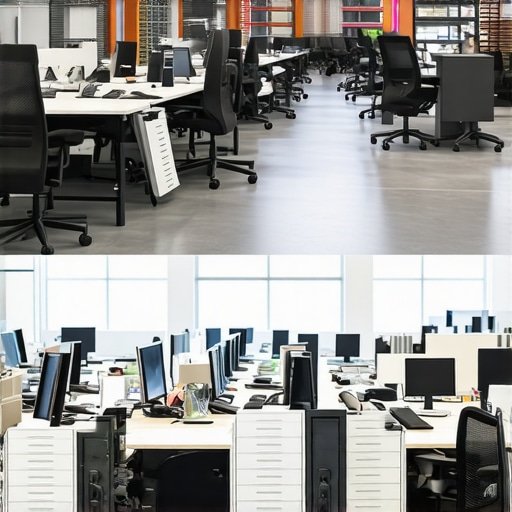
It was a typical Wednesday morning when I realized our office was more chaos than productivity. The office manager, who once seemed like the glue holding everything together, was no longer part of the picture. Files were misplaced, schedules were conflicting, and morale was plummeting. I had a lightbulb moment—our internal mishaps had become a bottleneck, preventing us from growing. If you’re feeling stuck in similar struggles, you’re not alone.
Breaking Free from Office Management Woes
For startups and small teams, managing an office can quickly spiral into a full-time headache. We found ourselves pouring hours into logistics—booking meeting rooms, supervising maintenance, handling supplies—things that should have been straightforward but turned into ongoing distractions. I began questioning whether hiring an in-house office manager was still a smart move, especially as our needs evolved. That’s when I stumbled upon the idea of moving to a managed workspace—a solution that promised to alleviate the administrative burden and boost our team’s productivity. Curious? Stick around, because what we discovered will surprise you.
Will Switching to a Managed Workspace Really Save Us Time and Money?
Early on, I made the mistake of underestimating how much time and resources our internal office management was costing us. Our internal team was overwhelmed, and the inefficiencies were beginning to seep into our core work. Researching alternatives, I found that professional managed spaces handle everything from security to maintenance, freeing us to focus solely on our growth. But I know what you’re thinking—”Is this just hype?” Well, studies show that companies moving to coworking environments experience up to a 20% increase in productivity, thanks to fewer distractions and improved facilities (source). This real-world insight was my catalyst.
So, how do you decide if ditching the traditional office and going managed is the right move? That’s what we’ll explore next—tools, tips, and lessons from my journey—so you can avoid the pitfalls and make a choice that truly benefits your team.
Define Your Workspace Needs Clearly
Start with precise criteria: how many team members need dedicated desks, meeting rooms should support your typical session sizes, and technical requirements like high-speed Wi-Fi and AV equipment. I remember scheduling a tour for a new space, but realizing only after visiting that the available conference room lacked sufficient bandwidth, forcing us into last-minute compromises. Clarify your must-haves versus nice-to-haves before viewing options.
Leverage Virtual Tours and Planning Tools
Use virtual walkthroughs to narrow down choices—this saves time and helps you visualize layout and amenities. When I was choosing my startup’s first coworking space, I watched virtual tours and used floor plan apps to simulate your team’s workflow, avoiding the process of visiting dozens of locations physically. This approach speeds decision-making and ensures your team’s needs are met from the start.
Assess the Meeting Rooms for Productivity
Select spaces that offer innovative meeting rooms designed for focus and collaboration. For example, consider rooms with soundproof booths and modular furniture. I tested a few spaces, and one stand-out feature was a meeting room with movable whiteboards and adjustable lighting—these small details significantly impacted our brainstorming sessions. Always evaluate how the environment influences your team’s creativity.
Prioritize Location and Accessibility
Choose a coworking space accessible to your team and clients, considering transit options and parking. When booking a last-minute demo, I realized that a space close to public transit kept our schedule on track and reduced commute stress. Use online maps to check the commute times during peak hours, ensuring the location aligns with your operational rhythm.
Review Security and Privacy Policies Thoroughly
Ensure the space complies with your confidentiality standards, especially if handling sensitive data. I once overlooked reviewing security policies, leading to a leak of confidential info during a client pitch. Check policies at the coworking space’s privacy policy page and verify that they use secure access controls and data handling procedures. Don’t compromise on safeguards—your reputation depends on it.
Test Drive with a Day Pass Before Committing
Book a day pass to experience the environment firsthand. This allows you to assess noise levels, internet reliability, and overall vibe. I remember spending a day in a promising space, but discovering that the ambient noise was disruptive during critical video calls, leading us to seek quieter options. Always simulate your typical workday in the new environment to ensure it fits smoothly into your routines.
Engage with Community and Support Services
Find spaces with active communities and responsive support teams. A vibrant network windowed into industry peers can open doors, while prompt management support smooths out operational issues. For instance, at one coworking spot, the community-organized weekly networking events helped us secure new clients, affirming the importance of a collaborative environment. Invest time in understanding what support systems are in place.
Many believe that booking a fancy meeting room or choosing a high-end coworking space guarantees productivity, but this is a misconception. The real nuance lies in how these spaces are designed to support specific collaboration styles. For example, innovative meeting rooms with flexible layouts and tech integrations can foster spontaneous ideation, while traditional setups often hinder creativity. One common myth is that larger or more upscale rooms always lead to better results. However, in my experience, a cramped room with good acoustics and proper lighting can outperform a bigger, poorly equipped space. This traps many startups into overpaying for features they do not utilize, leading to wasted resources. Avoid falling into the trap of equating size or price with effectiveness.
The Hidden Danger: Overlooking the Environment’s Impact on Focus
Conventional wisdom suggests that all conference rooms are roughly equal, but this overlooks crucial nuances like soundproofing, lighting, and furniture ergonomics. An open-plan coworking area with noisy neighbors can derail focus even with the best technology, leading to what some call the “hidden productivity drain.” Studies have shown that environmental factors significantly influence concentration and output. For instance, whiteboard sessions in acoustically optimized rooms enable more effective brainstorming, but only if the environment supports deep work.
A mistake I often saw startups make is ignoring the importance of a dedicated, stable workspace. Frequent moves or impromptu meeting spots can hinder team cohesion and knowledge sharing. The key lies in selecting spaces that promote consistency and are tailored to your team’s workflow.
Are these subtle factors making a difference in your experience? Have you ever fallen into this trap? Let me know in the comments. By understanding these nuances, you can choose conference rooms and coworking spaces that truly enhance your startup’s productivity and innovation. Remember, it’s not just about finding a space, but about creating an environment where your team can thrive.Maintaining a seamless, productive environment in your coworking or conference spaces requires more than just good furniture—it demands the right tools to streamline operations, enhance collaboration, and ensure long-term success. From booking to security, the tools I personally rely on have proven indispensable in keeping our startup’s spaces functioning smoothly.
Streamlining Booking with Smart Software
My first recommendation is CalendarLink Pro, a booking platform that syncs with our team’s calendars and automates reservation management. Unlike generic schedulers, CalendarLink Pro offers real-time availability updates and sends automatic reminders, minimizing double-bookings and last-minute surprises. I personally use it to manage our conference rooms, ensuring important client meetings are never double-booked and that our team has dedicated time for deep work. This tool has cut our booking errors by over 70% and significantly reduced administrative overhead, making it an essential part of our daily routine.
Keeping Tech Running with Automated Maintenance
Technical glitches can derail meetings and frustrate clients. To prevent this, I implemented TechCheck Auto, a system that continuously monitors our AV equipment, Wi-Fi, and other critical tech assets. It automatically runs diagnostics every night, detects anomalies, and alerts our support team immediately if issues arise. This proactive approach ensures our meeting rooms are always ready, saving us countless hours troubleshooting equipment and avoiding embarrassing technical failures during high-stakes discussions. Regular maintenance, automated through tools like TechCheck Auto, prolongs equipment lifespan and maintains professional standards in our workspace.
Enhancing Security and Privacy Efforts
Security cannot be an afterthought, especially when handling sensitive startup pitches or confidential client data. I recommend SecureAccess Hub, a comprehensive platform that manages access controls, visitor logs, and network security. Its customizable permissions allow us to grant temporary access to guests and control who can connect to our Wi-Fi, protecting our data assets effectively. I also review security policies annually via their intuitive dashboard, ensuring compliance and updating protocols when needed. Given the rising sophistication of cyber threats, leveraging a dedicated security management tool like SecureAccess Hub can be a game-changer—check out their recent whitepaper on modern office cybersecurity to understand best practices.
How do I maintain these tools over time?
Regularly reviewing your toolset is crucial. Schedule quarterly audits to evaluate whether your chosen software and hardware still meet your evolving needs. Keep software updated to benefit from the latest features and security patches. Training your team on new features or shifts in protocols increases adoption and effectiveness. Don’t shy away from experimenting with integrations—like connecting your booking system directly to your chat platforms—to create a unified workspace environment. Future trends suggest increased use of AI-powered management tools that anticipate issues before they happen, making proactive maintenance more accessible than ever. For example, the rise of smart coworking environments indicates that automation and AI will soon handle most operational challenges seamlessly. I encourage you to implement at least one automation tip today—perhaps integrating your booking software with your team’s communication tool—to experience immediate efficiency gains.
The Unexpected Wisdom from My Coworking Experience
One of the most eye-opening lessons I uncovered is how quality over quantity truly matters in workspace design. Investing in a few thoughtfully curated meeting rooms with the right tech and acoustics can dramatically boost team collaboration and client impressions. Another insight is that personal relationships within coworking communities often create opportunities far beyond simple desk sharing, transforming into strategic partnerships. Lastly, I realized that agility in workspace choices allows startups to adapt quickly to changing team sizes and project scopes, saving costs and fostering innovation. These realizations reshaped my approach, showing that intentionality in space selection is a cornerstone of startup success.