
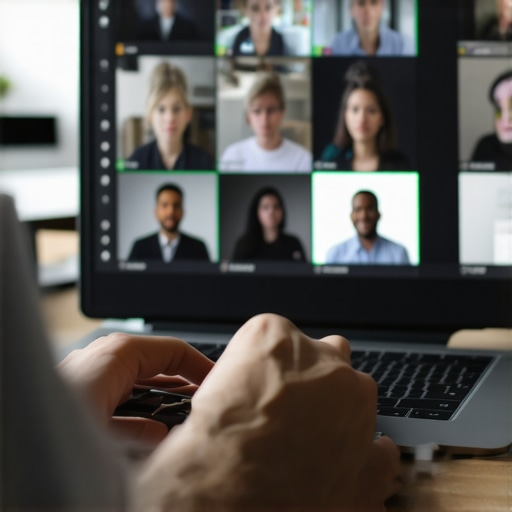
I remember the sweat pooling on my forehead as I stared at the frozen face of our lead investor. We were three minutes into the most important pitch of my life, and my audio had decided to transform into a series of robotic chirps. I was sitting in what I thought was a top-tier startup environment, but at that moment, I felt like I was trying to broadcast from a submarine at the bottom of the Mariana Trench. It was humiliating. I had spent weeks preparing for this high-stakes board meeting, only to be undone by a faulty HDMI adapter and a jittery Wi-Fi signal. That day, I realized that technical glitches aren’t just minor annoyances; they are professional momentum killers. It wasn’t just the tech that failed; it was my confidence. When you are the founder, you are expected to have everything under control, and a spinning wheel of death on your screen suggests otherwise. [IMAGE_PLACEHOLDER]
Your Board Call Doesn’t Have to Be a Disaster
We’ve all been there—the frantic clicking, the ‘can you hear me now?’ chorus, and the awkward silence while you pray the router restarts. I used to think that tech-heavy meeting rooms were foolproof, but my biggest mistake early on was assuming that expensive hardware equals reliability. It doesn’t. In fact, the more complex the system, the more points of failure there are. I once spent twenty minutes trying to sync a Bluetooth microphone that worked perfectly in the demo but refused to pair when the board members actually logged in. It was a classic rookie move. Today, I’m going to show you how to build a failsafe system so that even if the office Wi-Fi craters, your board call stays on track. We’re going to move past the panic and get you a setup that actually works when the pressure is on. This isn’t about buying more gear; it’s about being smarter with the tools you already have.
Does remote tech always fail when it matters most?
It certainly feels that way, doesn’t it? Skepticism is healthy here because, frankly, most ‘smart’ rooms are over-engineered and under-maintained. I once lost a fifteen-minute window because I couldn’t figure out a proprietary tablet interface that was supposedly ‘intuitive’ but required a PhD to navigate. The truth is, a glitch-free hybrid board meeting is less about the gadgets and more about your recovery protocol. According to research by Gartner, technical issues can reduce meeting productivity by up to 15%, which is a staggering amount of time when you’re paying for every minute of your directors’ attention. If you are sitting in a perfectly chosen conference room, you should be focused on your strategy, not the signal strength. Have you ever had a presentation completely derailed by a screen-sharing error just as you reached the ‘big reveal’? I’d love to hear your horror stories—or better yet, your survival tactics. Knowing you aren’t alone is the first step to conquering the tech-gremlins.
The secret isn’t just in the hardware; it’s in how you handle the situation when the Wi-Fi goes down mid-pitch. It’s about having that ‘Plan B’ ready before the ‘Plan A’ even stutters. I now keep a dedicated mobile hotspot and a hardwired ethernet adapter in my bag at all times, no matter how ‘high-tech’ the venue claims to be. Whether you are working from a specialized hub or a temporary setup, the goal is to remain the calmest person in the virtual room. When the screen freezes, don’t apologize profusely—just pivot. Let’s dive into the specific moves you need to make to ensure your next call is remembered for your insights, not your internet speed.
Kill the Lag with a Hardwired Connection
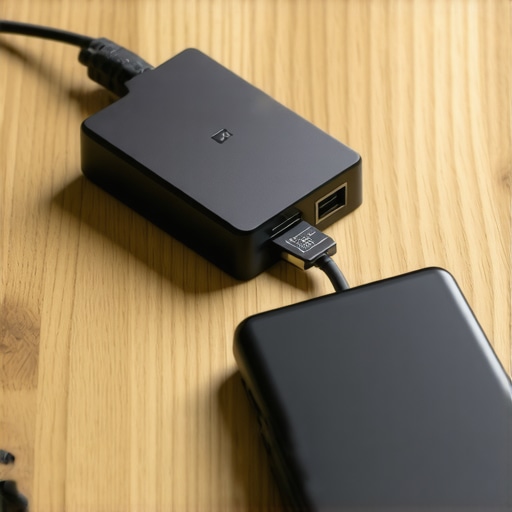
The first rule of a high-stakes call is that Wi-Fi is a fickle friend. Even the most expensive router can struggle when fifty other startups in the same building are streaming video at once. I learned this the hard way during a Series A demo when my screen turned into a pixelated mess. Now, I never enter a room without a USB-C to Ethernet adapter. When you vet a conference room for client-facing speed, the presence of a physical LAN port is non-negotiable. Plugging in eliminates the jitter and packet loss that makes your voice sound like a broken record. It provides a level of stability that no ‘mesh network’ can match, especially when you are sharing resource-heavy slides or live code.
Your Mobile Hotspot is the Ultimate Safety Net
Even a wired connection can fail if the building’s ISP has an outage. This is where your redundancy plan kicks in. I keep my smartphone’s hotspot settings open and ready before the meeting even starts. If the main line stutters, I can switch over in less than ten seconds. I remember a specific time I was pitching from a satellite office and the entire block lost power. Because I had my laptop charged and my hotspot active, I didn’t lose more than five seconds of my pitch. The investors were actually impressed by how fast I recovered; it showed them I was prepared for a crisis. It’s about more than just tech; it’s about proving you have the foresight to maximize productivity in your startup’s conference rooms even when the world is working against you.
Audio Clarity Beats Video Quality Every Time
People will forgive a slightly grainy video, but they will lose patience instantly if they can’t hear you. Most built-in laptop microphones are garbage because they pick up every click of your keyboard and the hum of the air conditioner. Invest in a dedicated directional microphone or a high-quality headset. If you are in an open-plan space, move to a dedicated phone booth for calls to isolate your voice. Understanding the acoustic secrets of high-end conference rooms can help you choose a space that naturally dampens echo. I once tried to take a board call in a beautiful glass-walled room, and the reverb made me sound like I was shouting from inside a cavern. Never again. Use soft materials or dedicated booths to keep your professional edge.
Control Your Lighting to Command Attention
Bad lighting makes you look tired, unprepared, or like a witness in a witness protection program. You want light hitting your face from the front, not from behind. If there is a massive window behind you, you will be nothing but a dark silhouette. When choosing the right lighting for your next video pitch, aim for natural light from a window in front of you, supplemented by a small LED ring light if the room is dim. I once did a midnight call with an overseas partner and used a desk lamp bounced off a white wall to create a soft, professional glow. It’s a small detail, but it changes how people perceive your authority. You aren’t just a face on a screen; you are a leader commanding a room, even if that room is virtual.
The Dangerous Allure of the Smart Room
Everyone tells you to find the most high-tech space available, but in my experience, the ‘smartest’ rooms are often the most treacherous. We’ve been conditioned to believe that a room filled with touchscreens and proprietary hardware is superior, yet these are exactly the tech-heavy meeting rooms that nobody knows how to use when the clock is ticking. I once watched a brilliant founder lose a potential lead because he spent twelve minutes trying to figure out how to dim the lights via a buggy iPad interface. The advanced move isn’t to find the room with the most gadgets; it’s to find the room with the most reliable basics. A study by Steelcase found that nearly 40% of meetings are delayed by technical friction, and most of that comes from over-engineered ‘solutions’ that fail under pressure. High-end hardware is a liability if it requires a manual to operate.
Don’t Let a Glass Wall Sabotage Your Audio
There is a hidden nuance to workspace selection that founders often overlook: the acoustic cost of aesthetics. We all love the look of a sleek, glass-walled conference suite—it feels modern, transparent, and impressive. However, from an engineering perspective, glass is an acoustic nightmare. It creates a ‘slap back’ echo that makes your voice sound thin and distant to remote participants. When you are looking for innovative meeting rooms that boost startup creativity, don’t just look for style; look for sound-absorbing materials. If the room has hard floors and glass walls, your audio quality will suffer, no matter how expensive your microphone is. It’s an ‘oops’ factor that can make you sound less authoritative during a critical negotiation. Always prioritize rooms with carpets, acoustic panels, or heavy curtains if you want to command the digital room.
Is your table shape secretly sabotaging your power dynamic?
We rarely think about furniture as a strategic tool, but it is. Most founders default to the long, rectangular boardroom table because it feels traditional. But did you know that the hidden psychology of circular meeting tables suggests they are far better for collaborative problem-solving and honest feedback? A long table establishes a clear hierarchy—the ‘head’ of the table is the boss. If you are trying to build a partnership rather than dictate terms, a round table levels the playing field. Conversely, if you need to project absolute control, that long rectangle is your best friend. Even the psychology of the corner office in a shared space matters; the way you position yourself in a room communicates your status to investors before you even open your mouth. These are the things investors look for in your physical workspace—they want to see if you understand the subtle levers of influence.

The trap most people fall into is thinking that ‘expensive’ equals ‘effective.’ It doesn’t. Effective is a setup that disappears so your ideas can take center stage. When you are scouting your next location, ignore the flash and test the friction. If the Wi-Fi requires a complex login or the table creates a physical barrier between you and your team, it’s the wrong room. Have you ever fallen into this trap? Let me know in the comments. Let’s start choosing spaces that work for us, not against us.
Stop Your Tech from Dying a Slow Death
I’ve seen too many founders spend a fortune on a setup only to have it become a paperweight six months later. Reliability isn’t a one-time purchase; it’s a habit. If you aren’t running a ‘dry run’ ten minutes before every major call, you are gambling with your reputation. I personally use a simple physical checklist taped to the side of my monitor. It sounds low-tech, but it’s the only way to ensure that my camera hasn’t defaulted to the blurry built-in lens or that my output hasn’t switched to the tinny laptop speakers. When you maximize productivity in your startup’s conference rooms, you are really just removing the friction of maintenance.
The Gear I Trust When Everything Else Fails
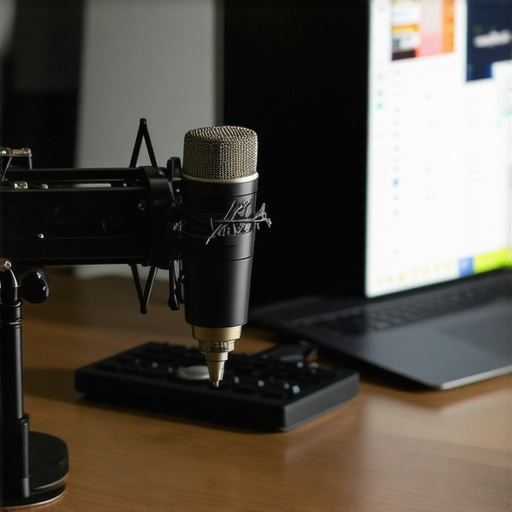
If you want to move beyond the basics, there are three tools I swear by. First, the Elgato Stream Deck. I use it to map ‘Mute’ and ‘Camera Toggle’ to physical buttons so I never have to fumble for a Zoom menu again. Second, I use Krisp.ai for noise cancellation. It uses AI to strip out barking dogs or the hum of a busy hub, which is essential because why endpoint protection services matter more when your team is hybrid is a security concern, but professional audio is a credibility concern. Finally, I never travel without a Shure MV7 microphone. According to Shure’s technical documentation on the ‘proximity effect,’ placing a cardioid microphone three inches from your mouth fundamentally enhances the lower frequencies of your voice, making you sound more authoritative and calm. This isn’t just gear; it’s a psychological edge.
How do I keep my meeting tech from falling apart over time?
The secret is a ‘Weekly Tech Audit.’ Every Friday afternoon, I spend fifteen minutes checking for firmware updates on my hub and testing my cables for fraying. If you are using a shared space, this means being the person who actually checks the HDMI pins before the Monday morning rush. Most failures happen because of a $10 cable, not a $1,000 camera. If you are following the checklist for hosting a flawless hybrid workshop, you know that the environment is just as important as the hardware. Check your lighting bulbs and wipe down the camera lens with a microfiber cloth. Dust is the silent killer of professional video quality.
This is Where Meeting Spaces Are Heading Next
Looking ahead, I predict we are going to see a massive shift toward ‘Spatial Audio’ and AI-driven framing in even the smallest hubs. We are moving away from static cameras toward systems that follow the speaker naturally. As we look at the future of conference rooms in startup ecosystems, the goal is to make the technology completely invisible. The most successful founders won’t be the ones with the flashiest gear, but the ones who have mastered a setup so seamless that the person on the other end of the line forgets they are looking at a screen. My advice? Start small. Pick one piece of gear—like a dedicated microphone—and master it this week. You’ll be surprised at how much more confident you feel when you know you sound like a pro.
What I Learned the Hard Way About Virtual Authority
Looking back at my early failures, I realized that expensive gear can’t fix a fundamentally bad environment. If you are in a space with too much echo, no high-end microphone will make you sound like a leader. Another hard truth? Silence is always better than a panicked ‘Can you hear me?’. If the tech fails, stop talking, fix it, and resume. Panicking communicates a lack of control to your board. I’ve also learned that the room’s atmosphere translates through the lens; using a space that feels professional, especially when you consider the true ROI of a premium coworking membership, pays off in how people perceive your startup’s stability. Furthermore, I’ve found that why a neutral meeting space leads to more honest feedback is often because it removes the home-field advantage and keeps the focus strictly on the strategy.
The Toolkit I Pack for Every High-Stakes Pitch
I never walk into a meeting without my personal survival kit. First, I use Speedtest by Ookla to verify the upload speed specifically; if it is under 10Mbps, I immediately switch to my backup hotspot. I also swear by the ’10-Foot Rule’—if you can’t read your slides from ten feet away on your own monitor, your board members definitely won’t be able to see the fine print on their tablets. While understanding the etiquette of taking a private call in an open lounge is important for daily tasks, for board calls, you must find a door that locks. Reliability is your brand, so do not let a shared space’s noise compromise your professional image. Finally, I always carry a spare 10-foot HDMI cable because the one provided in the room is almost always three inches too short.
Own Your Professional Presence Every Time
At the end of the day, your tech is just a conduit for your vision. Don’t let a faulty adapter or a weak signal be the reason a great idea dies. Whether you are planning the secret to a successful company retreat in your own city or just trying to survive a Monday morning sync, your preparation is your greatest asset. Your startup deserves a voice that is clear, stable, and commanding. When you take the time to master your environment, you aren’t just fixing tech—you are building long-term confidence. What was your most embarrassing tech fail during a high-stakes pitch? Let me know in the comments below.