
I was standing in a sleek, glass-walled room with three investors who looked like they’d rather be anywhere else. My pitch was perfect. My demo? It was a live API call that was supposed to be instantaneous. I clicked ‘Execute,’ and… nothing. The spinning blue circle laughed at me for forty-five painful seconds. I’d spent weeks on the code but zero minutes checking the router. That day, I didn’t just lose a potential check; I lost my pride. I’d fallen for the classic trap: assuming that a ‘premium’ workspace actually meant premium connectivity.
Stop Trusting the Venue Brochure
I used to think that if a place looked professional, the infrastructure would follow suit. Big mistake. I once booked a high-end space thinking it was one of those top meeting rooms of 2025, only to find out they were sharing a single residential-grade router with three other floors. It was a disaster. Today, I’m going to show you how to peel back the curtain and verify the signal yourself. We aren’t just looking for ‘three bars’ on your phone. We are looking for stability, ping, and upload speeds that can handle a high-stakes demo without breaking a sweat. It’s about more than just how to vet a conference room for client-facing speed; it’s about your reputation. [IMAGE_PLACEHOLDER]
Is ‘fast enough’ Wi-Fi actually a myth?
You might be thinking, ‘Hey, I’m just showing some slides, do I really need fiber?’ The answer is a resounding yes. According to a recent study by OpenVault, bandwidth usage is skyrocketing, and what passed for ‘high speed’ two years ago is the new bottleneck. If you are learning how to deal with technical glitches during a remote board call, you already know that even a two-second lag can kill the momentum of a conversation. It makes you look unprepared. Have you ever been mid-sentence in a high-stakes call when your screen froze into a pixelated mess?
The Hidden Cost of Relying on Guest Networks
Most venues will point you toward a ‘Guest_WiFi’ login and call it a day. That’s usually the first red flag. These networks are often throttled or, worse, completely unencrypted. Early in my career, I made the mistake of running a sensitive developer workshop without the lag check, and half the participants couldn’t even connect because the IP lease pool was full. It was embarrassing. You need to know exactly what you’re walking into. Whether you’re looking at the future of conference rooms in startup ecosystems or just a local desk, the rules of engagement are the same. Before you sign that day-pass or book that hourly suite, you need to be the one holding the stopwatch. Let’s look at the actual tools you should be using to keep your sanity intact.
Walk the Perimeter Before You Unpack Your Laptop
I remember sitting in a corner of a boutique hub in Brooklyn three years ago. Speedtest.net gave me a beautiful 100Mbps reading. I felt safe, almost cocky. Then, ten minutes into a live demo for a Series A lead, my video started lagging like a 90s webcam. I realized then that raw speed is a vanity metric; stability and jitter are the only currencies that matter when you are learning how to prep for a high-stakes board meeting. I had to pivot mid-pitch, tethering to my phone while sweating through my shirt. Now, I never trust the first reading. You need to run a continuous ping test for at least five minutes to see if the connection drops packets. If you see ‘Request Timed Out’ more than once a minute, that room is a liability, not an asset.
Raw Speed Is a Vanity Metric You Can’t Afford
When you are scouting innovative meeting rooms that boost startup creativity, don’t just look at the download numbers. You need to look at the ‘bufferbloat’ and the upload speed. If you’re pushing code or streaming high-def video, a 10Mbps upload won’t cut it. Use a tool like Waveform to test how the network handles congestion. Think of it like a highway: the speed limit doesn’t matter if the on-ramp is jammed. If the latency spikes when you start a upload, your video calls will stutter the moment someone else on the floor starts a backup. This is a critical part of startup success secrets: choosing the perfect conference room.
Demand a Hardline Even If They Promise 5G
Wireless signals are prone to interference from every microwave and Bluetooth headset in the building. Whenever I am hosting a product demo in a rented suite, my first question isn’t ‘What’s the Wi-Fi password?’ but ‘Where is the Ethernet port?’ A physical connection removes 90% of the variables that cause mid-meeting glitches. If the venue manager looks at you like you’re asking for a fossil, that’s your cue to find a more modern space. Many older buildings have tech-heavy meeting rooms that nobody knows how to use, where the ports are actually disabled. Always carry a 15-foot Cat6 cable and a USB-C adapter in your bag. It’s the ultimate insurance policy. 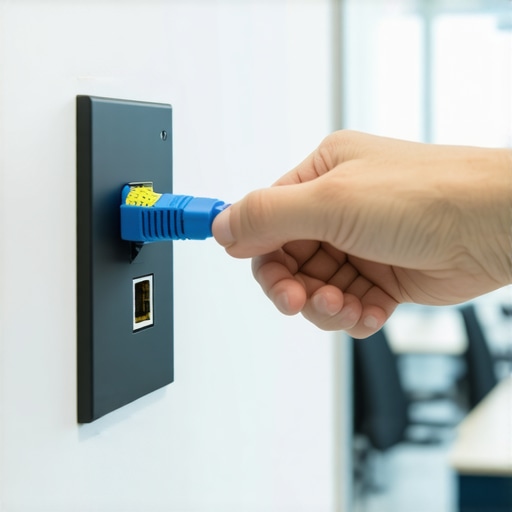
Securing Your Signal Against the Crowd
Once you’ve verified the speed, you have to worry about who else is watching the wire. Public coworking Wi-Fi is a playground for packet sniffing. I once saw a founder lose access to their AWS console because they logged in over an unencrypted ‘Member_WiFi’ network that had been spoofed by a neighbor. This is why why endpoint protection services matter more when your team is hybrid. You aren’t just looking for a signal; you’re looking for a secure tunnel.
Is Your Data Leaking Through the Guest Portal?
Most spaces use a ‘captive portal’ where you enter your email to get online. These are notorious for being poorly configured. If you have to deal with a server crash from a temporary desk, the last thing you want is a firewall that blocks the specific ports you need for SSH or VPN tunneling. Before you commit to a full day of work, try to connect to your secure company resources. If the network blocks your VPN, it’s not a workspace—it’s an internet cafe. High-end environments for the future of conference rooms in startup ecosystems should offer private VLANs for teams who need that extra layer of isolation. Don’t be afraid to ask the community manager for the IT spec sheet; their reaction will tell you everything you need to know about their professionalism.Everyone tells you to look for the ‘all-inclusive’ badge. In my experience, why the all-inclusive membership is usually a trap becomes painfully obvious the moment you need a custom firewall rule or a stable connection for a live stream. The ‘premium’ label is often just a mask for legacy hardware hidden behind designer wallpaper. I’ve seen $500-an-hour suites with tech-heavy meeting rooms that nobody knows how to use, where the fancy iPad on the wall controls the lights but the HDMI switcher is held together by hope and a fraying cable.
Why Over-Engineered Rooms Fail the Moment You Click Present
I once walked into a space that boasted ‘smart’ everything. They had occupancy sensors and automated blinds, but the actual AV bridge was so outdated it couldn’t handle a 4K stream. This is the ‘Oops’ factor: assuming that luxury design equals luxury engineering. I’ve found that finding a workspace that doesn’t feel like a tech prison is about finding rooms where the basics—ports, power, and bandwidth—are prioritized over gimmicks like motorized chairs. If you’re learning how to prep for a high-stakes board meeting, you should be looking at the hardware brands in the server closet, not the brand of the coffee beans in the lobby. 
Can your connection handle simultaneous UDP streams without jitter?
This is the level of questioning that separates a casual user from a professional. If you are doing anything involving real-time data, you aren’t just worried about total bandwidth; you’re worried about Jitter. According to a study by Cisco on Visual Networking, even a tiny 150ms delay or 1% packet loss can render a professional video conference unwatchable. If you’ve ever had to handle a server crash from a temporary desk, you know that every millisecond of latency is a heartbeat you can’t get back. Most people get this wrong—they think ‘fast’ is a single number. It’s actually a combination of low latency and consistent packet delivery.
Stop Overpaying for Luxury You Can’t Connect To
We often fall into the trap of thinking a higher price tag guarantees better performance. One subtle trap is the ‘Glass Box’ syndrome. We all love the aesthetic of finding a meeting room with decent natural light, but those floor-to-ceiling glass panels are essentially Wi-Fi mirrors. They bounce signals in unpredictable ways, creating dead zones in the very center of the table where you’re sitting. I’ve seen people spend thousands on transforming meeting rooms into collaboration hubs only to forget that physical obstacles dictate your digital success. I’ve seen teams lose five-figure deals because they chose the ‘cool’ room with the acoustic secrets of high-end conference rooms but ignored the fact that the Wi-Fi signal was being shredded by the decor. If you stop overpaying for square footage you never use, you can reinvest that budget into a dedicated line. Have you ever fallen into this trap? Let me know in the comments—I’d love to hear your horror stories. If you’re tired of the gamble, it might be time to contact us to find a space that actually works.
The Go-Bag That Saves My Reputation
I don’t leave my connectivity to chance anymore. My ‘go-bag’ isn’t just full of chargers; it’s a tactical kit designed for how to maximize productivity in your startup’s conference rooms. I carry a GL.iNet Beryl AX travel router. Why? Because it allows me to bridge the venue’s Wi-Fi into my own encrypted subnet. It acts as a hardware firewall and a VPN gateway, meaning I don’t have to reconfigure twelve different devices every time I change desks. If the venue’s DNS is acting up—a common cause of those ‘connected but no internet’ errors—I force my router to use Cloudflare’s 1.1.1.1. This isn’t just about speed; it’s about control.
How do I keep my performance consistent when I’m constantly switching offices?
Maintenance isn’t about fixing things when they break; it’s about a pre-flight ritual. I’ve started using NetSpot to run a quick site survey the moment I arrive. It takes three minutes to walk the perimeter and see where the 5GHz signal actually drops off. Wi-Fi expert Dong Ngo often points out that signal interference is the silent killer of throughput, and seeing a visual heatmap of the room helps me pick the chair that won’t drop my call. This is the level of detail you need for the checklist for a glitch-free hybrid board meeting. Looking ahead, I predict we’ll see ‘Software Defined Perimeter’ (SDP) tech integrated directly into the future of conference rooms in startup ecosystems, where your access follows your identity, not your location. #IMAGE_PLACE_HOLDER_D#
When Your Startup Outgrows the Common Area
There comes a point where even the best travel router can’t save you from a crowded room. If you’re scaling, you need to know when to stop fighting for a signal and start investing in a dedicated space. This is often why we moved our engineering team to a private suite. In a private office within a hub, you can often negotiate for your own dedicated ISP drop or at least a hardwired VLAN that isn’t shared with the marketing agency next door. It’s one of those startup success secrets: choosing the perfect conference room that isn’t just about the aesthetics of the furniture. If you’re serious about your uptime, stop relying on the public pool and get your own lane. If you’ve ever had to handle a server crash from a temporary desk, you know that the price of a private suite is nothing compared to the cost of a downed system. Pro Tip: Next time you’re scouting a space, run an iPerf3 test between two of your own devices on their network. It reveals the internal congestion that a standard Speedtest misses. Give it a shot and see how ‘premium’ that network really is.
The Expensive Lesson I Learned While Pitching to Investors
After years of bouncing between global hubs, I’ve realized that the most beautiful wallpaper usually hides the oldest routers. Here are a few lightbulb moments I wish I had known before that spinning blue circle cost me a deal:
- Stability beats speed every time. I’d take a rock-solid 20Mbps over a jittery 500Mbps any day of the week. Most people focus on the big download number, but it’s the consistency of packet delivery that keeps your Zoom call from dropping.
- Distance is the silent killer. Even in top meeting rooms of 2025, if you are more than twenty feet from the access point or separated by heavy glass, your latency will skyrocket.
- Always have a Plan C. My phone hotspot is Plan B, but a dedicated travel router is my true safety net. It allows me to stay productive even when the office wi-fi goes down mid-pitch.
Gear That Actually Makes a Difference in the Field
You don’t need a degree in network engineering to protect your reputation, but you do need the right toolkit. These are the resources I never head to a high-stakes meeting without:
- Waveform Bufferbloat Test: This is my go-to for seeing how a network handles heavy loads. It tells me if my video will lag the moment a teammate starts an upload in the same room.
- The GL.iNet Beryl AX: This pocket-sized powerhouse lets me create a secure bubble for my devices. It’s essential if you’re trying to maximize productivity in your startup’s conference rooms without exposing your traffic.
- NetSpot: I use the mobile version to find the signal hot-spots in a room before I choose my seat. It’s the difference between a smooth demo and a pixelated nightmare.
Stop Letting Bad Infrastructure Kill Your Momentum
At the end of the day, your workspace is more than just a desk and a coffee machine; it’s the engine room of your business. If you are tired of the uncertainty of shared signals, it might be time to look into why we moved our engineering team to a private suite to get that dedicated bandwidth. Don’t let a poorly configured router be the reason your next big idea doesn’t get off the ground. You’ve put in the hard work—make sure the building can keep up with you. If you need help finding a space that actually meets these technical standards, feel free to contact us today. [IMAGE_PLACEHOLDER_D]
Have you ever had a technical glitch ruin a high-stakes client meeting? Let me know your horror stories in the comments below.