
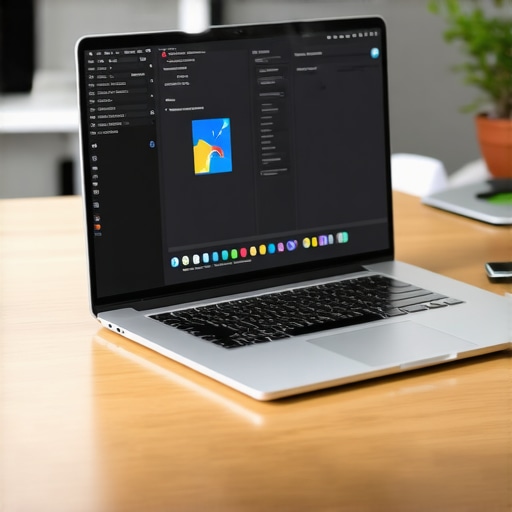
How Parallels Desktop Saved Our Dev Team from the Two-Laptop Shuffle
If you have ever spent ten minutes at a coworking space untangling two different power bricks while trying to find enough outlets for a MacBook Pro and a Microsoft Surface, you know the “Two-Laptop Shuffle.” It is a physical and mental burden that has plagued developers for a decade. You want the sleek Unix-based environment of macOS for your daily drivers and containerized workflows, but your enterprise clients demand testing in native Windows environments, or your legacy stack requires a specific version of SQL Server Management Studio that simply won’t run on a Mac.
For our engineering team, this wasn’t just an inconvenience; it was a productivity drain. We were literally carrying two machines. One for the “creative” work and one for the “corporate” work. This constant switching between physical devices creates a massive “context-switching” tax. Every time you move your hands from one keyboard to another, your brain has to recalibrate. The truth about hot-desking: Is it actually a productivity killer? often comes down to this very issue – if your setup is too complex to move, you lose the flexibility that modern coworking provides. We found that Parallels Desktop was the only way to break this cycle and return to a unified, single-machine workflow.
The Developer’s Dilemma: Why One OS Isn’t Enough
The modern developer is caught in a tug-of-war. On one side, macOS offers an unparalleled ecosystem for web development, mobile app design, and a terminal that feels like home. On the other side, the business world still runs on Windows. Whether it is Visual Studio (the full version, not Code), specialized CAD software, or the need to test Edge in a native environment, Windows remains an absolute necessity for enterprise-grade delivery.
In our team, we believe in the GOOD BULL approach. In the tech world, “Good Bull” means taking a no-nonsense, high-standard path where reliability is non-negotiable. If a tool doesn’t work 100% of the time, it’s “Bad Bull.” Carrying two laptops was definitely Bad Bull. It meant double the updates, double the security patches, and double the risk of hardware failure. IT professionals know that managing a fleet of dual-device users is a nightmare for asset tracking and software licensing. We needed a way to consolidate without sacrificing the specific tools that only Windows can provide.
The dilemma isn’t just about software; it’s about the mental load. When you are deep in a flow state, having to look away from your primary monitor to a secondary laptop screen just to check a database entry in SQL Server breaks that momentum. We needed those Windows tools to live *inside* our primary workspace, not next to it. This is where virtualization moves from being a “nice to have” to a core infrastructure requirement.
Enter Parallels Desktop: The Virtualization Game Changer
When we integrated Parallels Desktop into our workflow, the shift was immediate. Parallels isn’t just a basic emulator; it is a high-performance virtualization layer that allows us to run Windows, Linux, and even macOS Monterey on our latest Apple Silicon hardware simultaneously. For a developer, the ability to spin up a Windows 11 environment in seconds – without rebooting – is a revelation.
The standout feature for us has always been Coherence Mode. This allows you to run Windows applications as if they were native Mac apps. You can have your Mac terminal open on one side and a Windows-only enterprise tool on the other, sharing the same desktop space. You can copy and paste text, drag and drop files, and even share folders between the two operating systems seamlessly. With full support for Touch ID, the security integration feels native, making the transition between OS environments practically invisible.
One of the biggest concerns for our team was performance, especially after the transition to M1, M2, and now M3 chips. However, Parallels Desktop is highly optimized for Apple Silicon. We aren’t seeing the lag or “ghosting” typically associated with older virtualization tech. In fact, research and customer case studies, such as those from Marco Schilder, have shown that using Parallels can improve a developer’s weekly efficiency by 20% to 25%. By eliminating the physical swap and the “reboot to Boot Camp” era of the past, we reclaimed nearly a full day of productive time every month. With support for over 200,000 Windows applications, there hasn’t been a single legacy tool we couldn’t handle.
The Mobile Developer’s Gear Bag: Streamlining the Hardware
Once we committed to Parallels Desktop, our physical gear bags underwent a radical transformation. The “Two-Laptop Shuffle” was replaced by a streamlined, high-efficiency kit. Most of our devs now carry a single 14-inch or 16-inch MacBook Pro and perhaps an iPad to serve as a secondary monitor via Sidecar.
Even though we reduced the number of computers, we didn’t skimp on protection. When your entire livelihood is on one machine, you treat that machine with reverence. Our team members often use a rugged apple ipad case to ensure their secondary screen survives the commute. For those few edge cases where a dev might still keep a legacy tablet for touch-interface testing, a slim case for surface pro is essential to keep the footprint small.
The beauty of this setup is the reduction in cable clutter. We no longer need two different proprietary charging bricks. However, we’ve learned that coworking life is about community. Why Our Private Office Suites Stock Extra Surface Pro Chargers for Members is a testament to the fact that even if you’ve moved to a virtualized environment, your colleagues might still be mid-transition. Having a charger microsoft surface pro available in your bag or at your desk can make you the hero of the office when a teammate’s hardware-only setup runs out of juice. But for us, the goal is clear: one cord, one machine, infinite possibilities.
Beyond Software: Protecting the “All-in-One” Investment
When you consolidate your workflow into a single machine via Parallels Desktop, that machine becomes a high-value single point of failure. This necessitates a “GOOD BULL” strategy for hardware protection and data integrity. You cannot afford a week of downtime while a laptop sits in a repair center.
For enterprise fleets, many organizations rely on Dell ProSupport Plus for their Windows machines, but for the Mac-centric developer using virtualization, we have to look at different tiers of protection. Many of our independent contractors opt for Safeware, which provides comprehensive accidental damage protection that often goes beyond standard manufacturer warranties. Why a basic warranty won’t save your startup from a hardware disaster is a lesson many learn too late. If you are running your entire dev environment through a virtual machine, your backup strategy must be ironclad.
We always recommend that our developers keep their Parallels .pvm files backed up to an external NVMe drive and a cloud provider. Hardware failure is the leading cause of missed deadlines in the freelance and startup world. If the worst happens and a drive fails without a backup, you’re looking at the “nuclear option”: Drive Savers. They are the industry leaders in data recovery, but their services come at a premium that can be avoided with a simple Time Machine backup and a disciplined virtualization snapshot routine.
The Coworking Advantage: Why Virtualization Wins in Flex Spaces
The transition to Parallels Desktop has fundamentally changed how we interact with flexible workspaces. In a coworking environment like Coworking Central, agility is currency. If you can arrive, plug in one USB-C cable, and have your entire Mac/Windows/Linux stack ready to go, you are ahead of the game. It makes “hot-desking” a breeze because you aren’t tethered to a specific desk with enough space for two laptops and a monitor.
We’ve found that the ability to travel light allows our team to be more mobile within the office. You might find the exact desk location that boosted my productivity by 40 percent by moving from a quiet corner to a high-energy communal table, and that move is only possible if your tech stack isn’t a 15-pound anchor. Furthermore, when you are running high-bandwidth virtualized environments, you need to be sure the facility can handle it. We always advise our members to how to vet a workspace’s internet speed before you pay a dime, as downloading large VM images or syncing heavy Windows updates requires a robust connection.
The flexibility of virtualization also means we can share environments. If a new developer joins the team, we don’t have to spend hours configuring their Windows settings. We can simply share a pre-configured Parallels VM image. They drop it onto their Mac, and they have all the enterprise tools, security settings, and dev environments they need to start coding on day one.
Conclusion: Lighten the Load, Increase the Code
The “Two-Laptop Shuffle” is an outdated relic of a time when hardware was the only way to define an operating system. Today, Parallels Desktop has rendered that struggle obsolete. By bringing the Windows ecosystem into the macOS environment, we have seen a 25% boost in efficiency, a significant reduction in physical strain, and a much cleaner, more professional workspace.
If you are still carrying more than five pounds of technology in your bag just to satisfy your OS requirements, it is time for an audit. Look at your hardware, consider your protection plan – whether it’s Safeware or a ruggedized case – and think about how much more productive you could be with a single, unified machine. Stop juggling chargers and start focusing on your code. If you’re looking for a workspace that understands the needs of high-tech developers, Contact Us today to learn more about our tech-optimized private suites and hot-desking options.