
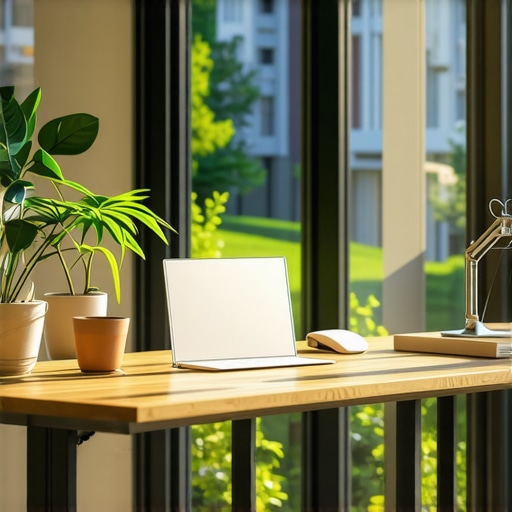
I still remember the crushing disappointment of my first week at a bustling downtown coworking hub. I arrived at 9:05 AM, coffee in hand, ready to conquer the world, only to find myself relegated to a gloomy, windowless corner right next to the recycling bin. For eight hours, I stared at a blank drywall, feeling my energy drain with every hum of the overhead fluorescent lights. It was a stark contrast to the vibrant, sun-drenched workspaces I had envisioned. That week, my focus plummeted, and I realized that my desk placement wasn’t just a matter of preference—it was actively killing my drive. I knew there had to be a better system than simply showing up and hoping for the best.
Why Daylight is Your Best Productivity Hack
We often obsess over getting the latest productivity apps or ergonomic chairs, but we overlook the simplest catalyst of all: natural light. Studies have shown that workers sitting near windows experience significantly less eyestrain and a massive boost in cognitive function. If you are struggling with afternoon fatigue, the solution might not be another espresso; it might just be a change of scenery. I wasted months adjusting my monitor settings when all I really needed was a seat with a view. Securing that prime spot consistently requires a bit of strategy, much like the membership trick for getting the best desk every morning.
Are window desks really worth the morning hassle?
You might be skeptical. Is it actually worth waking up thirty minutes earlier just to sit near a piece of glass? According to a landmark study by Cornell University’s Department of Design and Environmental Analysis, employees sitting near windows reported an 84 percent decrease in symptoms of eyestrain, headaches, and blurred vision. Natural light optimizes our circadian rhythms, which directly translates to sharper focus during high-stakes tasks. Once I experienced the difference, I realized that hunting for daylight wasn’t just a vanity project—it was an essential part of my daily routine. My early mistake was assuming all hot desks were created equal, but learning how to navigate the layout of a shared office completely changed my output.
Have you ever spent an entire day working under buzzing fluorescent bulbs because you couldn’t find a decent seat? Let me know in the comments below, because I would love to hear your worst desk-hunting horror stories. Transitioning from a dark corner to a sunlit workspace is just the first step in optimizing your daily environment. If you want to dive deeper into how spatial design influences your workflow, check out the exact desk location that boosted my productivity by 40 percent to start planning your next move.
My Three-Step Blueprint to Secure the Ultimate Workspace Every Day
Finding the perfect workspace in a bustling environment is like playing a high-stakes game of musical chairs. If you show up unprepared, you end up with the worst seat in the house. Over the past three years of working out of various shared environments, I have developed a systematic approach to claiming the best real estate before anyone else even unpacks their laptop charger. It is not about luck; it is about treating your workspace selection with the same strategic precision you would apply to a major product launch.
Map the floor plan before you set foot inside
The biggest mistake you can make is walking into a new workspace blind. On my very first day at a premium downtown hub, I assumed all desks were created equal. I spent twenty minutes wandering around looking for an outlet, only to end up right next to the high-traffic restroom corridor. Now, I always request a digital floor plan or do a quick walk-through during off-peak hours. I look specifically for the location of the main routers, the proximity to communal zones, and the position of the windows relative to the sun’s path. Identifying these variables beforehand allows you to target prime zones immediately upon arrival. If you are still testing out a potential location, you should learn the best ways to use a day pass for maximum-output impact before committing to a long-term membership.
Use meeting rooms as strategic focus sanctuaries
Sometimes the open bullpen is simply too loud for deep, analytical work. When the main floor feels like a chaotic marketplace, I pivot to my secret weapon: booking small, collaborative spaces for short, intense sprint sessions. These rooms are designed to keep external noise out and internal focus high. However, you must know how to navigate the booking ecosystem to avoid conflicts. I once scheduled a critical client call only to realize the room had a ancient projector that hummed like a jet engine. Since then, I prioritize spaces that are updated and optimized. For startups looking to keep their teams highly aligned without wasting valuable hours, mastering this scheduling dance is crucial. Take a look at how to maximize productivity in your startup’s conference rooms by 02:45 PM to ensure your team’s collaborative hours are actually driving results.

Leverage communal kitchen run-ins for elite networking
Your physical desk is for execution, but the shared kitchen is where the actual business growth happens. I used to think grabbing coffee was just a distraction from my to-do list. That changed the day I struck up a conversation with a developer microwaving lunch; that casual chat saved us thousands of dollars in outsourced development costs over the next six months. Treat the communal kitchen as an informal boardroom. Instead of staring at your phone while your coffee brews, ask the person next to you what they are building. You will quickly find that why shared kitchens are the new secret boardroom for founders is not just a catchy phrase—it is a legitimate strategy for resource-strapped startups. Keep your ears open, be genuinely curious about other members’ projects, and let the organic environment do the heavy lifting for your professional network.
Know when to upgrade from hot desking to dedicated space
There comes a tipping point where saving a few dollars on a flexible desk begins to cost you more in lost focus and daily friction. I hit this wall when my team grew to three people, and we spent the first fifteen minutes of every morning trying to find adjacent seats. The daily scramble was draining our creative momentum before we even opened our email. Upgrading our setup allowed us to leave monitors, documents, and ergonomic setups in place overnight. If you are constantly packing and unpacking your entire professional life into a backpack every evening, it might be time to evaluate your workspace trajectory. Check out the move to a dedicated desk: is the extra cost worth it? to determine if making the financial jump will actually unlock your next level of business growth.
We have all been conditioned to believe that a meeting room is just a box with a table, some chairs, and a screen. When founders and remote teams transition into shared environments, they carry this legacy corporate mindset with them. They assume that booking a room is a straightforward logistical task. But in my years navigating high-energy shared workspaces, I have learned that treating these collaboration zones like traditional corporate boardrooms is a massive mistake that quietly drains your team’s momentum.
The Collaboration Myth That Quietly Kills Team Momentum
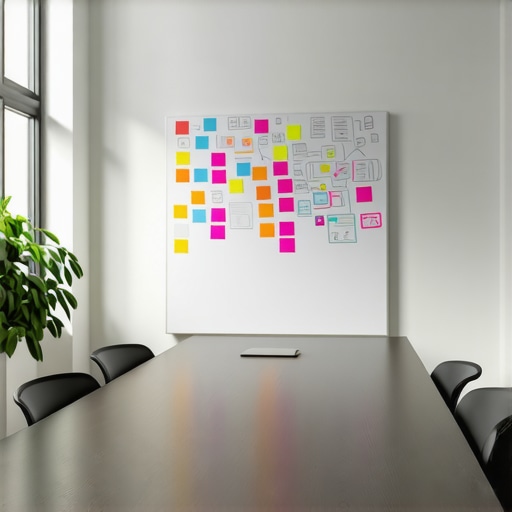
The common wisdom dictates that the bigger and more high-tech the space, the better the output. Everyone wants to reserve the grand, glass-walled boardroom with the plush leather seats. However, in my experience, massive rooms actually stifle early-stage creativity. Large spaces introduce psychological distance; team members spread out, sit further apart, and default to formal presentation mode instead of raw, collaborative problem-solving. If you want genuine, high-velocity breakthroughs, you should stop booking spaces designed for twenty people when there are only four of you. To truly unlock your team’s creative potential, you need to understand the two-pizza rule for booking the right-size meeting room instead of falling for the allure of empty square footage.
Why are windowless meeting rooms actually better for deep-dive strategy sessions?
While I passionately champion natural light for daily desk work, intense team alignment sessions are a completely different beast. A study by the Association for Psychological Science reveals that external visual stimuli can significantly degrade performance during complex, analytical tasks that require sustained internal focus. When your team is trying to map out a complex system or review sensitive financial projections, that beautiful park view outside the glass becomes a massive distraction. Windowless spaces, when properly utilized, act as focus sensory deprivation chambers. The key is knowing how to make those environments feel energizing rather than claustrophobic. Before you write off a basement room, read about 7 ways to make a windowless meeting room feel less like a prison to turn a dark space into an elite strategy bunker.
The Bring Your Own Device Trap That Ruins Client Pitches
There is nothing more embarrassing than inviting a potential investor to a premium hub, only to spend the first fifteen minutes of your pitch sweating over display dongles, incompatible resolution settings, and dropped Wi-Fi connections. The “Oops” factor here is relying on the workspace’s default setup without pre-flight testing. Most founders assume that plug-and-play actually means plug-and-play. In reality, modern mixed-hardware teams present a nightmare for shared systems. To protect your professional image, you must actively audit your tech stack against the room’s capabilities. If you want to avoid a technical disaster in front of your next major client, pay close attention to the problem with bring your own device in shared meeting rooms and establish a foolproof backup plan.
Have you ever fallen into this trap and spent half your meeting acting as an amateur IT support tech? Let me know in the comments below, because I have certainly had my share of technical nightmares in front of important guests. If you are tired of struggling with broken technology every time you present, you can easily master how to find a conference room that actually has working adapters to keep your next presentation completely seamless.
We have all spent hours trying to find a rhythm in environments we cannot fully control. Over the years, I realized that relying on a space to have everything perfectly configured is a losing game. To maintain peak performance week after week, you need to bring your own specialized ecosystem. I transitioned from hoping for a quiet day to actively manufacturing my own optimal working conditions using a highly curated kit of hardware and software.
How do I maintain my workspace productivity over time?
Consistency in a dynamic, ever-changing environment is not about rigidity; it is about adaptability. I keep my focus intact by auditing my setup every single quarter. For this, I rely heavily on two specific tools: a physical dB meter (the Reed Instruments R8050, rather than a laggy smartphone app) to measure ambient noise levels, and the classic Shure MV7 microphone, which features excellent voice isolation technology that cuts out background chatter during critical client pitches. By measuring the physical realities of my environment, I know exactly when it is time to pivot. If your current environment consistently fails the quiet test, it might be time to learn 7 non-obvious signs a coworking space is too loud for deep work before your output suffers.
Beyond hardware, software plays a massive role in maintaining sanity. I personally use Krisp.ai for real-time, OS-level noise cancellation on video calls, which handles the unpredictable clinking of ceramic mugs in shared spaces. Furthermore, for managing my team’s hybrid schedules without getting bogged down in endless spreadsheet updates, I use Cal.com because of its deep API integrations. As highlighted in the Hedgehog Lab Hybrid Work Report, teams that master asynchronous scheduling tools save an average of 4.2 hours per week compared to those using manual bookings. Having these specialized tools means I do not have to worry about the daily chaos of a busy shared office.
Where is the future of collaborative workspaces heading?
I predict we are moving toward hyper-personalized micro-environments. Static desks and generic boardrooms are rapidly becoming obsolete. In the near future, workspaces will likely utilize smart zoning where lighting temperature, acoustic dampening, and even desk heights automatically adjust to your biometric preferences the moment you check in via NFC. We are already seeing early signs of this shift with highly integrated booking software and flexible memberships. For growing teams, adapting to these tech-forward environments is the ultimate competitive advantage. If your team is growing rapidly, you should look closely at the move to upgrade your membership as your team hits ten people to stay ahead of this technological curve.
My challenge to you this week is to stop accepting a subpar work environment. Pick just one advanced tip from this guide—whether that is performing a quick 10-minute audit of your current desk’s decibel levels or upgrading your audio kit—and implement it on your next office day. You will be amazed at how much energy you preserve when you stop fighting your surroundings.
What Everyone Gets Wrong About Shared Workspace Etiquette and Flow
Over the years, I have watched hundreds of remote workers and founders sabotage their own focus because they treat shared workspaces like a library. They whisper, tip-toe around, and isolate themselves in corners. The real magic happens when you treat the space like a living, breathing ecosystem. One major mistake is trying to force a deep-work session in a high-traffic zone while ignoring the subtle cues of your surrounding environment. If you find yourself constantly distracted, you might want to look out for 7 non-obvious signs a coworking space is too loud for deep work before you lose another productive afternoon.
Another common trap is staying static. Members often pick a desk on day one and sit there for the next six months. Your tasks change throughout the day, which means your physical environment should change too. Use the open lounge for administrative tasks, book a small meeting room for intense strategic planning, and move to the kitchen area for your afternoon coffee break to keep your mind stimulated and agile.
The Critical Tools I Pack in My Everyday Work Kit
You cannot control the lighting, the temperature, or the people in a shared space, but you can control your immediate personal setup. Over time, I have streamlined my gear down to a few indispensable items that act as my portable sanctuary. If you are serious about maintaining peak focus, here is what I highly recommend carrying with you:
- Sony WH-1000XM5 Headphones: These are the gold standard for active noise cancellation, helping you instantly block out nearby phone conversations or coffee grinding.
- Anker PowerCore 24K: Never scramble for an outlet again; having high-capacity portable power means you can sit at the best window desk regardless of where the wall plugs are.
- A Physical Room Thermometer: A simple pocket tool to audit the actual climate of your meeting rooms, because a freezing room will drain your analytical energy faster than a bad presentation. If you want to check if your entire office environment is set up for financial and physical efficiency, try running the 10-minute audit to see if your office space is wasting money.
Your Next Move to Reclaim Your Workday Focus
The layout of your office, the quality of your conference room, and the strategic placement of your desk are not minor details—they are the foundational pillars of your daily output. Stop letting random chance dictate whether you have a successful day or a frustrating, unproductive afternoon. By actively taking control of your spatial environment and choosing the right settings for the right tasks, you unlock a level of focus most professional desk-workers never experience.
You now have the exact blueprint to navigate shared environments, optimize your collaborative sessions, and choose setups that actually support your brain’s natural workflow. Go out there, claim your prime window seat, and design a workday that leaves you feeling energized instead of depleted.
Have you ever had a critical client meeting derailed by terrible Wi-Fi or a broken display setup in a shared space? Let me know your stories in the comments below!