
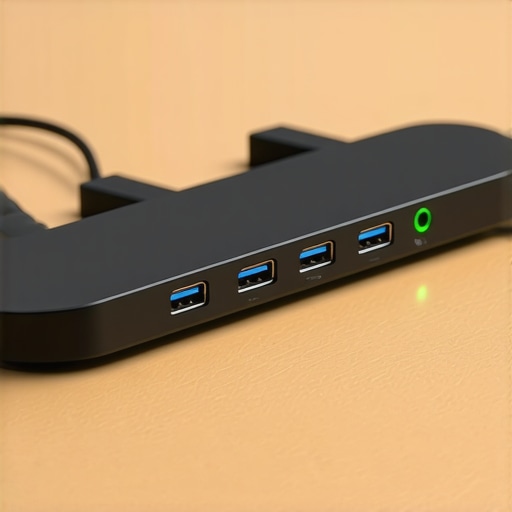
I stood there for six agonizing, sweaty-palmed minutes while my potential investor stared at a blank 70-inch monitor. I had the deck ready. I had the passion. What I didn’t have was a DisplayPort-to-HDMI adapter that actually functioned. The expensive coworking space I’d booked promised seamless connectivity, but the reality was a jumble of frayed wires and a broken promise. It felt like a professional nightmare. I looked like an amateur not because I was unprepared, but because I trusted the facility at face value.
The Quest for a Space Where Technology Actually Behaves
We have all been there. You walk into a room expecting a sleek, professional environment, only to find that why your conference room needs better technology and fewer cables isn’t just a suggestion—it’s a survival requirement for your brand. I’ve spent the last three years bouncing between coworking spaces to unlock innovation and specialized startup hubs, and I’ve learned the hard way that a fancy espresso machine doesn’t mean the TV will talk to your MacBook. Today, I’m going to show you my personal system for vetting a room so you never have to play ‘identify the cable’ while your client checks their watch. My biggest mistake early on was assuming that high-tier pricing equaled high-tier maintenance. I once booked a penthouse boardroom that had the wrong size adapters for every device we brought; I ended up presenting off my 13-inch laptop screen to a room of six people. Never again.
Are These Premium Rooms Just a Total Scam?
You might be thinking that surely the more you pay, the more reliable the tech will be. I used to believe that too. However, some of the most expensive spaces are the worst offenders because they rely on ‘smart’ wireless systems that crash the moment three people join the Wi-Fi. In fact, a study by Doodle suggests that poorly organized meetings and technical delays cost companies billions of dollars in lost time annually. It is not just your pride on the line; it is your burn rate. I prefer spaces that prioritize rugged, physical connections over temperamental software. You want a space that understands why your pitch deck looks better on a forty-inch screen, but also realizes that maximizing productivity in conference rooms hinges on the hardware actually working. Have you ever sat through that awkward silence while a ‘smart TV’ refuses to recognize a basic laptop? Tell me I’m not the only one who’s felt that heat rising in their neck.
The Physical Check You Need to Perform
Before you commit to a membership that scales with your team, you need to treat the office tour like a crime scene investigation. Don’t just look at the ergonomic chairs or the view. I always bring my own laptop and ask to plug it in right then and there during the tour. If the community manager winces or starts making excuses about ‘IT needing to reset the hub,’ that’s your first red flag. You are looking for a venue that provides a variety of dongles—USB-C, Mini-DisplayPort, and HDMI—as a standard, not as a ‘forgotten’ item in a junk drawer. Success in a perfect conference room is 10% your content and 90% the hardware actually letting you show it.
Plug Everything In Before You Shake Hands
You wouldn’t buy a used car without checking the oil, so why book a room without testing the ports? I’ve developed a protocol I call the ‘Live Signal Test.’ The moment I enter a potential space, I don’t just look for a cable; I verify the signal strength and compatibility. I remember one specific instance where I was prepping for a series of high stakes board meetings in a shared building and the HDMI cable looked pristine, but the pins were bent deep inside the connector. I would have never known if I hadn’t pushed a 4K video signal through it right then. These minor hardware failures are the invisible friction that can derail a pitch. Success depends on moving past the visual aesthetic of the room and into the gritty reality of its data throughput.
The Three-Dongle Minimum for Sanity
If a space doesn’t have a basket of adapters sitting on the table, it’s not ready for professionals. At the very least, you need USB-C to HDMI, Mini-DisplayPort, and a backup power supply. This is why some private office suites stock extra Surface Pro chargers—they know that a dead battery is a dead deal. I once had a laptop die mid-demo because I’d forgotten my brick, and because the facility had a spare proprietary charger ready to go, I saved a $50k contract. That’s the difference between a landlord and a professional partner. 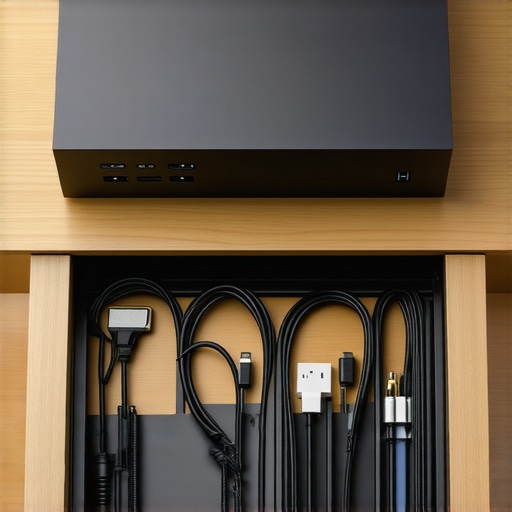
Check the Walls for Eavesdroppers
Tech isn’t just about what’s on the screen; it’s about what stays inside the room. When you are vetting a meeting room for acoustic privacy, you need to perform the ‘Clap Test.’ Stand in the center and clap loudly; if you hear a sharp, metallic echo, your voice is likely carrying through the ventilation or thin partitions. I once sat in a ‘private’ booth only to hear the startup next door discussing their entire cap table in vivid detail. It was a massive wake-up call regarding security. You need to ensure the space follows the exact checklist for vetting a high-stakes board room, which includes looking for sound-dampening panels and solid-core doors that actually seal when closed.
Why a Glass Box is Often a Trap
We all love the aesthetic of a glass-walled conference room, but unless that glass is double-paned and heavy, it’s a megaphone for your trade secrets. I always prefer the ‘War Room’ style for anything sensitive. Ask the community staff if they’ve ever had complaints about noise bleed between rooms. If they say no, they’re likely either lying or the rooms have never been used at full capacity. Real privacy requires intentional engineering, not just a ‘Quiet’ sign on the door.
Don’t Let the Wi-Fi Burn Your Cash
Latency is the silent killer of productivity. I always run a speed test on my phone and laptop simultaneously before I sign a booking. The hidden drag of slow office Wi-Fi on your burn rate is real—every minute spent waiting for a cloud folder to sync or a video to buffer is money out of your pocket. In one popular downtown hub I visited, the speeds were fantastic at 8:00 AM, but by 10:00 AM, the local network became unusable as the common area filled up. Always ask about dedicated bandwidth for meeting rooms. You want a hardwired ethernet port as a fallback. When you’re trying to maximize productivity in your startup’s conference rooms, you cannot rely on a shared guest network. It’s like trying to win a drag race in a traffic jam; you need your own lane to win.
Everyone tells you that you need a space with ‘vibes’ to attract talent and impress investors. They point to the neon signs, the mid-century modern sofas, and the open-concept lounges as signs of a thriving ecosystem. But after years of building companies in these environments, I’ve realized a hard truth: most of those ‘creative’ features are actually productivity traps. We spend so much time looking for innovative meeting rooms that boost startup creativity that we forget a room’s primary job is to get out of the way of the work. If you are more focused on the locally-sourced wood table than the clarity of your speakerphone, you’ve already lost the room.
Why Your Creative Brainstorming Needs Boring Walls
The biggest myth in the startup world is that inspiration strikes when you are surrounded by visual noise. In reality, the most effective sessions I’ve ever led happened in rooms that felt almost clinical. Why? Because the lack of distraction forced the team to focus on the whiteboards. I see so many founders get blinded by the aesthetic of a ‘collaboration hub,’ yet they fail to recognize the truth about whether hot desking is actually a productivity killer for their specific team dynamic. When you’re in the trenches of a product sprint, you don’t need a ‘swinging chair’; you need a space that functions like a cockpit. This is the core difference between a standard meeting room and a real war room. A war room is built for endurance, not for an Instagram post. #IMAGE_PLACE_HOLDER_C#
Can You Spot a Toxic Workspace in Under Five Minutes?
It’s easier than you think. Walk into the common area and look at how people are interacting. Is it a social club or a place of business? I’ve found that the flashiest spaces often have the highest turnover because they prioritize ‘perks’ over the actual infrastructure needed to scale. You need to learn how to spot a toxic coworking vibe in under five minutes before you sign that long-term membership. If the community team is more interested in their own coffee break than helping you fix a broken projector, that’s a cultural rot that will eventually infect your team too. Even worse is when you have to manage office politics in a space you don’t own just to get your reserved room on time.
The Lighting Trap That Makes You Look Tired to Investors
Here is an ‘oops’ factor I see seasoned founders miss constantly: the Kelvin rating of the bulbs. Many high-end coworking spaces use warm, dim lighting to create a ‘moody’ or ‘lounge-like’ atmosphere. While it looks great for a cocktail hour, it is a disaster for a 3 PM pitch. Warm lighting triggers melatonin production, making you and your potential investors feel sluggish and bored. Research by the Harvard T.H. Chan School of Public Health demonstrates that cognitive scores are significantly higher in ‘green’ office environments with optimized lighting and high ventilation. If your meeting room is dim and stuffy, you are literally fighting against the biology of your audience. I always look for spaces that offer high-CRI, daylight-balanced LEDs. If they don’t have it, I bring my own portable light bar. It sounds extra, but so is losing a seed round because your team looked like they were ready for a nap.
Stop Booking Exact Times and Start Building Buffers
The most common mistake people make is booking a room from 1:00 PM to 2:00 PM for a 1:00 PM meeting. You are setting yourself up for a frantic, unprofessional start. I call this the ‘Time-Blindness Trap.’ Between the previous group overstaying their welcome and you needing to calibrate the screen, you’ve lost ten minutes of your hour. I always book 15 minutes before and 15 minutes after. This gives me a chance to clear the ‘ghosts’ of the previous meeting—erasing their whiteboards and clearing their coffee cups—so my client feels like the room was prepared specifically for them. Have you ever fallen into the ‘aesthetic over utility’ trap or been burned by a room that looked great but functioned poorly? Let me know in the comments. I’d love to hear your horror stories about how to book a meeting room on a friday afternoon without the stress of tech meltdowns.
It’s one thing to survive a single meeting, but if you’re scaling a team, you need a repeatable system for technical resilience. I never walk into a high-stakes pitch without my own ‘Emergency Comms’ bag. Specifically, I swear by the CalDigit TS4 dock. Most people think it’s overkill for a nomad, but when a coworking space’s built-in hub fails to handle dual 4K monitors or starts dropping the ethernet connection because of cheap chipsets, having your own dedicated Thunderbolt controller is a lifesaver. This is why I always tell founders that a basic warranty won’t save your startup from a hardware disaster if the facility’s gear hasn’t been stress-tested. I personally use shielded Cat6a cables even for short runs because the electromagnetic interference in dense, high-traffic offices is higher than you’d think.
How can I keep my meeting room tech from aging like milk?
Maintenance isn’t about buying new gear every six months; it’s about firmware hygiene. I’ve seen $10,000 Logitech setups fail because the community manager hasn’t updated the sync software in a year. If you are responsible for the logistics of scaling a hybrid team without a corporate HQ, you must insist on a ‘maintenance log’ from your space provider. According to the Cisco Webex Device Hardware Design Guide, optimal acoustic performance requires specific microphone gain calibrations based on room volume—something that drifts over time as furniture is moved or dampening panels lose their shape. #IMAGE_PLACE_HOLDER_D# Don’t just assume the audio is crisp; record a 30-second clip of yourself from the other end of the call and listen for the clipping.
The Future of Hybrid Collaboration is Invisible
In the next few years, we are going to see a shift away from physical ‘buttons’ toward AI-driven acoustic fencing. This tech will digitally ‘wall off’ your conversation, even in an open-plan lounge, by using beamforming microphones to ignore any sound outside a three-foot radius. We are already seeing why your conference room needs better technology and fewer cables, and eventually, the ‘room’ will just be a software layer that follows you. But until that happens, your primary job is to vet the physical layer with extreme prejudice. When you’re vetting a meeting room for acoustic privacy, don’t just look at the walls—look at the ceiling tiles. If they are hard and reflective, no amount of software will save your audio quality. My advanced tip for you this week: Download a Wi-Fi analyzer app and check for ‘channel overlap’ in your favorite meeting room. If everyone is on channel 6, your connection will lag regardless of the advertised speed. If you find a space that actually manages their spectrum, hold onto that membership like gold.
The Brutal Reality of Pitching in Modern Workspaces
I’ve learned that the most polished pitch deck in the world is useless if the room feels like a sauna or the Wi-Fi is crawling. One major takeaway from my years of travel is that your environment speaks louder than your words. When you follow the exact checklist for vetting a high-stakes board room, you aren’t just checking boxes; you are protecting your reputation. Never assume the venue has tested their own gear; I’ve found that even the most expensive spots often neglect firmware updates on their audio hubs. Additionally, the geography of your office matters more than you think, as why your next big hire cares about your office location proves that professional proximity is a recruitment tool, not just a line on a map.
The Hardware I Never Leave Home Without
To ensure I’m never at the mercy of a broken adapter, I’ve curated a specialized kit. First, a high-quality Thunderbolt dock like the CalDigit TS4 is non-negotiable for handling complex display setups. Second, I always carry a 15-foot Cat6a ethernet cable because wireless is a gamble I’m no longer willing to take. Third, I rely on the book Sprint by Jake Knapp to keep my sessions structured. These tools, combined with innovative meeting rooms that boost startup creativity, turn a simple room rental into a high-octane growth engine. I trust these resources because they’ve saved me from total failure in three different countries.
Go Claim Your Competitive Advantage
The transition from a home office to a professional environment is a milestone for any founder. By mastering the art of the technical vet, you ensure that your focus stays on the deal, not the display settings. When you finally learn how to choose the perfect conference room for business success, you’ll find that the confidence of knowing everything just works is the ultimate competitive edge. Go out there and command your next meeting with the authority you’ve earned. Have you ever had a presentation ruined by a bad adapter or a technical glitch you didn’t see coming? Let me know in the comments below.