

I remember sitting in a sun-drenched conference room last Tuesday, laughing with my co-founder about a client email, and then it hit me like a bucket of ice water. I looked at the TV on the wall. Three floating heads were staring at us in silence, looking like they were watching a movie they hadn’t paid for. It was brutal. I realized then that while we were having a “great meeting,” half our team was just watching us have one. If you’ve ever wondered why your hybrid team feels disconnected on Mondays, it usually starts right here, in the physical room where the remote folks are treated like second-class citizens. I promise you right now: we are going to fix this. We are going to stop the eye-rolling and the “can you hear me now?” rituals. I’ve spent three years making every mistake in the book so you don’t have to, and I’m ready to share the blueprint for meetings that actually feel like teamwork again. Have you ever felt that sinking feeling when you realize you’ve ignored your remote colleagues for twenty minutes straight? [image_placeholder_1]
We Need to Talk About the Ghost in the Room
We’ve all been there. You spend thousands on high-speed internet and 4K cameras, yet the vibe is still off. Early on, I made the classic mistake of thinking tech solved culture. I bought the most expensive “owl” camera on the market but didn’t change how we actually talked. I was so focused on the hardware that I forgot about the humans. According to the Microsoft 2022 Work Trend Index, 43% of remote employees say they don’t feel included in meetings. That’s nearly half your team feeling like spectators. It turns out, the checklist for a glitch-free hybrid board meeting involves more than just plugging in an HDMI cable; it requires a radical shift in how we inhabit the space. I once spent the first fifteen minutes of a board call wrestling with a dongle while my remote VP of Sales sat in total silence. It was a trust-killer, and it’s a mistake I see founders make every single week.
Is This Just Another Corporate Buzzword That Won’t Work?
I get the skepticism. You’re tired of “pivoting” and “optimizing” your workflow every time a new blog post comes out. You might think hybrid meetings are inherently broken and we should just go all-remote or all-in-office. But I’ve seen the middle ground work, and it’s glorious when it does. Sometimes why a neutral meeting space leads to more honest feedback is because it levels the playing field for everyone involved. We aren’t just talking about “better audio”; we’re talking about psychological safety and equal contribution.
Your Current Layout is Actually Making People Grumpy
It’s not just the software; it’s the geometry. Look around your conference room. Is the table a long rectangle where the person at the far end is a mile from the camera? That’s a participation killer. I’ve learned that why your meeting room layout is killing participation often comes down to sightlines. If I have to crane my neck to see the screen, I’m going to stop looking at it. We need to treat the screen as if it’s a person sitting at the table, not a painting on the wall. When we moved our team to a setup where everyone in the room faced the camera and the screen was at eye level, the energy changed overnight. We stopped having “the meeting in the room” and “the meeting on the screen” and started having just *the meeting*.
Give the Remote Team the First Word
I started implementing a ‘Remote-First’ facilitation style last quarter after a disastrous sprint planning session. We were in one of those top meeting rooms of 2025, surrounded by glass and high-end espresso machines, but our lead dev was on a 14-inch screen in his kitchen. To fix the power imbalance, I mandated that the remote person always speaks first on every agenda item. It feels awkward for exactly three minutes, and then it becomes the most natural thing in the world. When you realize how to facilitate a workshop that doesn’t feel like a chore, you realize that the person on the screen needs to be the anchor of the conversation, not an afterthought.
Appoint a Dedicated Remote Advocate
This was the game-changer for my startup. I assign one person in the physical room to be the ‘voice’ for those on Zoom. Their only job is to watch the chat, look for raised hands, and interrupt me—literally cut me off—if someone remote has something to say. I remember a high-stakes meeting where I was midway through a pivot strategy and my co-founder, who was traveling, had his hand up for five minutes. I didn’t see it. The advocate stopped the room, and my co-founder saved us from a $20,000 mistake. 
Kill the ‘One Mic’ Fallacy for Good
We often think a single central hub is enough, but maximizing productivity in your startup’s conference rooms means ensuring every whisper is caught. If people in the room are leaning in to hear a remote colleague, or if the remote colleague is constantly saying ‘sorry, what?’, the system has failed. I once lost a $50k deal because the client couldn’t hear our lead engineer’s explanation of the API over the sound of a nearby coffee machine. This is why the hidden psychology of circular meeting tables is so vital; it’s about sound distribution as much as sightlines. Everyone should have their own audio input if the room acoustics are even slightly echoey.
Why Everyone Needs Their Own Screen
It sounds redundant, but hear me out: even when you’re in the room, open your laptop. Turn your camera on. Mute your mic and speakers. Now, the remote employee sees a grid of faces rather than a ‘fish-eye’ view of a long table where everyone looks like an ant. It levels the visual playing field instantly. While doing this, remember that why endpoint protection services matter more when your team is hybrid is a crucial consideration for the IT side of things. You’re opening more doors to your network, so keep the security tight while you’re opening the doors to better collaboration.
Stop the Side Conversations Once and for All
The death of a hybrid meeting happens in the side bar. You know the one: two people in the physical room whispering about a detail while the person on the screen just watches their lips move. It’s the ultimate exclusionary move. When I was starting out at a professional hub, I noticed that our best brainstorms happened when we enforced a ‘one mic’ rule—if it’s not worth saying to the whole group, it’s not worth saying. We had to learn that handling the noise problem in open-plan offices actually starts with our own discipline inside the meeting room. If you need a side-bar, it usually means your agenda is too broad, and you’re better off booking a meeting room in under sixty seconds to hash out those technical specifics separately.
Most people think the flashier the tech, the better the meeting. We’ve been conditioned to believe that a dozen tablets on the wall and $10k speakers equate to innovation. But here’s the contrarian truth: over-engineered rooms actually kill spontaneity. I’ve seen teams spend twenty minutes just trying to share a screen because the ‘smart’ system was too smart for its own good. When you’re looking at how to choose the perfect conference room for business success, simplicity is a feature, not a bug. Research from the University of Minnesota suggests that ‘technostress’—the struggle to deal with complex UI during a high-stakes task—can lower effective IQ by 10 points in the moment. That’s a massive handicap when you’re trying to close a deal or brainstorm a pivot. We often mistake ‘innovative’ for ‘complex,’ but innovative meeting rooms that boost startup creativity are usually the ones that stay out of your way.
Does Your Tech Suite Actually Prevent Collaboration?
I’ve noticed an advanced mistake that even seasoned founders make: they prioritize optics over acoustic and psychological privacy. It’s easy to get lured by the aesthetics of startup success secrets for choosing the perfect conference room, but if your room is a glass box, you’ve sacrificed focus for fashion. This is the ‘Oops’ factor. You think a glass wall makes the company look transparent and modern, but why your startup needs a real door, not just a glass wall comes down to the simple fact that people don’t share risky, unfinished ideas when they feel like they’re in a fishbowl. A study published in the Journal of Environmental Psychology found that visual distractions in open-plan or glass-walled environments significantly increase cognitive load and decrease task performance. People subconsciously perform for those walking by rather than focusing on the person on the screen.
Stop Designing for VCs and Start Designing for the Work
It’s a classic trap: founders pick rooms based on 7 things investors look for in your physical workspace, assuming a polished look is what wins the check. While a professional vibe matters, the true ROI comes from the work actually getting done inside those four walls. If you’re finding a workspace that doesn’t feel like a tech prison, you need to look for flexibility and tactile tools—like whiteboards that actually erase—rather than just integrated digital displays that lag. I once consulted for a fintech startup that had the most beautiful, automated conference room in the city, but their developers avoided it because it took five minutes to ‘boot up’ the room. They ended up using the logic of choosing a flex office over a 5-year lease specifically because they needed spaces that adapted to their speed, not spaces that dictated it.
There’s also a hidden nuance in acoustics that most people ignore until it’s too late. High ceilings and hard surfaces look great on Instagram, but they create an echo chamber that makes remote participants feel like they’re listening to a meeting held in a public swimming pool. This ‘sonic distance’ is a major contributor to why people tune out. Instead of buying more software, buy a rug. It’s the low-tech solution that actually solves the high-tech problem. Have you ever fallen into this trap? Let me know in the comments.
Ditch the Mouse and Get a Physical Command Center
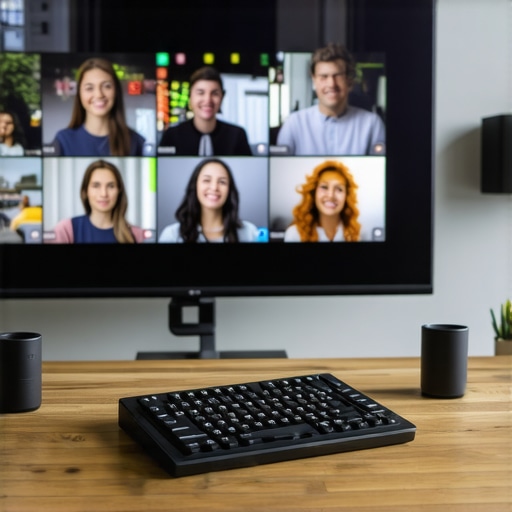
If there is one hill I am willing to die on, it’s this: stop using a mouse to manage your Zoom or Teams meetings while you’re in the room. It’s clunky, it’s slow, and it leads to that awkward ‘dead air’ while you hunt for the unmute button. My secret weapon is the Elgato Stream Deck. I’ve mapped physical buttons to ‘Mute All,’ ‘Switch Camera,’ and even ‘Launch Collaborative Doc.’ It turns a complex digital workflow into a tactile cockpit. When you can switch scenes or highlight a remote participant with a single physical tap, you stay present in the room instead of staring at a cursor. This level of control is exactly how to maximize productivity in your startup’s conference rooms without the usual friction. I personally keep a 15-key version on every board table because it removes the cognitive load of ‘driving’ the meeting.
How do I maintain this system without a dedicated IT hire?
Maintenance is where most hybrid setups go to die. You have a great first month, and then a cable goes missing, a firmware update breaks the camera, and suddenly you’re back to shouting at a laptop. I’ve found that the ‘Room Captain’ model is the only thing that works as you scale. One person is assigned to a five-minute ‘tech sweep’ every Friday afternoon. They check the battery levels on the peripherals, ensure the HDMI dongles haven’t walked away, and run any pending updates. It sounds like a chore, but knowing how to deal with technical glitches during a remote board call often means preventing them forty-eight hours in advance. If you don’t have a checklist, you don’t have a system; you just have a collection of expensive paperweights.
The Future is About Making the Tech Disappear
Looking ahead, the next three years will be defined by ‘Spatial Intelligence.’ We are moving away from cameras that just sit there and toward systems that use AI to ‘follow’ the conversation naturally. According to Shure’s technical whitepaper on the MXA920 ceiling array microphones, the industry is shifting toward ‘Automatic Coverage’ technology that can capture up to eight adjustable zones in a room while ignoring the noise of the HVAC system or the guy crinkling a chip bag. This is the goal: tech so good you forget it’s there. We are already seeing creative coworking spaces transforming meeting rooms into collaboration hubs by embedding these ‘invisible’ sensors directly into the architecture. Eventually, the ‘remote’ experience will feel less like a phone call and more like a window into the room.
Scale Your Space as Fast as Your Hiring Plan
As your startup grows, you’ll realize that one perfect room isn’t enough. You’ll need a mix of ‘Phone Booths’ for deep-focus calls and ‘War Rooms’ for multi-day sprints. This is why I always preach about how to choose an office that supports your scaling speed. Don’t lock yourself into a rigid layout that requires a sledgehammer to change. Use modular furniture and portable acoustic baffles. The most successful founders I know treat their office like software—it’s in beta, and they’re constantly pushing ‘updates’ to the physical layout based on how the team actually uses it. Staying ahead of the future of conference rooms in startup ecosystems means staying flexible. I challenge you today: go into your main meeting room, sit in the ‘worst’ seat, and try to have a conversation with someone on your phone. If you can’t hear them perfectly, your system is broken. Fix it before your next big pitch.
The Raw Truth About What Really Happens in the Room
After three years of trial and error, I’ve realized that the greatest enemy of a productive meeting isn’t bad Wi-Fi; it’s the invisible hierarchy. If you find yourself checking your phone while a remote colleague is talking, you’ve already lost. I learned the hard way that how to deal with technical glitches during a remote board call is 80% preparation and 20% humility. Here are the three non-negotiables I live by now: first, if the audio isn’t perfect, the meeting isn’t happening. Second, never assume silence from the remote team means agreement—it usually means they’ve disengaged. Third, remember that why your startup needs a better first impression starts with how you treat your own team in these digital-physical spaces.
[image_placeholder_2]
The Toolkit That Kept My Startup Sanity Intact
I don’t gatekeep the gear that actually works. Beyond the obvious 4K cameras, my ‘must-haves’ are about control and clarity. I swear by the Elgato Stream Deck for tactile transitions—it keeps me from fumbling with a mouse like a novice. For audio, the Jabra Speak series has never let me down in a pinch. If you want to understand the ‘why’ behind the ‘how,’ read The Art of Gathering by Priya Parker; it changed my life. We also constantly look at innovative meeting rooms that boost startup creativity to see how spatial design impacts our flow. Combining these tools with how to maximize productivity in your startups conference rooms by 0245 pm has turned our chaotic huddles into streamlined strategy sessions.
Build a Bridge Instead of Just a Boardroom
The transition to a hybrid-first culture isn’t an overnight switch; it’s a series of intentional choices. Every time you choose a room that prioritizes the remote experience, you’re telling your team that their location doesn’t dictate their value. Whether you are prepping for a high-stakes meeting or why your investor pitch needs a neutral meeting room matters for the vibe, the goal is always connection. Your startup conference room shouldn’t be a source of stress; it should be the place where the best version of your company comes to life. Go out there, move the chairs, fix the mics, and make it happen.
What is the one recurring technical glitch that always seems to derail your hybrid meetings? Let me know in the comments below.