

I remember the first time I hosted a client meeting in my startup’s tiny conference room. The projector flickered, the Wi-Fi was spotty, and the overly complicated video conferencing system made everyone tense. Midway through, I could see the discomfort on my client’s face—my tech had become a barrier, not a bridge. That lightbulb moment hit me hard: hardware and software shouldn’t overshadow the conversation; they should support it.
Why Poor Conference Room Tech Can Undermine Your Startup’s Success
In the fast-paced world of startups, your meeting spaces are more than just a necessity—they’re a reflection of your professionalism and a catalyst for collaboration. But if your conference room tech is outdated or glitchy, it might be unintentionally pushing away potential clients or investors. It’s tempting to think that tech isn’t a big deal, but studies show that a seamless tech experience can significantly influence your business relationships. According to a report from Coworking Central, innovative and reliable meeting spaces contribute to faster deal closures and stronger client trust.
Is Cutting-Edge Tech Really Necessary, or Is it Overhyped?
Early in my journey, I made the mistake of assuming that investing in the latest gadgets was overkill. I believed that the content of our meetings mattered more than how smoothly they ran. That was a costly misconception. The real issue was not the hardware itself but the lack of compatibility and poor setup. I learned that investing in reliable, easy-to-use equipment and good infrastructure makes every meeting more productive and impressionable. Want to avoid my mistake? Check out this guide on selecting the perfect conference room for your startup’s needs.
Think about it—how often have you experienced technical difficulties during critical meetings? If this sounds familiar, you’re not alone. Many startups struggle with their conference room setup, not realizing how big an impact it has on client perception and internal efficiency.
In the next part, I’ll walk you through practical steps to assess and upgrade your conference room tech, transforming it from a hurdle into a strategic advantage.
Assess Your Current Setup
Start by auditing your existing equipment. It’s like diagnosing your car before a road trip—you need to know what’s working and what’s not. Check your projector, microphones, cameras, and Wi-Fi router. Run a quick test meeting with a team member to identify glitches. Don’t assume all is fine; many startups overlook simple issues that cause big frustrations. Keep notes on what works smoothly and what causes delays or disturbances.
Prioritize Reliability and Ease of Use
Think of your conference room tech as the steering wheel—smooth, responsive, and intuitive. Invest in professional-grade equipment that’s known for stability. For instance, a plug-and-play wireless presentation system can save you from tangled cables and lost time. When I upgraded our system, I chose a high-quality wireless screen sharing device, which cut meeting setup time by half and boosted client confidence. Aim for technology that requires minimal technical skills to operate, reducing friction during crucial meetings.
Ensure High-Speed, Secure Connectivity
Nothing derails a meeting faster than lagging video or dropped calls. Just as a race car requires a solid track, your conference room needs robust internet. Use wired Ethernet connections for critical devices where possible—they offer more stability than Wi-Fi. Also, configure your network to prioritize conference room traffic and implement security measures to protect sensitive discussions. I personally set up dedicated bandwidth for our meetings, which eliminated buffering issues during investor pitches.
Optimize Acoustics and Lighting
Your tech isn’t just gadgets—it’s also the environment. Good audio quality relies on sound-absorbing panels or carpets to reduce echo. Proper lighting, preferably adjustable, keeps everyone visible and alert. I once reconfigured our room with acoustic panels and dimmable LED lights, which created a more professional atmosphere and improved video clarity. Remember, technology should complement these features to produce a seamless experience.
Implement a Routine Maintenance Schedule
Regular checks prevent small issues from escalating. Schedule monthly inspections of all equipment, update firmware, and replace worn-out components. Keep a troubleshooting kit handy—think of it as a mechanic’s toolbox for your meeting space. When I faced recurring connection drops, updating our router firmware and replacing obsolete cables solved the problem for good. This proactive approach saves time and impresses clients with your professionalism.
Train Your Team for Smooth Operations
Even the best tech fails if users are untrained. Conduct quick training sessions on how to connect devices, troubleshoot common issues, and operate conferencing systems. Make it a part of onboarding or regular team refreshers. When our new hires learned to use the wireless presentation tools quickly, our meeting flow improved and technical mishaps decreased dramatically. Providing quick reference guides or checklists can reinforce these skills and keep your meetings running flawlessly.
Many entrepreneurs believe that flashy technology or trendy spaces automatically translate to success, but in my experience, these are often misconceptions. One common myth is that upgrading to the latest conference room gadgets guarantees smoother meetings; however, without proper setup and integration, new tech can introduce unforeseen complications. As highlighted in this guide, the focus should be on reliability and ease of use rather than just cutting-edge features.
Are we overestimating the power of high-tech spaces?
Absolutely. The hidden nuance that many startups overlook is that the environment and human factors often outweigh the equipment. For example, poor acoustics or inadequate lighting can negate the benefits of top-tier hardware. Additionally, believing that a sleek, modern space compensates for a lack of team cohesion or clear communication can be a dangerous trap. The future of coworking emphasizes the importance of adaptable, thoughtfully designed spaces that support collaboration, not just appearance.
Another advanced mistake is neglecting the importance of infrastructural robustness. I once witnessed a startup invest heavily in ultra-fast Wi-Fi and high-end screens, only to overlook basic network security and redundancy. When simultaneous video calls or file sharing occurred, the entire system buckled, causing delays and frustrations. The network evaluation step is often skipped but crucial. A seamless experience relies as much on robust security and backup systems as on hardware quality.
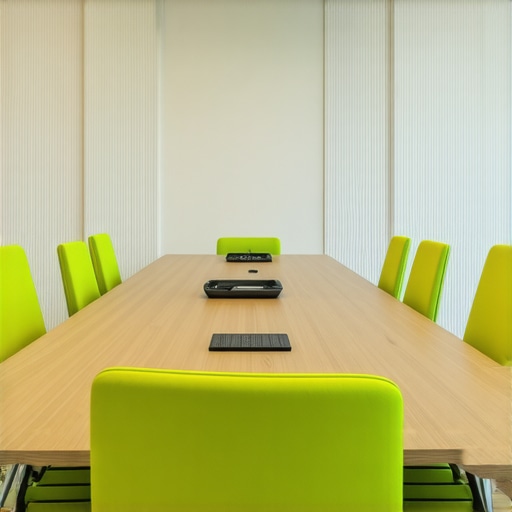 ” src=”” alt=”Modern conference room with high-tech equipment” title=”High-tech modern conference room setup”/>
Being aware of these nuances not only saves your startup time and money but also projects a professional image that instills confidence in clients and investors. The crucial takeaway is that investing in the *right* environment involves aligning your space’s technological and human elements. Don’t let misconceptions lead you down costly paths—prioritize integrated, well-thought-out setups that support your team’s workflows. Want to learn more about creating such an environment? Check out creative coworking strategies and tips for selecting the right space. Have you ever fallen into this trap? Let me know in the comments.
How do I maintain conference room tools over time?
Maintaining your conference room equipment is crucial for consistent performance and professionalism. I personally schedule bi-weekly checks of all devices, including updating firmware on video conferencing hardware and clearing clutter from cables to prevent accidental disconnections. Regular calibration of microphones and cameras ensures clarity during virtual meetings, which I’ve found drastically reduces misunderstandings. Investing in high-quality tools like Logitech’s Rally series has been a game-changer for us due to their durability and ease of integration. Additionally, I keep a detailed maintenance log to track issues and upcoming upgrades, enabling proactive support rather than reactive fixes.
Tools I Recommend for Reliable Conference Room Operations
For hardware, I use Logitech Rally—its modular design makes upgrades straightforward, and its ultra-HD cameras deliver crisp visuals even in larger rooms. Pair this with Bose speakers for crystal-clear audio, essential for remote participants. On the software side, I rely on Zoom with the latest security features enabled, ensuring private, secure meetings. Utilizing management platforms like Barco helps monitor device health remotely, catching issues early.
Stay Ahead with Preventive Maintenance
Implementing a preventive maintenance schedule is key. According to Barco’s technical documentation, regular diagnostics and firmware updates extend device lifespan and minimize downtime. Consider setting reminders for firmware upgrades, cleaning lenses and microphones, and verifying network stability. This routine upkeep prevents minor glitches from becoming major disruptions, ensuring your startup’s reputation remains intact during critical meetings.
Scaling Tech Support for Bigger Teams
As your team grows, so does your need for reliable tech support. I suggest establishing a dedicated support contact or vendor relationship, such as with our support team, to handle urgent issues promptly. Training your staff on basic troubleshooting—like resetting devices or checking Wi-Fi connectivity—can free up time and keep meetings flowing smoothly. Looking ahead, the trend points toward integrating AI-powered diagnostics to preempt technical failures, making maintenance even more seamless in the future.
To put these ideas into action, I recommend trying out a comprehensive maintenance checklist based on the routines I’ve shared. Starting with small steps like firmware updates and cable management can have immediate impacts on your conference room reliability and your team’s confidence in meeting environments. Regular upkeep now will pay dividends in the form of seamless collaboration and a polished professional image for your startup.
Uncover Secrets They Won’t Tell You About Setting Up Meeting Spaces
One of the most impactful lessons I learned was that even state-of-the-art equipment can’t fix a poorly planned room. Prioritizing room acoustics, lighting, and ergonomics alongside tech upgrades has been a game-changer. I’ve realized that investing time in understanding human-centered design principles leads to more productive meetings. Don’t assume that buying the newest gadgets will guarantee success; instead, focus on how your space supports natural human interactions.
My Go-To Arsenal for Innovating Startup Collaboration
I trust Logitech Rally for crystal-clear video, Bose speakers for sound clarity, and dedicated network solutions like prioritized bandwidth setups. These tools have consistently kept our meetings smooth and impactful, especially during critical pitches or board discussions. Regular maintenance routines and quick troubleshooting guides from trusted sources like Barco’s documentation help me stay ahead of potential disruptions.
Your Next Step is Smaller Than You Think—and More Important
Taking action to upgrade your conference room tech isn’t just about gadgets; it’s about creating an environment where your ideas can flourish. Remember, a well-maintained, thoughtfully designed space speaks volumes about your startup’s professionalism and culture. So, start small: check your Wi-Fi stability, test your audio-visual setup, and train your team. These simple steps build momentum toward bigger improvements and inspire confidence in everyone you collaborate with.
What’s been your biggest challenge when upgrading your conference room tech? Share your experience below, and let’s learn from each other!