
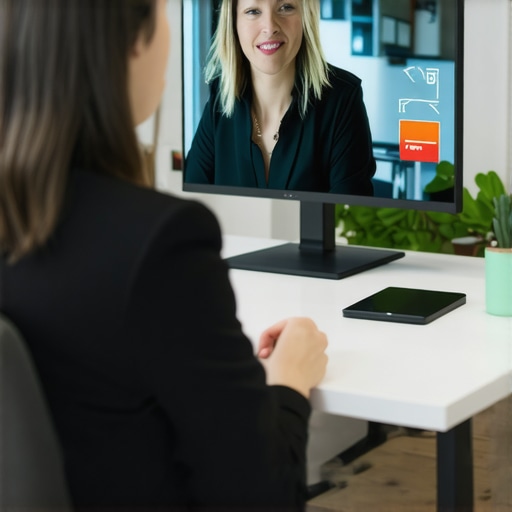
I remember the moment vividly: I was mid-presentation, slides displayed perfectly, my notes on point, audience of eager colleagues waiting. Suddenly, the screen flickered, my audio cut out, and what should have been a smooth virtual handshake turned into a digital nightmare. If you’ve ever experienced that sinking feeling when your video conference glitches right at the worst moment, you’re not alone. It’s frustrating, unprofessional, and often leaves you scrambling to recover credibility.
Today, I want to share a personal journey through these common tech pitfalls—specifically three glitches that consistently ruin video calls—and, more importantly, how I learned to tackle them head-on. Whether you’re pitching investors, leading team syncs, or just catching up with clients, these issues can hit anytime. But don’t worry—there are practical solutions.
Why Do These Glitches Happen So Often?
The rapid shift to remote work and virtual meetings has thrust a myriad of technical challenges into the spotlight. Many of us, myself included early on, assume that a decent Wi-Fi connection or a reliable laptop will suffice. Sadly, that’s not always the case. In fact, a study revealed that connectivity issues cause over 50% of video call disruptions (source: TechCrunch). That was a wake-up call for me to rethink my setup.
One mistake I made initially was underestimating how critical hardware quality and network stability are—thinking a quick restart or a cheap mic would suffice. But that’s like trying to run a marathon in sneakers with a worn-out sole; you’ll stumble.
As we move into the nitty-gritty, I’ll walk you through the three most common glitches, supported by lessons I learned from my own missteps. Want to avoid those cringe-worthy frozen faces and awkward silences? Let’s fix these issues together.
Ready to elevate your virtual meetings? Your next flawless conference call is just a few steps away. And if you’re curious how workspace design influences your tech reliability, check out [this insightful post](https://coworkingcentral.com/how-to-maximize-productivity-in-your-startups-conference-rooms-by-0245-pm). Now, let’s dive into the first glitch that’s probably sabotaging your meetings right now.
Test Your Equipment Before the Big Call
One mistake I made early on was assuming my gear was fine until I experienced a disruption during an important pitch. To avoid this, schedule a quick run-through an hour before your actual meeting. Check your microphone, webcam, and internet connection. Use a tool like Speedtest to verify your bandwidth and ensure your device’s drivers are updated. This proactive step helps catch issues before they derail your presentation.
Optimize Your Workspace for Connectivity
Think of your workspace as a fortress; the stronger the foundation, the less likely it is to crumble. Position your device close to the router and use a wired connection if possible. Avoid Wi-Fi overload by turning off other bandwidth-intensive apps. During my first remote investor meeting, I switched from Wi-Fi to Ethernet right before the call, eliminating lag and ensuring my slides loaded smoothly, which impressed my audience.
Invest in Quality Hardware
Low-quality microphones and webcams are like trying to see through fog—your audience won’t see or hear you clearly. I upgraded my webcam and microphone, which made my video calls look professional and boosted my confidence. When choosing equipment, look for reviews emphasizing stability and clarity. For startups looking to present themselves well, consider renting high-quality gear for critical meetings through professional coworking spaces, which often offer tech equipment as part of their amenities here.
Use a Meeting Room with Reliable Internet and Tech Support
Hosting your call in a dedicated conference room within a coworking space provides peace of mind. Such spaces are designed for high-speed internet and often have on-site tech support. I once booked a conference room at a coworking hub before a top-tier client meeting. The technician on-site promptly fixed a minor issue with the projector, preventing delays and demonstrating professionalism. To choose the right space, consider visiting and assessing their tech setup here.
Prepare Backups and Contingencies
Always have a backup plan. Keep a secondary device, such as a tablet or phone, ready to join if your primary fails. Share your meeting links in advance and test both devices. I once faced a sudden laptop crash during a demo and quickly shifted to my tablet, continuing seamlessly. This quick thinking preserved my credibility and avoided embarrassing downtime.
Monitor and Adjust During the Call
Stay attentive to signs of trouble—lagging images or audio cutouts. Use real-time diagnostic tools to monitor your connection. If issues arise, mute your microphone to prevent noise and inform participants of the problem. During a recent remote workshop, I noticed my video lagged every few seconds, so I announced a quick technical pause while I rebooted my router. Such transparency maintains trust and professionalism.
While many entrepreneurs focus on location and basic amenities when selecting coworking spaces or conference rooms, they often overlook nuanced factors that can significantly impact their startup’s success. A common misconception is that all coworking environments are created equal—yet, in reality, subtle differences can make or break productivity and innovation. For instance, the acoustic design of a space can influence team focus, with poor soundproofing leading to constant distractions. Advanced startups recognize that high-quality sound attenuation isn’t just a luxury but a necessity for deep work sessions.
Many believe that renting the largest conference room is the best approach, but this can backfire if the space isn’t flexible or adaptable to different meeting sizes. Overly large rooms may create a sense of disconnect or make participants feel distant, hindering effective communication. Instead, opting for versatile, modular meeting rooms that can be scaled up or down fosters better collaboration. As highlighted in this resource, adaptability directly correlates with productivity.
Another overlooked nuance is the importance of technological integration within meeting rooms. Many startups assume that existing facilities are sufficient, but neglecting the room’s tech infrastructure—such as reliable Wi-Fi, seamless screen sharing, and uptime of AV equipment—can cause delays and diminish professionalism. In a 2023 study by Gartner, it was found that 71% of virtual meeting disruptions are related to inadequate tech setup. Building a space with this in mind can streamline presentations and client interactions.
Beware of the trap of viewing coworking spaces solely as cost-effective solutions. While affordability is crucial, the long-term effects on brand perception matter. Spaces that lack modern aesthetics, ergonomic furniture, or branding opportunities risk leaving a negative impression on clients and investors. According to Harvard Business Review, environments that bolster professionalism and comfort enhance stakeholder confidence.
Finally, high-quality coworking spots don’t just offer a desk—they foster community, innovation, and spontaneous networking. Misjudging this aspect can lead startups to miss serendipitous collaborations or insightful mentorship opportunities. As part of their strategy, leading founders actively seek spaces that facilitate organic interactions, which can be a decisive edge in competitive markets.
Understanding these nuanced differences helps startups avoid common pitfalls and leverage coworking spaces for deeper strategic advantages. Have you ever fallen into this trap? Let me know in the comments.Maintaining a productive and seamless coworking environment demands more than just good furniture; it hinges on reliable tools and smart practices. Over the years, I’ve curated a set of equipment and software that ensure my startup’s workspace remains efficient, adaptable, and ready for growth.
Invest in a Robust Network Infrastructure
One of the most critical elements is your internet connectivity. I personally upgraded to a fiber-optic connection, which offers symmetrical upload and download speeds essential for hosting virtual meetings or collaborating in real-time. Additionally, using managed network switches can prevent bottlenecks and maintain consistent performance as your team expands. Don’t underestimate the value of a wired backup connection—it’s a lifesaver during unexpected Wi-Fi outages, which I’ve experienced firsthand during crucial client calls.
Leverage Professional-Grade Conferencing Equipment
While webcams are often overlooked, investing in a high-quality camera like the Logitech Brio has transformed our virtual meetings. Paired with a directional microphone such as the Rode NT-USB, it ensures clear audio and sharp visuals, fostering professionalism. These tools are especially vital if your startup frequently hosts remote investors or clients. Remember, the right tech can significantly boost your brand image and trust.
Implement Management and Collaboration Software
Tools like Notion or ClickUp help keep projects transparent and organized across the team. I prefer Notion for its flexibility—custom dashboards, task tracking, and document sharing are consolidated in one place. This minimizes chaos, encourages accountability, and streamlines onboarding for new hires. As your startup scales, integrating such platforms ensures everyone stays aligned, even if you expand to multiple coworking locations.
Regular Maintenance and Security Checks
Technology isn’t set-and-forget. Schedule monthly audits of your hardware—cleaning devices, updating firmware, and testing backups. For cybersecurity, I use a VPN like NordVPN to secure remote access, essential when connecting through shared networks. These small but consistent measures prevent downtimes and data breaches that can derail your growth.
Stay Ahead with Future-Ready Tools
Looking ahead, I predict that AI-powered room management systems will become standard in coworking environments. Companies like Honeywell are developing smart sensors that optimize lighting, temperature, and occupancy in real-time, cutting costs and enhancing comfort. Integrating such innovations early can position your startup at the forefront of efficient workspace management.
How do I maintain tools over time? Routine updates, hardware replacements, and ongoing staff training are key. For instance, I set quarterly reviews to assess our tech setup, replacing outdated equipment and exploring new software features. This proactive approach minimizes surprises during critical moments. To learn more about optimizing your conference rooms for scalable growth, check out this insightful guide. For a practical tip, try scheduling biannual hardware audits—simple but effective in preserving your team’s productivity. Remember, a reliable tech stack isn’t a one-time effort but a continuous journey towards excellence.
Lessons from the Trenches that Changed How I Use Coworking Spaces
One of the most eye-opening realizations I had was that selecting a coworking space isn’t just about location or amenities—it’s about understanding the hidden dynamics that influence your startup’s growth. I once overlooked the importance of soundproofing and ended up with meetings drowned out by noise, which undermined my professionalism. That moment taught me to prioritize acoustic design and privacy features. Additionally, I learned that flexible layouts and tech infrastructure are vital for adapting to rapid team changes and ensuring seamless collaboration. Lastly, I’ve discovered that community engagement within coworking spaces can catalyze opportunities that no amount of reserved office time can provide—it’s about the organic connections that foster innovation.
My Go-To Resources for Workspace Optimization
When it comes to optimizing coworking and conference room setups, I rely on a few trusted tools and sources. First, this comprehensive guide offers invaluable insights into making meeting rooms work for startups, from tech integration to furniture choices. I also trust this article for innovative ideas on turning meeting rooms into hubs of creativity. For ongoing best practices, it’s essential to stay connected with communities that share your goals—consider exploring networking opportunities in top coworking environments. These resources keep me ahead of trends and help me tailor my workspace for maximum impact.
Fuel Your Workspace Dreams: Take Action Now
Remember, transforming your coworking experience is an ongoing journey—each improvement can unlock new levels of productivity and innovation. Embrace the lessons learned, leverage trusted resources, and don’t be afraid to experiment with your space. The future of coworking and conference rooms is dynamic, and your proactive approach can set your startup apart. So, what small change will you make today to enhance your coworking environment? Share your ideas below and start creating a workspace that truly supports your growth journey.