
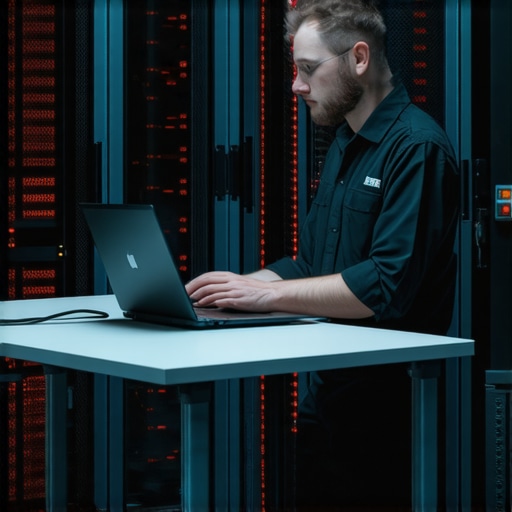
The air in that glass-walled conference room was perfectly chilled, and I had just nailed the opening five minutes of my pitch. Then, my pocket started vibrating like a trapped hornet. One glance at my watch told me everything I needed to know: 500 Internal Server Error. My heart did not just drop; it plummeted through the floor of that innovative meeting room. I was not in my home office with a dedicated fiber line and three ergonomic monitors. I was perched at a wobbly hot desk in the common area, surrounded by the smell of expensive roast coffee and the chatter of twenty other founders. It was a total nightmare.
When the Spinning Wheel of Death Hits You in a Shared Lobby
Handling a catastrophic server failure is stressful enough when you have all your tools at your fingertips. Doing it from a temporary desk feels like performing open-heart surgery with a spork. I have been there, sweating through my shirt while trying to figure out what to do when the office wi-fi goes down mid-pitch. That day, I made the amateur mistake of trying to fix everything at once without securing my environment first. I did not even have my charger plugged in. Today, I am going to show you exactly how to triage a technical disaster without losing your mind—or your reputation—when you are miles away from your usual command center.
Is it even possible to fix a backend meltdown on a single 13-inch screen?
You might think you are doomed without your full setup, but a server crash does not care about your hardware. According to data from Gartner, the average cost of IT downtime is roughly $5,600 per minute. That is a massive amount of pressure when you are also worried about the etiquette of leaving your gear on a shared desk to run for a private phone booth. My biggest early-stage fail? I tried to SSH into the production server over a public, unencrypted Wi-Fi guest network without a VPN, nearly compromising our entire database in a blind panic. Never again. We are going to walk through the Temporary Desk Triage protocol so you can stay professional while the digital world burns. Have you ever had your tech stack crumble while you were trapped in a coworking space or a client meeting? Drop a comment and tell me how you handled the chaos.
Stop Everything and Secure Your Perimeter
Before you touch a single line of code, you have to stabilize your physical environment. Trying to debug a database while a nearby startup is celebrating a seed round with champagne is a recipe for a catastrophic keystroke. The first thing I did in that glass room was grab my gear and hunt for isolation. You need to treat your emergency like a tactical extraction. I remember one specific afternoon in London when our payment gateway started returning null values. I was sitting at a crowded communal table, and the sensory overload was making me misread logs. I didn’t fix it until I learned how to keep your focus when the coworking hub is packed by moving to a dead-zone at the back of the building.
Get Out of the Open Lounge Fast
If you can’t snag a meeting room, find a phone booth. These soundproof boxes are not just for sales calls; they are your temporary war room. You need to eliminate the fear of someone looking over your shoulder or asking you to pass the almond milk while you’re looking at a memory leak. This is why why your startup needs a dedicated phone booth for calls and crisis management. If you must stay in the common area, put on your largest noise-canceling headphones—even if nothing is playing—to signal to the community that you are effectively invisible. Understanding the etiquette of taking a private call in the common area is vital, but when the server is down, your priority is silent, focused execution. 
Lock Down Your Digital Tether
Public Wi-Fi is the enemy of a calm mind. When I was in that panic, my laptop kept jumping between the ‘Guest’ network and the ‘Member’ network, dropping my SSH connection every three minutes. It was like trying to thread a needle while riding a rollercoaster. Now, I always switch to a dedicated mobile hotspot the second things go sideways. It is slower but consistent. You also have to consider that your panic might lead to security shortcuts. This is exactly why endpoint protection services matter more when your team is hybrid and mobile. I once watched a colleague try to troubleshoot a leak over an unencrypted airport network, and we spent the next week scrubbing malicious scripts from the repo.
Avoid the Public Wi-Fi Trap
Consistency beats speed in a crisis. If you are tethered to your phone, you won’t be surprised by a sudden logout or a captive portal splash page. We’ve all seen the nightmare of what to do when the office wi-fi goes down mid-pitch, and the fix is always redundant hardware. Use a VPN to ensure your emergency commands aren’t being broadcast to everyone in the lobby.
The One-Tab Rule for High-Stakes Triage
On a small laptop screen, your biggest enemy is tab-switching. When my site crashed during that pitch, I had eighteen Chrome tabs open. I accidentally refreshed my production dashboard when I meant to refresh the terminal. Now, I use the ‘One-Tab’ rule: one terminal, one log window, one status page. That’s it. Close Slack. Close your email. If your team needs you, they can wait five minutes while you identify the root cause. This minimalist approach is how you effectively how to setup a temporary headquarters for a product launch or a disaster recovery station on a wobbly desk.
Communicating Without Sounding Like You’re Dying
The fastest way to lose a client’s trust is to look like you’re panicking. If you are in a meeting and the wheels fall off, stay calm and follow the script. This is the secret to making a great first impression on a potential partner: they don’t care that things broke; they care how you fixed it. I once had to tell an investor our demo was down while we were sitting in a sun-drenched atrium. I didn’t apologize; I told him we were ‘scaling the load balancers’ and asked for five minutes. I got the five minutes, fixed the config, and closed the deal.
The All-Inclusive Membership Trap
Everyone tells you that moving your startup to a premium hub will solve all your logistical headaches, but in my experience, that is exactly where the trouble starts. We often fall for the slick marketing and forget that why the all-inclusive membership is usually a trap when it comes to mission-critical infrastructure. You aren’t paying for a dedicated sysadmin; you’re paying for a better brand of sparkling water and a designer chair. The biggest “oops” factor I see with solo founders is assuming the house tech is bulletproof. I’ve seen teams lose half a day of productivity because they relied on a proprietary docking station or an automated booking system that crashed simultaneously with their own servers. This is a classic advanced mistake: trusting a third-party environment without maintaining your own redundant toolkit. You need to be the master of your own digital domain, even when you are paying top dollar for a shared one.
Does Your Space Give You a Real Technical Edge or Just a Pretty Desk?
When you are deep in a backend crisis, the last thing you need is a high-tech conference room with a tablet interface that won’t sync with your hardware. I’ve found that the problem with tech-heavy meeting rooms that nobody knows how to use is that they introduce extra layers of complexity exactly when you have zero margin for error. A famous study by Gloria Mark at the University of California, Irvine, highlights that it takes an average of 23 minutes and 15 seconds to return to deep work after an interruption. In a shared space, those interruptions are constant—whether it’s the Wi-Fi flickering or a well-meaning community manager checking in. Understanding the role of community managers in the modern workspace is essential; they are community facilitators, not your on-call IT support. If you expect them to fix your SSH timeout, you’ve already lost the battle.

Why Too Much Tech Actually Hurts Your Triage
The nuance most beginners miss is that high-end amenities often mask underlying network saturation. I’ve been in ultra-modern glass cubes where the cellular signal was completely blocked by the very soundproofing meant to keep the room quiet, leaving me with zero tethering options when the building Wi-Fi lagged. This is why you must learn how to vet a conference room for client-facing speed before you need it for a high-stakes emergency. It isn’t about the leather sofas or the free beer; it’s about whether the access point can handle your data load while the rest of the floor is on Zoom. Real crisis management requires total environmental control, which is why privacy is the new luxury in coworking for serious technical teams. If you cannot lock the door and trust your packets are prioritized, you are just working in a glorified library. Have you ever fallen into this trap? Let me know in the comments.
Build a Physical Crisis Kit That Actually Works
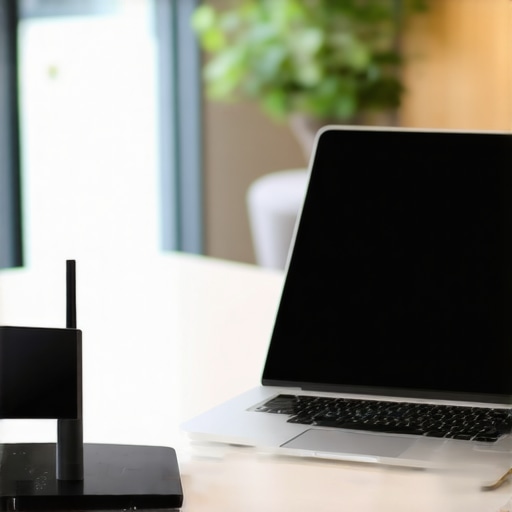
I realized early on that if I wanted to stop sweating every time I opened my laptop in a new city, I needed a hardware-level solution. I stopped relying on the ‘Member Wi-Fi’ and started carrying a GL.iNet Beryl AX (GL-MT3000) travel router. Why? Because it allows me to hardcode my own WireGuard VPN at the router level. This means every device I own—my phone, my laptop, and even a tablet—connects to a single secure SSID that I control. It’s the same setup we used when we eventually decided to why we moved our engineering team to a private suite to ensure our traffic was never sniffed by the guy at the next desk trying to launch a rival crypto exchange.
How do I maintain my tech stack when moving between hubs?
Maintenance isn’t just about software updates; it’s about a physical audit of your ‘Go-Bag.’ Every Sunday, I check my redundancy. I ensure my high-speed USB-C cables are not frayed and that my secondary 5G hotspot has an active data plan. This is the same level of preparation you need when following the checklist for transitioning from a solo founder to a team office. According to Tailscale’s official documentation on Subnet Routers, exposing your local physical network to your remote devices allows you to access production logs as if you were sitting in the server room, even from a beanbag chair. I use Tailscale to bridge my home lab with my mobile kit, ensuring I never have to ‘SSH and pray’ over a public connection again.
The Software Stack for Distributed Triage
Beyond the hardware, your software needs to be ‘offline-first.’ When the Wi-Fi drops, I don’t lose my notes because I use Obsidian with local markdown files. If you are trying to manage a crisis and your documentation is locked behind a loading spinner in Notion, you’ve already failed. This methodology is crucial for the checklist for a glitch-free hybrid board meeting where even a ten-second delay can kill the momentum. I also recommend keeping a ‘lite’ version of your dev environment on a bootable external SSD. If your main OS gets corrupted while you’re trying to how to manage office politics when you share a floor with other startups, you can be back in the terminal in under three minutes.
The Future of Zero-Trust Desks
I predict that in the next three years, the most prestigious coworking spaces will move away from shared SSIDs entirely. We are heading toward ‘Zero-Trust’ desks where each Ethernet port and wireless slice is dynamically partitioned for the individual user. Until then, you have to be your own ISP. I’ve seen founders lose everything because they were distracted by the art of the five-minute elevator pitch in the lobby and forgot to lock their digital perimeter. Cisco’s Annual Internet Report suggests that by 2025, mobile-connected devices will be three times the global population; that is a lot of potential interference and security noise in a shared lounge. My advice? Spend $100 on a travel router today and set up a private VPN tunnel back to your home or a VPS. It is the single most effective way to ensure your ‘temporary headquarters’ is as secure as a fortress.
Hard Truths About Running a Backend from a Beanbag
After years of bouncing between global hubs, I realized that the biggest risk to your uptime isn’t the code; it’s the environment you’re sitting in. One of my biggest lightbulb moments was accepting that the truth about community managers in coworking spaces is that they are hired for culture, not for troubleshooting your SSH timeout. I also learned that energy in a lounge is great for brainstorming, but moving our engineering team to a private suite was the only way to ensure we had a ‘safe’ network for emergency hotfixes. Finally, never trust a ‘smart’ room unless you’ve tested it yourself; the problem with tech-heavy meeting rooms that nobody knows how to use is that the tablet interface always fails exactly when you have zero margin for error.
The Gear That Saved My Skin During a Meltdown
I no longer leave the house without my ‘Crisis Kit.’ My go-to resources aren’t just software; they are a mix of hardware and hard-earned habits. First, always carry a travel router like the GL.iNet Beryl AX to create your own encrypted subnet. Second, I rely on Tailscale for secure, remote access to production logs without the headache of traditional VPNs. Third, I always consult how to vet a conference room for client-facing speed before I book any space for a product launch or board meeting. If you’re just starting out, keep the checklist for your first office space search bookmarked so you don’t overlook critical technical infrastructure in favor of a pretty aesthetic.
#IMAGE_PLACEHOLDER_E#
Master Your Environment Before the Next Disaster Strikes
You cannot control when a server will fail, but you can control where you are standing when it happens. Being a successful mobile founder is about resilience and knowing the startup success secrets for choosing the perfect conference room before the pressure is on. Don’t wait for a 500 error to realize your mobile hotspot is out of data or your laptop battery is at 10%. Build your redundant systems today so you can handle the chaos of a server crash with a professional smile, even when you’re perched at a wobbly common-area table. Have you ever had to fix a production bug while someone was playing ping-pong two feet away from your head? I’d love to hear your horror stories in the comments below.