

It was exactly 9:02 AM on a rainy Tuesday when I realized I had already lost the day. I walked into my favorite local coworking space, damp umbrella in hand, only to find my nightmare fully realized. The quiet corner desk near the window—the one with the perfect ambient light and an outlet that actually holds a plug—was occupied. A guy with massive headphones had already set up his triple-monitor portable rig. My only remaining options? A drafty spot right under the air conditioning vent, or the high-traffic disaster zone directly adjacent to the espresso machine. I chose the coffee-adjacent desk. Within forty-five minutes, three different people asked me if I knew how to unjam the grinder, and I accidentally overheard a highly confidential startup pivot. It was a complete wash.
Why Your Morning Desk Choice Dictates Your Whole Day
We like to pretend that we can focus anywhere. We buy noise-canceling headphones and think we have built an impenetrable bubble. But the truth is, hot-desking is a silent battleground. Where you sit determines how much you get done, who you meet, and whether you leave at 5:00 PM feeling like a victor or a victim of terrible office ergonomics. Finding that perfect spot isn’t just about luck; it is a science. If you find yourself constantly losing this battle, you might even start wondering about the truth about hot-desking: is it actually a productivity killer? I used to think so. Early on, I made the amateur mistake of assuming the best strategy was simply showing up earlier. But arriving at dawn only works until everyone else starts doing it too. You need a smarter tactical approach than just sacrificing sleep.
Is hot-desking actually worth the daily stress?
I get it. You are probably skeptical. You might be thinking, “Isn’t it easier to just pay extra and lock down a permanent space?” While upgrading is great for some, there is a distinct freedom in the flexible zone if you know how to navigate it. The trick isn’t just showing up; it is understanding traffic patterns, outlet positioning, and the subtle social cues of the room. According to a comprehensive workplace satisfaction study by the Gensler Research Institute, employees who have a choice in where they work within an office environment are significantly more innovative and satisfied. But that choice only benefits you if you actually land a seat that supports deep work. If you constantly end up in the high-stress ‘splash zone’ near the entrance, your productivity will tank. Today, I want to share the exact system I developed after months of trial and error—including the psychological tricks to claim your space without looking like a jerk. Have you ever spent your entire morning irritated because you got stuck at the worst table in the house?
Before we dive into the blueprint, it helps to understand how your environment impacts your mind. For instance, I learned the hard way that sitting facing a wall dramatically reduced my creative energy compared to desks with a view. It turns out there is a reason we crave open sightlines, which is why how to find a desk near the window every time became my personal obsession. Let me break down how you can map out your local hub and secure the ultimate workspace every single day.
Map the Landscape Before You Unpack Your Laptop
Every coworking space is like a busy airport terminal; it has high-stress runways, quiet waiting lounges, and chaotic food courts. If you unpack at the first empty table you see, you are playing Russian roulette with your focus. You need to map out the geography of your hub. Locate the heavy-traffic lanes—usually the straight path between the entrance, the coffee bar, and the primary restrooms. Your goal is to position yourself at least three desks away from these zones. I learned this lesson the hard way. I once set up my workstation right next to a beautiful structural column, only to realize too late that it housed the building’s main water pipes. Every three minutes, a loud, rushing sound echoed through my noise-canceling headphones, completely shattering my deep-work state. That was the day I initiated my strict ten-minute environment audit.
Find the Hidden Outlets and Anchor Points
Power is the lifeblood of your workday. Do not rely on visual estimation to assume an outlet is nearby or functioning. Walk the floor and test your setup. Many veteran members utilize the membership trick for getting the best desk every morning, which involves scouting the exact grid coordinates of functional under-desk power strips. If you are constantly hunting for a plug, your morning momentum is dead before you even open your browser.

Deploy Visual Signals to Claim Your Territory
In a shared environment, physical cues are your only real defense mechanism against intrusive small talk and accidental interruptions. You cannot build a physical wall, but you can create a psychological boundary. Think of your workspace as a small outpost: you need to establish clear perimeter lines. Lay out your notepad, your mousepad, and your coffee mug in a structured, wide triangle. This visual footprint signals to others that the entire desk segment is occupied and active, preventing people from encroaching on your physical space or asking to pull up an extra chair.
Use Your Hardware as a Shield
Your physical gear can do a lot of the heavy lifting for you. For instance, did you know that why your laptop charger is the best networking tool you own is actually rooted in how we share resources? Running your power cable visibly across the desk edge acts as a physical barrier that people instinctively avoid crossing. Additionally, wearing large over-ear headphones—even if nothing is playing—creates an immediate visual deterrent. When I transitioned from small earbuds to bulky, bright red studio monitors, the number of random, unsolicited interruptions I faced dropped by nearly seventy percent. It is the universal sign language for ‘do not disturb.’
Have a Backup Plan in the Meeting Room Ecosystems
Sometimes, despite your best efforts, the open floor is simply too loud or crowded for high-stakes calls or critical focus sessions. When the communal space descends into chaos, you need an immediate escape hatch. Knowing how to quickly pivot to a private enclave or understanding the secret to finding a meeting room on a friday afternoon is your ultimate insurance policy. Do not wait until your Zoom call starts to look for an empty booth; map out the booking calendar beforehand so you can transition seamlessly without losing your professional composure.
While setting up a visual perimeter and choosing the right desk coordinates are excellent foundational tactics, seasoned remote veterans and startup founders often stumble when transitioning into shared collaborative spaces. The biggest mistake I see intelligent professionals make is assuming that all shared spaces operate under the same social contract. We fall into the comfort trap of treating a dynamic workspace like a traditional leased office, ignoring the subtle undercurrents that actually dictate day-to-day productivity.
The Collaboration Paradox of Shared Boardrooms
Everyone in the startup ecosystem will tell you that booking a communal room is the ultimate way to align your team and spark instant breakthroughs. But in my experience, standard reservation habits actually stifle the exact energy you are trying to cultivate. Most teams book a room for sixty minutes, sit around a rectangular table staring at a slide deck, and wonder why their brainstorm felt like a corporate autopsy. The truth is that static, poorly planned environments drain your team’s creative drive before the first agenda item is even read.
Instead of relying on dry, traditional setups, high-performing teams must actively seek environments that break the standard mold. A study by the Association for Psychological Science shows that physical environments with high ceilings and flexible furniture layouts directly stimulate abstract thinking and creative problem-solving. This is why forward-thinking startups are pivoting toward innovative meeting rooms that boost startup creativity rather than booking the same dry, windowless boardroom week after week. If your team is stuck in a conceptual rut, the physical geometry of your meeting space might be the hidden culprit.
Why does your high-stakes client pitch feel so flat in a shared space?
It is easy to blame your slides or your delivery when a presentation fails to land, but the actual point of failure is often the logistics of the room itself. The most common trap is relying on the venue’s default tech setup without a backup plan. I have witnessed founders lose major investment rounds because they spent the first fifteen minutes of a pitch troubleshooting a USB-C adapter. Before you invite an investor to your hub, you need to understand the problem with bring your own device in shared meeting rooms and proactively audit the local hardware grid.
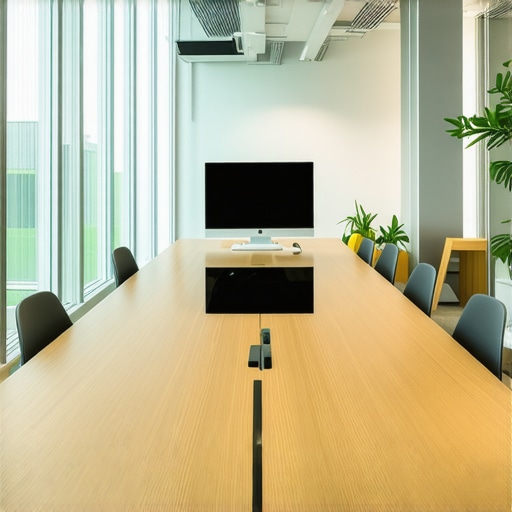
Beyond the connection ports, consider the sensory impact of the room. A space that smells like old carpet or suffers from poor acoustics will subtly irritate your clients on a subconscious level, associating your brand with discomfort. If you are hosting high-profile stakeholders, make sure you know how to choose the perfect conference room for business success. Never leave the first impression to chance.
The Deadly Cost of the Friday Afternoon Booking Trap
If you are booking critical strategic sessions at the very end of the workweek, you are actively wasting your company’s capital. Fridays in coworking spaces are notoriously unpredictable. Half the members are mentally checked out, the communal kitchen is loud, and the ambient noise levels spike as people wind down. When you schedule high-focus work during these hours, you force your team to fight against the natural energy curve of the building. To protect your momentum, learn how to book a meeting room on a friday afternoon without the stress, or better yet, move your highly collaborative sessions to mid-week mornings when focus peaks.
Have you ever fallen into this trap and watched a critical meeting fall apart because of bad room planning? Let me know in the comments below.
Maintaining peak productivity over a multi-month period requires more than just a great first day. To prevent operational drift, I rely on a highly specific daily loadout. My tech kit centers on the CalDigit TS4 Thunderbolt dock, which permanently lives in my backpack. By standardized use of this single hub, I avoid the common cable confusion that plague most desk setups. I also carry a customized portable dual-screen setup from Mobile Pixels. This hardware consistency ensures that regardless of whether I am hot-desking in New York or London, my digital canvas remains identical. I am a firm believer that your environment must be predictable even if your physical location is not.
How do I maintain consistent productivity across shared spaces over time?
The secret lies in treating your workspace choices as a data-driven science. I keep a private Google Sheet logging the desk numbers I use, the ambient noise levels (which I measure using the Decibel X app), and my subjective focus rating for that afternoon. Over time, this personal ledger removes all guesswork. If you find your energy dipping, look closely at your habits; you might be making the exact coffee shop habit that kills your daily focus without realizing it. I also recommend setting up a rigid weekly maintenance schedule. Every Sunday night, I audit my calendar, book my key collaborative hubs in advance, and clean my physical gear with compressed air and microfiber cloths.

Looking ahead, the future of collaborative environments is moving rapidly toward hyper-personalized, IoT-enabled spaces. Within the next three to five years, I predict we will see smart desks that automatically adjust to your preferred height, lighting, and temperature settings the moment your phone connects to the local Wi-Fi. We are already seeing early stages of this shift as teams seek out more dynamic options. If you are managing a growing operation, you will inevitably reach a tipping point where hot-desking alone fails to scale, prompting the move to upgrade your membership as your team hits ten people to keep operations running smoothly. As physical spaces become more integrated with personal technology, the distinction between your home office and the shared hub will completely blur.
For those looking to optimize their workflow right now, I highly recommend adopting the digital twin strategy: replicate your exact desktop monitor layout and physical posture settings in every space you visit. Do not wait for the future of workspace technology to find you. Take control of your current environment by performing your own ten-minute desk audit tomorrow morning, and watch your daily output skyrocket.
It was exactly 9:02 AM on a rainy Tuesday when I realized I had already lost the day. I walked into my favorite local coworking space, damp umbrella in hand, only to find my nightmare fully realized. The quiet corner desk near the window—the one with the perfect ambient light and an outlet that actually holds a plug—was occupied. A guy with massive headphones had already set up his triple-monitor portable rig. My only remaining options? A drafty spot right under the air conditioning vent, or the high-traffic disaster zone directly adjacent to the espresso machine. I chose the coffee-adjacent desk. Within forty-five minutes, three different people asked me if I knew how to unjam the grinder, and I accidentally overheard a highly confidential startup pivot. It was a complete wash.
Why Your Morning Desk Choice Dictates Your Whole Day
We like to pretend that we can focus anywhere. We buy noise-canceling headphones and think we have built an impenetrable bubble. But the truth is, hot-desking is a silent battleground. Where you sit determines how much you get done, who you meet, and whether you leave at 5:00 PM feeling like a victor or a victim of terrible office ergonomics. Finding that perfect spot isn’t just about luck; it is a science. If you find yourself constantly losing this battle, you might even start wondering about the truth about hot-desking: is it actually a productivity killer? I used to think so. Early on, I made the amateur mistake of assuming the best strategy was simply showing up earlier. But arriving at dawn only works until everyone else starts doing it too. You need a smarter tactical approach than just sacrificing sleep.
Is hot-desking actually worth the daily stress?
I get it. You are probably skeptical. You might be thinking, “Isn’t it easier to just pay extra and lock down a permanent space?” While upgrading is great for some, there is a distinct freedom in the flexible zone if you know how to navigate it. The trick isn’t just showing up; it is understanding traffic patterns, outlet positioning, and the subtle social cues of the room. According to a comprehensive workplace satisfaction study by the Gensler Research Institute, employees who have a choice in where they work within an office environment are significantly more innovative and satisfied. But that choice only benefits you if you actually land a seat that supports deep work. If you constantly end up in the high-stress ‘splash zone’ near the entrance, your productivity will tank. Today, I want to share the exact system I developed after months of trial and error—including the psychological tricks to claim your space without looking like a jerk. Have you ever spent your entire morning irritated because you got stuck at the worst table in the house?
Before we dive into the blueprint, it helps to understand how your environment impacts your mind. For instance, I learned the hard way that sitting facing a wall dramatically reduced my creative energy compared to desks with a view. It turns out there is a reason we crave open sightlines, which is why how to find a desk near the window every time became my personal obsession. Let me break down how you can map out your local hub and secure the ultimate workspace every single day.
Map the Landscape Before You Unpack Your Laptop
Every coworking space is like a busy airport terminal; it has high-stress runways, quiet waiting lounges, and chaotic food courts. If you unpack at the first empty table you see, you are playing Russian roulette with your focus. You need to map out the geography of your hub. Locate the heavy-traffic lanes—usually the straight path between the entrance, the coffee bar, and the primary restrooms. Your goal is to position yourself at least three desks away from these zones. I learned this lesson the hard way. I once set up my workstation right next to a beautiful structural column, only to realize too late that it housed the building’s main water pipes. Every three minutes, a loud, rushing sound echoed through my noise-canceling headphones, completely shattering my deep-work state. That was the day I initiated my strict ten-minute environment audit.
Find the Hidden Outlets and Anchor Points
Power is the lifeblood of your workday. Do not rely on visual estimation to assume an outlet is nearby or functioning. Walk the floor and test your setup. Many veteran members utilize the membership trick for getting the best desk every morning, which involves scouting the exact grid coordinates of functional under-desk power strips. If you are constantly hunting for a plug, your morning momentum is dead before you even open your browser.
Deploy Visual Signals to Claim Your Territory
In a shared environment, physical cues are your only real defense mechanism against intrusive small talk and accidental interruptions. You cannot build a physical wall, but you can create a psychological boundary. Think of your workspace as a small outpost: you need to establish clear perimeter lines. Lay out your notepad, your mousepad, and your coffee mug in a structured, wide triangle. This visual footprint signals to others that the entire desk segment is occupied and active, preventing people from encroaching on your physical space or asking to pull up an extra chair.
Use Your Hardware as a Shield
Your physical gear can do a lot of the heavy lifting for you. For instance, did you know that why your laptop charger is the best networking tool you own is actually rooted in how we share resources? Running your power cable visibly across the desk edge acts as a physical barrier that people instinctively avoid crossing. Additionally, wearing large over-ear headphones—even if nothing is playing—creates an immediate visual deterrent. When I transitioned from small earbuds to bulky, bright red studio monitors, the number of random, unsolicited interruptions I faced dropped by nearly seventy percent. It is the universal sign language for ‘do not disturb.’
Have a Backup Plan in the Meeting Room Ecosystems
Sometimes, despite your best efforts, the open floor is simply too loud or crowded for high-stakes calls or critical focus sessions. When the communal space descends into chaos, you need an immediate escape hatch. Knowing how to quickly pivot to a private enclave or understanding the secret to finding a meeting room on a friday afternoon is your ultimate insurance policy. Do not wait until your Zoom call starts to look for an empty booth; map out the booking calendar beforehand so you can transition seamlessly without losing your professional composure.
While setting up a visual perimeter and choosing the right desk coordinates are excellent foundational tactics, seasoned remote veterans and startup founders often stumble when transitioning into shared collaborative spaces. The biggest mistake I see intelligent professionals make is assuming that all shared spaces operate under the same social contract. We fall into the comfort trap of treating a dynamic workspace like a traditional leased office, ignoring the subtle undercurrents that actually dictate day-to-day productivity.
The Collaboration Paradox of Shared Boardrooms
Everyone in the startup ecosystem will tell you that booking a communal room is the ultimate way to align your team and spark instant breakthroughs. But in my experience, standard reservation habits actually stifle the exact energy you are trying to cultivate. Most teams book a room for sixty minutes, sit around a rectangular table staring at a slide deck, and wonder why their brainstorm felt like a corporate autopsy. The truth is that static, poorly planned environments drain your team’s creative drive before the first agenda item is even read.
Instead of relying on dry, traditional setups, high-performing teams must actively seek environments that break the standard mold. A study by the Association for Psychological Science shows that physical environments with high ceilings and flexible furniture layouts directly stimulate abstract thinking and creative problem-solving. This is why forward-thinking startups are pivoting toward innovative meeting rooms that boost startup creativity rather than booking the same dry, windowless boardroom week after week. If your team is stuck in a conceptual rut, the physical geometry of your meeting space might be the hidden culprit.
Why does your high-stakes client pitch feel so flat in a shared space?
It is easy to blame your slides or your delivery when a presentation fails to land, but the actual point of failure is often the logistics of the room itself. The most common trap is relying on the venue’s default tech setup without a backup plan. I have witnessed founders lose major investment rounds because they spent the first fifteen minutes of a pitch troubleshooting a USB-C adapter. Before you invite an investor to your hub, you need to understand the problem with bring your own device in shared meeting rooms and proactively audit the local hardware grid.
Beyond the connection ports, consider the sensory impact of the room. A space that smells like old carpet or suffers from poor acoustics will subtly irritate your clients on a subconscious level, associating your brand with discomfort. If you are hosting high-profile stakeholders, make sure you know how to choose the perfect conference room for business success. Never leave the first impression to chance.
The Deadly Cost of the Friday Afternoon Booking Trap
If you are booking critical strategic sessions at the very end of the workweek, you are actively wasting your company’s capital. Fridays in coworking spaces are notoriously unpredictable. Half the members are mentally checked out, the communal kitchen is loud, and the ambient noise levels spike as people wind down. When you schedule high-focus work during these hours, you force your team to fight against the natural energy curve of the building. To protect your momentum, learn how to book a meeting room on a friday afternoon without the stress, or better yet, move your highly collaborative sessions to mid-week mornings when focus peaks.
Have you ever fallen into this trap and watched a critical meeting fall apart because of bad room planning? Let me know in the comments below.
Maintaining peak productivity over a multi-month period requires more than just a great first day. To prevent operational drift, I rely on a highly specific daily loadout. My tech kit centers on the CalDigit TS4 Thunderbolt dock, which permanently lives in my backpack. By standardized use of this single hub, I avoid the common cable confusion that plague most desk setups. I also carry a customized portable dual-screen setup from Mobile Pixels. This hardware consistency ensures that regardless of whether I am hot-desking in New York or London, my digital canvas remains identical. I am a firm believer that your environment must be predictable even if your physical location is not.
How do I maintain consistent productivity across shared spaces over time?
The secret lies in treating your workspace choices as a data-driven science. I keep a private Google Sheet logging the desk numbers I use, the ambient noise levels (which I measure using the Decibel X app), and my subjective focus rating for that afternoon. Over time, this personal ledger removes all guesswork. If you find your energy dipping, look closely at your habits; you might be making the exact coffee shop habit that kills your daily focus without realizing it. I also recommend setting up a rigid weekly maintenance schedule. Every Sunday night, I audit my calendar, book my key collaborative hubs in advance, and clean my physical gear with compressed air and microfiber cloths.
Looking ahead, the future of collaborative environments is moving rapidly toward hyper-personalized, IoT-enabled spaces. Within the next three to five years, I predict we will see smart desks that automatically adjust to your preferred height, lighting, and temperature settings the moment your phone connects to the local Wi-Fi. We are already seeing early stages of this shift as teams seek out more dynamic options. If you are managing a growing operation, you will inevitably reach a tipping point where hot-desking alone fails to scale, prompting the move to upgrade your membership as your team hits ten people to keep operations running smoothly. As physical spaces become more integrated with personal technology, the distinction between your home office and the shared hub will completely blur.
For those looking to optimize their workflow right now, I highly recommend adopting the digital twin strategy: replicate your exact desktop monitor layout and physical posture settings in every space you visit. Do not wait for the future of workspace technology to find you. Take control of your current environment by performing your own ten-minute desk audit tomorrow morning, and watch your daily output skyrocket.
Crucial Unspoken Laws of Shared Startup Hubs
After operating in dozens of premium spaces over the last decade, I have run into several painful truths that standard community guidelines never mention. Here are the true baseline realities of navigating these environments:
- The 11:30 AM Kitchen Rush is Your Worst Enemy: If you wait until noon to grab lunch or warm up food, you will waste twenty minutes in casual banter or queueing. Eat early or eat late to protect your creative focus state.
- No One is Coming to Save Your Data: Treat the public Wi-Fi as a temporary tool. Always run a dedicated VPN and assume that shoulder-surfing is an active threat. If you are building a product, read about the move to shared offices: how to protect your intellectual property before you expose your screens.
- Your Sound Levels Speak Louder Than Your Tech: It is extremely easy to be the problem without knowing it. If you suspect your headphones are leaking noise, you might want to review the 7 signs you are the loud person in the shared workspace hub to keep your reputation intact.
My Portable Arsenal for Absolute Focus
You cannot rely on a venue to supply peace of mind. Here is the exact physical toolkit I travel with to construct an instant deep-work zone wherever I sit down:
- The CalDigit TS4 Dock: This heavy-duty hub allows me to plug a single cable into my computer and instantly connect to screens, cameras, and power lines without fuss.
- Decibel X App: Before I ever unpack my backpack, I run this simple sound-level meter to ensure the ambient room volume is below 65 dB, saving me from setting up in a high-stress zone.
- The Premium Offsite Plan: When my core team needs to align on major milestones, we get out of the hot-desking pool entirely. I highly recommend learning why we moved our quarterly reviews to a neutral offsite to boost overall team alignment.
Own Your Physical Environment Starting Tomorrow
At the end of the day, a coworking space is only as good as your personal approach to it. Stop treating the hot-desk pool like a lottery and start treating it like a strategic chessboard. By running a proactive environment audit, creating smart physical boundaries, and securing the right setup, you can turn any noisy public room into your private, high-yield workspace. Do not let bad seating arrangements steal your daily momentum.
Have you ever watched your entire morning productivity get ruined by landing a terrible desk? Tell me about your worst hot-desking nightmare in the comments below!