
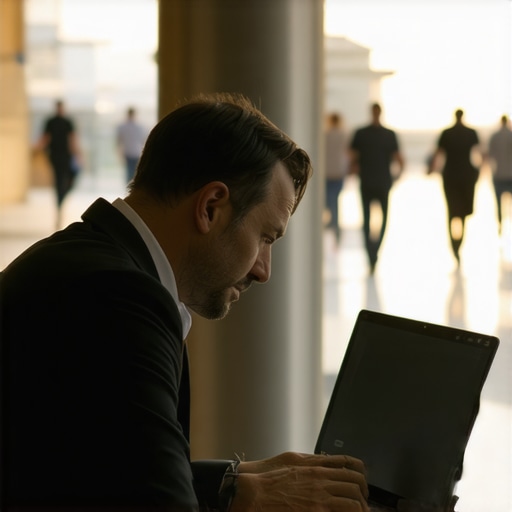
I remember sitting in a sun-drenched lounge in downtown Austin, feeling like I was finally “making it” because my startup had just hit its first major milestone. I was so engrossed in a spreadsheet of our proprietary user-acquisition data that I didn’t notice the “competitor” sitting just two chairs away. It wasn’t until I saw a LinkedIn post later that week—using a strangely familiar metric—that the cold sweat hit me. I had effectively handed over our roadmap for the price of a medium roast. It was a rookie mistake, and it’s one I see founders making every single day in these beautiful, open spaces. We all love the energy of a shared environment, but your intellectual property shouldn’t be the price of admission. Today, I’m going to show you how to maintain your “stealth mode” without hiding in a basement, so you can work anywhere with total peace of mind. Have you ever caught someone “shoulder surfing” your screen while you were deep in a project?
Why Your Open Laptop is an Open Invitation to Competitors
Working in a public lounge feels productive until you realize how easy it is for a casual observer to see your entire board. Early in my career, I assumed nobody cared about what a two-person team was doing. That arrogance cost me. When I look back at why your pitch fails in a noisy lobby, it isn’t just about the noise; it’s about the lack of a controlled environment. I once left a printed pitch deck on a communal table while I went to grab a refill. By the time I got back, it had been “tidied up,” and I still wonder whose hands it ended up in.
Is it actually possible to keep secrets in a room full of strangers?
You might feel like the only way to be safe is to book a private suite, but that’s not always the reality for a lean startup. You have to learn how to find quiet spaces in a busy downtown coworking hub that offer more than just a vibe. In fact, research by the Ponemon Institute suggests that visual hacking—the simple act of looking at someone’s screen—is successful in 91% of cases where no privacy filters are used. This is why why we stopped using coffee shops for sensitive client calls and started being more intentional about our workspace. If you aren’t thinking about who is behind you, you’re basically broadcasting your IP on a billboard. Before you sit down, you need to how to vet a meeting room for acoustic privacy before booking or at least know how to position your back against a wall.
Secure Your Visual Perimeter Before Opening Your Laptop
Think of your laptop screen like a bank vault. You wouldn’t leave the door open while the teller goes on a lunch break, yet I see founders doing the digital equivalent every single day. To protect your startup’s secrets, you need to treat your workspace like a tactical operation. The first line of defense is a physical barrier. If you aren’t using a physical privacy filter on your screen, you’re essentially shouting your roadmap into a megaphone. I remember once in a trendy Seattle hub, I was working on a sensitive Series A pitch deck. I noticed a guy at the next table glancing over a bit too often. Instead of getting angry, I simply tilted my screen 30 degrees. The look of frustration on his face confirmed he was “shoulder surfing.” Since then, a high-quality privacy filter is the first thing I pack; it narrows the viewing angle so only the person directly in front of the machine can see the data.
Sit With Your Back to a Solid Wall
This seems like common sense, but the temptation to sit near the window or the coffee bar is strong. In a shared environment, your physical position is your best firewall. Always scout for a seat where your back is against a solid wall or a pillar. This eliminates the 180-degree vulnerability behind you. When I was first ditching the basement for a professional workspace, I used to prioritize the view. Now, I prioritize the ‘six’ o’clock position. If you can’t find a wall, look for high-backed booths that provide a natural visual shield. 
Choose Meeting Rooms That Actually Block Sound
Visual privacy is only half the battle. What people hear is often more dangerous than what they see. Glass-walled conference rooms are the standard in modern design, but they are often acoustic nightmares that leak every word of your financial strategy into the hallway. You need to know how to vet a meeting room for acoustic privacy before booking before you start naming names or discussing patent-pending technology. I once sat in a common area and heard an entire merger negotiation happening three rooms away because the seals on the doors were worn out.
Check for Acoustic Treatments Before You Talk Numbers
Before you start a high-stakes call, do a quick “clap test” in the room. If it echoes, your voice is likely carrying through the vents or the glass. Look for spaces that have invested in sound-dampening panels or thick carpets. Understanding the acoustic fix for echoey conference rooms isn’t just about sound quality; it’s about containment. If you are dealing with truly sensitive info, remember there is a massive difference between a standard meeting room and a real war room. A real war room should have solid walls and a door that seals tight.
Use Technology to Mask Your Conversations
If you are stuck in a less-than-private space, use a white noise machine or a mobile app to create a sound buffer near the door. It’s a simple trick that makes it much harder for anyone in the hallway to piece together your conversation. When I was learning startup success secrets for choosing the perfect conference room, I realized that the best rooms aren’t always the prettiest—they are the ones that offer the most isolation. For board meetings, always use the checklist for a boardroom that doesn’t feel like a hospital but still maintains strict privacy standards. Also, ensure your pitch deck looks better on a forty-inch screen than a laptop without having to plug into a shared, unsecured public display that might log your data.
Most founders I talk to believe that a heavy door and a password-protected Wi-Fi network are enough to keep their data safe. It’s a dangerous assumption. In reality, the most aesthetic spaces are often the most vulnerable. We’ve all seen the sleek, glass-enclosed pods that look like something out of a sci-fi film, but for a serious founder, these are nothing more than high-end fishbowls. If you are discussing trade secrets, you need to look past the surface-level polish.
Don’t fall for the glass-walled fishbowl trap
Everyone says you need a bright, open environment to foster creativity, but in my experience, the best work happens when you aren’t worried about who is walking by. The common belief is that glass walls represent transparency and modern culture, but for a startup in a sensitive phase, they are a liability. A sophisticated competitor doesn’t need to plant a bug; they just need a smartphone with a high-quality zoom lens. If you are learning how to handle high-stakes board meetings in a shared building, you quickly realize that the most boring, windowless interior room is actually your greatest asset. It eliminates the visual line of sight that even the best privacy filters can’t fully block. Often, these rooms are tucked away in the back, away from the foot traffic where people might overhear a snippet of a pivot or a buyout offer. This is one of the many the truth about free perks you never actually use; that stunning view of the skyline often comes at the cost of your intellectual perimeter.
Your Wi-Fi connection might be a silent leak
The “oops” factor that kills most startups in coworking hubs isn’t a physical thief; it’s the “Evil Twin” Wi-Fi attack. You see a network named “Cowork-Guest-Secure” and you connect without a second thought. But hackers often set up rogue access points in busy hubs to intercept traffic. According to the 2023 Verizon Data Breach Investigations Report, credential theft and social engineering remain the primary drivers of breaches, and shared environments are prime hunting grounds for these tactics. I always tell my team: if you aren’t using a dedicated VPN and a hardware security key, you aren’t actually secure. Before you commit to a space, you need to know how to spot a bad coworking community before joining by asking about their network isolation protocols. If every member is on the same subnet, your local folders might be visible to the guy two desks down.

How do you actually verify the digital integrity of a rented space?
Advanced users don’t just trust the front desk’s word. When you are looking at how to maximize productivity in your startups conference rooms, part of that productivity is the peace of mind that comes from a quick security audit. Use a network scanning tool to see what other devices are visible on your segment. If you see dozens of other laptops, you’re in a digital locker room. Furthermore, always check for “hardware implants” in the room’s tech stack. I’ve seen unsecured wireless display dongles that log every device that connects to them. It’s much safer to bring your own cables and avoid the “convenience” of shared adapters. This is a core part of startup success secrets for choosing the perfect conference room that most people overlook until it’s too late. Have you ever caught a suspicious device on a shared network or felt like your space was less private than advertised? Let me know in the comments below.
Maintaining a high-security posture in a shared environment isn’t a one-time event; it’s a lifestyle choice for any serious founder. I’ve found that the moment you get comfortable is the moment you leave a window open for a competitor or a data breach. As we began [scaling from 2 to 20](https://coworkingcentral.com/scaling-from-2-to-20-when-to-stop-hot-desking), I realized that our ‘stealth’ tactics had to evolve from individual habits into a team-wide culture. It starts with the physical gear you carry every single day. If you don’t have a dedicated ‘security pouch’ in your laptop bag, you’re already behind.
My non-negotiable toolkit for shared spaces
I never step foot into a hub without a YubiKey. Password managers are great, but a hardware security key ensures that even if someone manages to phish my credentials on a shared network, they can’t actually access my accounts without that physical token. Secondly, I stopped relying on the built-in laptop camera and started using a physical sliding cover. It sounds paranoid until you realize how many ‘open’ meeting room apps have vulnerabilities. Also, I’ve learned that [why a basic warranty won’t save your startup from a hardware disaster](https://coworkingcentral.com/why-a-basic-warranty-wont-save-your-startup-from-a-hardware-disaster) is often about the downtime, so I always carry an encrypted backup drive that never leaves my person. This level of preparation is what separates the hobbyists from the pros. 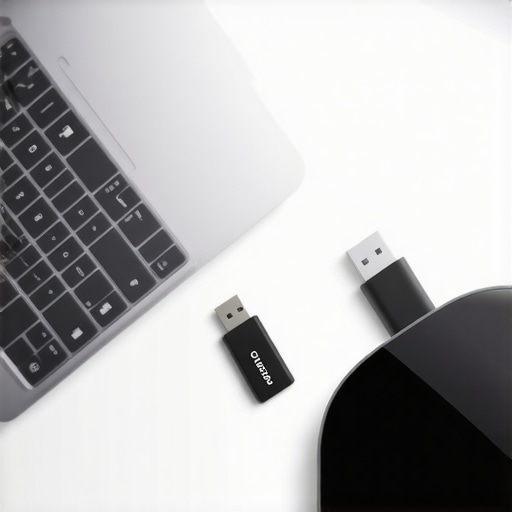
How do I keep my security game tight as we grow?
Consistency is the hardest part of maintenance. When you are focused on [how to pick a membership tier that scales with your team](https://coworkingcentral.com/how-to-pick-a-membership-tier-that-scales-with-your-team), you have to bake security audits into your monthly routine. Every thirty days, I run a ‘wipe’ of our shared meeting room history on any communal tablets. I also ensure that [why your conference room needs better technology and fewer cables-2](https://coworkingcentral.com/why-your-conference-room-needs-better-technology-and-fewer-cables-2) isn’t just about aesthetics; it’s about reducing the number of physical points where someone could plug in a malicious device. I follow the NIST Special Publication 800-207 guidelines, which advocate for a ‘Zero Trust’ architecture. This means we never assume a network is safe just because we pay for the membership. We verify every single request, every single time.
The future of the private office is actually invisible
Looking ahead, I predict we are going to see a massive shift away from the ‘glass fishbowl’ design. The next generation of founders will demand spaces that prioritize signal-shielding and localized ‘privacy bubbles.’ We are already seeing [the role of flex space in a modern business scaling strategy-2](https://coworkingcentral.com/the-role-of-flex-space-in-a-modern-business-scaling-strategy-2) shift toward high-tech, opaque-on-demand glass and acoustic-canceling zones that move with the user. In [the future of conference rooms in startup ecosystems](https://coworkingcentral.com/the-future-of-conference-rooms-in-startup-ecosystems), your physical location will matter less than your digital perimeter. If you want to stay ahead, start treating your workspace as a variable, not a constant. My biggest piece of advice? Go buy a physical, magnetic privacy filter for your laptop today. It is the single most effective ‘low-tech’ solution to a high-tech problem. Don’t wait for a close call to start taking your intellectual property seriously.
Hard Truths from My Years in Shared Spaces
Reflecting on my journey, the most important lesson I’ve learned is that security is a mindset, not just a software update. I used to think a flashy office meant a professional one, but I quickly realized that many innovative meeting rooms that boost startup creativity lack the basic visual shielding needed for high-stakes work. One lightbulb moment came when I realized that ‘free’ amenities often distract you from your primary goal: protecting your intellectual property. I’ve seen founders focus so much on the vibe that they forget to check if the walls are paper-thin. You need to know how to choose the perfect conference room for business success by looking for substance over style. Finally, never underestimate the ‘social engineering’ aspect; sometimes the most dangerous person in the room is the one who looks the most like another friendly founder.
The Kit That Keeps My Data Locked Down
I don’t leave my home base without a few specific items that make any coworking environment feel like a private bunker. First, a magnetic privacy screen is mandatory; it turns your screen black to anyone not sitting directly in front of it. Second, I swear by a physical hardware key like a YubiKey for all my logins. This prevents remote hacking even if someone sniffs my password on a public network. Third, I highly recommend ‘The Art of Deception’ by Kevin Mitnick—it’s an eye-opener on how people actually steal data through simple observation. If you’re looking to upgrade your setup, check out startup success secrets choosing the perfect conference room at 08:17 am to find spaces that already have some of these security features integrated. These tools are the reason I can maximize productivity in your startups conference rooms without the constant paranoia of being watched.
Your Startup Deserves a Safe Harbor
Your ideas are the lifeblood of your company, and they deserve a workspace that respects that. Protecting your perimeter isn’t about being paranoid; it’s about being professional. As you look toward the future of conference rooms in startup ecosystems, remember that the best space is one where you can focus entirely on growth rather than defense. You have the tools, the tactics, and now the mindset to thrive in any shared environment. Go out there and build something incredible, knowing your secrets are safe. Have you ever had a moment where you felt your privacy was compromised in a coworking space? Let me know in the comments below.